
Bored MCP. Find activities using your AI agent, instantly.
 Gemini
 Works with every AI agent you already use
…and any MCP-compatible client









Just plug in your AI agents and start using Vinkius.
Bored MCP Server helps you find activities to beat boredom. Filter suggestions by type, group size, or price. You can get a random idea or look up specific activities using your AI agent, making it a fast resource for planning social events or finding solo hobbies.
What your AI agents can do
Find activity
Searches for activities based on multiple inputs like type, number of people, or price range.
Get activity by key
Retrieves the full details for a single activity using its unique identifier key.
Get random activity
Pulls a completely random activity suggestion when you don't know where to start.
You tell the tool what kind of activity you want—like 'social' or 'relaxing'—and it finds matching options.
You provide a specific activity key, and the tool returns all the details for that exact event or project.
You ask for nothing specific, and the tool hands back a completely random, actionable idea.
Ask AI about this MCP
Supported MCP Clients
Gemini Waiting for input…
Bored MCP Server: 3 Tools for Activity Discovery
These tools let your AI agent search, filter, and retrieve activity suggestions. Use them to plan events, find hobbies, or populate content quickly.
019e5d02find activity
Searches for activities based on multiple inputs like type, number of people, or price range.
019e5d02get activity by key
Retrieves the full details for a single activity using its unique identifier key.
019e5d02get random activity
Pulls a completely random activity suggestion when you don't know where to start.
Choose How to Get Started
Build a custom MCP for your own tools, or connect a ready-made integration from our catalog.
Build Your Own
Turn any API into an MCP. Import a spec, define Agent Skills, or deploy with MCPFusion.
- Import from OpenAPI, Swagger, or YAML specs
- Create Agent Skills with progressive disclosure
- Deploy to edge with MCPFusion framework
- Built in DLP, auth, and compliance on every call
- Real time usage dashboard and cost metering
- Publish to catalog or keep private
Make Your AI Do More
Start with Bored, then connect any of our 4,700+ other servers whenever your AI needs more. One click, no limits.
- Use this MCP plus 4,700+ others, all in one place
- Add new capabilities to your AI anytime you want
- Every connection is secured and compliant automatically
- Track usage and costs across all your servers
- Works with Claude, ChatGPT, Cursor, and more
- New servers added to the catalog every week
What you can do with this MCP connector
Forget scrolling through nothing. The Bored MCP Server connects to your agent and finds activities so you don't have to stare at a blank calendar. Need something for a crew or just wanna chill solo? This thing pulls activity suggestions fast. You can find_activity to search for options using criteria like type, group size, or price range.
You can get_activity_by_key to grab every single detail for an activity if you know its unique ID. If you're totally stumped and just need an idea, get_random_activity hands back a completely random, actionable suggestion.
How Bored MCP Works
- 1 First, connect the Bored MCP Server to your AI agent.
- 2 Next, prompt your AI agent with your criteria (e.g., 'I need a free, social activity for four people').
- 3 The agent calls the appropriate tool (
find_activityorget_random_activity) and returns the suggested activity data to your workflow.
The bottom line is, your AI agent handles the conversation and the API calls, so you just type what you need.
Who Is Bored MCP For?
This is for anyone who plans events or needs ideas but hates the endless scrolling. Event planners, lifestyle bloggers, and content creators use this to quickly populate content or plan group activities. If you spend too much time trying to decide what to do this weekend, this is for you.
Uses find_activity to quickly filter suggestions by group size and budget for a client's specific party or outing.
Uses get_random_activity to generate a list of 'Top 10 Fun Things to Do' ideas for a blog post without doing manual research.
Uses the server to propose team-building activities, checking constraints like 'indoor' or 'low cost' before suggesting anything.
What Changes When You Connect
- Stop scrolling through endless search results. Use
find_activityto narrow down suggestions instantly by setting filters for type, participants, or cost. - Don't know where to start? Call
get_random_activity. It gives you a fresh, actionable idea immediately, saving you the headache of writer's block. - Need to reference a specific idea?
get_activity_by_keypulls up all the details for an activity you saw before, without needing to re-enter any data. - The server handles complex constraints. It checks accessibility scores so you can find activities that actually fit your physical limitations.
- It's built for speed. Your AI agent handles the data requests, giving you actionable suggestions in a natural conversation flow, not a developer console.
- Plan for any group size. You can filter results for 1 person, 4 people, or a large group, making it useful for everything from solo hobbies to big parties.
Real-World Use Cases
The Weekend Planner needs a quick idea.
A user is staring at a blank calendar. Instead of opening ten different websites, they just ask their agent: 'Give me a free, social activity for six people.' The agent runs find_activity and returns a perfect, actionable suggestion instantly.
The Blogger needs content ideas fast.
A content creator needs 10 blog posts about fun things to do. They prompt their agent: 'Give me 10 random activities.' The agent runs get_random_activity repeatedly, building a list of diverse, ready-to-use content ideas.
The Event Organizer needs to check constraints.
An organizer knows they need an activity for a group of four, but it must be low-cost and accessible. They ask the agent, and the agent uses find_activity to filter by these three constraints simultaneously, confirming viability.
The Researcher needs to revisit old data.
A developer is testing agent capabilities and needs to reference an activity seen weeks ago. They don't search; they provide the unique ID and the agent uses get_activity_by_key to pull the full data record.
The Tradeoffs
Asking the AI for everything at once
Prompting: 'I need a social, free, and easy activity for 4 people that is educational.' The AI might fail or give a confusing error because the constraints are too vague or contradictory.
→
Break it down. First, ask for the activity type and group size using find_activity. Then, if results are too broad, use the price or accessibility filter to narrow it down. Always reference the constraints in your prompt.
Assuming a single tool handles everything
Trying to use only get_random_activity when you know the event must be for 10 people. The random result might be for two people, forcing you to start over.
→
Always start with find_activity and specify the participant count in the prompt. This ensures the resulting activity is viable for your group size before you commit to it.
Manually looking up IDs
Trying to find activity details by searching Google for the activity name, which often leads to outdated or incomplete information.
→
If you already have the unique ID, skip the search. Use get_activity_by_key directly with your agent. It guarantees the most accurate, structured data available.
When It Fits, When It Doesn't
Use this server if you need quick, structured suggestions for activities. You're planning an event, writing blog content, or prototyping agent capabilities. You should use find_activity when you have multiple criteria (type, participants, price). Use get_activity_by_key if you know the exact ID you want to check. Use get_random_activity when you genuinely have no idea what to do. Don't use it if you're looking for live, real-time availability (it's a suggestion tool). Don't use it for niche, specialized services like booking tickets or checking local weather—those require different API types.

Independent Platform Disclaimer: Vinkius is an independent platform and is not affiliated with, endorsed by, sponsored by, verified by, or otherwise authorized by Bored API. All third-party trademarks, logos, and brand names are the property of their respective owners. Their use on this website is strictly for informational purposes to identify service compatibility and interoperability.
VINKIUS INFRASTRUCTURE
Cloud Hosted
Managed infra
V8 Isolated
Sandboxed per request
Zero-Trust Proxy
No stored credentials
DLP Enforced
Policy on every call
GDPR Compliant
EU data residency
Token Compression
~60% cost reduction
Works with Claude, ChatGPT, Cursor, and more
The Model Context Protocol standardizes how applications expose capabilities to LLMs. Instead of operating in isolation, your AI gains direct access to external platforms, live data, and real-world actions through secure, standardized connections.
This server provides 3 capabilities that interface natively with Claude, ChatGPT, Cursor, and any MCP client. No middleware. No custom integration required.
Available Capabilities
Deciding what to do this weekend shouldn't feel like a research project.
Think about it: you open a bunch of tabs—Reddit, local event sites, Google Maps. You copy and paste criteria into every single search bar: 'Free,' 'Social,' 'Outdoor,' 'Under 4 people.' You spend 30 minutes just gathering options, cross-referencing dates and costs, and ending up with a mental block.
With the Bored MCP Server, you tell your AI agent exactly what you need—'Give me a relaxing, low-cost activity for two.' The agent runs the query and gives you a clean, actionable suggestion immediately. No tabs, no manual filtering, just the answer.
Bored MCP Server: Get activities using your AI agent.
You don't have to remember the specific API calls or the complex JSON payload structure. You simply talk to your agent, telling it the parameters. The server handles the filtering, the random selection, and the data retrieval in the background.
It's a single, simple interface for complex data access. You just ask. The agent finds it.
Common Questions About Bored MCP
How do I use the find_activity tool with multiple filters? +
You don't call the tool directly. You tell your agent: 'Find a social activity for 4 people that costs less than $5.' The agent translates this into the complex find_activity call for you.
What happens if the activity key I use with get_activity_by_key doesn't exist? +
The server returns an error stating the key is invalid. This tells you immediately that you need to search for the activity using find_activity first.
Is the suggestion from get_random_activity real-time? +
No, it's a curated suggestion. It gives you a great starting point, but you'll need to confirm dates and availability elsewhere.
Can I use find_activity to search for a specific type of activity? +
Yes. You just include the type in your prompt, such as 'educational' or 'relaxation.' The agent handles the rest of the filtering logic.
How does the `get_random_activity` tool handle different activity categories? +
The get_random_activity tool provides diverse suggestions across various categories. It draws from the full scope of available leisure types, ensuring you get variety whether you're looking for education or social fun.
What data points does the `find_activity` tool return when I search? +
The find_activity tool returns detailed activity records, including the type, required number of participants, cost, and accessibility score. This gives you all the info needed to plan the event.
Does `get_activity_by_key` require a specific format for the activity key? +
Yes, the get_activity_by_key tool expects a unique string identifier for the activity. Using the correct format guarantees the system pulls up the exact activity record you're looking for.
Are there limits on how often I can use the `find_activity` tool? +
The Bored API handles usage rates, and Vinkius manages the connection to prevent overuse. You'll hit limits only if your overall usage exceeds the API's established quotas.
Can I find activities specifically for a large group of people? +
Yes! You can use the find_activity tool and specify the participants parameter to get suggestions tailored to your group size.
How do I search for activities that are completely free? +
Simply use the find_activity tool and set the price parameter to 0.0. You can also use maxprice to set a budget limit.
Can I retrieve an activity if I only have its ID number? +
Absolutely. Use the get_activity_by_key tool and provide the unique numeric key to fetch the full details of that specific activity.
Use it with your favorite AI tools
Connect this server to Cursor, Claude, VS Code, and more.
More in this category
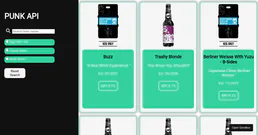
PunkAPI
Explore BrewDog's beer catalog — search by name, style, ABV, IBU, hops, food pairing and get random beer suggestions.
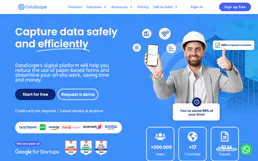
DataScope
Create mobile forms for field inspections, audits, and data collection that work offline and sync when connectivity returns.

ScreenshotOne
Capture website screenshots — audit visual content and generate PDFs via AI.
You might also like
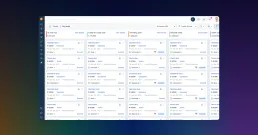
Freshsales
Manage your CRM pipelines, track leads, and oversee sales deals via AI agents with Freshsales.

Unleash (Feature Toggles)
Manage feature flags, strategies, and environments via Unleash — evaluate toggles, list projects, and monitor metrics directly from your AI agent.

Vertex AI Search
Search across your enterprise data using Google's semantic search and generative AI grounding.