
MonkeyLearn Alternative MCP. Turn raw text into structured data, instantly.
 Gemini
 Works with every AI agent you already use
…and any MCP-compatible client









Just plug in your AI agents and start using Vinkius.
MonkeyLearn Alternative handles advanced text analysis directly through your AI agent. It classifies sentiment, pulls specific data points from messy documents, and chains these steps into automated pipelines.
Feed it raw text—be it customer feedback or social media comments—and get structured insights instantly, without writing any ML code.
What your AI agents can do
Classify text
Categorizes input text into predefined labels, such as sentiment or topic, using a specified MonkeyLearn classification model.
Extract data
Pulls specific data points, like names or IDs, from unstructured text based on defined extraction models.
Run pipeline
Executes a predefined sequence of NLP steps (e.g., classify then extract) on a given text input.
The classify_text tool assigns predefined labels—like 'Positive,' 'Negative,' or 'Billing Issue'—to raw text based on a specified model.
Using extract_data, the server pulls specific keywords, names, IDs, and entities out of any chunk of unstructured text.
The run_pipeline tool chains classification and extraction calls into a single command. It processes complex data by running several steps sequentially in one go.
Ask AI about this MCP
Supported MCP Clients
Gemini Waiting for input…
MonkeyLearn Alternative MCP Server: 3 Tools for Text Analysis
Use these three tools to classify text sentiment, pull specific data points from documents, and automate complex NLP workflows directly through any compatible AI client.
019e5d36classify text
Categorizes input text into predefined labels, such as sentiment or topic, using a specified MonkeyLearn classification model.
019e5d36extract data
Pulls specific data points, like names or IDs, from unstructured text based on defined extraction models.
019e5d36run pipeline
Executes a predefined sequence of NLP steps (e.g., classify then extract) on a given text input.
Choose How to Get Started
Build a custom MCP for your own tools, or connect a ready-made integration from our catalog.
Build Your Own
Turn any API into an MCP. Import a spec, define Agent Skills, or deploy with MCPFusion.
- Import from OpenAPI, Swagger, or YAML specs
- Create Agent Skills with progressive disclosure
- Deploy to edge with MCPFusion framework
- Built in DLP, auth, and compliance on every call
- Real time usage dashboard and cost metering
- Publish to catalog or keep private
Make Your AI Do More
Start with MonkeyLearn Alternative, then connect any of our 4,700+ other servers whenever your AI needs more. One click, no limits.
- Use this MCP plus 4,700+ others, all in one place
- Add new capabilities to your AI anytime you want
- Every connection is secured and compliant automatically
- Track usage and costs across all your servers
- Works with Claude, ChatGPT, Cursor, and more
- New servers added to the catalog every week
What you can do with this MCP connector
When you feed your AI client raw text—support tickets, social media sludge, product reviews—you don't want a pile of words; you want data. This MCP Server handles that advanced Natural Language Processing right inside your agent. You just point it at the mess, and it spits out structured insights without needing any ML code or complicated setup.
classify_text: Categorize Text Sentiment or Topic
You use classify_text to categorize whatever text you throw at it. It takes an input string and assigns predefined labels—you know, like 'Positive,' 'Negative,' or maybe a specific topic like 'Billing Issue' or 'Shipping Inquiry.' This tool relies on models trained either by you or pre-configured in the system; it doesn't guess.
You tell it what to look for, and it nails down whether that text is genuinely positive, deeply negative, or if it’s about something entirely different. It tells your agent what the text means at a high level.
extract_data: Pull Structured Data from Documents
Need to grab specific details out of a massive chunk of unstructured text? That's what extract_data does. You feed it random passages, and this tool acts like a digital vacuum cleaner, pulling out precise data points. It pulls keywords, full names, unique IDs—think order numbers or product model numbers—and any other specific entity you define.
It doesn't just tell you something is there; it extracts the actual value so your agent can use it immediately for records or follow-up actions.
run_pipeline: Execute Multi-Step NLP Workflows
When you have a complex problem, you don’t want to manually chain tools together. Use run_pipeline. This tool is the workflow engine: it links classification steps and extraction calls into one single command. Instead of running A, waiting for the output, then feeding that output into B, this server processes the whole thing sequentially in one go.
You can process complicated data by having multiple NLP steps run one after the other—like classifying the sentiment and extracting the order ID—all without telling your agent to wait between steps. It handles the entire data journey from start to finish.
This server turns chaotic, unstructured text into labeled records that your AI client can act on. You just subscribe it on Vinkius and connect it to your preferred AI client; your agent handles calling all these necessary tools for you.
How MonkeyLearn Alternative MCP Works
- 1 Subscribe to the MonkeyLearn Alternative server and provide your API key.
- 2 Tell your AI client (e.g., 'Run the support pipeline on these emails...')
- 3 The agent invokes the appropriate tool (
classify_text,extract_data, orrun_pipeline) with the text data, processes it using the external models, and returns structured results.
The bottom line is: you provide the text and the goal; the server handles the complex ML calls and gives you clean JSON output.
Who Is MonkeyLearn Alternative MCP For?
Data Analysts who are tired of writing boilerplate Python scripts to process feedback loops. Marketing Managers needing real-time brand sentiment tracking from social media feeds. Developers who need to integrate sophisticated NLP features without managing ML infrastructure themselves.
Processes large batches of qualitative data (like support tickets) by running classify_text across thousands of records to quickly find emerging pain points.
Monitors brand sentiment from social media feeds, using the server to extract trending keywords and measure overall public mood in bulk.
Integrates complex data validation into agent workflows. They use run_pipeline to ensure text is both correctly categorized and has required IDs extracted before committing it to a database.
What Changes When You Connect
- Automate classification: Instead of manually reading hundreds of reviews to find the mood, run
classify_texton a batch. It returns precise sentiment scores and topic labels for every single piece of feedback. - Pinpoint key details: Stop searching through massive text blocks for one ID number. Use
extract_datato reliably pull specific entities—like order numbers or product names—and format them instantly. - Build complex workflows easily: Don't write a multi-step script. The
run_pipelinetool chains classification and extraction so you process data end-to-end with one command. - Scale your insights: This server handles volume. You feed it hundreds of support tickets, and the system processes them all at once, giving you aggregated reports on topics and sentiments.
- Stay focused on data, not plumbing: You get robust NLP capabilities without managing ML infrastructure or dealing with complex API orchestration.
Real-World Use Cases
Analyzing Customer Support Feedback
A support team receives 200 daily emails. Instead of having an analyst read every one, they prompt their agent to run a pipeline: 'Run the support pipeline on these emails.' The server uses classify_text to tag them ('Billing Issue') and then extract_data to pull out the relevant Order ID, giving immediate counts for triage.
Monitoring Brand Health from Reviews
A marketing team wants a quick pulse on a new product launch. They feed in 500 social media comments and ask their agent to use classify_text. The result instantly breaks down the mood: 'Positive' (45%), 'Negative' (30%), 'Neutral' (25%)—highlighting areas of concern.
Onboarding Data into a System
A developer needs to ingest unstructured vendor contracts. They use run_pipeline on the contract text. The pipeline first classifies the document type, then uses extract_data to guarantee they pull out legal dates and signatory names in a clean JSON format for database entry.
Filtering Research Papers
A researcher dumps 10 technical papers into their agent. They instruct the agent to use classify_text to filter them down by 'Topic: Quantum Computing' and then run extract_data on the remaining texts to gather all cited model numbers for a bibliography.
The Tradeoffs
Trying to do everything in one prompt
Asking your agent: 'Look at this text, tell me what it means, and also find the IDs.' This often results in vague or incomplete output because the model has too many tasks.
→
Break it down. First, use classify_text to understand the topic. Second, feed that classified text into extract_data. Or, for maximum reliability, use the run_pipeline tool.
Writing custom Python scripts for simple tasks
Manually writing complex logic just to check if a piece of text is negative or extract a name. This takes hours and breaks when data formats change.
→
Use the dedicated tools. classify_text handles sentiment checks with minimal code, and extract_data reliably pulls entities without you managing regex.
Using basic LLM prompts for structured output
Asking a general-purpose AI model to 'return JSON data' from messy customer feedback. The formatting is often unreliable or incomplete.
→
Use the run_pipeline tool. It forces a specific, reliable workflow: classify first, then extract, guaranteeing the output structure you need.
When It Fits, When It Doesn't
Use this server if your primary goal is transforming unstructured text into structured data (JSON/labels). You need to know what the text means and what specific pieces of information are inside it. This setup excels when tasks require a predictable, multi-step journey: classification must happen before extraction can be reliable.
Don't use this if you just need simple summarization or basic Q&A based on one document. For those cases, standard RAG (Retrieval Augmented Generation) tools are sufficient. If your task is purely mathematical calculation or database management without text input, skip this and look into a dedicated data tool instead.

Independent Platform Disclaimer: Vinkius is an independent platform and is not affiliated with, endorsed by, sponsored by, verified by, or otherwise authorized by MonkeyLearn. All third-party trademarks, logos, and brand names are the property of their respective owners. Their use on this website is strictly for informational purposes to identify service compatibility and interoperability.
VINKIUS INFRASTRUCTURE
Cloud Hosted
Managed infra
V8 Isolated
Sandboxed per request
Zero-Trust Proxy
No stored credentials
DLP Enforced
Policy on every call
GDPR Compliant
EU data residency
Token Compression
~60% cost reduction
Works with Claude, ChatGPT, Cursor, and more
The Model Context Protocol standardizes how applications expose capabilities to LLMs. Instead of operating in isolation, your AI gains direct access to external platforms, live data, and real-world actions through secure, standardized connections.
This server provides 3 capabilities that interface natively with Claude, ChatGPT, Cursor, and any MCP client. No middleware. No custom integration required.
Available Capabilities
Sifting through feedback shouldn't feel like archaeology.
Right now, when you get 500 support tickets, the process is manual. You copy-paste batches into a spreadsheet, manually reading each one to determine if it’s about 'Billing,' 'Shipping,' or 'Feature Requests.' Then, you have to eyeball every entry for an order ID and copy those out into a different column.
With this MCP server, your agent handles that entire process. You give it the 500 tickets, tell it what to look for, and in seconds, you get structured data: a list of labels (using `classify_text`) and a separate, clean column with every single Order ID (via `extract_data`).
MonkeyLearn Alternative MCP Server: Automate multi-stage analysis.
Before this server, doing complex analysis meant chaining multiple APIs—first calling a sentiment model, then passing that result to an extraction service, and finally writing glue code to handle the resulting data structure. It was brittle, slow, and required dedicated ML engineering time.
Now, you use `run_pipeline`. You define the whole workflow in one prompt, and the agent executes classification *and* extraction—all automatically. What you get is a single, reliable output that's ready for your database.
Common Questions About MonkeyLearn Alternative MCP
How does MonkeyLearn Alternative MCP Server classify text? +
It uses the classify_text tool to categorize input. You specify which type of classification you need (like Sentiment or Topic), and it runs that task against its available models, returning a label and confidence score.
Can I use MonkeyLearn Alternative MCP Server for data extraction? +
Yes. Use the extract_data tool to pull specific pieces of information—names, IDs, dates—from any messy text block. It guarantees you get structured output.
What is the difference between `classify_text` and `run_pipeline`? +
classify_text does one job: labeling. run_pipeline runs multiple jobs in sequence, for example, it might first classify the text, then use the classification result to inform what data needs extracting.
Does MonkeyLearn Alternative MCP Server handle large volumes of text? +
Absolutely. The tools are designed for batch processing. You feed them a list or chunk of data (like 500 reviews), and they process the entire set rather than just single inputs.
What credentials are required to use the `classify_text` tool? +
You must supply a valid MonkeyLearn API key. This key authenticates your connection and grants access to the specific pre-trained or custom classifiers you select.
Are there rate limits when I run complex operations with `run_pipeline`? +
Yes, standard API usage limits apply. The server adheres to the established MonkeyLearn rate structure. Check the official documentation for current quotas and best practices for managing high-volume calls.
What is the optimal format when I use `extract_data`? +
Passing plain, unstructured text strings works best. While you can pass varied data, remember that the quality of extracted entities depends entirely on the clarity and structure of the source material.
Does the server only work with specific AI clients? (Compatibility) +
No, because this is an MCP server, it connects to any compatible agent. It functions across all major platforms—including Claude, Cursor, and VS Code—that adhere to the Model Context Protocol.
Can I classify multiple pieces of text in a single request? +
Yes. The classify_text tool accepts an array of strings in the texts parameter, allowing you to process multiple entries simultaneously for better efficiency.
How do I extract specific entities like keywords or names? +
Use the extract_data tool with a specific Extractor Model ID. It will parse your text and return the structured entities found based on that model's configuration.
Can I run a sequence of different NLP models at once? +
Yes, by using the run_pipeline tool. Pipelines in MonkeyLearn allow you to chain classifiers and extractors together into a single workflow identified by a Pipeline ID.
Use it with your favorite AI tools
Connect this server to Cursor, Claude, VS Code, and more.
More in this category

Braze
Manage customer engagement via Braze — track users, list campaigns, and trigger canvases directly from any AI agent.
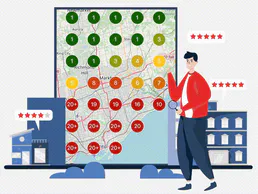
Local Falcon
Track your Google Maps rankings across geographic grids and monitor local SEO performance for every business location.

GAN.ai
Generate personalized videos at scale, track generation status, and oversee campaigns via AI agents with GAN.ai.
You might also like

Beeminder
Commit to your goals via Beeminder — track progress, add datapoints, and monitor your road status directly from any AI agent.

SurrealDB
Manage SurrealDB instances — execute SurrealQL, query tables, and manage records directly from any AI agent.

GUIDEcx
Automate customer onboarding via GUIDEcx — manage projects, tasks, and time tracking directly from any AI agent.