
ReqBin MCP. Verify JSON payloads before they hit production APIs.
 Gemini
 Works with every AI agent you already use
…and any MCP-compatible client









Just plug in your AI agents and start using Vinkius.
ReqBin sends JSON payloads to an echo service and returns that exact data structure, letting you inspect how APIs receive your data.
Use it to validate request formats, confirm data types (like prices or IDs), and debug complex API schemas before writing a line of code.
What your AI agents can do
Echo post json
Sends a JSON payload to ReqBin and returns that exact data structure in the response for immediate inspection.
Send any custom JSON object—containing fields like IDs or prices—and receive that identical structure back.
Check if your AI agent is building JSON objects with the correct field names and nesting for a specific API.
Confirm that numbers are treated as numbers, strings remain strings, and boolean values pass through correctly.
Run a default test to confirm your AI client can communicate with the echo service endpoint immediately.
Ask AI about this MCP
Supported MCP Clients
Gemini Waiting for input…
ReqBin MCP Server: 1 Tool for API Payload Validation
This server provides the `echo_post_json` tool, allowing you to send JSON data payloads and inspect the echoed response structure for debugging.
019e5d4eecho post json
Sends a JSON payload to ReqBin and returns that exact data structure in the response for immediate inspection.
Choose How to Get Started
Build a custom MCP for your own tools, or connect a ready-made integration from our catalog.
Build Your Own
Turn any API into an MCP. Import a spec, define Agent Skills, or deploy with MCPFusion.
- Import from OpenAPI, Swagger, or YAML specs
- Create Agent Skills with progressive disclosure
- Deploy to edge with MCPFusion framework
- Built in DLP, auth, and compliance on every call
- Real time usage dashboard and cost metering
- Publish to catalog or keep private
Make Your AI Do More
Start with ReqBin, then connect any of our 4,700+ other servers whenever your AI needs more. One click, no limits.
- Use this MCP plus 4,700+ others, all in one place
- Add new capabilities to your AI anytime you want
- Every connection is secured and compliant automatically
- Track usage and costs across all your servers
- Works with Claude, ChatGPT, Cursor, and more
- New servers added to the catalog every week
What you can do with this MCP connector
You know how bad API requests can be? You spend hours building an agent that looks perfect on paper, only for it to fail because a field name was misspelled or a number got treated like text. This server fixes that. It lets your AI client send data and see exactly what the receiving end gets back.
The whole point here is debugging. We're talking about inspecting raw JSON payloads in real-time. The core function you use is echo_post_json. When you run echo_post_json, you're sending a structured JSON payload to ReqBin, and the server immediately sends back that exact structure. That return data is what you analyze to make sure your agent’s output matches the API schema it needs to talk to.
Echo Data Payloads: You can send any custom JSON object—whether it's an ID number, a price point, or some complex nested array—and you get that identical structure back. This lets you verify the data payload before you commit your agent to making a real call. If you need to confirm how a specific system handles coordinates (latitude/longitude) or if a unique product SKU is being sent as a string versus an integer, this tool shows it right up front.
Verify Schema Structure: This capability lets you check the scaffolding of your JSON object. You're confirming that when your AI agent builds a payload for a specific endpoint—say, one that requires user_id nested under a root key called customer_data—that structure is correct. If it’s missing a closing bracket or if you accidentally swapped the order of keys, the echo response tells you immediately where the schema breaks down.
You'll know if your agent is building objects with the required field names and nesting for that specific API.
Test Data Types: It’s critical to confirm data types are respected. When you run this through echo_post_json, it verifies whether numbers remain numeric, if boolean values (true/false) pass through correctly, or if strings stay exactly as they should. If the receiving system expects a float for pricing but your agent sends it with unnecessary quotes, the echo response will show that mismatch so you can adjust your prompt.
Validate Connectivity: You don't even need to send data to run a quick sanity check. The tool runs a default test right out of the gate, confirming that your AI client can connect and communicate with the entire echo service endpoint immediately. It’s a fast way to rule out connection issues or authentication failures before you get deep into complex payload testing.
Basically, if your agent is talking to an API, you need this server. You use echo_post_json to send the data, and that exact JSON structure comes back. Then you analyze it to confirm everything—the field names, the nesting, the data types—is locked down tight before writing a single line of production code.
How ReqBin MCP Works
- 1 Initiate the connection by calling
echo_post_jsonand providing the JSON data you want to test. - 2 The ReqBin server processes the input and returns an echo response that mirrors your submitted payload.
- 3 Review the returned JSON structure. This output confirms whether the field names, data types, and format are ready for a production API call.
The bottom line is: you get immediate feedback on your request's structure without needing to set up any mock servers or complex local environments.
Who Is ReqBin MCP For?
This server is for developers and QA engineers who spend too much time manually checking API schemas. If you constantly hit roadblocks because an upstream service expects a field called 'customer_id' but your code sends 'client_id', this tool saves hours of frustration.
Builds the actual API client calls. They use ReqBin to verify that their agent is constructing JSON objects correctly before connecting to live backends.
Tests request/response cycles against a known schema. They run multiple payloads through echo_post_json to ensure data types (e.g., integer vs string) are consistent across all required fields.
Connects two different services together. They use the tool to confirm that Service A's output payload matches what Service B expects, preventing runtime connection failures.
What Changes When You Connect
- Confirm data types instantly. When you run
echo_post_json, the server confirms if your fields—like quantities or prices—are being treated as numbers or strings, saving tricky type-mismatch bugs later. - Validate complex schemas quickly. Need to ensure a payload has an ID, a status code, and multiple items? Send it via
echo_post_jsonand inspect the response to guarantee every field is present. - Bypass mock server setup. You don't need to build or manage local mock endpoints. Just call
echo_post_jsonand get real-time feedback on your structure, right inside your chat agent. - Test edge cases easily. Want to see what happens if you omit a field? Send a partial payload using the tool. The echo response immediately highlights which required parts are missing or malformed.
- Verify connectivity fast. Use the default test function in
echo_post_jsonto confirm your client is talking to ReqBin without needing any setup keys or environment variables.
Real-World Use Cases
Building a Payment Gateway Client
The developer needs to send transaction data. They run echo_post_json with sample fields: { "user_id": 500, "amount": 99.99, "currency": "USD"}. The echo response confirms the amount is a float and the currency is a string, validating the payment payload structure before integrating it with Stripe.
QA Checking Order Forms
The QA engineer must confirm that all required fields for an order are present. They use echo_post_json multiple times, deliberately leaving out a field like 'shipping_address'. The echo response fails to include the expected key, signaling a schema bug in the front-end form logic.
Integrating Microservices
An integrator needs Service A's output to match Service B's input. They run echo_post_json simulating Service A’s response. By inspecting the echoed data, they find that 'user_name' is capitalized in the output but must be lowercase for Service B.
Debugging Agent Output
The agent fails when calling an external API because it formatted dates wrong. The user runs echo_post_json with various date formats until the echoed response shows the required ISO 8601 structure, fixing the data formatting issue in the prompt.
The Tradeoffs
Assuming Data Types
The developer assumes that '20' sent as a number will remain numeric when passed to an external API. The actual failure happens at runtime, giving a vague error.
→
Don't assume anything. Use echo_post_json with the specific value (e.g., 20) and check the echo response to confirm it maintains its numeric type before proceeding.
Skipping Schema Validation
The integrator connects two services without first verifying the payload structure. The process fails with an error that a required field was never found.
→
Before connecting, always use echo_post_json to send the expected full JSON object and confirm every key is present in the returned echo response.
Using it for Actual Data Storage
The user expects that running echo_post_json will save data somewhere or actually update a record. Nothing happens outside of the chat window.
→ Remember, this is an echo service—it only validates structure. If you need to write data, connect your agent to a database tool instead.
When It Fits, When It Doesn't
Use this server if your primary problem is knowing what the payload looks like before it hits a real endpoint. You need to confirm field names, correct data types (e.g., ensuring 'price' is numeric), or validate schema completeness. It’s perfect for pre-production testing and debugging tool calls.
Don't use this if you need actual side effects—like creating records in a database, sending emails, or making payments. This service only echoes; it doesn't save anything or change state. For those needs, connect your agent to tools that handle specific business logic (e.g., a 'create_record' tool). If you just want to see if the shape of your data is right, use echo_post_json.

Independent Platform Disclaimer: Vinkius is an independent platform and is not affiliated with, endorsed by, sponsored by, verified by, or otherwise authorized by ReqBin. All third-party trademarks, logos, and brand names are the property of their respective owners. Their use on this website is strictly for informational purposes to identify service compatibility and interoperability.
VINKIUS INFRASTRUCTURE
Cloud Hosted
Managed infra
V8 Isolated
Sandboxed per request
Zero-Trust Proxy
No stored credentials
DLP Enforced
Policy on every call
GDPR Compliant
EU data residency
Token Compression
~60% cost reduction
Works with Claude, ChatGPT, Cursor, and more
The Model Context Protocol standardizes how applications expose capabilities to LLMs. Instead of operating in isolation, your AI gains direct access to external platforms, live data, and real-world actions through secure, standardized connections.
This server provides 1 capabilities that interface natively with Claude, ChatGPT, Cursor, and any MCP client. No middleware. No custom integration required.
Available Capabilities
Debugging API payloads shouldn't feel like running Postman 5 times a day.
Right now, debugging an API request means opening up Swagger or Postman. You manually construct the JSON body, hit send, copy the response, and then paste it into your IDE to check if the types are right. It's repetitive, tedious, and slows down your flow.
With ReqBin MCP Server, you run that test directly in chat using `echo_post_json`. You input the JSON payload through your AI agent, and the echo response is delivered instantly. That’s it—you get the confirmed structure without leaving your coding environment.
ReqBin MCP Server: Validate API payloads in seconds.
You no longer have to switch between multiple tools or manually manage mock endpoints just to check a data type. You simply tell your agent, 'Echo this payload,' and the tool handles the validation step instantly.
It changes the process from slow, multi-step manual testing into one single, verifiable interaction within your AI workflow.
Common Questions About ReqBin MCP
Can I send custom fields like Price and Quantity to the echo service? +
Yes! Use the echo_post_json tool. You can optionally provide an Id, Quantity, and Price. The server will send these to ReqBin and return the echoed JSON so you can verify the structure.
What happens if I run the echo tool without any parameters? +
If no specific fields are provided, the echo_post_json tool sends a default payload (Id: 78912, Quantity: 1, Price: 18.00) to verify that the connection to ReqBin is working correctly.
Is this tool intended for production data storage? +
No. This is a debugging and testing tool. It uses ReqBin's Echo API to reflect back the data you send, making it ideal for verifying that your AI agent is formatting JSON requests correctly.
Does running `echo_post_json` require specific API keys or authentication? +
No, you don't need complex credentials. The public echo endpoint is designed to be accessible for basic testing without requiring special API keys. This keeps connectivity checks simple for developers.
What happens if I send improperly formatted JSON when using `echo_post_json`? +
The server will reflect the error, allowing you to debug your payload structure immediately. Because it's an echo service, syntax errors are visible in the response data.
Which AI clients support the `echo_post_json` tool? +
You can connect any MCP-compatible client to this server. This includes platforms like Claude, Cursor, VS Code, and Windsurf. Any agent that uses the Model Context Protocol will work here.
Is there a rate limit if I run `echo_post_json` many times during heavy QA testing? +
The service is built for debugging, but like any hosted resource, usage limits apply. For large-scale automated testing, monitor your request volume to prevent hitting potential API quotas.
When I use `echo_post_json`, can I guarantee the response structure matches my input? +
Yes. The tool functions as a direct echo utility. Its main purpose is reflecting your exact request payload, so the output data structure will match what you sent it.
Use it with your favorite AI tools
Connect this server to Cursor, Claude, VS Code, and more.
More in this category

DataFrame Aggregator Engine
Perform blazingly fast GroupBy and Aggregations on massive CSVs local. Save millions of AI tokens and get mathematically perfect sums, means, and counts.

api.video Alternative
Automate video workflows via api.video — upload, stream, and analyze video content directly from any AI agent.

Microlink
Turn any website into data — extract metadata, take screenshots, generate PDFs, and run performance audits directly from your AI agent.
You might also like
Appbot
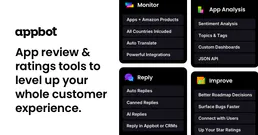
Analyze app reviews and sentiment with Appbot — track user feedback, ratings, and topics across iOS and Android via AI.

Pushbullet
Send files, links, and notifications between your phone and computer instantly with universal copy-paste across all devices.

Castmagic
Automate audio and video content repurposing via Castmagic — generate transcripts, show notes, and social posts directly from any AI agent.