
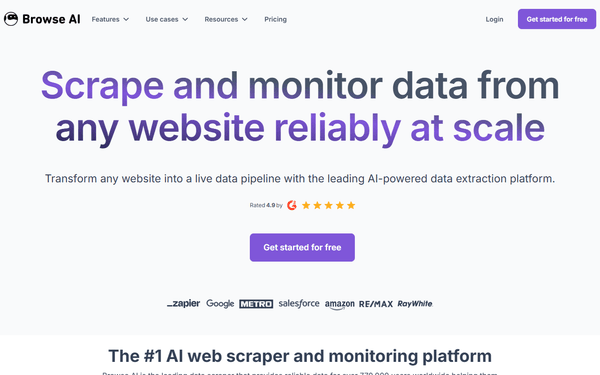
Browse AI MCP Server
Automate web data extraction via Browse AI — run robots, monitor websites, and retrieve captured data directly from any AI agent.
Vinkius AI Gateway supports streamable HTTP and SSE.
Works with every AI agent you already use
…and any MCP-compatible client









Browse AI MCP Server: see your AI Agent in action
Built-in capabilities (10)
create_monitor
Create a new monitor schedule for a robot
get_bulk_run
Get details of a specific bulk run
get_robot
Get details of a specific robot
get_system_status
Check Browse AI system and queue status
get_task
Get status and extracted data for a task
list_bulk_runs
List all bulk runs for a robot
list_monitors
List all monitors for a specific robot
list_robots
List all approved robots
list_tasks
List all tasks for a specific robot
run_robot
Run a robot to extract data (creates a task)
What this connector unlocks
Connect your Browse AI account to any AI agent and orchestrate your web scraping, data extraction, and website monitoring workflows through natural conversation.
What you can do
- Robot Oversight — List all your approved robots and retrieve detailed metadata for each scraper.
- Task Execution — Trigger robot runs (tasks) on specific URLs and monitor their progress in real-time.
- Data Retrieval — Retrieve structured data captured by your robots directly into your workspace.
- Website Monitoring — List and create monitor schedules to track changes on any website automatically.
- Bulk Operations — Manage and inspect bulk runs to extract data from multiple sources at once.
- System Status — Check the health and queue status of the Browse AI infrastructure.
How it works
1. Subscribe to this server
2. Enter your Browse AI Secret API Key
3. Start extracting web data from Claude, Cursor, or any MCP-compatible client
Who is this for?
- Data Analysts & Researchers — quickly trigger data extractions and retrieve results without manual dashboard exports.
- Growth Marketers — monitor competitor prices or new listings straight from their workflow tools.
- Developers — integrate web extraction logic into their coding environment using natural language.
Frequently asked questions
Give your AI agents the power of Browse AI
Access Browse AI and 2,000+ MCP servers — ready for your agents to use, right now. No glue code. No custom integrations. Just plug Vinkius AI Gateway and let your agents work.
More in this category
Lucidworks Fusion (AI Search & Discovery)
10 toolsManage AI-powered search via Lucidworks Fusion — execute semantic queries, index documents, and monitor ML training jobs.

World Bank Countries
3 toolsThe definitive geographic metadata API for resolving country ISO codes, geographic regions, and global income/lending classifications.

Veraset
10 toolsEquip your agent to seamlessly query Veraset's mobility datasets. Run geospatial SQL, extract insights, and manage S3 buckets.
You might also like

Determ
10 toolsEquip your AI agent to monitor media mentions, track keywords, and analyze sentiment via the Determ (formerly Mediatoolkit) API.
Fairing
12 toolsAnalyze customer insights via Fairing — manage post-purchase surveys, track responses, and query zero-party data through your AI agent.

Meld
10 toolsUnified API for digital assets via Meld — track blockchain networks, assets, and exchange rates.