
DVC MCP Server
Manage ML experiments via DVC — track projects and views, audit experiments history, and monitor model runs directly from any AI agent.
Vinkius AI Gateway supports streamable HTTP and SSE.
Works with every AI agent you already use
…and any MCP-compatible client









DVC MCP Server: see your AI Agent in action
Built-in capabilities (6)
get_project
Get project
get_user
Get user profile
get_view
Get view
list_experiments
List experiments
list_projects
List projects
list_views
List views
What this connector unlocks
Connect your DVC Studio account to any AI agent and take full control of your machine learning experiments and data versioning workflows through natural conversation.
What you can do
- Project Orchestration — Expose registered organization workspaces and validate available physical repositories connected within DVC Studio limits
- Experiment Navigation — Iterate through explicitly generated model runs mapping precise metric arrays and discovering logged metrics history cleanly
- View Management — Extract explicit UI configuration layouts and dashboard settings to retrieve structural workspace representations natively
- Repository Auditing — Analyze specific identifier boundaries resolving internal team mappings and parsing direct repository metadata constraints
- Metric Inspection — Retrieve complex structural arrays defining precisely which metrics were captured during specific experiment epochs
- Identity Oversight — Identify the exact authorized token holder exposing mapping roles and organization scopes dynamically to verify permissions
How it works
1. Subscribe to this server
2. Enter your DVC Studio Client Access Token (found in DVC Studio Profile Settings > Tokens)
3. Start managing your ML experiments from Claude, Cursor, or any MCP-compatible client
Who is this for?
- Data Scientists — monitor model experiments and track metrics without leaving the development environment
- ML Engineers — verify project repository connections and audit model run histories using natural language
- Team Leads — monitor organization workspaces and experiment progress through natural conversation
- DevOps Engineers — test and debug DVC Studio integrations and verify access token permissions in real-time
Frequently asked questions
Give your AI agents the power of DVC
Access DVC and 2,000+ MCP servers — ready for your agents to use, right now. No glue code. No custom integrations. Just plug Vinkius AI Gateway and let your agents work.
More in this category
BrowserStack
10 toolsAutomate testing via BrowserStack — manage projects, track test builds, fetch session logs, and monitor execution pipelines from any AI agent.
Hygraph (Headless CMS)
10 toolsManage headless content via Hygraph — execute GraphQL queries, introspect schemas, and manage documents.
Mux
11 toolsManage video assets and live streams via Mux — create assets and track performance directly from your AI agent.
You might also like
Oracle NetSuite
9 toolsManage financials, sales orders, inventory, and customer records on Oracle NetSuite — the leading cloud ERP.
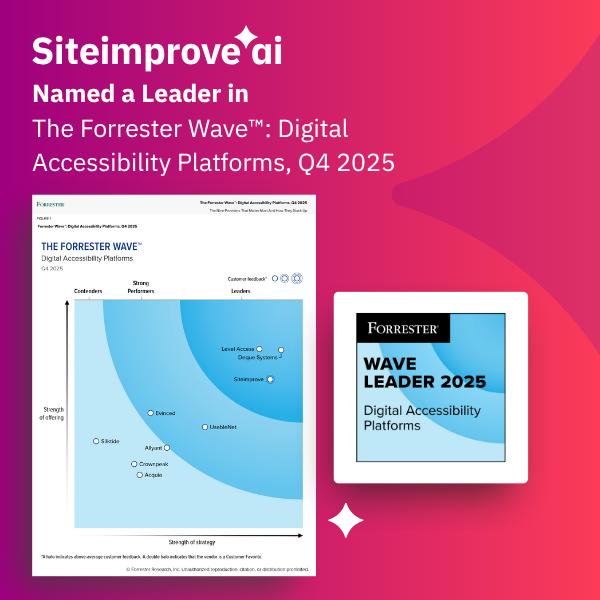
Siteimprove
9 toolsMonitor and improve your website quality — track accessibility, SEO, content QA, and broken links across your domains with AI agents.
NinjaCat
10 toolsManage marketing reporting and advertisers via NinjaCat — track reports, data sources, and campaigns directly from your AI agent.