
Eden AI MCP Server
Equip your AI agent to manage unified AI workflows, track providers, and monitor API usage via the Eden AI platform.
Vinkius AI Gateway supports streamable HTTP and SSE.
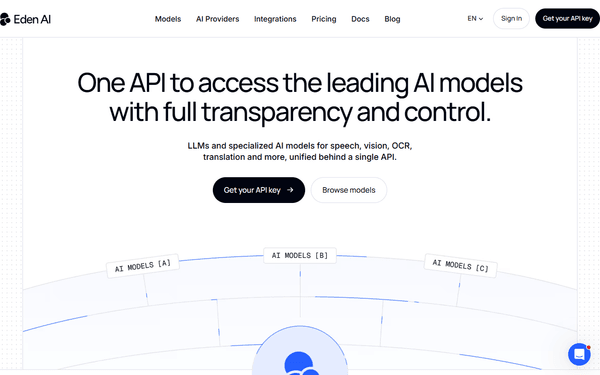
Works with every AI agent you already use
…and any MCP-compatible client









Eden AI MCP Server: see your AI Agent in action
Built-in capabilities (10)
get_ai_feature_pricing
Identify the pricing for a specific AI feature across different providers
get_api_usage_statistics
Retrieve technical statistics on your API usage and costs
get_eden_ai_metadata
Retrieve metadata and credit balance for your Eden AI account
get_workflow_configuration
Get detailed settings and steps for a specific AI workflow
list_ai_providers
List all AI providers (OpenAI, Google, AWS, etc.) available for a specific feature
list_ai_workflows
List all AI automation workflows configured in your Eden AI account
list_all_llm_models
List all specific large language models available through the unified API
list_available_ai_features
List all AI features and subfeatures supported by the Eden AI platform
list_latest_ai_automations
Identify the most recently updated AI workflows
quick_ai_provider_audit
Retrieve a high-level summary of available providers for text analysis
What this connector unlocks
Integrate Eden AI, the unified AI API platform, directly into your AI workflow. Manage your automation workflows and pipelines, track available AI providers (OpenAI, Google, AWS, etc.) across various features, monitor real-time API usage and costs, and oversee your LLM models using natural language.
What you can do
- Workflow Oversight — List and retrieve detailed information and status for all your configured AI automation workflows.
- Provider Intelligence — Access the provider registry to monitor available AI capabilities, pricing, and service levels for specific features.
- Usage Monitoring — Track real-time API consumption statistics, credit balance, and organizational spending across all providers.
- Model Management — List all specific large language models (LLMs) and AI features supported by the Eden AI platform.
How it works
1. Connect the Eden AI integration to your AI assistant.
2. Authorize using your Eden AI API Key (found in your account settings).
3. Orchestrate your unified AI operations and multi-provider automation through intuitive conversation.
Who is this for?
- AI Developers — Quickly check model availability and feature pricing across providers on the go.
- Product Managers — Monitor workflow execution status and API consumption via chat.
- Operations Teams — Audit credit balances and organizational usage metadata instantly.
Frequently asked questions
Give your AI agents the power of Eden AI
Access Eden AI and 2,000+ MCP servers — ready for your agents to use, right now. No glue code. No custom integrations. Just plug Vinkius AI Gateway and let your agents work.
More in this category
.png)
SingleStore
6 toolsEquip your AI agent to natively interact with your SingleStore database. Execute raw SQL queries, perform semantic vector searches, list workspaces, and audit billing directly from the terminal.

Redis Vector
6 toolsEquip your AI to autonomously manage embeddings, run KNN similarity searches, and administrate vector indexes natively inside your Redis stack.

Cloudflare
25 toolsAI edge infrastructure: manage Workers, KV, D1, R2, routes, and deployments via agents.
You might also like
Paystack
10 toolsManage payments via Paystack — list transactions, verify payments, and manage customers directly from any AI agent.
SparkPost
10 toolsBring your SparkPost email delivery platform into your AI. Manage templates, send campaigns, and audit deliverability directly from your editor.

Uniconta
8 toolsAutomate ERP workflows via Uniconta — retrieve debtors, query invoices, manage GL accounts, and list inventory directly from any AI agent.