
Ember Climate MCP Server
Access global electricity data — generation, demand, emissions, and capacity from Ember Climate's open energy API.
Vinkius AI Gateway supports streamable HTTP and SSE.

Works with every AI agent you already use
…and any MCP-compatible client









Ember Climate MCP Server: see your AI Agent in action
Built-in capabilities (11)
get_api_options
Use dataset (e.g., "electricity-generation"), temporal_resolution (e.g., "monthly", "yearly"), and filter_name (e.g., "entity", "series", "entity_code", "date", "year"). This tool is useful for discovering valid country codes, energy source types, and available date ranges before making specific data queries. Get available filter options for Ember electricity datasets
get_carbon_intensity_monthly
Use entity or entity_code to filter by country (e.g., "Brazil", "DE", "US"). Use start_date and end_date with format YYYY-MM (e.g., "2023-01", "2024-12"). This helps analyze seasonal patterns in grid carbon footprint and track monthly decarbonization progress. Get monthly carbon intensity of electricity generation for countries/regions
get_carbon_intensity_yearly
Use entity or entity_code to filter by country (e.g., "Brazil", "DE", "US"). Use start_date and end_date with format YYYY (e.g., "2020", "2023"). Returns emissions intensity data showing how clean or polluting the electricity grid is over time. Get yearly carbon intensity of electricity generation for countries/regions
get_electricity_demand_monthly
Use entity or entity_code to filter by country (e.g., "Brazil", "DE", "US"). Use start_date and end_date with format YYYY-MM (e.g., "2023-01", "2024-12"). Useful for analyzing seasonal demand patterns, peak consumption periods, and demand forecasting. Get monthly electricity demand data for countries/regions
get_electricity_demand_yearly
Use entity or entity_code to specify countries (e.g., "Brazil", "DE", "US"). Use start_date and end_date with format YYYY (e.g., "2020", "2023"). Essential for understanding energy consumption trends and comparing per-capita usage across nations. Get yearly electricity demand data for countries/regions
get_electricity_generation_monthly
). Returns generation in TWh and percentage share of total generation for each source. Use entity or entity_code to filter by country (e.g., "Brazil", "DE", "US"). Use start_date and end_date with format YYYY-MM (e.g., "2023-01", "2024-12"). Use series to filter by specific energy sources (e.g., "coal", "wind", "solar", "hydro", "nuclear", "gas"). Perfect for analyzing seasonal generation patterns, renewable intermittency, and monthly energy mix changes. Get monthly electricity generation by source for countries/regions
get_electricity_generation_yearly
). Returns generation in TWh and percentage share of total generation for each source. Use entity or entity_code to filter by country (e.g., "Brazil", "DE", "US"). Use start_date and end_date with format YYYY (e.g., "2020", "2023"). Use series to filter by specific energy sources (e.g., "coal", "wind", "solar", "hydro", "nuclear", "gas"). Essential for analyzing energy transition, renewable adoption, and fossil fuel phase-out progress. Get yearly electricity generation by source for countries/regions
get_generation_multi_entity
g., "BRA,DE,US" for Brazil, Germany, and United States). Use start_date and end_date with format YYYY for yearly or YYYY-MM for monthly data. Use series to filter by energy source (e.g., "coal", "wind", "solar", "hydro", "nuclear", "gas"). This is highly efficient for comparative analysis across multiple nations without making separate API calls. Example: entity_code="BRA,DE,US,CHN,IND" to compare BRICS+ nations energy generation. Get electricity generation data for multiple countries simultaneously
get_installed_capacity_monthly
Use entity or entity_code to filter by country (e.g., "Brazil", "DE", "US"). Use start_date and end_date with format YYYY-MM (e.g., "2023-01", "2024-12"). Use series to filter by capacity type (e.g., "wind", "solar"). Tracks renewable infrastructure deployment and capacity growth over time across different nations. Get monthly installed power capacity (wind and solar) for countries
get_power_sector_emissions_monthly
Use entity or entity_code to filter by country (e.g., "Brazil", "DE", "US"). Use start_date and end_date with format YYYY-MM (e.g., "2023-01", "2024-12"). Use series parameter to filter by emission types (e.g., "co2"). Enables granular tracking of monthly emission trends and seasonal variations in power sector pollution. Get monthly power sector CO2 emissions for countries/regions
get_power_sector_emissions_yearly
Use entity or entity_code to filter by country (e.g., "Brazil", "DE", "US"). Use start_date and end_date with format YYYY (e.g., "2020", "2023"). Use series parameter to filter by emission types (e.g., "co2"). Critical for tracking national decarbonization progress and climate policy effectiveness. Get yearly power sector CO2 emissions for countries/regions
What this connector unlocks
Connect your AI agents to Ember Climate's open electricity dataset and gain instant access to global energy intelligence covering over 200 countries and regions.
What you can do
- Carbon Intensity Analysis — Track yearly and monthly carbon footprint (gCO2/kWh) of electricity grids worldwide
- Generation by Source — Break down electricity production by energy type: coal, gas, nuclear, wind, solar, hydro, and more
- Demand Trends — Analyze electricity consumption patterns in TWh with per-capita metrics across nations
- Power Sector Emissions — Monitor CO2 emissions from the power sector in megatonnes and percentage shares
- Renewable Capacity Tracking — Follow monthly wind and solar capacity installations in GW to measure clean energy deployment
- Multi-Country Comparison — Query multiple nations simultaneously using comma-separated country codes for comparative analysis
- Filter Discovery — Explore available entities, energy sources, and date ranges dynamically before making targeted queries
How it works
1. Subscribe to this server
2. Enter your Ember Climate API Key (free, obtained via email signup)
3. Start querying global electricity data from Claude, Cursor, or any MCP-compatible client
No more manual CSV downloads or spreadsheet wrangling. Your AI becomes an instant energy analyst, capable of answering complex questions about the global energy transition in seconds.
Who is this for?
- Climate Researchers — instantly retrieve emissions data and grid carbon intensity trends without writing data pipelines
- Energy Consultants — compare generation mixes across countries and track renewable adoption rates programmatically
- Sustainability Teams — monitor power sector decarbonization progress and contextualize corporate ESG goals against national benchmarks
- Policy Makers & Journalists — fact-check energy claims with authoritative data from over 200 geographies on demand
Frequently asked questions
Give your AI agents the power of Ember Climate
Access Ember Climate and 2,000+ MCP servers — ready for your agents to use, right now. No glue code. No custom integrations. Just plug Vinkius AI Gateway and let your agents work.
More in this category
OpenAlex
5 toolsAccess 250M+ scholarly works with open bibliometric data — search papers, authors, institutions, and trending research topics. The open-source alternative to Scopus and Web of Science.
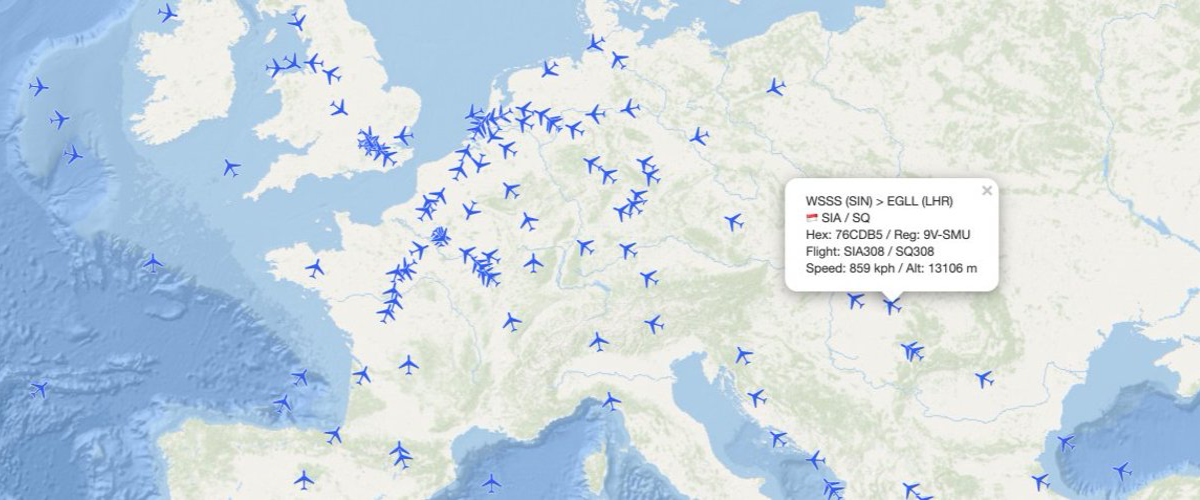
AirLabs
12 toolsAccess global aviation data via AirLabs — track real-time flights, search airports and airlines, check schedules, and analyze routes from any AI agent.

Bureau of Labor Statistics Full — The Mega Server
5 toolsThe ultimate BLS Mega-Server: Access all 6 major datasets including CPI (Inflation), CES (Jobs), CPS (Unemployment), JOLTS (Turnover), LAUS (Local metrics), and OEWS (Wages by Profession).
You might also like
LinearB
7 toolsExport software delivery metrics, manage deployments, and report incidents via the LinearB API.

Namely
10 toolsManage HRIS data via Namely — track employee profiles, job info, and organization groups directly from your AI agent.
Toast
10 toolsManage restaurant orders, menus, employees, labor, tables, and payments for your Toast POS through natural conversation.