
Expedia Hotels MCP Server
Connect Expedia Hotels to any AI agent via MCP.
Vinkius AI Gateway supports streamable HTTP and SSE.

Works with every AI agent you already use
…and any MCP-compatible client









Built-in capabilities (10)
book_hotel
This is a write action that results in an actual reservation. Required fields: property_id, check_in_date, check_out_date, room_id, rate_plan_id, guest first name, last name, and email. The room_id and rate_plan_id should be obtained from the check_availability or get_rate_plans tools. Include billing address and special requests if the user provides them. On success, returns an itinerary ID that can be used to retrieve or cancel the booking. ALWAYS confirm booking details with the user before executing this action. Book a hotel reservation through Expedia EAN
cancel_itinerary
This is a write action that modifies a real reservation. Whether a refund is available depends on the cancellation policy of the specific rate plan that was booked. Some rate plans are non-refundable. ALWAYS confirm the cancellation with the user and inform them of the applicable cancellation policy before executing this action. Returns the updated itinerary with cancellation status and any refund details. Cancel a hotel booking by itinerary ID
check_availability
Returns available room types, bed configurations, occupancy limits, cancellation policies, and pricing. Use this after a user has identified a hotel of interest to see what rooms are available for their desired stay dates. Required: property_id, check_in_date, check_out_date. Check room availability for a specific hotel property
check_price_match
This is part of Expedia's price match guarantee program. Required: property_id, check_in_date, check_out_date, competitor_url (URL where the lower price was found), and competitor_price (the lower price amount). Returns the price match result including whether the match was approved, the adjusted price if applicable, and any refund or credit details. Check if a hotel price matches a competitor's price
get_hotel_details
Returns property name, full address, phone number, star rating, guest rating, detailed descriptions, amenities list, policies (check-in/out times, pet policy, etc.), nearby attractions, and images. Use this to present rich hotel details to the user before they make a booking decision. Get detailed information about a specific hotel property
get_hotel_images
Returns image URLs in various categories (exterior, lobby, room, bathroom, pool, restaurant, etc.), along with image descriptions, captions, and subject IDs. Use this to display hotel photos to the user when browsing or presenting hotel details. Images are available in multiple sizes — the response includes URLs for each size variant. Get all images for a specific hotel property
get_itinerary
Returns booking status (confirmed, cancelled), property details, room information, check-in/check-out dates, guest details, total price paid, cancellation policy, and booking timestamps. Use this to check the status of a booking or to present booking confirmation details to the user. Get details of a hotel booking by itinerary ID
get_rate_plans
This includes standard rates, member-only deals, package rates, non-refundable options, and promotional pricing. Each rate plan includes details on meal plans (room only, breakfast included), cancellation policies, payment types (pay now vs pay at property), and total pricing. Use this to compare pricing options and present the best deals to the user. Get rate plans and pricing options for a hotel property
search_hotels
Use this to find hotels by destination region ID, check-in and check-out dates, number of rooms and guests. You can filter by amenities, price range, star rating, guest rating, and property type. The region ID can be obtained using the search_regions tool. Always provide check-in and check-out dates in ISO format (YYYY-MM-DD). Results include property IDs, names, locations, star ratings, and pricing information. Search for hotels using the Expedia EAN API
search_regions
This is the first step in a hotel search — you need a region_id to search for hotels. For example, searching for "Paris" returns the city region, specific neighborhoods, and nearby airports. Use this to help the user identify the correct destination before performing a hotel search. Returns region IDs, names, types, and hierarchy info. Search for destination regions by name
What this connector unlocks
Connect Expedia Hotels to any AI agent via MCP.
Give your AI agents the power of Expedia Hotels
Access Expedia Hotels and 2,000+ MCP servers — ready for your agents to use, right now. No glue code. No custom integrations. Just plug Vinkius AI Gateway and let your agents work.
You might also like
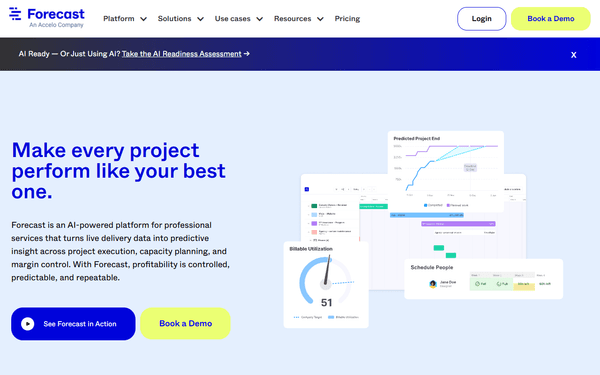
Forecast
6 toolsManage AI-powered project resources via Forecast — track projects and tasks, handle team availability, and monitor milestones directly from any AI agent.

Runn
12 toolsConnect your AI to Runn for complete visibility into project pipelines, capacity planning, resource allocations, and timesheet actuals directly via chat.
Criteo Marketing API
10 toolsEquip your AI agent to manage Criteo marketing campaigns, ad sets, and budgets directly via the Criteo API.