
Kintone MCP Server
Manage custom business apps, records, and workflows via Kintone.
Vinkius AI Gateway supports streamable HTTP and SSE.
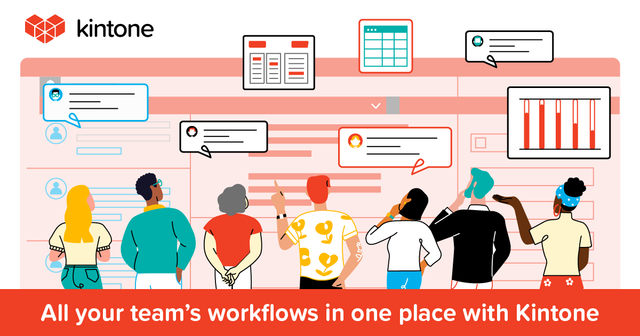
Works with every AI agent you already use
…and any MCP-compatible client









Kintone MCP Server: see your AI Agent in action
Built-in capabilities (10)
add_record
Requires a JSON object mapping field codes to values. Add a new record to an app
delete_records
Requires an array of record IDs. Delete records from an app
get_app_details
Get details for a specific app
get_app_layout
Get the field layout of an app
get_record
Get a specific record from an app
list_apps
Use this to identify App IDs for record operations. List all Kintone apps
list_form_fields
List form fields for an app
list_records
You can optionally provide a query string for filtering. List records from an app
list_space_members
List members of a Kintone space
update_record
Update an existing record
What this connector unlocks
Connect your Kintone platform to any AI agent to automate your business operations. This MCP server enables your agent to interact with custom apps, manage data records, and query organizational metadata directly.
What you can do
- Record Management — List, retrieve, add, and update records in any of your Kintone apps
- App Discovery — List all available applications and retrieve detailed configurations and field mappings
- Data Querying — Use Kintone's powerful query language to filter records based on complex criteria
- Form Inspection — Access form field settings and layouts to understand data structures
- Space Visibility — List members and participants within your Kintone collaboration spaces
How it works
1. Subscribe to this server
2. Enter your Kintone Subdomain and API Token
3. Start managing your business data from Claude, Cursor, or any MCP-compatible client
Who is this for?
- Operations Teams — Automate data entry and record updates via natural language commands
- Project Managers — Quickly query project statuses and task records from your IDE
- Business Analysts — Retrieve and analyze app data without manually exporting CSV files
Frequently asked questions
Give your AI agents the power of Kintone
Access Kintone and 2,000+ MCP servers — ready for your agents to use, right now. No glue code. No custom integrations. Just plug Vinkius AI Gateway and let your agents work.
More in this category
AwardWallet
9 toolsManage loyalty points, travel rewards, and itineraries via AwardWallet — monitor your miles and trips directly via AI.

Bing Search
10 toolsPower your AI agent with global web data via Bing Search — query web pages, images, news, videos, and local businesses in real-time.
Trello
10 toolsAutomate project management via Trello — list boards, manage lists, and inspect or create cards directly from any AI agent.
You might also like

DNV Renewables
11 toolsAccess wind and solar resource data, energy yield estimates, and mesoscale climate data via DNV Renewables (ex-EMD) API.
Ideogram (AI Image Generation)
10 toolsGenerate and edit images via Ideogram — the industry leader for rendering text within AI-generated visuals.

Pivotal Tracker
10 toolsManage agile projects via Pivotal Tracker — list stories, track epics, and update tasks directly from any AI agent.