
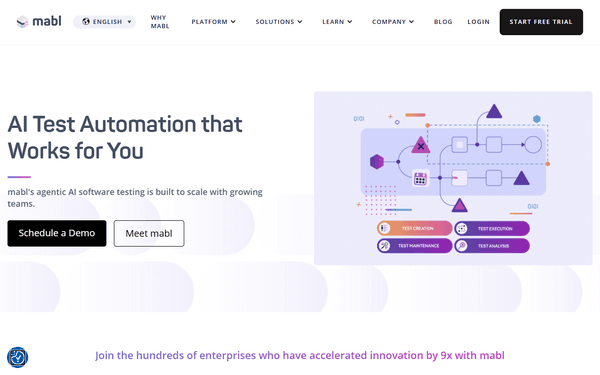
Mabl (AI-Powered Test Automation) MCP Server
Manage E2E testing via Mabl — trigger test plans, monitor execution results, and perform AI-driven failure analysis.
Vinkius AI Gateway supports streamable HTTP and SSE.
Works with every AI agent you already use
…and any MCP-compatible client









Mabl MCP Server: see your AI Agent in action
Built-in capabilities (10)
mb.get_app
Get full details of a Mabl application including name, description, targets (web URLs + API base URLs), and labels
mb.get_execution
Get full details of a Mabl execution result including status, duration, test outcomes, failure analysis, and screenshots
mb.list_apps
Use this to lookup application details. List all applications on Mabl. Mabl is an AI-powered E2E testing platform for web, mobile, and API testing with self-healing tests
mb.list_envs
). Returns env names, IDs, and environment variables. List all environments on Mabl
mb.list_executions
List latest execution results on Mabl
mb.list_labels
Returns label names and associated plan counts. List all labels (tags) used in Mabl plans
mb.list_plans
Returns plan names, statuses, triggers, and linked apps/envs. List all test plans (run policies) on Mabl
mb.list_tests
List all API tests on Mabl
mb.trigger_plan
Trigger a Mabl plan run via deployment event
mb.workspace_info
Does not require args. Get workspace info for the authenticated Mabl API key including workspace name, org, and key metadata
What this connector unlocks
Connect your Mabl account to any AI agent and take full control of your AI-powered E2E testing and quality orchestration through natural conversation.
What you can do
- Plan Orchestration — List all test plans and trigger immediate executions across specific environments (staging, production) directly from your agent
- Execution Monitoring — Track the real-time status of ongoing test runs and retrieve detailed outcome summaries including pass/fail rates and durations
- AI Failure Analysis — Deep-dive into execution results to extract precise failure reasons, diagnostic insights, and visual screenshots for rapid debugging
- Environment Audit — List configured testing environments and retrieve associated variables to ensure accurate test execution context
- App & API Discovery — Enumerate all monitored applications and their target URLs (web + API) to manage your testing grid securely
- Label & Tag Management — Discover and list plan labels used to group and trigger specific testing suites across your organization
How it works
1. Subscribe to this server
2. Enter your Mabl API Key
3. Start managing your test automation from Claude, Cursor, or any MCP-compatible client
Who is this for?
- QA Automation Engineers — trigger complex test plans and analyze failure diagnostics through natural conversation without leaving your IDE
- Software Developers — verify build quality and retrieve session screenshots to debug UI regressions directly from your workspace
- DevOps Teams — audit CI/CD test results and monitor environment health across multiple Mabl projects efficiently
Frequently asked questions
Give your AI agents the power of Mabl
Access Mabl and 2,000+ MCP servers — ready for your agents to use, right now. No glue code. No custom integrations. Just plug Vinkius AI Gateway and let your agents work.
More in this category

Stoplight
7 toolsConnect your AI to Stoplight. Design, document, and manage your API lifecycle, exploring workspaces and schemas effortlessly.
Microsoft App Store
8 toolsManage your Microsoft Store apps — track submissions, add-ons, and package flights via the Submission API.

Kontent.ai
10 toolsAccess headless content — list items, audit types, and query taxonomies.
You might also like

SleekFlow
7 toolsManage omnichannel customer conversations — read messages, check contacts, and send replies across WhatsApp, Instagram, and more directly from your AI agent.
Howuku
10 toolsAnalyze user behavior via Howuku — track projects, recordings, and heatmaps.

DingConnect
10 toolsEquip your AI agent to manage mobile top-ups, track operators, and monitor account balance via the DingConnect API.