
Salesforce Marketing Cloud MCP Server
Manage campaigns, track member engagement, measure marketing ROI, and optimize lead generation through natural conversation.
Vinkius AI Gateway supports streamable HTTP and SSE.

Works with every AI agent you already use
…and any MCP-compatible client









Salesforce MCP Server: see your AI Agent in action
Built-in capabilities (6)
sf_add_campaign_member
Provide campaignId and either contactId OR leadId (not both). Status defaults to "Sent" but can be set to "Responded", "Registered", etc. based on your campaign member statuses. Returns the created membership record. Add a lead or contact to a Salesforce marketing campaign for attribution tracking and engagement measurement
sf_campaign_members
Returns member name, type (Lead or Contact), status (Sent/Responded/etc.), and response date. Use to see who is in a campaign, track engagement, or analyze campaign reach. Essential for campaign ROI and attribution analysis. Get all leads and contacts enrolled in a specific Salesforce campaign with their membership status and response dates
sf_campaign_performance
Returns the number of campaigns, total leads generated, total conversions, total budgeted cost, and actual cost per campaign type. Provides an instant ROI overview across all marketing channels. Use for marketing dashboard, channel-level performance comparison, or budget allocation analysis. Get aggregate marketing campaign performance — campaign counts, total leads, conversions, and costs grouped by campaign type
sf_campaigns_by_status
Returns campaigns with lead/contact counts, budget, and conversion data. Use for questions like "which campaigns are currently running?" or "show completed campaigns with their results." Get Salesforce campaigns filtered by status — Planned, In Progress, Completed, or Aborted — with full metrics
sf_create_campaign
Name is required. Type: Email, Conference, Webinar, Trade Show, Public Relations, Advertisement, Banner Ads, Telemarketing. Status defaults to "Planned". Dates use YYYY-MM-DD. budgetedCost is the planned spend. Returns the created campaign with its Salesforce ID. Create a new marketing campaign in Salesforce with name, type, status, dates, description, and budget
sf_search_campaigns
Returns campaign name, status (Planned/In Progress/Completed/Aborted), type (Email/Conference/Webinar/Advertisement), start/end dates, number of leads generated, contacts converted, budgeted cost, and actual cost. Use when the user asks about marketing initiatives, campaign performance, or budget spend. Search Salesforce marketing campaigns by name to find initiatives with status, type, budget, and lead/contact conversion metrics
What this connector unlocks
Connect Salesforce Marketing to any AI agent.
What you can do
- Campaigns — Search, create, and filter by status
- Members — View and add leads/contacts to campaigns
- Performance — Aggregate metrics by campaign type
Who is this for?
- Marketing Managers — Campaign health at a glance
- Demand Gen — Track lead-to-conversion by campaign
- Growth Teams — ROI analysis through conversation
Frequently asked questions
Give your AI agents the power of Salesforce
Access Salesforce and 2,000+ MCP servers — ready for your agents to use, right now. No glue code. No custom integrations. Just plug Vinkius AI Gateway and let your agents work.
More in this category
IBM QRadar
10 toolsConnect IBM QRadar to any AI agent via MCP.

Uber Eats
14 toolsAI restaurant management: manage orders, menus, deliveries, and store operations via agents.

BCB Inflação — IPCA, IGP-M, INPC e Expectativas
5 toolsBrazilian inflation indices: IPCA (official CPI), IPCA-15 (advance reading), IGP-M (rent and contract index), INPC (minimum wage index), and Focus Survey market expectations for future inflation from Brazil's Central Bank.
You might also like
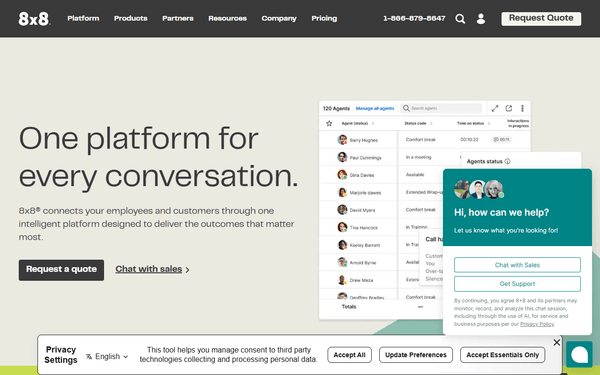
8x8 Work
3 toolsBusiness communication analytics — audit call records, extension performance, and ring groups via AI.

PAN-OS
8 toolsConnect PAN-OS to any AI agent via MCP.

Google Forms
2 toolsAnalyze datasets actively — list active Google Forms, query exact responses, and fetch metadata programmatically.