
Tactile CRM MCP Server
Connect your AI to Tactile CRM. Query companies, read contact details, and evaluate your sales opportunities and pipelines natively from the terminal.
Vinkius AI Gateway supports streamable HTTP and SSE.
Works with every AI agent you already use
…and any MCP-compatible client









Tactile CRM MCP Server: see your AI Agent in action
Built-in capabilities (9)
get_company_details
Retrieves details for a specific company
get_contact_details
Retrieves details for a specific individual contact
get_opportunity_details
Retrieves details for a specific sales opportunity
list_activities
Lists recent CRM activities (tasks, calls, emails)
list_companies
Lists all companies (organizations) in the Tactile CRM
list_contacts
Lists all individual contacts (people) in the CRM
list_notes
Lists general CRM notes
list_opportunities
Lists all sales opportunities (deals) in the pipeline
list_pipelines
Lists available sales pipelines
What this connector unlocks
Extend the reach of your Tactile CRM databases directly into your AI conversational flow utilizing this official Vinkius MCP connector. By granting your LLM localized parsing privileges, you enable it to operate as an intelligent sales assistant that can explore rich business metadata, track sales progression, and summarize unstructured internal notes strictly without relying on graphical CRM interfaces.
What you can do
- Client & Corporate Lookups — Investigate CRM records retrieving specific macro structures invoking
list_companiesand pinpoint specific organizational data operatingget_company_details. - Contact Identification — Sweep active employee registers querying
list_contactsand securely extract direct lead data mapping them dynamically withget_contact_details. - Pipeline Discovery — Analyze sales cycle projections seamlessly using
list_opportunitiesand drill into individual contract values utilizingget_opportunity_details. - Activity & Note Audits — Programmatically capture unstructured comments analyzing metadata tracks applying
list_notesand log engagement events executinglist_activities.
How it works
1. Associate the active Tactile CRM integration environment securely over your prompt terminal interface.
2. Accurately assign your corporate TACTILE_SUBDOMAIN and specific access matrix (TACTILE_API_KEY) obtained from Account Settings > Integrations.
3. Instruct your artificial assistant logically: "Search our CRM companies for 'Acme Corp', evaluate their most recent activities, and retrieve the primary contact email from our pipelines."
Who is this for?
- B2B Account Executives — Instantly review pre-meeting client summaries pulling unformatted notes cleanly into the conversation window bypassing complex web portals.
- Sales Operation Analysts — Cross-reference opportunities tracking active funnels programmatically inspecting structural data parameters natively.
- Customer Success Managers — Assess real-time organizational footprints logging activities verifying specific company details via simple conversational text evaluations.
Frequently asked questions
Give your AI agents the power of Tactile CRM
Access Tactile CRM and 2,000+ MCP servers — ready for your agents to use, right now. No glue code. No custom integrations. Just plug Vinkius AI Gateway and let your agents work.
More in this category
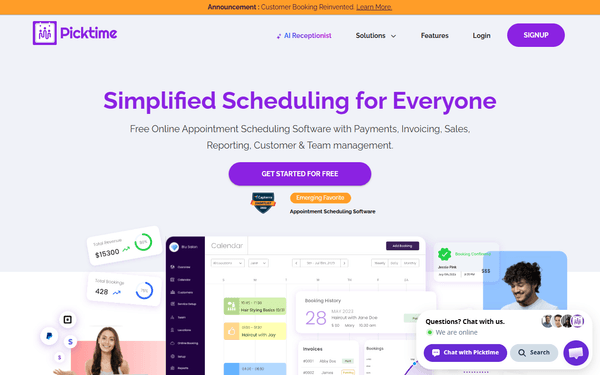
Picktime
10 toolsEquip your AI agent to manage scheduling operations. Fetch global availabilities, list locations, and manage business bookings via chat natively.
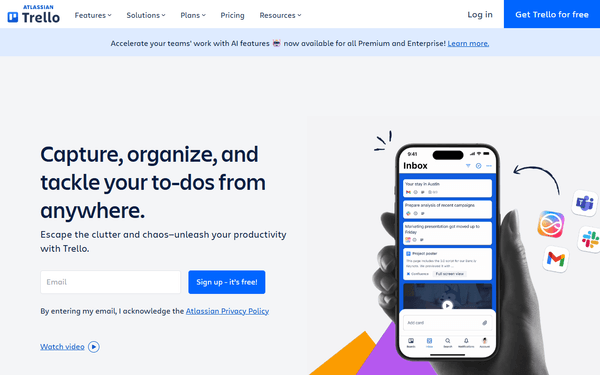
Trello
10 toolsAutomate project management via Trello — list boards, manage lists, and inspect or create cards directly from any AI agent.
Alexa Smart Home
16 toolsControl Alexa-connected smart home devices — lights, thermostats, speakers, and sensors via Alexa Smart Properties API.
You might also like
Walmart Marketplace
8 toolsManage your Walmart Marketplace catalog, inventory, and dynamic pricing natively.
Testim
10 toolsTrigger automated AI tests, inspect execution logs, and manage branches natively via your AI agent.

Sentry
10 toolsGrant your AI agent full access to Sentry's Application Performance Monitoring tools to track raw exceptions, resolve error logs, and inspect crash stack traces dynamically.