
Zenkit MCP Server
Manage workspaces, lists, and entries via the Zenkit API.
Vinkius AI Gateway supports streamable HTTP and SSE.

Works with every AI agent you already use
…and any MCP-compatible client









Zenkit MCP Server: see your AI Agent in action
Built-in capabilities (8)
create_entry
Requires a JSON object with field values. Create a new entry in a list
delete_entry
Delete an entry from a list
get_list_details
Get details for a specific list
get_workspace_details
Get details for a specific workspace
list_elements
List all elements (fields) defined in a list
list_entries
List all entries (items) in a list
list_workspaces
List all workspaces and their lists
update_entry
Update an existing entry
What this connector unlocks
Connect your Zenkit account to any AI agent to streamline your productivity and project management. This MCP server enables your agent to interact with workspaces, lists (collections), and data entries directly from natural language.
What you can do
- Workspace Oversight — List all workspaces and retrieve their constituent lists and metadata
- List Management — Query detailed configurations and field elements for any Zenkit list
- Data Operations — List, retrieve, create, and update entries (items) within your collections
- Field Discovery — Inspect list elements to understand the data structure and field types
- Content Cleanup — Delete entries and maintain your lists directly via natural language commands
How it works
1. Subscribe to this server
2. Enter your Zenkit API Key
3. Start managing your productivity data from Claude, Cursor, or any MCP-compatible client
Who is this for?
- Project Managers — Monitor task lists and update entry statuses across multiple workspaces
- Operations Teams — Automate data entry and record maintenance via simple commands
- Knowledge Workers — Quickly retrieve and organize information stored in Zenkit collections
Frequently asked questions
Give your AI agents the power of Zenkit
Access Zenkit and 2,000+ MCP servers — ready for your agents to use, right now. No glue code. No custom integrations. Just plug Vinkius AI Gateway and let your agents work.
More in this category
MakePlans
8 toolsManage appointments, services, and customers via the MakePlans REST API.

Documo
10 toolsEquip your AI agent to manage digital faxes, track fax numbers, and monitor transmissions via the Documo API.
BlaBlaCar
8 toolsAI carpool search: find rides, compare prices, and book shared journeys via agents.
You might also like
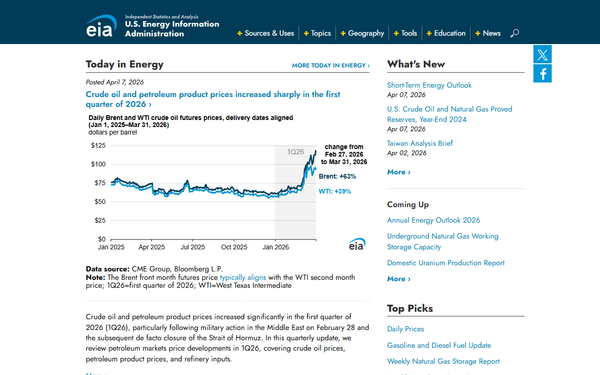
EIA State Energy — U.S. Regional Energy Data
3 toolsState-level energy data spanning 65 years: production, consumption, prices, and expenditures for ALL energy sources by state and sector (SEDS), the comprehensive Monthly Energy Review (MER), and nuclear reactor outage tracking.
VWO
10 toolsManage A/B tests, feature flags, and conversion goals on VWO — the leading experience optimization platform.

Salesbricks
10 toolsIntegrate Salesbricks seamlessly into your AI. Quickly manage B2B customer billing, track active subscriptions, list available software plans, and audit invoices natively.