
Estimote MCP Server
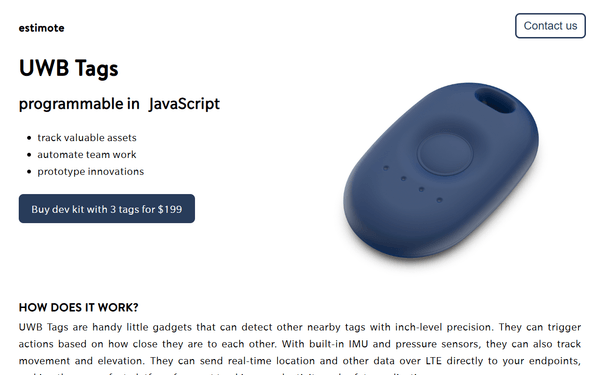
Manage beacon fleets via Estimote — list and configure devices, track proximity analytics, monitor sensor telemetry, and manage physical locations directly from any AI agent.
Vinkius AI Gateway soporta streamable HTTP y SSE.
Funciona con todos los agentes de IA que ya usas
…y cualquier cliente compatible con MCP









Estimote MCP Server: mira tu AI Agent en acción
Capacidades integradas (10)
assign_tag_to_beacon
If the tag does not exist, it is created automatically. A device can have multiple tags. Use to organize beacons by floor, zone, store section, or campaign. Tags persist in the cloud and do not require physical beacon access. Assign an organizational tag to a specific Estimote beacon device, adding it to a logical group for fleet management, analytics filtering, and proximity campaign targeting
create_physical_location
After creating a location, assign beacon devices to it for organized fleet management and location-scoped analytics. Use when deploying beacons at a new site. Register a new physical location (store, office, venue) in Estimote Cloud, providing the site name, street address, and geographic coordinates for beacon fleet organization and analytics grouping
get_beacon_details
The identifier is the beacon MAC address or Estimote Cloud ID. Returns the full device shadow including pending settings changes. Use to diagnose beacon configuration issues or verify firmware update status. Retrieve detailed configuration and status for a specific Estimote beacon device, including its current broadcasting power, advertising interval, sensor readings, firmware version, and physical location assignment
get_beacon_telemetry
Returns the most recent sensor readings from the beacon. Not all sensors are available on all hardware models. Estimote Proximity Beacons support temperature and motion; Location Beacons add light and pressure sensors. Use for environmental monitoring and occupancy detection. Retrieve real-time sensor telemetry data from a specific Estimote beacon, including temperature readings, ambient light levels, accelerometer motion detection, magnetometer orientation, and barometric pressure where supported by hardware
get_device_analytics
Supports query parameters for date range (from, to), device identifier, and tag filtering. Returns aggregated metrics showing how many mobile devices detected each beacon. Use for foot traffic analysis, retail engagement measurement, and space utilization studies. Retrieve proximity analytics data for Estimote beacon devices, including detection counts, unique visitor estimates, dwell time distributions, and engagement metrics over a specified time period
list_beacon_devices
estimote.com. Returns a paginated array of beacon objects. Each beacon includes its MAC address (the most reliable identifier), iBeacon UUID/Major/Minor, Eddystone namespace/instance, and shadow settings. Use to inventory your deployed beacon fleet. List all Estimote beacon devices registered in your Estimote Cloud account, returning device identifiers, hardware types (Proximity/Location/Sticker), battery levels, firmware versions, and current configuration status
list_fleet_tags
Returns an array of tag objects with names and associated device counts. Tags are the primary organizational mechanism in Estimote Cloud. Use to understand your current fleet taxonomy before assigning or filtering devices. List all organizational tags defined in your Estimote Cloud account, which are used to group and categorize beacon devices by location, use case, department, or any custom classification scheme
list_physical_locations
Returns an array of location objects. Locations serve as containers for organizing beacons by physical site. Each location can have multiple beacon devices assigned to it. Use to audit your deployment footprint across multiple sites. List all physical locations (venues/buildings/stores) registered in your Estimote Cloud account, returning location names, addresses, geographic coordinates, and the number of beacons deployed at each site
remove_beacon_device
WARNING: This permanently removes the device from your fleet. The beacon will continue broadcasting but will no longer be managed by Estimote Cloud. Only use when decommissioning hardware. The device can be re-added later via the Estimote app. Permanently remove an Estimote beacon device from your Cloud account, deleting all associated configuration, analytics history, and location assignments. This action is irreversible
update_beacon_settings
Changes are queued in the cloud shadow and synchronized to the physical beacon when a device running the Estimote SDK connects to it. Common updates include name, tags, broadcasting power (dBm), and advertising interval (ms). Update the configuration of a specific Estimote beacon device by modifying its broadcasting parameters, advertising interval, transmission power, or attached metadata tags through the Estimote Cloud shadow system
Lo que este conector desbloquea
Connect your Estimote Cloud account to any AI agent and take full control of your beacon fleet management and proximity data workflows through natural conversation.
What you can do
- Fleet Orchestration — List all Estimote beacons including Proximity, Location, and Stickers, returning identifiers, hardware types, and current battery levels natively
- Device Shadow Management — Retrieve detailed configurations and status for specific beacons and update broadcasting parameters or transmission power through the shadow system
- Proximity Analytics — Pull detection counts, unique visitor estimates, and dwell time distributions over specified periods to measure real-world engagement
- Real-time Telemetry — Access live sensor data including temperature readings, ambient light levels, motion detection, and barometric pressure from supported hardware
- Physical Location Auditing — Register and manage venues, buildings, or stores, providing geographic coordinates for beacon organization and analytics grouping
- Taxonomy & Tagging — List fleet tags and assign organizational labels to devices for logical grouping and proximity campaign targeting
- Decommissioning Oversight — Permanently remove beacon devices from your cloud account while maintaining physical broadcasting for legacy integrations
How it works
1. Subscribe to this server
2. Enter your Estimote App Token (found in Estimote Cloud > Apps > Your Own App)
3. Start managing your beacon fleet from Claude, Cursor, or any MCP-compatible client
Who is this for?
- IoT Developers — test and debug beacon settings and verify sensor telemetry through natural conversation
- Retail Managers — monitor foot traffic analytics and visitor engagement across multiple store locations
- Facility Managers — track environmental data and space utilization using natural language
- Operations Teams — audit beacon battery levels and manage physical device assignments in real-time
Preguntas frecuentes
Dale a tus agentes de IA el poder de Estimote
Accede a Estimote y a más de 2.000 servidores MCP — listos para que tus agentes los usen, ahora mismo. Sin código pegamento. Sin integraciones personalizadas. Solo conecta el Vinkius AI Gateway y deja que tus agentes trabajen.
Más en esta categoría

KeyCDN (Content Delivery Network)
10 herramientasManage edge caching via KeyCDN — purge zones and URLs, manage pull zones, and monitor traffic bandwidth.

MintMCP
8 herramientasEnterprise MCP Gateway: manage authentication, monitoring, and security guardrails via centralized virtual servers.
Railway
10 herramientasEquip your AI with direct access to your Railway infrastructure — manage projects, deployments, services, and environment variables.
También podría gustarte
Everyware Payments & Messaging
10 herramientasEquip your AI agent to manage payments, track digital invoices, and monitor SMS messages via the Everyware API.

Robin
10 herramientasConnect your AI assistant to Robin to seamlessly manage office locations, book meeting rooms, reserve hot desks, and monitor workplace availability directly from chat.
BatchDialer
10 herramientasAutomate your outbound dialing workflows via BatchDialer — manage campaigns, leads, and call logs directly from any AI agent.