
Solcast Solar MCP Server
Access solar irradiance and PV power forecasts — rooftop solar estimates, radiation data, and weather forecasts via Solcast API.
Vinkius AI Gateway prend en charge le streamable HTTP et le SSE.
Fonctionne avec tous les agents IA que vous utilisez déjà
…et tout client compatible MCP









Solcast MCP Server : voyez votre AI Agent en action
Capacités intégrées (11)
get_detailed_pv_forecast
Use when you know your system's exact configuration for maximum forecast accuracy. USE WHEN: - User knows exact panel tilt and azimuth angles - User needs highly accurate forecasts for a specific system - User has detailed PV system specifications - User asks for precise solar output estimates PARAMETERS: - latitude (REQUIRED): Location latitude - longitude (REQUIRED): Location longitude - capacity (REQUIRED): System capacity in kW - tilt (REQUIRED): Panel tilt angle in degrees - azimuth (REQUIRED): Panel azimuth in degrees - loss_factor (OPTIONAL): System loss factor (0-1, default: 0.9) EXAMPLES: - "Detailed forecast for 6kW system, tilt 30°, azimuth 0° (north facing)" → call with latitude, longitude, capacity=6, tilt=30, azimuth=0 - "Precise PV estimate for my 8kW array at 25° tilt, 180° azimuth (south)" → call with capacity=8, tilt=25, azimuth=180 Get detailed PV power forecast with full system specifications
get_historical_radiation
Requires Pro/Enterprise plan for full historical access. USE WHEN: - User asks about historical solar radiation data - User needs past solar irradiance values for analysis - User wants to validate solar models with historical data - User asks "what was the solar irradiance last week" PARAMETERS: - latitude (REQUIRED): Location latitude - longitude (REQUIRED): Location longitude - start (REQUIRED): Start date/time (ISO 8601 format) - end (OPTIONAL): End date/time (ISO 8601 format) EXAMPLES: - "Historical solar radiation for Sydney last week" → call with latitude=-33.87, longitude=151.21, start="2026-03-31" - "GHI data for my location for March 2026" → call with latitude, longitude, start="2026-03-01", end="2026-03-31" Get historical solar irradiance data for a location
get_pv_power_forecasts
Forecasts are derived from satellite cloud tracking and irradiance data. USE WHEN: - User asks about solar power generation forecasts - User needs PV output estimates for a specific location - User wants to know expected solar energy production - User asks "how much solar power will my panels generate" PARAMETERS: - latitude (REQUIRED): Location latitude (-90 to 90) - longitude (REQUIRED): Location longitude (-180 to 180) - capacity (REQUIRED): System capacity in kW (DC rating) - tilt (OPTIONAL): Panel tilt angle in degrees (0=flat, 90=vertical) - azimuth (OPTIONAL): Panel azimuth in degrees (0=north, 180=south) - hours (OPTIONAL): Number of hours to forecast (default: 48, max: 336 for 14 days) EXAMPLES: - "Solar forecast for my 5kW system in Sydney -33.87, 151.21" → call with latitude=-33.87, longitude=151.21, capacity=5 - "PV forecast for 10kW rooftop in LA 34.05, -118.24" → call with latitude=34.05, longitude=-118.24, capacity=10 - "How much solar will my 3kW system generate tomorrow?" → call with latitude, longitude, capacity=3, hours=24 Get rooftop PV power forecasts for a location
get_radiation_forecasts
Essential for solar resource assessment. USE WHEN: - User asks about solar irradiance or solar radiation - User needs GHI, DNI, or DHI data for solar analysis - User is evaluating solar potential for a location - User asks "how much sunlight will there be" PARAMETERS: - latitude (REQUIRED): Location latitude - longitude (REQUIRED): Location longitude - hours (OPTIONAL): Number of hours to forecast (default: 48) EXAMPLES: - "Solar irradiance forecast for Sydney -33.87, 151.21" → call with latitude=-33.87, longitude=151.21 - "GHI and DNI forecast for my location 34.05, -118.24" → call with latitude=34.05, longitude=-118.24 - "How much solar radiation tomorrow?" → call with latitude, longitude, hours=24 Get solar irradiance forecasts (GHI, DNI, DHI) for a location
get_simple_pv_forecast
The API auto-estimates tilt and azimuth for reasonable default values. Perfect for quick estimates. USE WHEN: - User wants a quick solar estimate without exact system details - User doesn't know their panel tilt or azimuth - User needs a fast solar output estimate - User asks "roughly how much solar will I generate" PARAMETERS: - latitude (REQUIRED): Location latitude - longitude (REQUIRED): Location longitude - capacity (REQUIRED): System capacity in kW EXAMPLES: - "Quick solar estimate for -33.87, 151.21 with 5kW" → call with latitude=-33.87, longitude=151.21, capacity=5 - "Rough estimate for my 3kW system in LA" → call with latitude=34.05, longitude=-118.24, capacity=3 - "How much solar for a 10kW system here?" → call with latitude, longitude, capacity=10 Get quick PV power forecast with minimal parameters
get_site_estimated_actuals
Shows what your system likely produced recently. USE WHEN: - User wants to know what their solar system actually generated - User needs recent production estimates vs forecasts - User is analyzing system performance - User asks "how much did my solar panels actually produce" PARAMETERS: - site_id (REQUIRED): The site ID from your Solcast account - hours (OPTIONAL): Number of hours of historical data (default: 24) EXAMPLES: - "Estimated actuals for site abc-123 last 24 hours" → call with site_id="abc-123" - "What did my system produce yesterday?" → call with site_id="abc-123", hours=48 - "Recent solar production for my site" → call with site_id="your-site-id" Get estimated actual PV power output for a registered rooftop site
get_site_forecasts
Uses the site's configured parameters (capacity, tilt, azimuth) for accurate forecasts. USE WHEN: - User asks about forecasts for a specific registered site - User has a site ID and wants forecasts for that system - User needs predictions for a known rooftop installation - User asks "what will my registered solar site generate" PARAMETERS: - site_id (REQUIRED): The site ID from your Solcast account EXAMPLES: - "Forecast for site abc-123" → call with site_id="abc-123" - "What will my registered system def-456 generate?" → call with site_id="def-456" - "Solar forecast for my home system" → call with site_id="your-site-id" Get PV power forecasts for a specific registered rooftop site
get_site_measured_actuals
Requires the site to have real measurement integration. Shows exact production data. USE WHEN: - User has telemetry-enabled sites with real measurements - User needs exact measured production data (not estimates) - User is validating forecast accuracy - User asks "what was the exact measured output from my system" PARAMETERS: - site_id (REQUIRED): The site ID with telemetry enabled - hours (OPTIONAL): Number of hours of historical data EXAMPLES: - "Measured actuals for telemetry site xyz-789" → call with site_id="xyz-789" - "Exact production from my monitored system" → call with site_id="your-telemetry-site-id" - "Real production data last week" → call with site_id="xyz-789", hours=168 Get measured PV power output from a registered rooftop site with telemetry
get_solar_summary
Provides a complete picture of solar resources. USE WHEN: - User wants a complete solar overview for a location - User needs both irradiance and PV forecasts together - User asks for a solar resource assessment - User wants "complete solar data for my area" PARAMETERS: - latitude (REQUIRED): Location latitude - longitude (REQUIRED): Location longitude - capacity (OPTIONAL): System capacity in kW (for PV estimates) EXAMPLES: - "Complete solar summary for Sydney -33.87, 151.21" → call with latitude=-33.87, longitude=151.21 - "Solar resource assessment for my location 34.05, -118.24" → call with latitude=34.05, longitude=-118.24 - "Full solar data with 5kW system estimate" → call with latitude, longitude, capacity=5 Get a comprehensive solar summary including irradiance, weather, and PV forecasts
get_weather_forecasts
Useful for understanding conditions affecting solar output. USE WHEN: - User asks about weather conditions affecting solar panels - User needs temperature or cloud cover forecasts - User wants to understand weather impact on solar generation - User asks "what's the weather forecast for solar" PARAMETERS: - latitude (REQUIRED): Location latitude - longitude (REQUIRED): Location longitude - hours (OPTIONAL): Number of hours to forecast EXAMPLES: - "Weather forecast for solar panels in Sydney -33.87, 151.21" → call with latitude=-33.87, longitude=151.21 - "Cloud cover forecast for my location 34.05, -118.24" → call with latitude=34.05, longitude=-118.24 - "Temperature forecast for next week" → call with latitude, longitude, hours=168 Get weather forecasts including temperature, cloud opacity, and snow depth
list_rooftop_sites
Shows site IDs, capacities, and locations for managing multiple solar installations. USE WHEN: - User wants to see all their registered solar sites - User needs to find site IDs for other queries - User is managing multiple rooftop installations - User asks "what solar sites do I have configured" EXAMPLES: - "List all my solar sites" → call with no params - "Show my registered rooftop PV systems" → call with no params - "What sites do I have in Solcast?" → call with no params List all configured rooftop PV sites in your Solcast account
Ce que ce connecteur débloque
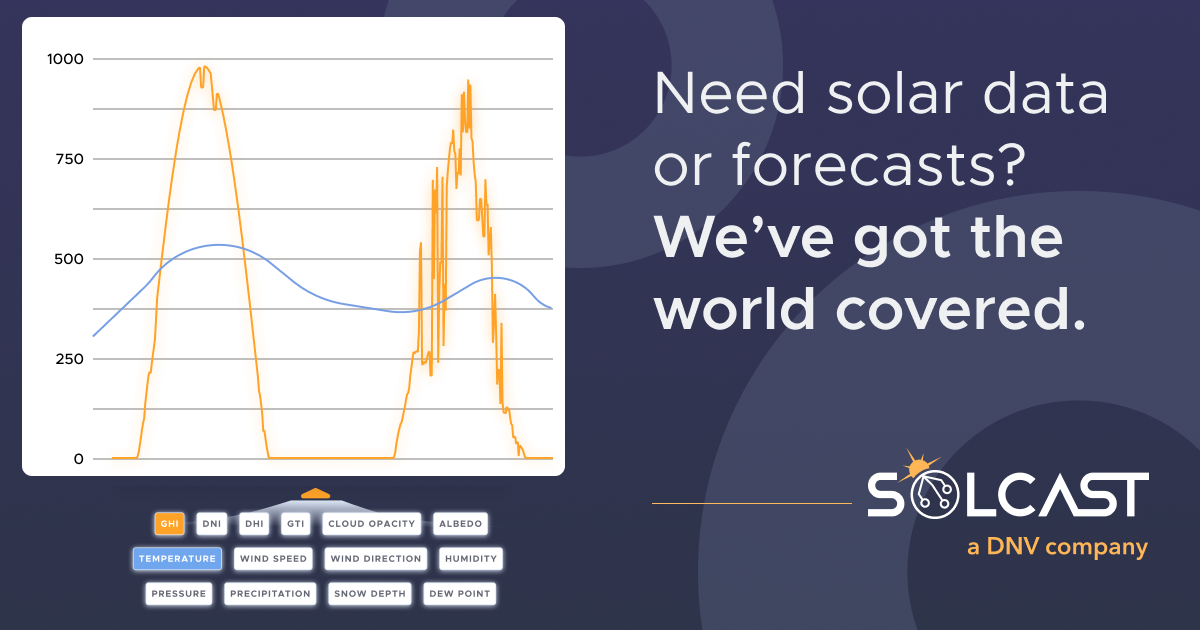
Connect to Solcast API and bring high-resolution solar forecasting intelligence to any AI agent. Access rooftop PV power forecasts, solar irradiance data (GHI, DNI, DHI), and weather conditions derived from satellite cloud tracking worldwide.
What you can do
- Rooftop PV Forecasts — Get PV power output forecasts (kW) for any rooftop solar system from present up to 14 days ahead
- Detailed PV Modeling — Forecast with exact system parameters (tilt, azimuth, capacity, loss factor) for maximum accuracy
- Solar Irradiance — Access GHI (Global Horizontal Irradiance), DNI (Direct Normal Irradiance), and DHI (Diffuse Horizontal Irradiance)
- Historical Radiation — Retrieve historical solar irradiance data for model validation and analysis
- Weather Forecasts — Get air temperature, cloud opacity, and snow depth data affecting solar production
- Site Management — List registered rooftop sites, get forecasts, estimated actuals, and measured production
- Quick Estimates — Get fast solar forecasts with minimal parameters (lat, lon, capacity only)
- Comprehensive Solar Summary — Combine irradiance, weather, and PV data in a single overview
How it works
1. Subscribe to this server
2. Enter your Solcast API key (free Developer tier available with rooftop PV forecasts)
3. Start querying solar forecasts from Claude, Cursor, or any MCP-compatible client
Your AI becomes a solar analyst, helping you forecast PV output, understand solar resources, and optimize energy systems.
Who is this for?
- Solar Installers — provide clients with accurate PV production estimates and forecasts for system sizing
- Homeowners with Solar — monitor expected rooftop solar output and understand system performance
- Energy Traders — integrate solar forecasts into energy trading models and dispatch planning
- Grid Operators — track distributed solar generation forecasts for grid balancing
- Researchers — access validated solar irradiance data for academic studies and model development
- EV Owners with Solar — optimize charging schedules based on expected solar generation
Questions fréquemment posées
Donnez à vos agents IA la puissance de Solcast
Accédez à Solcast et à plus de 2 000 serveurs MCP — prêts à être utilisés par vos agents, dès maintenant. Pas de code glue. Pas d'intégrations personnalisées. Branchez simplement Vinkius AI Gateway et laissez vos agents travailler.
Plus dans cette catégorie

Nord Pool
10 outilsAccess European electricity market data via Nord Pool — query day-ahead prices, auction volumes, cross-border flows, and consumption forecasts from any AI agent.
NASA Mars — Rover Photos from the Red Planet
4 outilsBrowse 800,000+ photos taken on the surface of Mars by NASA rovers Curiosity, Opportunity, and Spirit — filter by sol, Earth date, or camera. Access mission manifests and the latest images beamed directly from the Martian surface.

Watershed Climate
16 outilsAutomate carbon measurement and reporting via Watershed — manage inventories, upload emissions data, and track reduction targets directly from any AI agent.
Vous pourriez aussi aimer

Cyberimpact
10 outilsEquip your AI agent to manage email subscribers, monitor campaigns, and track marketing metrics via the Cyberimpact API.

Mercado Pago
12 outilsProcess payments, generate Pix QR codes, manage customers and refunds via Mercado Pago API.

Elastic Security
10 outilsManage SIEM and SOC operations via Elastic Security — monitor detection rules, search security alerts (Signals), handle whitelisting, and audit threat coverage directly from any AI agent.