
Traction Guest MCP Server
Manage visitor operations via Traction Guest — list hosts, locations, invites, sign-ins, and group visits directly from any AI agent.
Vinkius AI Gateway prend en charge le streamable HTTP et le SSE.
Fonctionne avec tous les agents IA que vous utilisez déjà
…et tout client compatible MCP









Traction Guest MCP Server : voyez votre AI Agent en action
Capacités intégrées (24)
create_group_visit
Provide group data as JSON including name, scheduled date, expected attendees, host, and location. Example: { "name": "Campus Tour", "scheduledDate": "2026-04-15", "expectedAttendees": 15, "hostId": "host_123", "locationId": "loc_456" } Create a new group visit (group appointment)
create_host
Hosts are employees who can receive and host visitors. You must provide host data as JSON including name, email, department, and optionally phone number and location assignment. Example: { "firstName": "John", "lastName": "Doe", "email": "john@company.com", "department": "Engineering" } Create a new host (employee) in Traction Guest
create_hosts_batch
Provide an array of host objects as JSON. Each host must include firstName, lastName, and email. This is useful for bulk onboarding new employees or importing host lists from HR systems. Example: [{ "firstName": "John", "lastName": "Doe", "email": "john@company.com" }, { "firstName": "Jane", "lastName": "Smith", "email": "jane@company.com" }] Create multiple hosts in a single batch operation
create_invite
You must provide the location_id and invite data as JSON including visitor name, email, host, and scheduled date/time. Example: { "firstName": "Alice", "lastName": "Johnson", "email": "alice@example.com", "hostId": "host_123", "scheduledDate": "2026-04-10", "scheduledTime": "10:00" } Create a new visitor invite for a location
create_signin
Provide sign-in data as JSON including visitor information, host, location, and purpose of visit. Example: { "visitorName": "Alice Johnson", "hostId": "host_123", "locationId": "loc_456", "purpose": "Interview" } Create a new visitor sign-in (check-in a visitor on-site)
create_watchlist
Provide watchlist data as JSON including name, description, and optionally entries. Example: { "name": "Restricted Visitors", "description": "Individuals not permitted on-site" } Create a new security watchlist
delete_group_visit
You must provide the group_visit_id. This action cannot be undone. Use this to cancel scheduled group events that are no longer needed. Delete a group visit
delete_invite
You must provide the invite_id. This action cannot be undone. Use this to cancel scheduled visits that are no longer needed. Be careful as this will remove all associated visitor data for that invite. Delete a visitor invite
get_group_visit
Use the group_visit_id obtained from list_group_visits to inspect full group visit details. Get detailed information about a specific group visit
get_invite
Use the invite_id obtained from list_invites to inspect full invite details. Get detailed information about a specific visitor invite
get_location
Use the location_id obtained from list_locations to inspect full location details. This is useful for verifying location configuration before creating invites or managing visitors. Get detailed information about a specific location
get_signin
Use the signin_id obtained from list_signins to inspect full visit details. Get detailed information about a specific visitor sign-in
list_audit_logs
Use this for compliance reporting, security investigations, and operational auditing. List audit logs for compliance and security tracking
list_group_visits
Each group visit includes name, scheduled date, expected attendees, host, and location. Use this to manage tours, training sessions, interviews, and other group events. List all group visits (group appointments) in your organization
list_hosts
Each host includes name, email, department, location assignment, and contact information. Use this to see who is available to host visitors and verify host assignments to locations. List all hosts (employees/hosts) in your Traction Guest organization
list_invites
Each invite includes visitor name, email, host, scheduled date, location, and status. Use this to see upcoming visitors, manage invite lists, and prepare for expected arrivals. Optionally provide a location_id to filter invites for a specific location. List all visitor invites in your organization
list_locations
Each location includes name, address, timezone, and configuration details. Use this to discover available locations before creating invites, sign-ins, or assigning hosts. List all locations in your Traction Guest organization
list_packages
Each package includes name, description, included features, and pricing. Use this to understand available visitor management configurations. List packages (visitor management packages/plans) in your organization
list_registrations
Each registration includes visitor information, registration date, and associated event or purpose. Use this to manage pre-registration queues and convert registrations to invites. List visitor registrations in your organization
list_signins
Each sign-in includes visitor name, host, location, check-in time, check-out time, and purpose of visit. Use this to monitor visitor activity, track who is currently on-site, and review visit history. List all visitor sign-ins (check-ins) in your organization
list_watchlists
Watchlists are used to screen visitors against known individuals who should be flagged or denied access. Each watchlist includes name, description, and number of entries. Use this to verify security screening configurations. List all security watchlists in your organization
update_group_visit
Common updates include rescheduling, changing expected attendee count, or updating host assignments. You must provide the group_visit_id and the fields to update as JSON. Update an existing group visit
update_invite
You must provide the invite_id and the fields to update as JSON. Common updates include rescheduling dates, changing hosts, or updating visitor information. Only provide the fields you want to change. Update an existing visitor invite
update_signin
Common updates include recording check-out times, updating visit purpose, or modifying host assignments. You must provide the signin_id and the fields to update as JSON. Update an existing visitor sign-in record
Ce que ce connecteur débloque
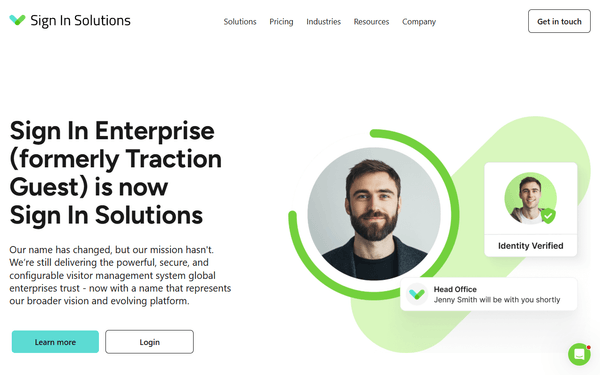
Connect your Traction Guest (now Sign In Enterprise) account to any AI agent and take full control of visitor management workflows through natural conversation.
What you can do
- Host Management — List, create, and batch-create hosts (employees) who receive and host visitors
- Location Management — List all office locations and inspect their configuration details
- Invite Management — Create, read, update, and delete visitor invites for scheduled arrivals
- Sign-in Tracking — List and manage visitor check-ins, monitor who is currently on-site
- Group Visits — Create and manage group appointments like tours, training sessions, and interviews
- Security Watchlists — List and create watchlists for visitor screening
- Audit Logging — Access audit logs for compliance and security tracking
- Registration Management — List pre-registered visitors and manage registration queues
How it works
1. Subscribe to this server
2. Enter your Traction Guest API key from the developer portal
3. Start managing visitor operations from Claude, Cursor, or any MCP-compatible client
No more navigating the Traction dashboard for every visitor action. Your AI acts as a dedicated receptionist or security coordinator.
Who is this for?
- Reception Teams — instantly create invites, check in visitors, and manage group appointments without opening the Traction dashboard
- Security Staff — monitor who is on-site, check watchlists, and review audit logs for compliance
- Facility Managers — track visitor activity across multiple locations and manage host assignments
- HR Teams — batch-create hosts for new employees and manage interview/tour scheduling
Questions fréquemment posées
Donnez à vos agents IA la puissance de Traction Guest
Accédez à Traction Guest et à plus de 2 000 serveurs MCP — prêts à être utilisés par vos agents, dès maintenant. Pas de code glue. Pas d'intégrations personnalisées. Branchez simplement Vinkius AI Gateway et laissez vos agents travailler.
Plus dans cette catégorie

Figma
12 outilsConnect Figma to automate design workflows — inspect files, render layers as images, and manage comments directly from your AI agent.

Zoho CRM
10 outilsManage leads, contacts, and deals on Zoho CRM — the AI-powered sales platform for growing teams.
Loom (Async Video Messaging)
8 outilsManage video messages via Loom — retrieve metadata, handle timeline comments, and track viewer analytics.
Vous pourriez aussi aimer
Agility CMS
10 outilsManage and query your Agility CMS content through AI — navigate sitemaps, search lists, and fetch layouts.
Vestiaire Collective
9 outilsSearch, analyze, and manage luxury resale items on Vestiaire Collective — the global community for pre-loved fashion.
Moody's
8 outilsCredit ratings and risk analysis — access issuer ratings, issue details, and rating actions via Moody's.