
CARTO MCP Server
Empower your AI agents to execute spatial SQL, generate routes, create driving isolines, and bulk geocode directly on CARTO.
Vinkius AI Gateway suporta streamable HTTP e SSE.
Funciona com todos os agentes de IA que você já usa
…e qualquer cliente compatível com MCP









CARTO MCP Server: veja o seu AI Agent em ação
Capacidades integradas (10)
calculate_isoline
The range parameter is in seconds for time-based isolines. Returns a GeoJSON polygon representing the reachable area. Use for service area analysis, store catchment zones, and logistics planning. Generate travel-time or travel-distance isoline polygons from a center point using the CARTO LDS Isolines API, producing reachability contours showing areas accessible within a specified time or distance threshold
calculate_route
Returns the route as GeoJSON with total distance (meters) and duration (seconds). Consumes LDS routing credits. Calculate the optimal driving route between two points using the CARTO LDS Routing API, returning distance, duration, and route geometry suitable for visualization on CARTO maps
create_async_sql_job
"}`. Returns a job_id that can be polled for completion status. Use for ETL operations, materialized view refreshes, and heavy geospatial computations. The job runs in your data warehouse and results are stored there. Submit a long-running SQL query as an asynchronous batch job via the CARTO SQL Job API, suitable for heavy spatial analytics, large table transformations, and complex multi-join operations that exceed the 60-second synchronous timeout
execute_sql_query
carto.com/api/v2/sql?q=`. The query runs synchronously with a 1-minute timeout. Use for quick analytical queries, spatial joins, and data exploration. For long-running queries exceeding 60 seconds, use the async job endpoint instead. Supports PostGIS/BigQuery spatial functions natively. Execute an arbitrary SQL query against your CARTO data warehouse connection using the SQL API v2, returning results as JSON rows directly from BigQuery, Snowflake, Redshift, or PostgreSQL
geocode_address
Returns latitude, longitude, and formatted address. Consumes LDS geocoding credits from your CARTO plan. Use sparingly for individual lookups; for bulk operations use the batch endpoint instead. Forward-geocode a single address string into geographic coordinates using the CARTO Location Data Services (LDS) geocoding endpoint, powered by TomTom or HERE depending on your CARTO plan configuration
geocode_batch_addresses
Designed for bulk processing of customer lists, store locators, and CRM datasets. Consumes LDS credits per address. Returns an array of geocoded results with match quality indicators. Batch-geocode multiple addresses in a single request using the CARTO LDS batch geocoding API, efficiently converting large address lists into coordinates without making individual API calls per address
get_import_status
Poll periodically until state becomes "complete" or "failure". On success, the response includes the table_name of the newly created dataset in your warehouse. Check the status of a previously initiated CARTO data import job, returning progress percentage, current state (uploading, importing, complete, failure), and any error details if the import encountered issues
import_external_file
"}`. Supports CSV, GeoJSON, Shapefile (zipped), KML, GPX, and Excel files. Returns an import_id for status tracking. The file is downloaded, parsed, and loaded into your connected data warehouse. Import an external data file (CSV, GeoJSON, Shapefile, KML) into your CARTO data warehouse by providing a publicly accessible URL, creating a new managed table that can be used for spatial analysis and visualization
list_map_datasets
Returns an array of dataset/visualization objects. Use to discover available data layers, check dataset freshness, and audit organization assets. List all visualization datasets (maps and tables) available in your CARTO organization, returning metadata including creation dates, privacy settings, table names, and row counts
poll_async_job_status
Poll periodically (every 5-10 seconds) until status changes to "done" or "failed". The response includes created_at, updated_at, and the original query for audit purposes. Check the execution status of a previously submitted CARTO async SQL job, returning the current state (pending, running, done, failed) and any error messages if the job encountered issues
O que esse conector desbloqueia
Connect your CARTO platform to any AI agent and take full control of your cloud-native spatial analytics without touching the GIS interface.
What you can do
- Spatial SQL & Jobs — Command explicit SQL queries running directly against your BigQuery, Snowflake, or Redshift warehouse. Execute quick reads or spawn long-running, asynchronous batch transformations.
- Geocoding & Batching — Convert unstructured strings into precise lat/lon points. Bulk-process 100s of addresses using CARTO's native Location Data Services (LDS) gracefully.
- Isolines & Reachability — Calculate travel-time or distance polygons around origin points to instantly graph accessible zones via cars or walking.
- Routing — Generate optimal vector geometry paths connecting two points on the globe, measuring both physical distance and travel time securely.
- Data Management — Instruct your agent to list active mapping datasets or import massive external CSV/GeoJSON files directly via public URLs.
How it works
1. Subscribe to this server
2. Provide your active CARTO Organization and API Key
3. Start mapping, slicing spatial boundaries, and scripting data operations using Claude, Cursor, or any compatible AI
Who is this for?
- GIS Analysts & Data Scientists — Execute testing queries natively and bulk-geocode customer coordinates from a conversational terminal.
- Retail & Logistics Strategists — Ask your AI to calculate 15-minute delivery isolines and cross-reference them with population layers using SQL.
- Data Engineers — Trigger raw data imports and handle heavy dataset syncs without opening the graphical workspace.
Perguntas frequentes
Dê aos seus agentes de IA o poder do CARTO
Acesse o CARTO e mais de 2.000 servidores MCP — prontos para seus agentes usarem, agora mesmo. Sem código cola. Sem integrações customizadas. Apenas plugue o Vinkius AI Gateway e deixe seus agentes trabalharem.
Mais nesta categoria

Neon (Serverless PostgreSQL)
10 ferramentasManage serverless database infrastructure via Neon — spawn zero-copy branches, audit projects, and monitor compute endpoints.

Vald
6 ferramentasPower your agent with Vald — query, insert, and manage dense vectors on a highly scalable, distributed nearest-neighbor engine.

Nile (PostgreSQL for Multi-Tenant Apps)
6 ferramentasManage tenant-aware databases via Nile — provision B2B tenants, monitor DB metrics, and audit user access.
Você também pode gostar
OpenCage
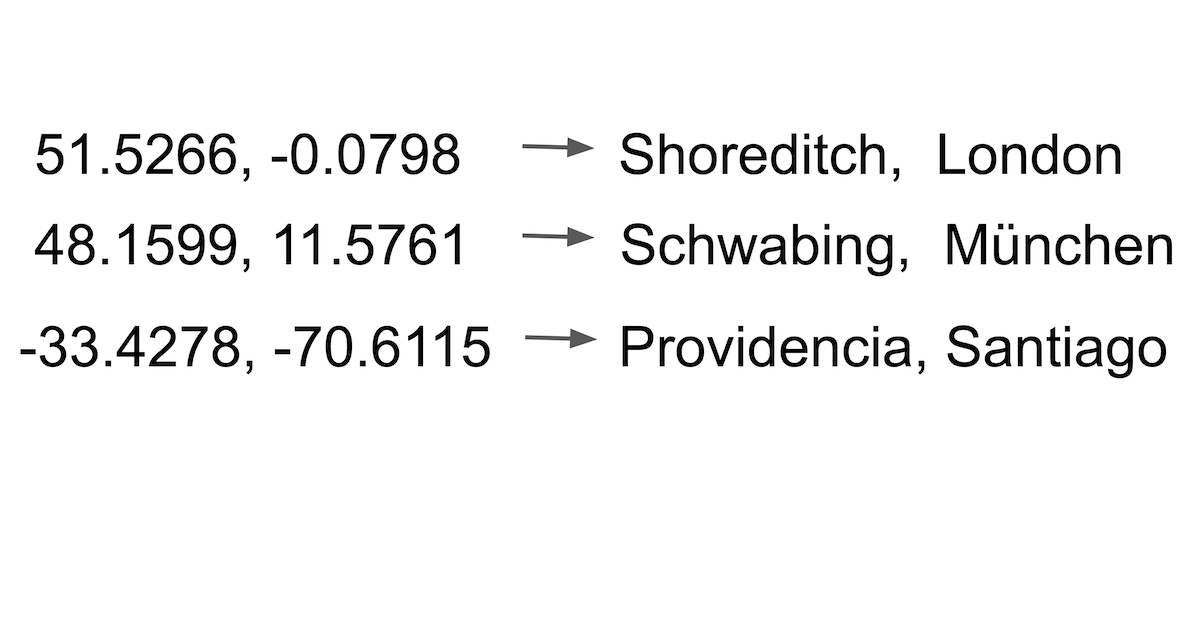
10 ferramentasGeocode addresses and reverse-geocode coordinates via OpenCage — convert locations to lat/lng and back with country, language, and privacy filters from any AI agent.
HCL AppScan
10 ferramentasManage security scans and vulnerabilities with HCL AppScan — track issues and audit applications via AI.

Jina AI (Search Foundation & LLM Grounding)
6 ferramentasPower your RAG and search via Jina AI — generate embeddings, rerank documents, read URLs, and perform semantic web search.