
Health Gorilla MCP Server
Connect Health Gorilla to any AI agent via MCP.
Vinkius AI Gateway suporta streamable HTTP e SSE.

Funciona com todos os agentes de IA que você já usa
…e qualquer cliente compatível com MCP









Capacidades integradas (12)
cancel_lab_order
Orders in "received" or "pending" status can typically be cancelled. Orders already in "collected" or "testing" status cannot be cancelled and require lab notification. A cancellation reason is recommended for audit purposes. Use this when an order was submitted in error, the patient refused testing, or clinical circumstances have changed. Cancel a pending laboratory order
create_patient_record
Required fields: first name, last name, date of birth, and gender. Optional: address, phone, email, MRN (Medical Record Number), and insurance information. Use this to register a new patient before submitting lab orders. Returns the patient ID for use in subsequent order submissions. Create a new patient record in the Health Gorilla system
get_lab_results
Returns structured data suitable for EHR integration or clinical review. Results include timestamp of completion, pathologist sign-off (if applicable), and any critical value notifications. Use this to review patient results, identify abnormal values, or populate EHR records. Retrieve detailed laboratory results for a specific completed order
get_order_status
Status values include: "received", "in_progress", "collected", "testing", "completed", "cancelled". Returns order details, specimen collection status, lab processing information, and estimated completion time. Use this to track order progress, update patients on result timelines, or verify completion status. Check the current status of a submitted laboratory order
get_patient_demographics
Returns name, DOB, gender, contact information, MRN, and registration date. Use this to verify patient identity before order submission or to review patient registration details. Get demographic information for a registered patient
get_provider_details
Use this to verify provider credentials, obtain contact information for referrals, or confirm network participation before ordering tests. Get detailed information about a specific healthcare provider
list_orders
Optional filters: status (e.g., "pending", "completed", "cancelled") and patient_id. Each order includes order ID, patient name, test names, status, order date, and performing lab. Use this to review recent orders, track pending work, or audit ordering patterns. List laboratory orders with optional filtering by status or patient
list_patient_results
Includes test names, values, dates, and order references. Useful for trend analysis and longitudinal patient monitoring (e.g., tracking HbA1c over time, monitoring lipid panels). Use this for chronic disease management, preventive care follow-up, or comprehensive patient history review. List all laboratory results for a specific patient across all orders
match_patient
Returns match score and potential matches. Use this before creating new orders to avoid duplicate patient records and ensure results are attributed to the correct patient. Critical for data integrity in healthcare systems. Match a patient against existing records in the Health Gorilla network
search_lab_tests
Returns test names, LOINC codes, categories (chemistry, hematology, microbiology, etc.), turnaround times, and performing laboratory information. Use this to find the correct test codes (LOINC/CPT) before submitting orders, explore available diagnostic options, or verify test availability. Optional query parameter accepts free-text search. Optional category parameter filters by test type. Search the Health Gorilla lab test catalog by name, LOINC code, or category
search_providers
Results include provider name, specialty, NPI number, location, and contact information. Use this to find ordering providers, verify network participation, or locate specialists in a specific area. Optional filters: specialty (e.g., "Internal Medicine", "Cardiology") and location. Search for healthcare providers in the Health Gorilla network
submit_lab_order
The order includes patient demographics, ordering provider information, requested tests (LOINC/CPT codes), clinical indication/diagnosis (ICD-10 codes), and specimen collection details. Returns an order ID for tracking status and retrieving results. Use this to place lab orders electronically without manual paperwork. Supported test types include chemistry panels, CBC, metabolic panels, infectious disease testing, genetic testing, and radiology orders. The order is routed to the appropriate performing laboratory (Quest, LabCorp, etc.). Submit a new laboratory or radiology order through the Health Gorilla diagnostic network
O que esse conector desbloqueia
Connect Health Gorilla to any AI agent via MCP.
Dê aos seus agentes de IA o poder do Health Gorilla
Acesse o Health Gorilla e mais de 2.000 servidores MCP — prontos para seus agentes usarem, agora mesmo. Sem código cola. Sem integrações customizadas. Apenas plugue o Vinkius AI Gateway e deixe seus agentes trabalharem.
Mais nesta categoria

Farmonaut
12 ferramentasAccess satellite agriculture data via Farmonaut — monitor crop health with NDVI, weather, soil moisture, crop advisory, and deforestation alerts from any AI agent.
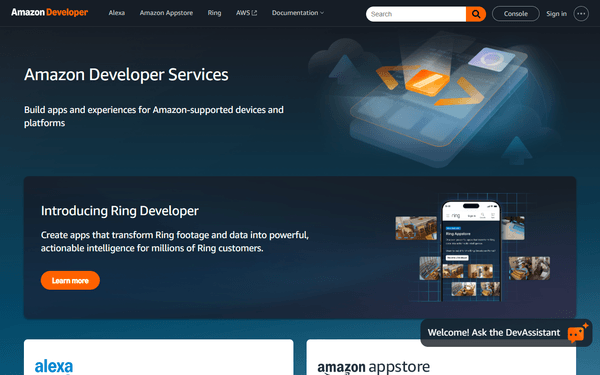
Alexa Smart Home
16 ferramentasControl Alexa-connected smart home devices — lights, thermostats, speakers, and sensors via Alexa Smart Properties API.

Nearmap (High-Res Aerial Imagery & AI)
10 ferramentasManage geospatial data via Nearmap — retrieve high-res aerial imagery, extract AI features, and audit survey coverage.
Você também pode gostar

InnoVint
10 ferramentasManage wine production, lots, vessels, lab analyses, and cellar actions for your InnoVint winery through natural conversation.

Genius Referrals
12 ferramentasManage referral programs, track advocates, and oversee rewards via AI agents with Genius Referrals.
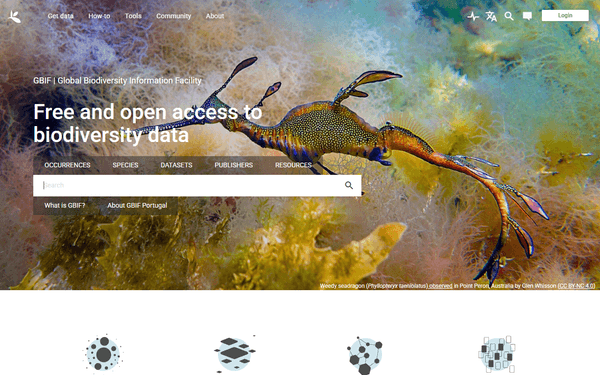
GBIF
3 ferramentasSearch 2.4 billion biodiversity records — find any species on Earth with full taxonomy, observation locations, and geographic distribution from the Global Biodiversity Information Facility.