
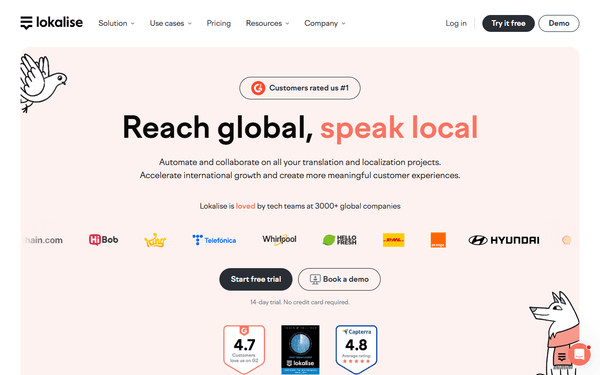
Lokalise MCP Server
Automate translation and localization workflows via Lokalise — manage projects, keys, and translations directly from any AI agent.
Vinkius AI Gateway supports streamable HTTP and SSE.
Works with every AI agent you already use
…and any MCP-compatible client









Lokalise MCP Server: see your AI Agent in action
Built-in capabilities (13)
add_translation
Add translations to one or more keys
create_key
Create translation keys in a Lokalise project
create_project
Create a new Lokalise project
download_file
Generate a download bundle of translations
get_project
Get details of a specific Lokalise project
list_keys
List translation keys in a Lokalise project
list_languages
List languages in a Lokalise project
list_orders
List translation orders in your Lokalise account
list_projects
List all Lokalise projects
list_team_members
List all team members in your Lokalise account
list_translations
List translations for a key in a Lokalise project
update_key
Update an existing translation key
upload_file
Upload a localization file to a Lokalise project
What this connector unlocks
Connect your Lokalise account to any AI agent and take full control of your translation and localization workflows through natural conversation.
What you can do
- Project Management — List all translation projects, fetch detailed project metadata, and create new projects directly from the API
- Key Management — Query translation keys with filters by platform, tags, or filenames, plus create and update keys programmatically
- Translation Operations — Fetch translations for any key, add new translations with review/fuzzy flags, and manage multi-language content
- File Import/Export — Upload localization files (JSON, YAML, XLIFF) and generate download bundles in any supported format
- Team & Orders — List team members and their roles, plus inspect professional translation orders
How it works
1. Subscribe to this server
2. Enter your Lokalise API Token
3. Start managing your localization workflows from Claude, Cursor, or any MCP-compatible client
No more jumping between the Lokalise web console and your codebase. Your AI acts as a dedicated localization coordinator.
Who is this for?
- Developers — instantly create translation keys, push new strings, and pull localized files without leaving the IDE
- Product Managers — check translation progress across languages, review key counts, and monitor team activity
- Localization Teams — automate bulk uploads, generate export bundles, and manage translation orders programmatically
Frequently asked questions
Give your AI agents the power of Lokalise
Access Lokalise and 2,000+ MCP servers — ready for your agents to use, right now. No glue code. No custom integrations. Just plug Vinkius AI Gateway and let your agents work.
More in this category
Dext
10 toolsEquip your AI agent to manage receipts, track invoices, and monitor accounting data via the Dext API.
Atlas
8 toolsManage customer support and ticketing with Atlas.so — track conversations, customers, and articles via AI.

Zoho CRM (Full)
9 toolsManage leads, contacts, accounts, deals, and notes — complete Zoho CRM access through natural conversation.
You might also like
Optum Claims & Billing
5 toolsSecurely submit medical bills, track 837 EDI claims, and process UHG bank remittance advices.
Elemeno
10 toolsEquip your AI agent to manage content collections, track singletons, and monitor items via the Elemeno CMS API.

Adobe Analytics
5 toolsCustomer journey insights — retrieve reports, manage segments, and audit metrics via AI.