
AudioStack MCP. Automate speech, mixing, and mastering via AI.
 Gemini
 Works with every AI agent you already use
…and any MCP-compatible client









Just plug in your AI agents and start using Vinkius.
AudioStack lets you build a complete, AI-driven audio production studio directly through your agent. You can generate professional speech using over 700 voices, structure complex narratives, automate mixing, and apply mastering effects—all from natural conversation.
It's a full pipeline for high-quality audio content creation.
What your AI agents can do
Create audioform
Builds a fully mixed, complex audio production using voice, music, and effects.
Create mix
Automates mixing and mastering processes for multiple existing audio tracks.
Create story
Generates a long-form audio narrative, coordinating multiple voice segments and background music.
The text_to_speech tool converts written text into spoken audio using a selected AI voice.
The create_audioform tool builds a single, fully mixed audio file from multiple components (voice, music, effects).
The create_mix tool takes multiple audio files and applies professional mixing and mastering to create a final, polished mix.
The create_story tool structures and generates a complete audio story, coordinating voice segments and background music.
The get_audioform tool checks the status and retrieves the final URL for a previously submitted audioform job.
The list_voices tool searches and retrieves details on available AI voices, filtering by criteria like language or gender.
The list_sound_templates tool lists available pre-mixed music and sound design templates for background use.
Ask AI about this MCP
Supported MCP Clients
Gemini Waiting for input…
019d7555create audioform
Builds a fully mixed, complex audio production using voice, music, and effects.
019d7555create mix
Automates mixing and mastering processes for multiple existing audio tracks.
019d7555create story
Generates a long-form audio narrative, coordinating multiple voice segments and background music.
019d7555get audioform
Checks the status and retrieves the final URL for an audioform job.
019d7555get usage analytics
Retrieves metrics on how much audio processing your account has used.
019d7555get voice details
Fetches specific technical details about an available AI voice, like its tone or language support.
019d7555list media files
Shows a list of all audio files you've uploaded or generated through the service.
019d7555list sound templates
Displays available pre-mixed sound design and music templates for use in your audio project.
019d7555list voices
Searches and lists all available AI voices, letting you filter by language or gender.
019d7555text to speech
Converts a block of text into an audio file using a specified AI voice.
Choose How to Get Started
Build a custom MCP for your own tools, or connect a ready-made integration from our catalog.
Build Your Own
Turn any API into an MCP. Import a spec, define Agent Skills, or deploy with MCPFusion.
- Import from OpenAPI, Swagger, or YAML specs
- Create Agent Skills with progressive disclosure
- Deploy to edge with MCPFusion framework
- Built in DLP, auth, and compliance on every call
- Real time usage dashboard and cost metering
- Publish to catalog or keep private
Make Your AI Do More
Start with AudioStack, then connect any of our 4,700+ other servers whenever your AI needs more. One click, no limits.
- Use this MCP plus 4,700+ others, all in one place
- Add new capabilities to your AI anytime you want
- Every connection is secured and compliant automatically
- Track usage and costs across all your servers
- Works with Claude, ChatGPT, Cursor, and more
- New servers added to the catalog every week
What you can do with this MCP connector
AudioStack lets your agent run a full-on AI audio production studio. You'll be able to handle everything from generating raw voice tracks to mixing, mastering, and structuring a whole story—all by just talking to your agent. text_to_speech converts any block of written text into spoken audio, letting you pick a specific AI voice.
You can use list_voices to search and check out all the available AI voices, filtering them by language or gender. To build complex audio, create_audioform builds a fully mixed, complex audio production using voice, music, and effects. If you're working with existing audio, create_mix automates mixing and mastering processes for multiple audio tracks, making the final mix polished.
For long-form content, create_story generates a complete audio story, coordinating background music with multiple voice segments. You can keep tabs on your work by checking the status and retrieving the final URL for a job using get_audioform. You'll also be able to look at all the audio files you've uploaded or generated with list_media_files, and see available sound design and music templates with list_sound_templates.
When you need background material, get_voice_details fetches specific technical details about an available AI voice, like its tone or language support. To see how much processing you've used, you use get_usage_analytics to retrieve metrics on your account's audio processing use. list_sound_templates displays available pre-mixed sound design and music templates for use in your audio project. list_media_files shows you a list of all audio files you've uploaded or generated through the service.
How AudioStack MCP Works
- 1 First, use the agent to select the required voice and sound assets using
list_voicesorlist_sound_templates. This establishes the raw components for your project. - 2 Next, generate the base audio content, either by running
text_to_speechfor simple narration or usingcreate_audioformto build a complex, structured segment. - 3 Finally, pass all resulting audio segments and desired mastering parameters to
create_mixto finalize the production and get the final, polished file.
The bottom line is that your agent manages the entire audio production pipeline—from raw asset selection to final, mastered file—through a simple conversation.
Who Is AudioStack MCP For?
Content creators who need to publish high-volume audio content fast. Ad agencies needing to localize ads across multiple languages. Developers integrating professional speech generation into apps. If your job involves taking a script and making it sound professional for an audience, this is for you.
Turns scripts into finished audio files, automatically adding background music and running professional mastering on the final product.
Manages the rapid, localized production of audio ads in multiple languages and voices, ensuring brand consistency across all markets.
Integrates professional, high-fidelity audio generation directly into a custom application using natural language calls.
What Changes When You Connect
- You get professional speech immediately. Instead of finding a separate Text-to-Speech service, the
text_to_speechtool generates high-quality voice tracks from any script, supporting over 700 voices. - Stop manually piecing together audio. The
create_audioformtool lets you define a complex audio piece—combining voice, music, and effects—using one JSON structure, keeping your workflow linear. - Skip the mastering studio. The
create_mixtool takes raw tracks and automatically applies industry-standard mixing and mastering, so the file is ready to publish right out of the box. - Build entire narratives without lifting a finger. The
create_storytool handles the structure of a long-form audio piece, coordinating multiple voice changes and background music automatically. - Keep track of your assets. Use
list_media_filesto view every sound clip and generated audio file in one place, making asset retrieval simple. - Manage voices easily. The
list_voicestool lets you search and compare voices by language, gender, or provider before you write a single word.
Real-World Use Cases
Launching a localized ad campaign
An ad agency needs 10 versions of an ad in 5 languages. They ask their agent to use list_voices to select appropriate voices for each market, then run text_to_speech for the script in all 5 languages. Finally, they ask the agent to use create_mix to apply a consistent sound signature across all 10 resulting tracks.
Creating a podcast series episode
A content creator needs a multi-act, long-form story. They prompt their agent to use create_story, providing the script and desired narrative arc. The agent handles the voice changes, music fades, and structures the whole thing, saving hours of manual editing.
Building a training module video
A corporate trainer needs a complex audio training module. They ask their agent to use create_audioform, feeding it the core voice script, a specific background music template found via list_sound_templates, and the necessary sound effects, all in one command.
Debugging asset pipelines
A developer needs to know if the audio pipeline worked. They run create_audioform and then use get_audioform to check the status and pull the final URL, confirming the job completed successfully before integrating it into their application.
The Tradeoffs
Trying to generate audio in pieces
Calling text_to_speech for the intro, then calling create_audioform for the body, and then manually mixing them. This requires the user to manage file IDs, timings, and multiple API calls.
→
Instead, use the create_audioform tool. It lets you define the entire structure (intro + body + effects) in one descriptive input, which handles the internal sequencing and mixing for you.
Ignoring mastering requirements
Generating clean voice tracks using text_to_speech and then assuming they are ready for release. These raw tracks often sound thin and lack professional polish.
→
Always run the final output through create_mix. This tool applies the professional-grade mixing and mastering needed to make the audio sound broadcast-ready.
Forgetting to check status
Submitting a large job via create_audioform and assuming it finished instantly. The job might actually be running in the background, leading to failed code attempts.
→
After initiating a complex job, use get_audioform repeatedly. This checks the job's status and gives you the final URL only when the processing is 100% complete.
When It Fits, When It Doesn't
Use this server if your primary bottleneck is the production quality and volume of your audio content. You need to move from manual editing (recording, mixing, mastering, voice changes) to structured, automated pipelines. Specifically, if you need to create a finished, polished piece that requires coordinating voice, music, and effects, start with create_audioform. If your content is simply text that needs a professional voice, use text_to_speech. If you have multiple raw tracks and just need polish, use create_mix. Don't use this if you only need to store or list audio files; use list_media_files for that. If you're building a full workflow, remember to check the job status with get_audioform.
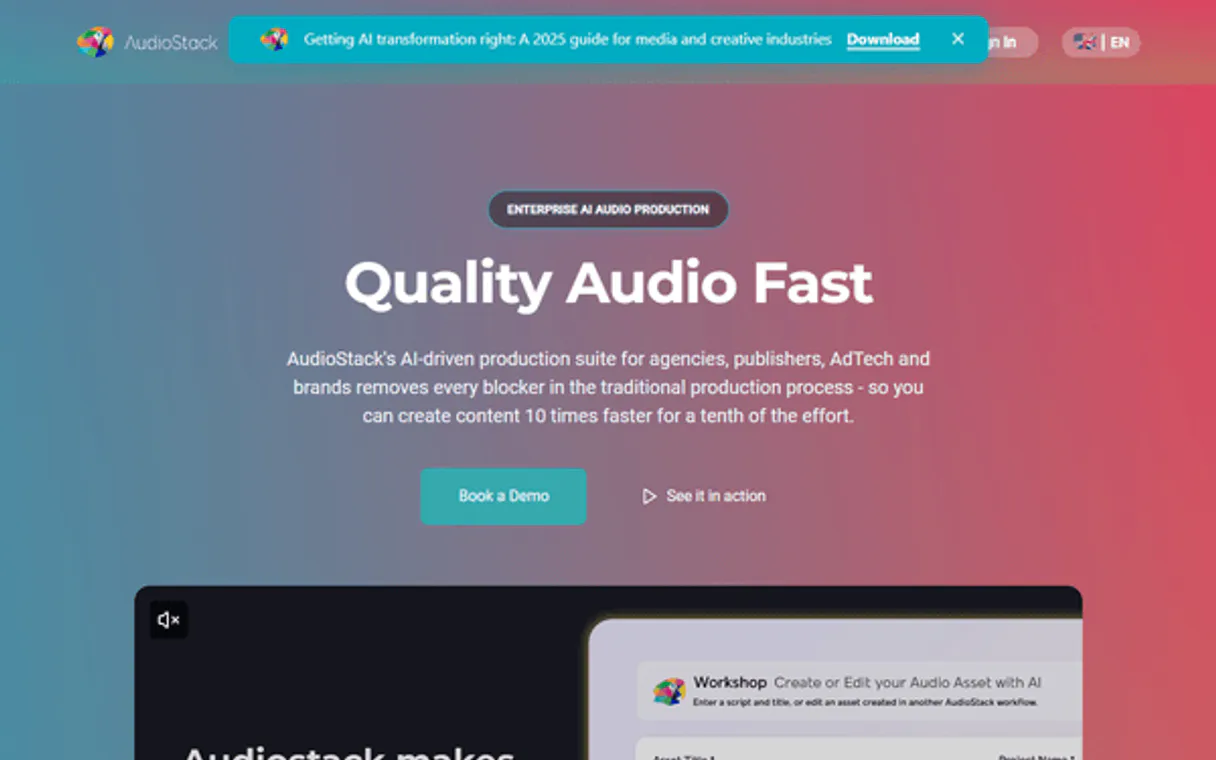
Independent Platform Disclaimer: Vinkius is an independent platform and is not affiliated with, endorsed by, sponsored by, verified by, or otherwise authorized by AudioStack. All third-party trademarks, logos, and brand names are the property of their respective owners. Their use on this website is strictly for informational purposes to identify service compatibility and interoperability.
VINKIUS INFRASTRUCTURE
Cloud Hosted
Managed infra
V8 Isolated
Sandboxed per request
Zero-Trust Proxy
No stored credentials
DLP Enforced
Policy on every call
GDPR Compliant
EU data residency
Token Compression
~60% cost reduction
Works with Claude, ChatGPT, Cursor, and more
The Model Context Protocol standardizes how applications expose capabilities to LLMs. Instead of operating in isolation, your AI gains direct access to external platforms, live data, and real-world actions through secure, standardized connections.
This server provides 10 capabilities that interface natively with Claude, ChatGPT, Cursor, and any MCP client. No middleware. No custom integration required.
Available Capabilities
Making high-quality audio used to be a multi-step nightmare.
Today, making a professional piece of audio is a mess. You record the script, then you move to a separate platform to generate the voice track. Then you find a different tool to add background music. You download all those files, then you open a DAW (Digital Audio Workstation) to manually mix them, adjust the levels, and run a mastering chain. It takes hours of clicking, downloading, and piecing things together.
With the AudioStack MCP Server, your agent handles the whole thing. You give it the script and the intent—'Make a motivational ad using this voice and this music.' The agent then uses `text_to_speech` and `create_audioform` to build the whole thing, and finally runs `create_mix` to polish it. You get a finished, mastered file in one go.
AudioStack MCP Server: Create and Polish Audio Forms
The biggest headache is defining the structure. You can't just generate voice and hope the music fits. You need to tell the system exactly where the music starts, where the voice dips, and what the transition sounds like. Manually setting this up is where the workflow breaks.
The `create_audioform` tool fixes that. It lets you define the entire audio structure—the timings, the voices, the background tracks, the sound effects—in a single, declarative JSON input. It's not just generating assets; it's defining the finished product's architecture.
Common Questions About AudioStack MCP
How do I generate basic speech using the text_to_speech tool? +
You pass the text and the desired voice ID to the text_to_speech tool. This generates a raw audio file that you can then pass to create_mix for professional mastering.
Can I use create_audioform to mix music and voice together? +
Yes. create_audioform is built for this. It allows you to combine voice tracks, music, and sound effects into one complex, structured audio file.
What is the best way to make my final audio sound broadcast-ready? +
Use the create_mix tool. This applies professional mixing and mastering to any set of tracks, ensuring the final output meets industry audio standards.
How do I find different voices for my project? +
Use list_voices. You can search and filter the entire voice library by criteria like language, gender, or provider to find the perfect match for your script.
How do I check the status of a complex production job using the get_audioform tool? +
You use get_audioform to check the status and final URL of any audioform job. The tool returns a status code and a progress estimate, letting you know when the file is ready for download.
Can I list all my previous projects and generated media files using the list_media_files tool? +
Yes, list_media_files pulls a complete inventory of all your uploaded and generated media. This lets you organize and find specific assets from past audio production runs.
What information does the list_voices tool provide when I search for voices? +
list_voices gives you detailed metadata for every available voice. You can filter the results by language, gender, or even the original voice provider to narrow your search.
Is there a way to manage my account usage and view production metrics using the get_usage_analytics tool? +
get_usage_analytics provides a full report on your account's usage metrics. This helps you track consumption and plan your audio production budget.
Can the AI help me choose the best voice for my content? +
Yes! You can ask the agent to search for voices based on gender, language, or style (e.g., 'professional male Portuguese voice'). It will return a list of matching IDs and descriptions for you to choose from.
What is an Audioform and how does the AI use it? +
An Audioform is a JSON blueprint for a full production. Your AI agent uses it to define exactly which voice to use, what background music to add, and how the final mastering should sound in a single automated step.
Is there a limit to the length of audio I can generate? +
The integration supports standard API limits from AudioStack. For very long scripts, it is recommended to generate them in sections or chapters for optimal quality and processing speed.
Use it with your favorite AI tools
Connect this server to Cursor, Claude, VS Code, and more.
More in this category
api.video
Host, encode, and stream video content with a developer-first API that handles everything from upload to playback.

BannerBite
Dynamic image and video generation — generate media from templates and manage projects via AI.

Midjourney AI (Generative Image Arts)
Generate professional AI art via Midjourney — use 'imagine' for text-to-image, upscale grids, and perform camera edits.
You might also like

isvat
Validate European VAT numbers — audit tax IDs via AI.

CMS.gov Data
Access public healthcare data from the Centers for Medicare & Medicaid Services, including provider information.

ShipBob
Automate your e-commerce fulfillment with ShipBob — manage products, track orders, and monitor inventory levels directly from your AI agent.