
Cobot MCP. Manage member data, bookings, and billing from chat.
 Gemini
 Works with every AI agent you already use
…and any MCP-compatible client









Just plug in your AI agents and start using Vinkius.
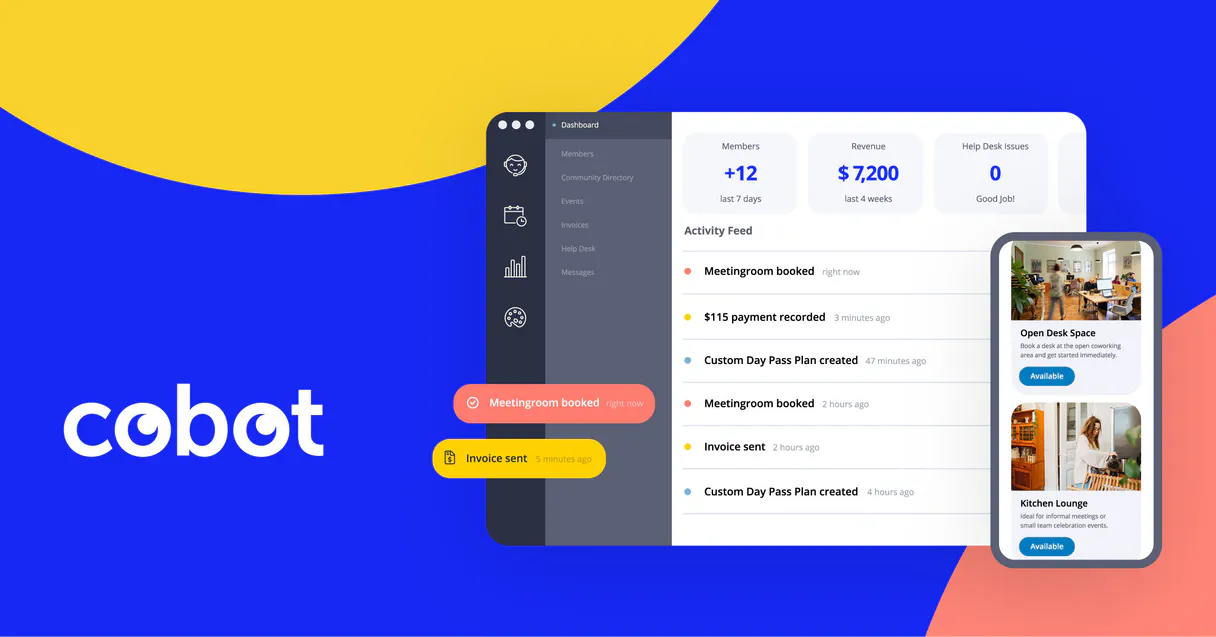
Cobot. Manage your entire coworking space from any AI agent. This server lets you list memberships, check booking availability, and create new reservations for resources like desks and meeting rooms.
You also track invoices and view core space data, all through natural conversation.
What your AI agents can do
Create new booking
Creates a new reservation for a specific resource in the space.
Get cobot space info
Retrieves basic metadata and core details about the coworking space itself.
Get membership details
Gets full details for one specific member's account.
Retrieves detailed information about a specific member's account, including their plan type and status.
Lists all current memberships in the space, giving a quick count and summary of active users.
Creates a new reservation for any available resource, like a meeting room or desk, directly through the agent.
Monitors resource reservations for a specific date range, showing who booked what and when.
Lists all membership invoices and checks the payment status for outstanding balances.
Ask AI about this MCP
Supported MCP Clients
Gemini Waiting for input…
Cobot MCP Server: 8 Tools for Space Management
These tools let your AI agent handle everything from listing member accounts and checking invoices to reserving meeting rooms and managing space data.
019d7575create new booking
Creates a new reservation for a specific resource in the space.
019d7575get cobot space info
Retrieves basic metadata and core details about the coworking space itself.
019d7575get membership details
Gets full details for one specific member's account.
019d7575list cobot invoices
Lists all membership invoices and tells you which ones are paid or unpaid.
019d7575list cobot memberships
Lists every active membership currently in the coworking space.
019d7575list membership plans
Shows every type of membership plan available in the space.
019d7575list space bookings
Lists all resource bookings that happened within a defined date range.
019d7575list space resources
Lists every resource available for booking, like desks or meeting rooms.
Choose How to Get Started
Build a custom MCP for your own tools, or connect a ready-made integration from our catalog.
Build Your Own
Turn any API into an MCP. Import a spec, define Agent Skills, or deploy with MCPFusion.
- Import from OpenAPI, Swagger, or YAML specs
- Create Agent Skills with progressive disclosure
- Deploy to edge with MCPFusion framework
- Built in DLP, auth, and compliance on every call
- Real time usage dashboard and cost metering
- Publish to catalog or keep private
Make Your AI Do More
Start with Cobot, then connect any of our 4,700+ other servers whenever your AI needs more. One click, no limits.
- Use this MCP plus 4,700+ others, all in one place
- Add new capabilities to your AI anytime you want
- Every connection is secured and compliant automatically
- Track usage and costs across all your servers
- Works with Claude, ChatGPT, Cursor, and more
- New servers added to the catalog every week
What you can do with this MCP connector
Connect Cobot to your AI client and run your entire coworking space from plain chat. This server lets your agent handle members, resources, and billing without you ever touching a dashboard.
Getting Membership Info
Your agent can pull up detailed info on a specific member's account, telling you their plan type and status. You can also get a full list of every active membership, plus see all the membership plans you offer. It'll show you what resources you've got to book, like desks and meeting rooms.
You can also check the basic metadata and core details for the whole space.
Handling Bookings
To check reservations, your agent can list every resource booking that happened within a defined date range. Need to book something? Your agent creates a new reservation for any specific resource in the space.
Handling Finances
Your agent lists every membership invoice, letting you know if they're paid or unpaid. You can also see the full details on the resources available for booking.
How Cobot MCP Works
- 1 Subscribe to the Cobot server and enter your Cobot Access Token and Space Subdomain.
- 2 Ask your AI agent a question, like 'Show me all paid memberships.'
- 3 The agent calls the relevant tool, and you get a direct, conversational answer.
The bottom line is, you use your AI agent to talk to Cobot, and it runs the tools for you.
Who Is Cobot MCP For?
This is for Space Managers, Community Managers, and Accountants. If you spend time clicking through different dashboards—one for members, another for bookings, and a third for billing—this server lets you manage everything from a single chat window. Stop jumping between tabs; keep everything in the conversation.
Checks daily booking conflicts or verifies resource configurations by asking the agent, instead of logging into the full management dashboard.
Audits the full roster of members and checks resource availability against the calendar without opening the main member portal.
Quickly looks up payment history and invoice status for specific members straight from the chat interface to validate receivables.
What Changes When You Connect
- Need to know who's booked the large conference room this week? Run
list_space_bookingsto see all reservations in a date range without opening a single calendar view. - Want to audit the member roster? Use
list_cobot_membershipsto see every active account. You can then drill down usingget_membership_detailsfor specific member data. - Time to check the books?
list_cobot_invoicesshows all membership invoices and their payment status immediately, giving you a quick view of outstanding payments. - Need to reserve a desk for a new client? Call
create_new_bookingwith the resource name and dates, and the reservation happens instantly through the chat. - Setting up a new space? Use
get_cobot_space_infoto pull core metadata about the space. This confirms the system knows exactly what it's managing. - Planning a new plan? Run
list_membership_plansto get a definitive list of all available membership types before pricing them out.
Real-World Use Cases
Checking for Booking Conflicts
A space manager needs to know if the 'Boardroom' is free next Tuesday. They ask their agent, who runs list_space_bookings for that date. The agent reports back, showing all conflicting bookings, so the manager can reschedule immediately.
Onboarding a New Member
A community manager signs up a new client. They use list_membership_plans to pick the right plan, then use get_membership_details to ensure the plan details are correct before confirming the account.
Financial Audit of Accounts
An accountant needs to track receivables. They run list_cobot_invoices and see two unpaid invoices. They then ask for get_membership_details for one of the associated members to confirm their contact info.
Handling Immediate Reservations
A desk is booked last minute. Instead of logging in, the ops team member asks the agent to 'Book a desk for Jane tomorrow.' The agent executes create_new_booking and confirms the reservation instantly.
The Tradeoffs
Manual Dashboard Hunting
The manager has to open the member dashboard, then switch to the booking calendar, then open the billing reports, and copy/paste data between three separate tabs to answer one question.
→
Ask your agent to run a sequence of tools. For example, first run list_cobot_memberships to get the member list, then run list_space_bookings to see resource usage, all within a single chat thread.
Guessing Resource Names
The user remembers a room was booked but can't recall the exact resource name, leading them to manually search through dozens of records in the booking system.
→
First, run list_space_resources to get a complete list of all bookable resources. Then, use the exact name in your query to check bookings with list_space_bookings.
Overlooking Membership Status
The agent confirms a booking, but the user forgets to check if the member's membership is active, leading to a failed booking or billing issue.
→
Always run get_membership_details first. Confirm the member's account status before trying to book resources or check invoices.
When It Fits, When It Doesn't
Use this server if your primary pain point is data fragmentation across core operations: memberships, bookings, and billing. You need to manage the entire lifecycle of a space member—from signup to booking to payment—without leaving the chat. Don't use this if you only need to look at one small piece of data, like just a list of emails, or if you need deep, custom analytics that require exporting raw database queries. For simple data lookups, just use the specific tool. For complex workflow actions (like booking and verifying payment status), use the agent to chain multiple tools together.
Independent Platform Disclaimer: Vinkius is an independent platform and is not affiliated with, endorsed by, sponsored by, verified by, or otherwise authorized by Cobot. All third-party trademarks, logos, and brand names are the property of their respective owners. Their use on this website is strictly for informational purposes to identify service compatibility and interoperability.
VINKIUS INFRASTRUCTURE
Cloud Hosted
Managed infra
V8 Isolated
Sandboxed per request
Zero-Trust Proxy
No stored credentials
DLP Enforced
Policy on every call
GDPR Compliant
EU data residency
Token Compression
~60% cost reduction
Works with Claude, ChatGPT, Cursor, and more
The Model Context Protocol standardizes how applications expose capabilities to LLMs. Instead of operating in isolation, your AI gains direct access to external platforms, live data, and real-world actions through secure, standardized connections.
This server provides 8 capabilities that interface natively with Claude, ChatGPT, Cursor, and any MCP client. No middleware. No custom integration required.
Available Capabilities
Tracking member status and bookings shouldn't require logging into three different portals.
Right now, if you need to know if a member is active, if they have a desk booked, and if their invoice is paid, you open the member portal. Then you open the booking calendar. Then you open the billing system. You spend time switching tabs and cross-referencing dates and names.
With this server, you just ask your agent. It runs the necessary tools—like `list_cobot_memberships` and `list_space_bookings`—and gives you the complete status in a single, readable response. It's all in the chat.
Creating a new booking with the Cobot MCP Server
Manually, you have to remember the resource ID, check its availability, and then manually enter the booking details into the scheduling tool. This is error-prone, especially when dealing with multiple people.
Now, you just tell your agent, 'Book the Large Meeting Room for John next Friday.' The agent executes `create_new_booking` and handles all the necessary parameters, confirming the booking without you touching a UI.
Common Questions About Cobot MCP
How do I check all active memberships using the list_cobot_memberships tool? +
You simply ask the agent to list all active memberships. It runs list_cobot_memberships and returns a summary of every account and its general plan status.
Can I use create_new_booking to book a resource if the member's account is suspended? +
The agent will check the member's account status first. If the membership is suspended, the booking will fail, and the agent tells you exactly why.
What data does list_cobot_invoices provide? +
It lists all membership invoices. You get details on the invoice amount, the due date, and whether the payment was marked as paid or unpaid.
What if I need to check bookings for a specific resource? Should I use list_space_bookings or list_space_resources? +
Use list_space_resources first to get the full list of names (like 'Large Meeting Room'). Then, use list_space_bookings and specify that resource name and the date range.
How do I get details for a specific member's account using get_membership_details? +
You provide the member's ID or name. The agent calls get_membership_details and returns everything: plan, start date, and current status.
How do I list all available membership plans using the list_membership_plans tool? +
Use list_membership_plans to see every available plan. This tool lists all plans (like 'Full-time Desk' or 'Part-time 10 Days') so you know what members can sign up for.
What information can I retrieve about the workspace using get_cobot_space_info? +
get_cobot_space_info pulls core metadata about your facility. You get general details like the space's name, location, and configuration settings.
When I create a booking, what format should I use for the date range in create_new_booking? +
You must provide the date range in ISO 8601 format (YYYY-MM-DD). This ensures the system correctly processes the start and end dates for the resource.
Can I see who has booked a specific meeting room today? +
Yes! Use the list_space_bookings tool with today's date range. The agent will return all bookings, allowing you to see which members have reserved specific rooms.
How do I check the status of a member's last invoice? +
Use the list_cobot_invoices tool. Your agent will fetch all invoices, and you can filter for a specific member's name or ID to see if their last payment was successful.
Where do I find my Cobot Access Token and Subdomain? +
The Subdomain is the first part of your Cobot URL (e.g., myspace in myspace.cobot.me). You can generate an Access Token via the Cobot developer portal or by creating an application in your account settings.
Use it with your favorite AI tools
Connect this server to Cursor, Claude, VS Code, and more.
More in this category

Joomla (Open-Source CMS)
Manage content via Joomla — list and create articles, manage categories and tags, and audit site menus.

Dryfta
Equip your AI agent to manage event attendees, track sessions, and monitor abstract submissions via the Dryfta API.
OpnForm
Create beautiful open-source forms with conditional logic, file uploads, and integrations that rival premium form builders.
You might also like

api.video Alternative
Automate video workflows via api.video — upload, stream, and analyze video content directly from any AI agent.

NOAA Space Weather — Solar & Geomagnetic Intelligence
Real-time space weather intelligence: planetary Kp geomagnetic index, 3-day Kp forecast, solar wind speed and magnetic field, aurora probability forecast (Ovation model), solar flux (F10.7), and Dst storm index from NOAA SWPC.

Netdata
Monitor real-time infrastructure metrics, analyze system performance, and track active alerts across your nodes and Netdata Cloud spaces.