
data.world MCP. Find, audit, and map your entire data portfolio via chat.
 Gemini
 Works with every AI agent you already use
…and any MCP-compatible client









Just plug in your AI agents and start using Vinkius.
data.world: Connect your AI agent to the data.world API to manage data assets, projects, and queries. Use the agent to search the catalog, list your datasets, or retrieve detailed project metadata.
It lets you find datasets, monitor project status, and access saved SQL/SPARQL queries directly through conversation, making data governance actionable.
What your AI agents can do
Get dataset details
Gets detailed information for a specific dataset, including tags, file listings, and license info.
Get my profile
Retrieves metadata for the authenticated user, showing your username and account permissions.
Get project details
Gets detailed information for a specific project, including its members and current status.
Your agent searches data.world's index across titles, descriptions, and tags to return a ranked list of matching datasets and projects.
The agent retrieves detailed metadata for a dataset, including its file listings, tags, and license information.
Your agent lists all projects you manage and retrieves detailed information about members, objectives, and linked resources for any specific project.
The agent lists all saved SQL or SPARQL queries tied to a dataset, or retrieves published findings and visualizations from a project.
Your agent retrieves your profile attributes or lists all datasets and collections you own on the platform.
The agent pulls a chronological stream of activity logs covering dataset updates, project changes, and new collection entries.
Ask AI about this MCP
Supported MCP Clients
Gemini Waiting for input…
data.world MCP Server: 10 Tools for Data Governance
These tools let your agent interact with the data.world API to search, list, and retrieve deep metadata for datasets, projects, and saved queries.
019d7582get dataset details
Gets detailed information for a specific dataset, including tags, file listings, and license info.
019d7582get my profile
Retrieves metadata for the authenticated user, showing your username and account permissions.
019d7582get project details
Gets detailed information for a specific project, including its members and current status.
019d7582list dataset queries
Lists all saved SQL or SPARQL queries associated with a specific dataset.
019d7582list my collections
Lists all data collections you own or manage on the platform.
019d7582list my datasets
Lists all datasets you own on data.world, showing their titles and last modification dates.
019d7582list my projects
Lists all projects you own on data.world, including their creation date and linked datasets.
019d7582list project insights
Lists documented findings and data visualizations attached to a specific project workspace.
019d7582list recent activity
Lists a stream of recent activity logs, tracking dataset updates and project contributions.
019d7582search catalog
Searches across the entire data.world catalog for datasets and projects using full-text search.
Choose How to Get Started
Build a custom MCP for your own tools, or connect a ready-made integration from our catalog.
Build Your Own
Turn any API into an MCP. Import a spec, define Agent Skills, or deploy with MCPFusion.
- Import from OpenAPI, Swagger, or YAML specs
- Create Agent Skills with progressive disclosure
- Deploy to edge with MCPFusion framework
- Built in DLP, auth, and compliance on every call
- Real time usage dashboard and cost metering
- Publish to catalog or keep private
Make Your AI Do More
Start with data.world, then connect any of our 4,700+ other servers whenever your AI needs more. One click, no limits.
- Use this MCP plus 4,700+ others, all in one place
- Add new capabilities to your AI anytime you want
- Every connection is secured and compliant automatically
- Track usage and costs across all your servers
- Works with Claude, ChatGPT, Cursor, and more
- New servers added to the catalog every week
What you can do with this MCP connector
data.world: Manage Data Assets & Queries
Your agent lets you handle data discovery and asset management right where you are. You don't gotta jump between tabs or tools to check on your data. It hooks up your AI client to the data.world API, giving your agent the power to search the catalog, list your datasets, and pull project details—all through natural conversation.
Searching the Catalog
Your agent searches the whole data.world index. You just need to tell it what you're looking for, and it returns a ranked list of matching datasets and projects based on titles, descriptions, and tags. You can find what you need without digging through endless folders.
Dataset Specifics
When you zero in on a dataset, your agent pulls the full metadata. You'll get the file listings, tags, and license info for that specific dataset. You can also list all the datasets you own using list_my_datasets and check out every collection you manage with list_my_collections.
Project Management
Your agent lists all the projects you own using list_my_projects, showing their creation date and what datasets they're linked to. For any specific project, you can get detailed info about who's on it and its current status using get_project_details. You can also check out all the documented findings and data visualizations attached to a project workspace via list_project_insights.
Queries and Activity
It tracks saved queries and project activity. If you need to see what SQL or SPARQL queries are saved for a dataset, list_dataset_queries shows you those. You can also pull a stream of recent activity logs with list_recent_activity, tracking everything from dataset updates to new project contributions.
User and Asset Metadata
Your agent checks your profile attributes using get_my_profile and lists all the datasets you own using list_my_datasets.
How data.world MCP Works
- 1 Connect the data.world integration to your AI client and authenticate with your API Token.
- 2 Tell your agent the data asset you need (e.g., 'Find datasets about climate change').
- 3 Your agent runs the necessary tools (
search_catalogorlist_my_datasets) and summarizes the findings for you.
The bottom line is that your agent handles the entire data retrieval process, letting you interact with the catalog using natural language instead of complex API calls.
Who Is data.world MCP For?
Data Stewards, Data Scientists, and Knowledge Managers. If your job involves knowing what data exists, who owns it, or how it's used, this is for you. Stop spending hours clicking through dashboards just to find the correct dataset or project owner.
Uses the agent to find relevant datasets and pull query definitions for research, skipping manual metadata checks.
Monitors project status and audits data assets across the platform using the agent, checking list_my_datasets and get_project_details.
Explores organizational collections and insights across the enterprise using the agent, documenting data plans with list_my_collections.
What Changes When You Connect
- Discover what you need instantly. Instead of manually browsing categories, use
search_catalogto find datasets or projects by title, description, or tag. It cuts straight to the results. - Know who owns what. Use
list_my_datasetsandget_project_detailsto see which team owns a dataset or project. No more guessing who to email for access. - Audit complex queries. If you're starting a project, use
list_dataset_queriesto see every saved SQL or SPARQL query for that dataset. You don't have to guess what was done before. - Keep track of changes.
list_recent_activityprovides a live feed of activity—dataset updates, project contributions, and new collections—so you never miss a governance alert. - See project status at a glance. Use
list_project_insightsto pull documented findings and visualizations for a project, giving you a high-level status without opening the workspace. - Understand the landscape.
list_my_collectionslets you see all curated data groups you manage, keeping your data plans organized.
Real-World Use Cases
Need to verify data lineage for a new model
A data scientist is building a new model. Instead of tracking down the source dataset, they ask their agent to run search_catalog for 'customer behavior'. The agent finds the dataset, and the scientist immediately uses get_dataset_details to verify the file listings and tags, confirming the data source is compliant before writing a single line of code.
Figuring out who built the last sales report
A business analyst needs to know the source of a key metric. They ask the agent to check the project 'Q3 Sales Analysis'. The agent calls list_project_insights and presents the documented findings, showing who published the insight and what the core assumptions were.
Quickly listing all owned data sources
A data steward needs a full inventory. They ask the agent to list all datasets and projects. The agent runs list_my_datasets and list_my_projects back-to-back, providing a clean, consolidated list of everything they manage.
Reviewing data access rights for a team
A knowledge manager needs to audit access. They ask the agent to retrieve the profile information via get_my_profile and then list all associated collections using list_my_collections to ensure the team has the right visibility over critical data groups.
Investigating a data quality issue
A data engineer notices weird data. They ask the agent to run list_recent_activity to see who modified the dataset last. The agent provides the activity log, showing the timestamp and the user who made the change, allowing the engineer to immediately contact the right person.
The Tradeoffs
Relying on manual search and clicking
A user manually searches the data.world UI, filters by owner, clicks into the dataset, then navigates to the queries tab, and finally copies the name of the project insight. This takes 5-7 minutes and is prone to human error.
→
Just ask your agent. Say: 'Show me the details and all associated queries for the 'Customer Data' dataset.' Your agent runs get_dataset_details and list_dataset_queries in one go, giving you all the data you need instantly.
Ignoring project context
A user finds a dataset and assumes it's ready for use. They use the data without first checking if it's linked to an official project or if published insights exist.
→
Always check the context first. Run list_my_projects to see if the dataset belongs to an official project, and then use list_project_insights to see documented findings before using the data.
Treating metadata as static
A user assumes the dataset hasn't changed since last week. They run an old query and get unexpected results, but they don't know why.
→
Check the activity log first. Run list_recent_activity to see when the dataset was last updated. If the change is critical, check get_dataset_details for the latest tags.
When It Fits, When It Doesn't
Use this if you need a single pane of glass view of your entire data landscape. If your job requires you to answer questions like, 'Where is the most current, approved data on X?' or 'Who is responsible for monitoring Project Y?', this server is essential. It lets your agent perform complex cross-references—like pairing a dataset from list_my_datasets with a project from list_my_projects—without you having to manually jump between tabs.
Don't use this if you only need to know your own basic profile info, or if you are sure you only need to run one single, specific query. In those cases, a simple client-side data retrieval tool is fine. This is for governance and discovery, not simple execution.
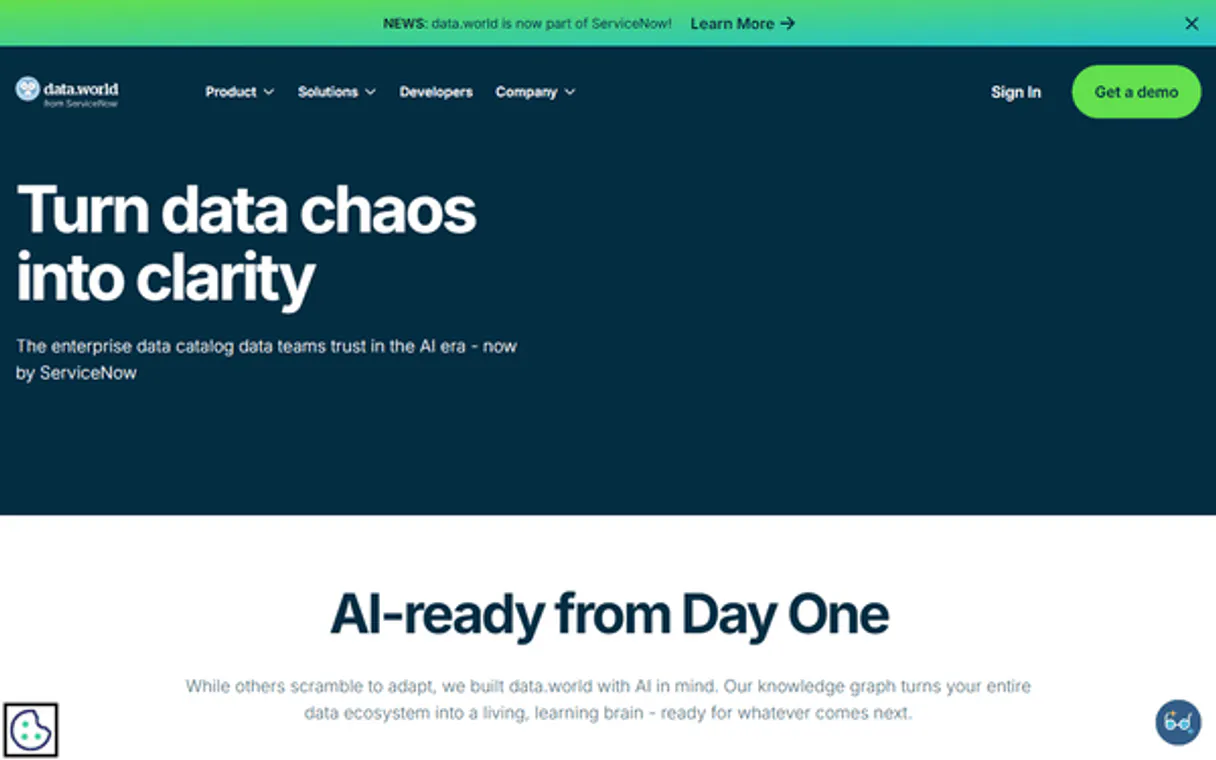
Independent Platform Disclaimer: Vinkius is an independent platform and is not affiliated with, endorsed by, sponsored by, verified by, or otherwise authorized by data.world. All third-party trademarks, logos, and brand names are the property of their respective owners. Their use on this website is strictly for informational purposes to identify service compatibility and interoperability.
VINKIUS INFRASTRUCTURE
Cloud Hosted
Managed infra
V8 Isolated
Sandboxed per request
Zero-Trust Proxy
No stored credentials
DLP Enforced
Policy on every call
GDPR Compliant
EU data residency
Token Compression
~60% cost reduction
Works with Claude, ChatGPT, Cursor, and more
The Model Context Protocol standardizes how applications expose capabilities to LLMs. Instead of operating in isolation, your AI gains direct access to external platforms, live data, and real-world actions through secure, standardized connections.
This server provides 10 capabilities that interface natively with Claude, ChatGPT, Cursor, and any MCP client. No middleware. No custom integration required.
Available Capabilities
Sifting through data catalogs shouldn't require five different tabs.
Today, finding a usable dataset means clicking into the catalog, searching by keyword, then clicking 'datasets,' filtering by date, then clicking 'owner,' and finally finding the right project folder. You spend more time navigating the interface than you do actually analyzing the data.
With the data.world MCP Server, your agent handles all that clicking. You just ask: 'Show me all climate datasets owned by the Research Team.' Your agent runs `search_catalog` and returns the precise list, eliminating the manual, multi-step process.
data.world MCP Server: Access everything you need with `list_dataset_queries`.
Before running a query, you usually have to manually navigate to the project, find the associated dataset, and then look for the saved queries tab. If the query isn't saved, you're stuck, or you have to guess which version is correct.
Now, you ask your agent to 'List all saved queries for the Sales dataset.' The agent runs `list_dataset_queries` and gives you the full list and metadata right away. It’s simple. It just works.
Common Questions About data.world MCP
How do I use the `search_catalog` tool with data.world? +
You just tell your agent what you're looking for. The agent interprets your request and runs search_catalog against the entire data.world index. It returns a ranked list of matching datasets and projects.
Can I see all the projects I own using `list_my_projects`? +
Yes. Running list_my_projects retrieves summaries of all projects you own, including their creation date and which datasets are linked.
What is the difference between `list_my_datasets` and `search_catalog`? +
list_my_datasets only shows datasets you personally own. search_catalog searches across the entire platform, finding relevant data even if you don't own it.
How does `get_dataset_details` help me? +
It gives you the deep metadata you need, including file listings, tags, and license info, which is critical for knowing if the data can actually be used for your project.
Does `list_project_insights` show live data? +
No, list_project_insights shows documented findings and data visualizations that were published to the project workspace. It shows what was agreed upon, not what's changing minute by minute.
How do I check my account permissions using the `get_my_profile` tool? +
The get_my_profile tool retrieves your account metadata, including your username and the permissions you hold. This lets you confirm your access level before running sensitive data commands.
If I need to find a dataset, should I use `search_catalog` or `list_my_datasets`? +
search_catalog searches the entire data.world index, letting you find anything by title, tags, or description. Use list_my_datasets only when you need to see a list of datasets you personally own.
How can I see my recent work using `list_recent_activity`? +
The list_recent_activity tool streams an activity log showing everything that happened in your account. You can track dataset updates, project contributions, or new collections added.
How do I get a data.world API Token? +
Log in to data.world, go to your user settings, and navigate to the Advanced > API Tokens section to generate a new token.
Can the agent run SQL queries? +
This integration currently focuses on discovering assets and retrieving saved query definitions. Executing arbitrary SQL queries is managed via the data.world interface or specialized SDKs.
Does the integration support private datasets? +
Yes, as long as the provided API Token has the necessary permissions, the agent can list and retrieve information for any dataset you have access to, including private ones.
Use it with your favorite AI tools
Connect this server to Cursor, Claude, VS Code, and more.
More in this category

Cognee
Build knowledge graphs from unstructured data — ingest text, extract entities and relationships, and search with graph-aware AI reasoning.

Deterministic Reading Project Manager
Transform your AI into a hyper-efficient literary project manager. Analyze reading lists, calculate strict algorithmic completion times, and generate momentum-based reading sequences instantly.
GovInfo
Search and retrieve official US Government documents and publications via AI.
You might also like

Advice Slip
Universal advice engine — get random advice or search by keyword via AI.

Moova
Automate smart logistics via Moova — create shipments, track deliveries, get shipping quotes, and orchestrate carriers from any AI agent.
Opsgenie
Automate incident management via Opsgenie — manage alerts, track on-calls, and coordinate incidents directly from any AI agent.