
Degreed MCP. Audit learning progress and skill gaps by conversation.
 Gemini
 Works with every AI agent you already use
…and any MCP-compatible client









Just plug in your AI agents and start using Vinkius.
Degreed. This MCP Server lets your AI agent find learning content, check skill profiles, and track progress within your organization's learning platform.
You can search the catalog, list user skills, and see who finished what. It connects natural language conversation to structured L&D data, letting you manage employee upskilling goals hands-free.
What your AI agents can do
Get content details
Retrieves detailed metadata, skill tags, and duration for a specific learning item.
Get user profile
Gets a user's full profile, including their assigned skill ratings and active learning paths.
List active learners
Lists users who have recently completed learning activities in the workspace.
Find courses, articles, or videos by searching keywords across the entire Degreed content catalog.
Retrieve a user's profile, including assigned skill ratings and which learning paths they are currently on.
List users who have completed learning activities recently in the Degreed workspace.
View the standardized list of all skills and competencies the organization tracks for talent mapping.
Retrieve metadata for every user, including their system ID, title, and department affiliation.
Get metadata for every piece of content available, like articles, videos, and courses.
List defined learning pathways, showing their objectives, total duration, and completion requirements.
Ask AI about this MCP
Supported MCP Clients
Gemini Waiting for input…
Degreed MCP Server: 10 Tools for Learning & Development
Use these tools to manage learning content, audit user progress, and map skills within the Degreed platform using your AI agent.
019d7583get content details
Retrieves detailed metadata, skill tags, and duration for a specific learning item.
019d7583get user profile
Gets a user's full profile, including their assigned skill ratings and active learning paths.
019d7583list active learners
Lists users who have recently completed learning activities in the workspace.
019d7583list defined skills
Returns the standardized list of skills and competencies used by the organization.
019d7583list degreed users
Lists all registered users with their metadata, including system IDs and titles.
019d7583list learning content
Lists all available learning content, including titles, providers, and content types.
019d7583list learning pathways
Lists curated learning pathways, showing their objectives, total duration, and completion requirements.
019d7583list learning plans
Lists active learning plans, including target completion dates and linked competencies.
019d7583list user completions
Returns a history of all learning items a user has finished, including dates and earned skill points.
019d7583search learning catalog
Searches the entire learning catalog by keyword to find relevant courses or articles.
Choose How to Get Started
Build a custom MCP for your own tools, or connect a ready-made integration from our catalog.
Build Your Own
Turn any API into an MCP. Import a spec, define Agent Skills, or deploy with MCPFusion.
- Import from OpenAPI, Swagger, or YAML specs
- Create Agent Skills with progressive disclosure
- Deploy to edge with MCPFusion framework
- Built in DLP, auth, and compliance on every call
- Real time usage dashboard and cost metering
- Publish to catalog or keep private
Make Your AI Do More
Start with Degreed, then connect any of our 4,700+ other servers whenever your AI needs more. One click, no limits.
- Use this MCP plus 4,700+ others, all in one place
- Add new capabilities to your AI anytime you want
- Every connection is secured and compliant automatically
- Track usage and costs across all your servers
- Works with Claude, ChatGPT, Cursor, and more
- New servers added to the catalog every week
What you can do with this MCP connector
Your AI agent can use this MCP Server to find learning content, check employee skills, and track progress inside your company's learning platform. You can search the catalog, list user skills, and see who finished what. It connects natural language conversation straight to your structured L&D data, letting you manage upskilling goals hands-free.
search_learning_catalog lets your agent search the whole learning catalog by keywords to find courses, articles, or videos. get_content_details retrieves detailed metadata, skill tags, and duration for a specific learning item. list_learning_content shows all available learning content, including titles, providers, and content types. list_defined_skills returns the standardized list of skills and competencies the organization tracks. get_user_profile gives you a user's full profile, including their assigned skill ratings and active learning paths. list_degreed_users retrieves metadata for every registered user, giving you their system ID and title. list_learning_pathways shows curated learning pathways, listing their objectives, total duration, and completion requirements. list_learning_plans lists active learning plans, including target completion dates and linked competencies. list_user_completions returns a history of all learning items a user finished, including dates and earned skill points. list_active_learners lists users who recently finished learning activities in the workspace. list_learning_pathways lets you track progress by showing objectives, total duration, and completion requirements for defined learning pathways.
How Degreed MCP Works
- 1 Connect the Degreed integration to your AI client.
- 2 Authorize the connection using your Degreed Client ID and Client Secret.
- 3 Use natural language to request data. For example, asking 'Show me the skill gaps for the Engineering team' executes the necessary tool calls.
The bottom line is, you manage your entire learning and development program by just talking to your AI client.
Who Is Degreed MCP For?
L&D Managers and Talent Partners need this. They struggle with manual data aggregation—pulling user progress from one dashboard, checking content availability in another, and mapping skill gaps across spreadsheets. This server lets them run complex reports and audit learning status using conversation, saving hours of manual clicking.
Checks learner progress and content availability on the fly. They use this to audit team learning goals and verify if the right courses exist for a new role.
Researches employee skill sets and identifies talent gaps via chat. They ask the agent, 'Who is proficient in React.js but hasn't finished the Leadership Foundations path?'
Monitors team learning goals and pathway completions during planning. They track team progress against defined learning plans without opening multiple dashboards.
What Changes When You Connect
- You instantly see who completed what. Instead of digging through logs, the
list_user_completionstool gives you a clean history of an individual's finished items and earned skill points. - Skill gaps are visible immediately. Use
list_defined_skillsto see the entire taxonomy, and thenget_user_profileto cross-reference which skills an employee actually has rated. - Stop hunting for content. The
search_learning_catalogtool lets you find any course or article by keyword across the whole Degreed library, no matter how deep the catalog is. - Track team goals with precision. You can use
list_learning_plansto review active learning goals, seeing target dates and required competencies without opening the planning dashboard. - Know your users.
list_degreed_usersgives you a clean list of all employees with system IDs and titles, letting you scope out who you're running reports on. - Understand the full curriculum.
list_learning_pathwaysshows the structured journey a user should take, outlining objectives and total time commitment.
Real-World Use Cases
Auditing a team's compliance readiness
A L&D Manager needs to prove that the entire 'Sales' department has completed the 'Data Security' module. They ask their agent to run list_user_completions for every user in the 'Sales' department. The agent aggregates the results and confirms which users are missing the required certification.
Identifying a high-potential employee's next steps
A Talent Partner wants to move a junior engineer into a lead role. They use get_user_profile to see the current skill rating. They then use list_defined_skills to identify the required skills for the lead role, and finally, use search_learning_catalog to suggest the most relevant courses to bridge the gap.
Onboarding a new department
A Team Lead is setting up a new department. They use list_degreed_users to pull all new hires. They then use list_learning_plans to assign the mandatory onboarding goals and list_learning_pathways to guide them through the required content.
Curating a personalized development track
An L&D Manager finds a high-demand skill (e.g., 'Advanced SQL'). They use list_learning_content to see all related articles and courses, then use list_learning_pathways to build a structured, multi-step curriculum around that skill.
The Tradeoffs
Trying to find a skill gap by viewing only user lists
The user sees a list of users from list_degreed_users and assumes they all have the same skills. They run list_user_completions and only see titles, not the actual skill proficiency level.
→
You must use get_user_profile. This tool combines the user's activity with their assigned skill ratings, giving you the actual competency data needed to map gaps.
Assuming content exists just because it was mentioned
A user hears about a new 'Advanced Python' module and runs list_learning_content, which only returns general titles. They don't know if the module is available or if it's just a draft.
→
Always use search_learning_catalog or get_content_details. These tools confirm if the content exists, check its metadata, and confirm its status and duration.
Manually tracking completion dates
A manager manually checks multiple dashboards to see when every team member finished a required course, leading to hours of copy-pasting and mismatched data.
→
Use list_user_completions. This single tool returns a history of every learning item completed by a specific user, complete with accurate timestamps.
When It Fits, When It Doesn't
Use this server if your core problem is mapping people's skills to content and goals. You need to know what the skills are, who has them, and what learning journey they need to take next. If you only need a simple list of all available courses, use list_learning_content. If you just need to see the structure of all defined skills without user data, use list_defined_skills. You need the full picture—the intersection of users, skills, and content—which is why the full suite is necessary.
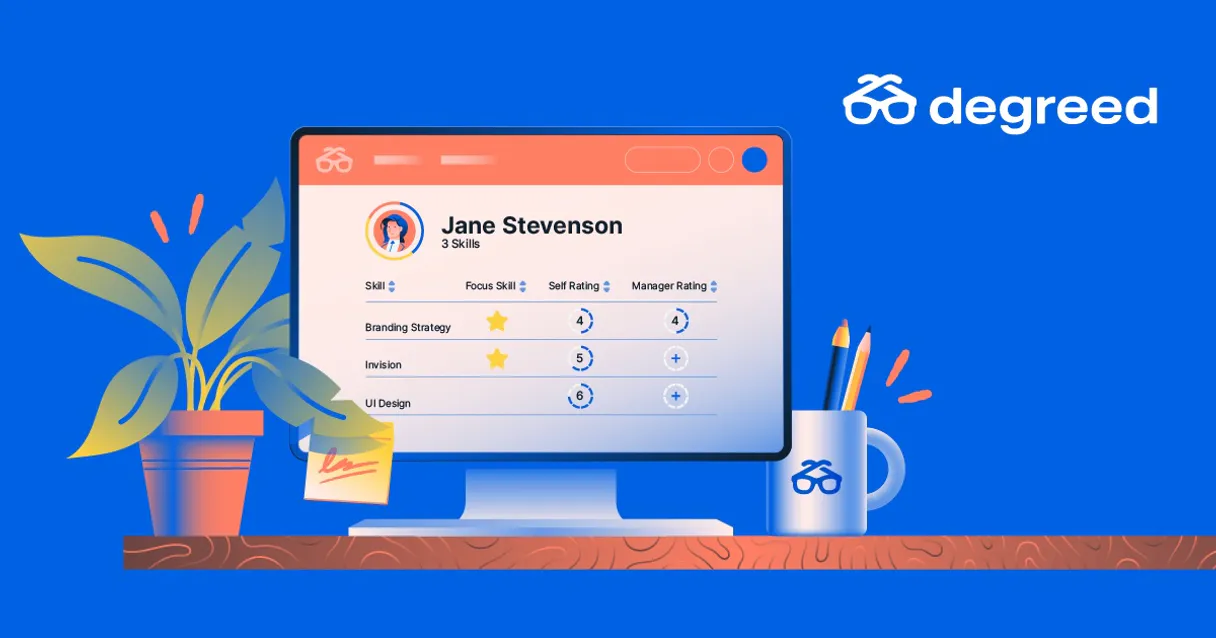
Independent Platform Disclaimer: Vinkius is an independent platform and is not affiliated with, endorsed by, sponsored by, verified by, or otherwise authorized by Degreed. All third-party trademarks, logos, and brand names are the property of their respective owners. Their use on this website is strictly for informational purposes to identify service compatibility and interoperability.
VINKIUS INFRASTRUCTURE
Cloud Hosted
Managed infra
V8 Isolated
Sandboxed per request
Zero-Trust Proxy
No stored credentials
DLP Enforced
Policy on every call
GDPR Compliant
EU data residency
Token Compression
~60% cost reduction
Works with Claude, ChatGPT, Cursor, and more
The Model Context Protocol standardizes how applications expose capabilities to LLMs. Instead of operating in isolation, your AI gains direct access to external platforms, live data, and real-world actions through secure, standardized connections.
This server provides 10 capabilities that interface natively with Claude, ChatGPT, Cursor, and any MCP client. No middleware. No custom integration required.
Available Capabilities
Tracking learning progress means clicking through 10 different dashboards.
Right now, checking one employee's status requires opening the profile page, cross-referencing the learning path, then checking the completion log, and finally looking up the content details to see who provided it. It's a mess of tabs and copy-pasting.
With the Degreed MCP Server, you just ask your agent. You say, 'What are Jane's active goals and what has she finished?' The agent runs the necessary tools (`get_user_profile` and `list_user_completions`) and spits out the single, unified answer you need.
Using the Degreed MCP Server: Full Learning Oversight
You don't have to wait for a manual report. You can ask your agent to monitor the team's progress against a specific learning plan using `list_learning_plans` and `list_learning_pathways` in a single chat turn.
What's different now is that you're getting real-time, structured data. You move from reviewing historical records to actively managing the next steps for every team member.
Common Questions About Degreed MCP
How do I use the `search_learning_catalog` tool with Degreed? +
You search by simply stating the topic or keyword you're interested in. The tool then matches your terms against titles, descriptions, and skill tags to return a ranked list of relevant materials.
What is the difference between `list_learning_content` and `search_learning_catalog`? +
list_learning_content gives you a full inventory of every piece of content. search_learning_catalog finds content specifically by matching keywords or terms, so it's better for targeted research.
Can `get_user_profile` tell me a user's skill gaps? +
Yes. The get_user_profile tool resolves the user's assigned skill ratings and shows active learning paths. This allows your agent to compare their current skill level against the required skills.
Which tool should I use to list all available skills? +
Use list_defined_skills. This tool pulls the standardized, official list of skills and competencies that the organization uses for all talent mapping.
How do I list all active users using the `list_degreed_users` tool? +
The list_degreed_users tool returns a comprehensive roster of all users in your Degreed organization. You get metadata for each user, including their system ID, professional title, and organizational affiliations.
What information does `list_user_completions` provide about a user's learning history? +
list_user_completions gives you a full history of every item a user completed. You can see the content name, the timestamp of completion, and the specific skill points they earned.
If I need to check a user's goals, should I use `list_learning_plans` or `get_user_profile`? +
Use list_learning_plans specifically for viewing active goals. This tool lists configured learning plans and goals, along with target completion dates and the linked competencies.
How can I find out about the skills a user has achieved using `get_user_profile`? +
get_user_profile resolves the user's assigned skill ratings and active pathways. It shows the user's progress and skill data within the Degreed system.
How do I get Degreed API credentials? +
Log in to your Degreed admin account, navigate to the API settings section, and create a new application to retrieve your Client ID and Client Secret for OAuth 2.0 authentication.
Can the agent assign learning content? +
This integration currently focuses on discovering content and monitoring progress. Assigning content to specific users is managed via the Degreed dashboard or mobile app.
Are skill ratings included? +
Yes, when retrieving user profiles, the agent can provide information on skills associated with the user and their current proficiency levels where available.
Use it with your favorite AI tools
Connect this server to Cursor, Claude, VS Code, and more.
More in this category

Dubsado
Run your creative business with proposal templates, contract signing, invoicing, and client scheduling in one seamless flow.
WakaTime (Coding Stats)
Track your coding activity and productivity metrics directly through WakaTime — monitor projects, goals, and time spent in your IDE.
Ironclad
Manage contracts, workflows, approvals, and counterparties via Ironclad CLM — launch, track, and search agreements directly from any AI agent.
You might also like
Appfigures
Analyze app store performance with Appfigures — track downloads, revenue, reviews, and rankings via AI.

KlickTipp
Grow your German-speaking audience with tag-based email marketing that segments subscribers by behavior and interest.
NavAPI
Manage maritime navigation — audit ports, routes, and traffic via AI.