
Feathery MCP. Audit forms, users, and data logs in chat.
 Gemini
 Works with every AI agent you already use
…and any MCP-compatible client









Just plug in your AI agents and start using Vinkius.
Feathery MCP Server automates form and user data management. Connect your Feathery.io account to your AI agent to list users, retrieve specific form submissions, track sessions, and audit API connector logs.
It lets you manage user data and workflow status directly from your chat interface, without leaving your current workflow.
What your AI agents can do
Get account info
Fetches your overall Feathery account details.
Get form details
Retrieves the structure and metadata for a specific form.
Get form session
Gets the current state or session data for a user on a specific form.
The agent retrieves detailed user profiles and collects every field value submitted by that user across all forms, even if they filled out different forms.
The agent lists all active forms and provides structural metadata. It also checks automated workflows to ensure the user journey is running as expected.
The agent lists recent API connector logs for a specific form, allowing you to diagnose integration errors and confirm data sync.
The agent queries a form's current session to see the user's progress, identifying exactly where they left off or what caused a pause.
The agent lists all users in your environment using list_users and verifies your own account details using get_account_info.
Ask AI about this MCP
Supported MCP Clients
Gemini Waiting for input…
Feathery MCP Server: 11 Tools for Form & Workflow Ops
Use these tools to manage user data, inspect form structures, and audit complex workflows within Feathery using your AI agent.
019d7597get account info
Fetches your overall Feathery account details.
019d7597get form details
Retrieves the structure and metadata for a specific form.
019d7597get form session
Gets the current state or session data for a user on a specific form.
019d7597get me
Checks the identity and profile information for the API token being used.
019d7597get user data
Retrieves all field values submitted by a user across multiple forms.
019d7597get workflow details
Gets detailed information about a specific automated workflow.
019d7597list connector logs
Lists recent API connector error logs for a designated form.
019d7597list environments
Shows all available Feathery environments in your account.
019d7597list forms
Lists every active form within your Feathery account.
019d7597list users
Displays a list of all users registered in your Feathery environment.
019d7597list workflows
Lists all automated workflows configured in your account.
Choose How to Get Started
Build a custom MCP for your own tools, or connect a ready-made integration from our catalog.
Build Your Own
Turn any API into an MCP. Import a spec, define Agent Skills, or deploy with MCPFusion.
- Import from OpenAPI, Swagger, or YAML specs
- Create Agent Skills with progressive disclosure
- Deploy to edge with MCPFusion framework
- Built in DLP, auth, and compliance on every call
- Real time usage dashboard and cost metering
- Publish to catalog or keep private
Make Your AI Do More
Start with Feathery, then connect any of our 4,700+ other servers whenever your AI needs more. One click, no limits.
- Use this MCP plus 4,700+ others, all in one place
- Add new capabilities to your AI anytime you want
- Every connection is secured and compliant automatically
- Track usage and costs across all your servers
- Works with Claude, ChatGPT, Cursor, and more
- New servers added to the catalog every week
What you can do with this MCP connector
Connect your Feathery.io account to your AI agent to handle form and user data management right from your chat interface. You'll manage users and forms without jumping between tabs and dashboards.
Tracking User Progress and History
Your agent can list every active form in your account using list_forms and give you the structure and metadata for any specific form with get_form_details. You can check the current session for a user on a form with get_form_session to see exactly where they left off or what caused them to pause.
The agent retrieves detailed user profiles and pulls every field value submitted by a user across multiple forms using get_user_data.
Managing Users and Accounts
The agent lists all users registered in your environment using list_users. You can also check your overall Feathery account details with get_account_info and verify the identity and profile information for the API token being used with get_me.
Inspecting Workflows and Data Flow
It lists all automated workflows configured in your account using list_workflows, and it shows all available Feathery environments with list_environments. You can get detailed information about a specific automated workflow using get_workflow_details. If you gotta track down sync errors, the agent lists recent API connector error logs for a designated form using list_connector_logs.
Tools available to your agent include:
list_users: Displays all users in your Feathery environment.get_user_data: Retrieves all field values submitted by a user across multiple forms.get_form_session: Gets the current state or session data for a user on a specific form.list_forms: Lists every active form within your Feathery account.get_form_details: Retrieves the structure and metadata for a specific form.list_workflows: Lists all automated workflows configured in your account.get_workflow_details: Gets detailed information about a specific automated workflow.list_connector_logs: Lists recent API connector error logs for a designated form.list_environments: Shows all available Feathery environments in your account.get_account_info: Fetches your overall Feathery account details.get_me: Checks the identity and profile information for the API token being used.
How Feathery MCP Works
- 1 Subscribe to the Feathery MCP Server and input your API Key.
- 2 Your AI agent calls the desired tool (e.g.,
list_forms) and passes necessary context (like a form ID or user ID). - 3 The agent returns the structured data (e.g., a list of forms, or a user's submission data) directly to your chat window for immediate review.
The bottom line is that your AI agent acts as a dedicated data layer, giving you direct access to Feathery's internal data without needing to write any code or navigate the UI.
Who Is Feathery MCP For?
Product Operations Engineers, Customer Success Managers, and Marketing Engineers. This is for the person who spends hours cross-referencing data in multiple systems just to answer a simple user question. You need a single pane of glass that connects the user's input to the workflow's status and the API logs.
Uses the server to monitor user form progress and troubleshoot submission errors immediately in the chat, saving time otherwise spent in dashboard navigation.
Quickly pulls all submitted data for a user using get_user_data to personalize support conversations without asking the customer to resubmit forms.
Runs list_connector_logs to audit API connector health, verifying that lead data flows correctly from the form builder to external systems.
What Changes When You Connect
- See a user's full data history with
get_user_data. Don't just see the last submission; you get every field value submitted by that user across all forms. - Pinpoint user drop-off points using
get_form_session. Instead of guessing why a user stopped, you see exactly which step they reached and where they left off. - Verify data pipeline health using
list_connector_logs. You can instantly check if a sync failed due to an email format error or an API rejection, without opening the integration dashboard. - Manage user identities with
list_usersandget_account_info. You get a full roster of users and confirmation of your API credentials' status right in the chat. - Get the form's structure instantly with
get_form_details. Before you write a query, you can verify the exact fields and metadata for a form just by asking the agent. - Check the overall user journey using
list_workflowsandget_workflow_details. You see the status of complex, automated processes that affect user onboarding.
Real-World Use Cases
User calls support with incomplete data.
A customer calls support and can't provide the necessary user ID. The agent runs list_users first, finding the user's name. Then, it uses get_user_data to pull all historical submissions for that name, allowing the support rep to solve the issue immediately without asking the user to resubmit everything.
Troubleshooting a broken data sync.
A marketing engineer suspects the 'Lead Gen' form is failing to sync data to HubSpot. Instead of digging through the web dashboard, they ask the agent to list_connector_logs. The agent returns the specific error ('API Key expired') and the form ID, letting the engineer fix it in minutes.
Auditing a complex onboarding flow.
Product Ops needs to check if the user journey through the 'Trial Signup' form is working correctly. They use list_workflows and then get_workflow_details to see the current status of the automated process, confirming that the user moved from 'Step 1' to 'Step 2' successfully.
Verifying a user's full submission history.
A sales rep needs to know everything a prospect submitted during their trial. They run get_user_data for the prospect's email. The agent aggregates all submitted data—name, plan selection, initial feedback—from every form they touched, giving the rep a complete profile.
The Tradeoffs
Relying only on the main UI dashboard.
You log into Feathery, check the 'User Data' tab, and manually filter by date range and form ID. This process takes 10+ clicks and requires you to copy/paste IDs to cross-reference in a spreadsheet.
→
Ask your agent to run get_user_data or list_forms directly. You get the aggregated data and the required metadata instantly, without opening any tabs.
Checking logs manually.
When data fails to sync, you navigate to the connector settings, find the log viewer, and scroll through potentially thousands of lines of generic text to find the error code.
→
Use list_connector_logs. The agent filters the logs for the specific form and returns only the relevant error message and the form ID, saving you minutes of reading.
Guessing the user's current state.
A user reports 'the form isn't working.' You have to ask the user for the date/time they were on the site, and then manually try to piece together their progress from multiple sources.
→
Run get_form_session. The agent immediately reports the user's last known progress and the form ID, telling you exactly where they stopped.
When It Fits, When It Doesn't
Use this server if your job requires correlating data across different parts of the user lifecycle: connecting what a user sees (sessions) to what they submit (data) and how the system handles it (logs/workflows). You need to verify the state of the system, not just view a static record. Don't use it if you only need to view a single, simple list of forms—just use list_forms. However, if you need to know the structural details or the full history of a user, you must use get_form_details or get_user_data respectively. If the data sync is the problem, ignore the form data and run list_connector_logs; the problem is the pipe, not the source.
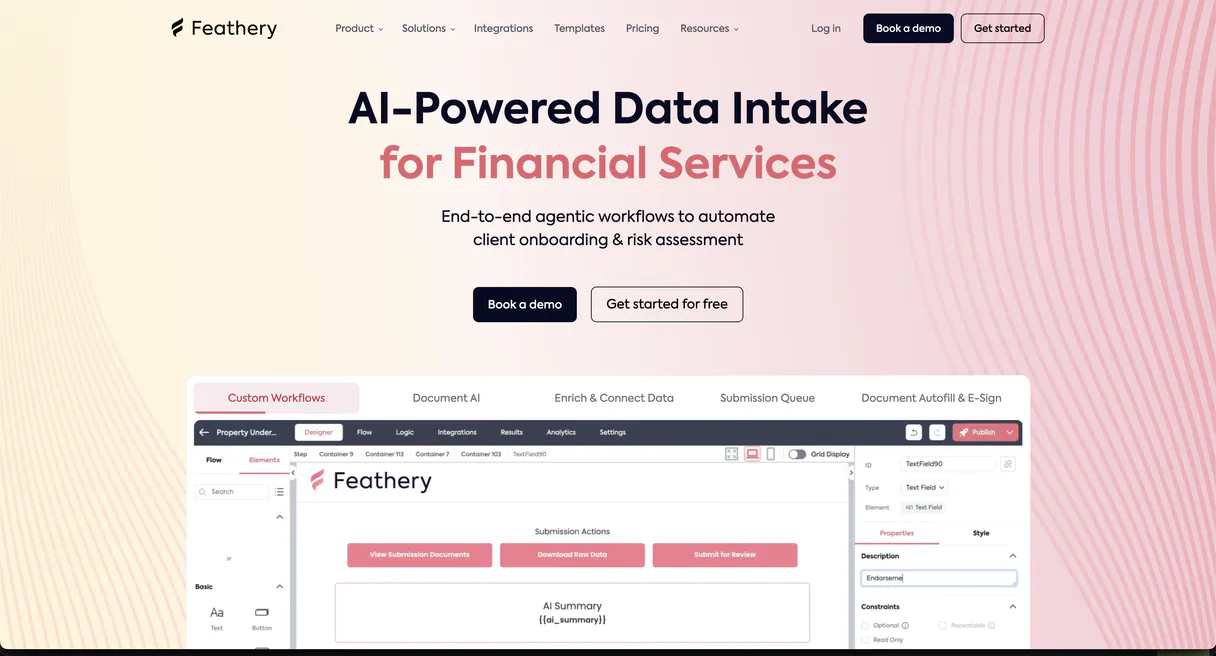
Independent Platform Disclaimer: Vinkius is an independent platform and is not affiliated with, endorsed by, sponsored by, verified by, or otherwise authorized by Feathery. All third-party trademarks, logos, and brand names are the property of their respective owners. Their use on this website is strictly for informational purposes to identify service compatibility and interoperability.
VINKIUS INFRASTRUCTURE
Cloud Hosted
Managed infra
V8 Isolated
Sandboxed per request
Zero-Trust Proxy
No stored credentials
DLP Enforced
Policy on every call
GDPR Compliant
EU data residency
Token Compression
~60% cost reduction
Works with Claude, ChatGPT, Cursor, and more
The Model Context Protocol standardizes how applications expose capabilities to LLMs. Instead of operating in isolation, your AI gains direct access to external platforms, live data, and real-world actions through secure, standardized connections.
This server provides 11 capabilities that interface natively with Claude, ChatGPT, Cursor, and any MCP client. No middleware. No custom integration required.
Available Capabilities
Finding user data shouldn't involve copy-pasting IDs.
Today, if a client asks for a user's submission history, you open the Feathery dashboard. You pull the user ID, navigate to the forms list, then select the correct form. You filter by the date range, and finally, you export a CSV. It's a multi-step, click-heavy process that takes minutes of your day.
With the Feathery MCP Server, you just ask your agent: 'Show me all data for user X.' The agent handles the ID lookup, the form selection, the date filtering, and the data aggregation, spitting out a clean JSON payload right in the chat. It's the whole process, done in a single prompt.
Feathery MCP Server: Access user data and forms in chat.
You don't have to switch between the user dashboard, the workflow builder, and the API logs to solve a problem. The agent pulls context from all three: it finds the user (`list_users`), sees the workflow status (`list_workflows`), and retrieves the specific data (`get_user_data`)—all in one go.
This moves data inspection from a dashboard task to a conversational one. You talk to your AI client, and it talks directly to Feathery's backend. It's immediate, comprehensive, and requires zero clicks.
Common Questions About Feathery MCP
How do I check if a user's data is synced correctly using list_connector_logs? +
Run list_connector_logs and specify the form ID. This returns a list of recent API connector errors, letting you pinpoint exactly which sync failed and why, whether it's a formatting issue or an expired key.
Can I use get_user_data to see all submissions for one person? +
Yes. get_user_data collects every field value submitted by a specific user across all forms, giving you a comprehensive view of their entire interaction history.
What is the difference between list_forms and get_form_details? +
list_forms gives you a list of all active forms and their basic metadata. get_form_details provides the full structural details and metadata for one specific form ID.
How do I track a user who stopped mid-form? Use get_form_session. +
Ask the agent to run get_form_session for the user and the form ID. It tells you the current state, identifying exactly which field they last interacted with and where they quit.
How do I check which users are in my environment using list_users? +
It lists every user in your Feathery environment. This is useful for auditing or finding a user's ID before you check their submissions with other tools.
What information can I get about my account with get_account_info? +
It pulls your main account details. This verifies your overall setup, which is helpful if you need to confirm your API credentials or billing status.
How do I see all the active forms in my account using list_forms? +
It returns a list of every form you have created. You'll get the form's unique ID and basic metadata so you know which forms are available to inspect.
What if I need to know the structure of a form? Should I use get_form_details? +
Yes, get_form_details provides the structural metadata. It shows you the fields, types, and rules for a specific form, which is key for understanding what data is being collected.
How do I obtain my Feathery API Key? +
Log in to your Feathery dashboard, navigate to Settings > API, and generate a new key. Ensure you copy the token immediately as it is only shown once.
Can I see the data submitted by a specific user? +
Yes! Use the get_user_data tool with the specific User ID to retrieve all field values submitted by that user across any of your forms.
How can I troubleshoot integration errors via chat? +
The list_connector_logs tool retrieves recent error logs for your API connectors. This allows your agent to identify exactly which field mapping or endpoint caused a failure.
Use it with your favorite AI tools
Connect this server to Cursor, Claude, VS Code, and more.
More in this category

Buk
Automate your HR and Payroll data via Buk — query employees, list vacations, extract company charts, and orchestrate talent operations directly from any AI agent.

Lexware Office (Accounting & Invoicing)
Manage bookkeeping via Lexware Office (lexoffice) — create contacts, track invoices, and audit accounting vouchers in Germany.

COR
Optimize creative agency profitability with project tracking, resource allocation, and real-time margin analysis for every job.
You might also like

Color Converter Engine
Convert any color between HEX, RGB, HSL, and CMYK with mathematical precision. The AI guesses color codes — this engine knows them.

BCLaws API
Access British Columbia laws — audit statutes and regulations via AI.
Bookingmood
Manage your rental bookings via Bookingmood — track rentals, manage calendars, and handle guest contacts directly from any AI agent.