
Icypeas MCP. Find and verify contact data for outreach.
 Gemini
 Works with every AI agent you already use
…and any MCP-compatible client









Just plug in your AI agents and start using Vinkius.
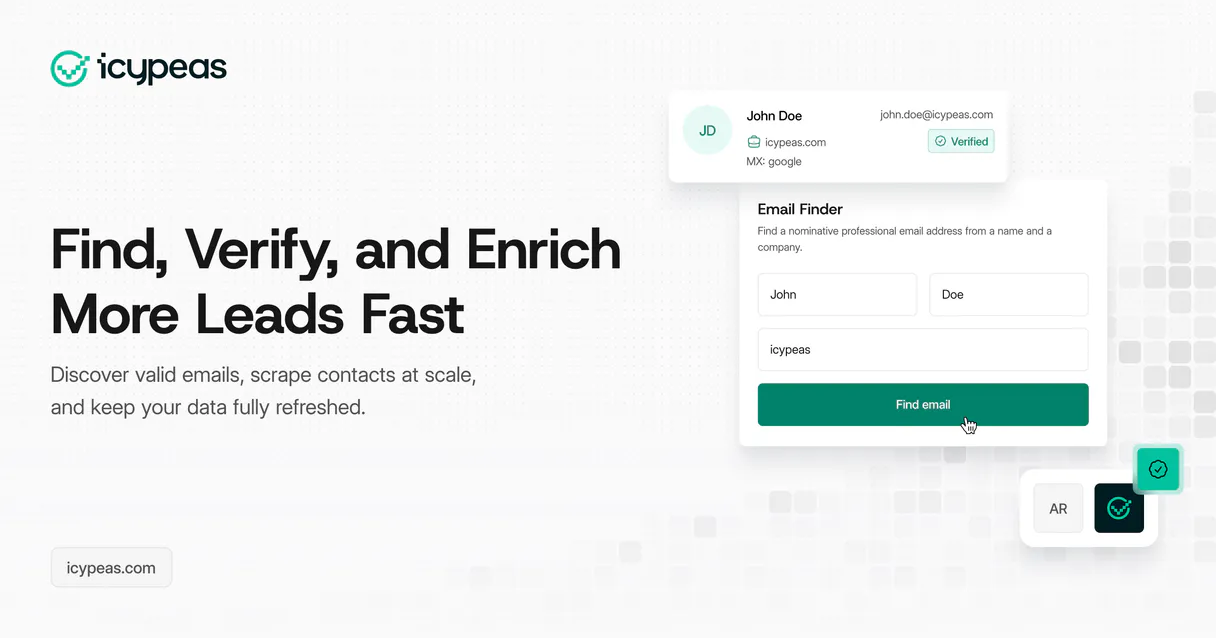
Icypeas MCP Server. Build and enrich your prospect database using verified contact data. This server lets your AI client list prospects, search specific leads, manage entire prospect lists, find emails for people at a domain, and verify if an email address actually works.
It’s built for automating sales outreach and making sure your leads are real.
What your AI agents can do
Find email
Finds an email address for a specific person at a domain.
Get account
Retrieves the current details of your Icypeas account.
Get campaign
Gets detailed information about one specific outreach campaign.
Locates an email address for a given person and domain.
Verifies if a specific email address will actually reach a mailbox.
Lists, searches, and retrieves details for prospect lists and individual contacts.
Checks your account details and current credit balance with Icypeas.
Retrieves details and lists of past outreach campaigns.
Ask AI about this MCP
Supported MCP Clients
Gemini Waiting for input…
Icypeas MCP Server: 10 Tools for Outreach Data
Use these tools to find emails, verify addresses, and manage every aspect of your prospect and campaign data.
019d75b7find email
Finds an email address for a specific person at a domain.
019d75b7get account
Retrieves the current details of your Icypeas account.
019d75b7get campaign
Gets detailed information about one specific outreach campaign.
019d75b7get credits
Checks your remaining available account credits.
019d75b7get prospect list
Retrieves all the details for a specified prospect list.
019d75b7list campaigns
Lists all outreach campaigns you have access to.
019d75b7list prospect lists
Lists all the prospect lists available in your account.
019d75b7list prospects
Lists every single prospect recorded in your account.
019d75b7search prospects
Searches through your prospect database using custom filters.
019d75b7verify email
Verifies the deliverability status of any given email address.
Choose How to Get Started
Build a custom MCP for your own tools, or connect a ready-made integration from our catalog.
Build Your Own
Turn any API into an MCP. Import a spec, define Agent Skills, or deploy with MCPFusion.
- Import from OpenAPI, Swagger, or YAML specs
- Create Agent Skills with progressive disclosure
- Deploy to edge with MCPFusion framework
- Built in DLP, auth, and compliance on every call
- Real time usage dashboard and cost metering
- Publish to catalog or keep private
Make Your AI Do More
Start with Icypeas, then connect any of our 4,700+ other servers whenever your AI needs more. One click, no limits.
- Use this MCP plus 4,700+ others, all in one place
- Add new capabilities to your AI anytime you want
- Every connection is secured and compliant automatically
- Track usage and costs across all your servers
- Works with Claude, ChatGPT, Cursor, and more
- New servers added to the catalog every week
What you can do with this MCP connector
You're building out your prospect list, and you need to make sure every lead is real and reachable. This server lets your AI client pull verified contact data and manage your entire database right from your chat window. You'll use it for automating sales outreach and making sure your leads actually bite.
Finding Contacts and Verifying Emails
find_email: It finds an email address for any specific person at a given domain.verify_email: It checks if an email address will actually reach a mailbox, giving you a clear deliverability status.
Managing Prospect Data
list_prospects: You can pull a list of every single prospect sitting in your account.search_prospects: You can search your whole prospect database using custom filters.list_prospect_lists: It lists every prospect list you've got set up.get_prospect_list: You pull all the details for a specific prospect list.get_account: You check the current details of your main Icypeas account.
Reviewing Campaigns and Account Status
list_campaigns: It lists all the outreach campaigns you have access to.get_campaign: You get detailed information about one specific outreach campaign.get_credits: It checks your remaining available account credits.
How Icypeas MCP Works
- 1 Your AI client calls the tool, specifying the target (e.g., a person's name and company domain).
- 2 The MCP Server executes the call against the Icypeas API to fetch the required data.
- 3 The server returns the structured result (e.g., the verified email, or the list of prospects) directly to your AI client for use.
The bottom line is that your AI agent runs the code, and the server brings back the raw data it needs.
Who Is Icypeas MCP For?
The SDR who needs to build a targeted outreach list from scratch. The marketing ops engineer who needs to validate every lead before a campaign launch. Or the sales manager who just got handed a list of names and needs to know which ones are actually worth calling.
Uses search_prospects to find leads matching specific criteria, then runs find_email on those leads to build a clean list for cold outreach.
Runs verify_email across a bulk list of contacts to ensure the deliverability rate is high before triggering any campaign.
Checks list_prospect_lists to audit existing lead segmentation and uses get_prospect_list to pull data for performance reporting.
What Changes When You Connect
- Eliminate guesswork on lead quality. Using
verify_emailensures you only send messages to addresses that are actively deliverable, keeping your bounce rate low. - Build targeted lists fast. Instead of manually searching, use
search_prospectsto filter the entire database by industry, company size, or role, getting instant, actionable results. - Deepen prospect context. When you find a lead, use
find_emailto grab their direct email address, then useget_prospect_listto see what list they belong to. - Audit your campaigns. Run
list_campaignsto see every outreach effort you’ve made, andget_campaignto pull the specific metrics for performance review. - Know your limits. Call
get_creditsanytime your agent needs to know how many credits are left before running a large verification job.
Real-World Use Cases
Cleaning a Purchased Lead List
A sales rep buys a list of 1,000 emails. Instead of manually checking each one, they ask their agent to run verify_email on the whole batch. The agent returns a clean list, telling them exactly which emails bounce and which ones are live.
Building a Highly Specific Target List
The marketing team needs contacts who are CTOs at SaaS companies in the Midwest. They ask the agent to use search_prospects with specific filters. The agent returns a precise, filtered list of prospects ready for immediate outreach.
Finding the Right Contact for a Company
You know the company (Stripe) but not the person. You ask your agent to use find_email with the person's name and the domain. The agent returns the correct email, saving you the LinkedIn guessing game.
Auditing Outreach Efforts
The manager needs to see what campaigns ran last quarter. They prompt the agent to run list_campaigns, then use get_campaign to pull the full performance metrics for the 'Q2 Webinar' campaign.
The Tradeoffs
Manual List Building
Copying 50 names from one spreadsheet, pasting them into a CRM, then having to manually find the email for each person on a separate website.
→
Let your agent run list_prospects to pull the full database, then run find_email for the specific contacts you need, and finally verify_email to validate the whole set.
Ignoring Account Limits
Trying to run 10,000 email verifications without checking your remaining credits, resulting in a hard failure and an unexpected bill.
→
Always check get_credits before starting a large verification job. This prevents service failure and keeps your budget predictable.
Guessing Prospect Details
Assuming a prospect is in the right list or that the email address is correct just because they are listed somewhere.
→
Use get_prospect_list to check the exact segmentation, and use verify_email to confirm the address works before you spend time writing a message.
When It Fits, When It Doesn't
Use this if you need to move leads from a 'potential' state to a 'verified, actionable' state. The server handles the full lifecycle: finding the right contact (find_email), checking if they exist in your database (list_prospects), and confirming they can receive mail (verify_email). Don't use this if you just need a simple contact list dump; use a dedicated CRM export tool for that. If you only need to know your account status, just use get_account; don't run the whole suite of tools. This suite is for data enrichment and quality control.
Independent Platform Disclaimer: Vinkius is an independent platform and is not affiliated with, endorsed by, sponsored by, verified by, or otherwise authorized by Icypeas. All third-party trademarks, logos, and brand names are the property of their respective owners. Their use on this website is strictly for informational purposes to identify service compatibility and interoperability.
VINKIUS INFRASTRUCTURE
Cloud Hosted
Managed infra
V8 Isolated
Sandboxed per request
Zero-Trust Proxy
No stored credentials
DLP Enforced
Policy on every call
GDPR Compliant
EU data residency
Token Compression
~60% cost reduction
Works with Claude, ChatGPT, Cursor, and more
The Model Context Protocol standardizes how applications expose capabilities to LLMs. Instead of operating in isolation, your AI gains direct access to external platforms, live data, and real-world actions through secure, standardized connections.
This server provides 10 capabilities that interface natively with Claude, ChatGPT, Cursor, and any MCP client. No middleware. No custom integration required.
Available Capabilities
Collecting clean leads shouldn't feel like a detective novel.
Today, building a target list means copy-pasting names from LinkedIn into a spreadsheet, then manually checking company websites for the right email format. It's slow, and you always end up with a bunch of dead emails that bounce right back to your inbox.
With the Icypeas MCP Server, your agent handles the grunt work. You tell it: 'Find me CTOs at SaaS companies in Chicago.' The agent uses `search_prospects` and `find_email` to gather and validate the contacts, giving you a clean, ready-to-send list in seconds.
Icypeas MCP Server: Verify Email & Manage Prospects
You don't have to jump between 5 different tools—one for listing, one for searching, and another just for checking email validity. You just ask the agent to 'Verify the list.'
The system orchestrates the calls: it checks the list, verifies the emails via `verify_email`, and provides the clean data set back to you. It's all one command.
Common Questions About Icypeas MCP
How do I use the `verify_email` tool with Icypeas MCP Server? +
You call verify_email by providing the specific email address. The server returns a boolean status and, usually, a confidence score, telling you if the address is deliverable.
What is the difference between `list_prospects` and `search_prospects`? +
list_prospects pulls every record in your account. search_prospects lets you narrow that down using specific filters (like job title or company name) to find exactly what you're looking for.
Can I find an email address using the `find_email` tool? +
Yes. You just need to provide the person's name and their company's domain, and the find_email tool returns the likely email address for that person.
Should I use `get_credits` before running a big job? +
Absolutely. get_credits tells you your remaining account balance. Running large jobs without checking this can lead to service failure and unexpected billing.
What data does `get_prospect_list` retrieve? +
It pulls all the details for a specific prospect list ID, including the names and associated metadata for every contact inside that group.
How do I list all available outreach campaigns using the `list_campaigns` tool? +
You call list_campaigns directly. This tool fetches a complete list of all campaigns you've set up in Icypeas. It gives you the names and IDs so your agent knows what's running.
What should I do if I run into rate limits when using `verify_email`? +
When you hit a rate limit, your agent should wait and retry the call. The system handles backoff, but if errors persist, check your account credits using get_credits first.
How can I get details for a specific prospect list using `get_prospect_list`? +
get_prospect_list retrieves all metadata about one specific list. It tells you things like when the list was created or who last modified it, but not the actual contact data inside.
How do I get Icypeas API credentials? +
You can find your API key in your Icypeas dashboard under 'Account Settings'.
Does email verification cost credits? +
Yes, using the verify_email and find_email tools will consume credits from your Icypeas account.
Can I see my remaining credits? +
Yes, the get_credits tool allows you to check your current credit balance.
Use it with your favorite AI tools
Connect this server to Cursor, Claude, VS Code, and more.
More in this category

Skylink
Connect your AI agents to Skylink to manage leads, deals, calls, contacts, tasks, and agent performance in a real estate CRM.
Agile CRM
Manage contacts, deals, and marketing campaigns in one place with a CRM built for growing sales teams.
FirstPromoter
Manage affiliates, track referrals, and handle rewards via AI agents with FirstPromoter.
You might also like

Chiirp
Engage leads and customers through automated text, email, and voicemail campaigns that nurture relationships at scale.

Ghost
Manage blog posts, track authors, and oversee static pages via AI agents with Ghost CMS.
MailWizz
Manage email marketing campaigns and subscriber lists via the MailWizz REST API.