
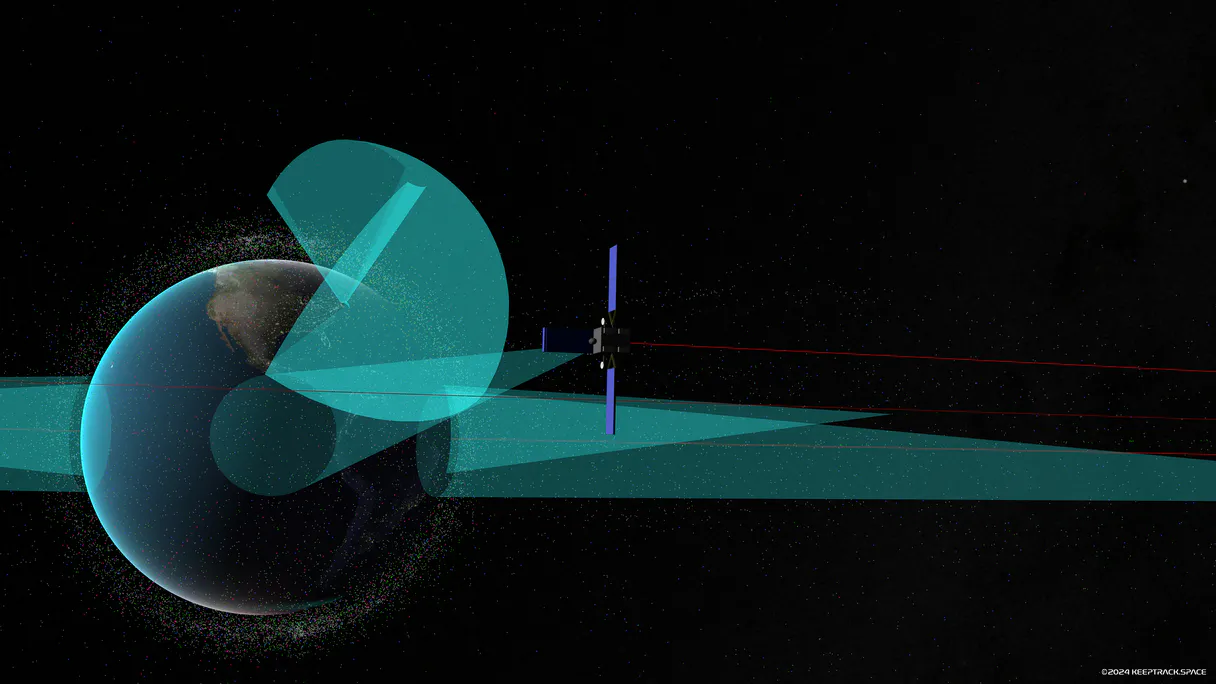
KeepTrack Space Intelligence MCP. Track everything in orbit—launches, debris, and satellites.
 Gemini
 Works with every AI agent you already use
…and any MCP-compatible client









Just plug in your AI agents and start using Vinkius.
KeepTrack Space Intelligence. Use this server to search satellite inventories, track orbital debris, and monitor the most recent space launches.
Your AI agent retrieves detailed metadata—including NORAD IDs, country of origin, and launch dates—for any space object. It lets you analyze orbital mechanics and check the status of specific constellations like Starlink, all through natural conversation.
What your AI agents can do
Get recent space launches
Retrieves a list of the most recently launched space objects.
Get satellite details
Fetches complete metadata for a specific satellite, including origin and orbit type.
Search satellites
Searches the entire database for satellites or orbital debris using a keyword or name.
Find satellites and orbital objects using keywords or names, narrowing down the search scope.
Retrieve comprehensive metadata, including NORAD IDs and country of origin, for one designated satellite.
Get a list of the most recently launched space objects, providing temporal context for space operations.
Ask AI about this MCP
Supported MCP Clients
Gemini Waiting for input…
KeepTrack Space Intelligence: 3 Tools for Orbital Data
Use these three tools to search satellite inventories, fetch specific object metadata, and track the most recent space launches via your AI agent.
019d844eget recent space launches
Retrieves a list of the most recently launched space objects.
019d844eget satellite details
Fetches complete metadata for a specific satellite, including origin and orbit type.
019d844esearch satellites
Searches the entire database for satellites or orbital debris using a keyword or name.
Choose How to Get Started
Build a custom MCP for your own tools, or connect a ready-made integration from our catalog.
Build Your Own
Turn any API into an MCP. Import a spec, define Agent Skills, or deploy with MCPFusion.
- Import from OpenAPI, Swagger, or YAML specs
- Create Agent Skills with progressive disclosure
- Deploy to edge with MCPFusion framework
- Built in DLP, auth, and compliance on every call
- Real time usage dashboard and cost metering
- Publish to catalog or keep private
Make Your AI Do More
Start with KeepTrack Space Intelligence, then connect any of our 4,700+ other servers whenever your AI needs more. One click, no limits.
- Use this MCP plus 4,700+ others, all in one place
- Add new capabilities to your AI anytime you want
- Every connection is secured and compliant automatically
- Track usage and costs across all your servers
- Works with Claude, ChatGPT, Cursor, and more
- New servers added to the catalog every week
What you can do with this MCP connector
You gotta use the KeepTrack Space Intelligence - Track Orbital Data MCP server to search satellite inventories, track orbital debris, and monitor the most recent space launches. Your AI agent pulls detailed metadata—like NORAD IDs, country of origin, and launch dates—for any space object, letting you analyze orbital mechanics and check the status of specific constellations like Starlink, all just by talking to it.
To search for satellites and orbital debris, you'll use search_satellites. You can throw a keyword or a name at it, and it'll search the whole database for what you're looking for, narrowing down the scope for you.
If you know exactly which satellite you're dealing with, you'll use get_satellite_details. That tool grabs all the comprehensive metadata for a specific satellite, giving you its origin and orbit type.
To keep tabs on what's happening up there, you'll use get_recent_space_launches. This tool retrieves a list of the most recently launched space objects, keeping you current on space operations.
How KeepTrack Space Intelligence MCP Works
- 1 Subscribe to the KeepTrack server on Vinkius. No API key is required for public access.
- 2 Connect your preferred AI client (Claude, Cursor, etc.) to the KeepTrack MCP endpoint.
- 3 Instruct your agent to perform a task (e.g., 'What are the latest launches?' or 'Find Starlink details'). The agent executes the necessary tool calls.
The bottom line is, your AI client talks to the server, and the server runs the database queries for you.
Who Is KeepTrack Space Intelligence MCP For?
This is for aerospace engineers, data scientists, and telecom analysts who need real-time, structured data about space objects. If you spend time manually checking orbital databases or stitching together launch reports, this saves you hours of cross-referencing.
Verifies satellite records and tracks orbital status for projects, needing precise metadata like NORAD IDs.
Tracks commercial and government satellite assets, monitoring constellations like Starlink and GPS.
Accesses reliable, structured orbital metadata to build models or analyze space object distributions.
Identifies objects passing overhead or researches space history and orbital mechanics.
What Changes When You Connect
- Access live orbital data without complex API calls. Use the
search_satellitestool to narrow down object inventories by name or keyword. - Get deep technical specs for any asset. The
get_satellite_detailstool provides comprehensive metadata, like NORAD IDs and country of origin, instantly. - Keep track of space events.
get_recent_space_launchesquickly gives you a list of the latest objects deployed into orbit, keeping your timeline current. - Analyze specific constellations. You can monitor complex groups, like Starlink or GPS, making orbital auditing straightforward.
- Streamline data retrieval. Your agent handles the multi-step process—search first, then detail—so you don't have to manage multiple endpoints.
- Avoid fragmented data. This server consolidates information on debris, satellites, and launches into one conversational source.
Real-World Use Cases
Investigating a New Constellation
An analyst needs to verify the status of a new satellite group. Instead of checking multiple government portals, they ask their agent to run search_satellites for the name. Then, they ask the agent to run get_satellite_details on a specific ID. The agent pulls the metadata, letting the analyst confirm the asset's NORAD ID and country of origin immediately.
Forecasting Debris Impact
A researcher needs to understand the current debris environment. They ask the agent to first run get_recent_space_launches to establish the timeline. Then, they ask the agent to search for specific debris objects using search_satellites. The agent pulls both the recent launch data and the debris records, allowing the researcher to map potential collision vectors.
Building a Mission Timeline
A project manager needs a quick overview of recent activity. They ask the agent to list the last 10 launches using get_recent_space_launches. Next, they follow up, asking for the details of the most important satellite from that list. The agent runs get_satellite_details, giving the manager a complete, actionable report without leaving the chat.
Auditing a Known Asset
A telecom company needs to verify the operational status of a specific satellite. They use search_satellites to confirm the asset's existence. They then use get_satellite_details to pull the most recent orbit type and operational data, confirming the asset's status against industry standards.
The Tradeoffs
Trying to find everything in one prompt
I need to know about Starlink, the latest launches, and debris from 2022. Tell me everything.
→
Start by limiting the scope. First, ask the agent to run search_satellites for 'Starlink'. Next, ask the agent to run get_recent_space_launches to set the timeline. Finally, ask the agent to run get_satellite_details on a specific asset ID to get the deep dive you need.
Only listing known assets
I only know the name 'Hubble'. What is its current status?
→
Use search_satellites first. This confirms the asset's existence and provides its core metadata. Then, use get_satellite_details to get the latest orbit or operational information.
Assuming launch data is sufficient
Just give me the list of recent launches.
→
Use get_recent_space_launches to get the list. Then, if you need specifics on any object listed, run get_satellite_details using the object's NORAD ID to get the full technical picture.
When It Fits, When It Doesn't
Use this server if your primary goal is structured, verifiable orbital data. You need to know what is in space, where it is, and when it got there. This is for technical verification, not general curiosity. If you are an engineer checking a NORAD ID or a telecom analyst tracking a specific constellation, this is your tool. Don't use this if you just need general space news or history—that's a search engine job. If you need to combine launch data with other non-space data (like financial reports), you'll need a different data integration tool, not just a space intelligence server.
Independent Platform Disclaimer: Vinkius is an independent platform and is not affiliated with, endorsed by, sponsored by, verified by, or otherwise authorized by KeepTrack. All third-party trademarks, logos, and brand names are the property of their respective owners. Their use on this website is strictly for informational purposes to identify service compatibility and interoperability.
VINKIUS INFRASTRUCTURE
Cloud Hosted
Managed infra
V8 Isolated
Sandboxed per request
Zero-Trust Proxy
No stored credentials
DLP Enforced
Policy on every call
GDPR Compliant
EU data residency
Token Compression
~60% cost reduction
Works with Claude, ChatGPT, Cursor, and more
The Model Context Protocol standardizes how applications expose capabilities to LLMs. Instead of operating in isolation, your AI gains direct access to external platforms, live data, and real-world actions through secure, standardized connections.
This server provides 3 capabilities that interface natively with Claude, ChatGPT, Cursor, and any MCP client. No middleware. No custom integration required.
Available Capabilities
Checking orbital data used to involve jumping between multiple government and commercial databases.
Manually tracking a satellite's metadata requires opening the NORAD catalog, checking the launch history site, and cross-referencing the object's current orbital parameters. You spend time copying IDs, switching tabs, and waiting for different data sources to sync up. It's slow and prone to human error.
With KeepTrack Space Intelligence, your agent does the heavy lifting. You simply ask, 'What are the details for satellite X?' and the agent runs the necessary tools (`search_satellites` and `get_satellite_details`) to pull the full record. You get the answer, instantly, in a single conversation.
KeepTrack Space Intelligence MCP Server: Track Space Assets
Before, gathering a complete picture of the current space environment meant running separate reports for recent launches and then individually querying each asset for its orbital status. This created a massive, fragmented workload.
Now, you ask the agent to analyze the current environment. It uses `get_recent_space_launches` and then correlates that data with the full inventory using `search_satellites`. You get a cohesive, single-source view of the entire space environment.
Common Questions About KeepTrack Space Intelligence MCP
How do I use the `search_satellites` tool to find a specific object? +
Just ask your agent to search for the object by name or keyword. For example, 'Search for satellites named Starlink.' The agent runs search_satellites and returns a list of matches.
Can `get_satellite_details` give me NORAD IDs? +
Yes, get_satellite_details provides exhaustive metadata, including the object's NORAD ID, country of origin, and orbit type, if the data is available.
What does the `get_recent_space_launches` tool provide? +
This tool retrieves a simple list of the most recent objects deployed into orbit. It gives you the temporal context of the space environment.
Is this server for live tracking or just historical data? +
It provides real-time orbital intelligence. Your agent monitors current status and uses the latest available data for both recent and historical objects.
How do I use `get_satellite_details` to check a satellite's orbit type? +
Yes, the get_satellite_details tool provides orbit type along with other metadata. You just need to provide the satellite's name or ID to pull the specific orbital data you need.
Can I combine `search_satellites` and `get_satellite_details` to get comprehensive data? +
Absolutely. Your agent can first use search_satellites to narrow down the list of targets, and then use get_satellite_details on the specific result for deep metadata.
Are there any rate limits when using `get_recent_space_launches`? +
The server is designed for high-volume querying, and we generally don't enforce strict rate limits. However, if you run a massive number of requests in rapid succession, you might hit temporary throttling.
Does the server require an API key or is it public access? +
No API key is needed. It's a public access server, so your AI client can query the orbital data immediately after subscribing.
Can I find the International Space Station (ISS)? +
Yes! Use the search_satellites tool with the query 'ISS'. The response will include its latest NORAD ID and orbital details.
Use it with your favorite AI tools
Connect this server to Cursor, Claude, VS Code, and more.
More in this category

AdRoll
Retarget customers, launch display ad campaigns, and measure conversion performance across web and social channels.

Honeycomb
Automate observability via Honeycomb — manage datasets, queries, and markers directly from any AI agent.

Apex Legends
Track Apex Legends player stats, match history, leaderboards, and server status directly from your AI agent.
You might also like
Metabase (Business Intelligence & Analytics)
Manage your BI environment via Metabase — list dashboards, retrieve visual questions (cards), and search data entities.

BookStack (Wiki)
Manage your BookStack wiki directly from your AI agent — search, read, create, and organize pages, chapters, and books with ease.

Abridge (AI Clinical Documentation API)
Automate clinical documentation with Abridge — create recordings, track processing status, and retrieve structured medical notes directly via AI.