
Mention MCP. Monitor brand sentiment from social chatter.
 Gemini
 Works with every AI agent you already use
…and any MCP-compatible client









Just plug in your AI agents and start using Vinkius.
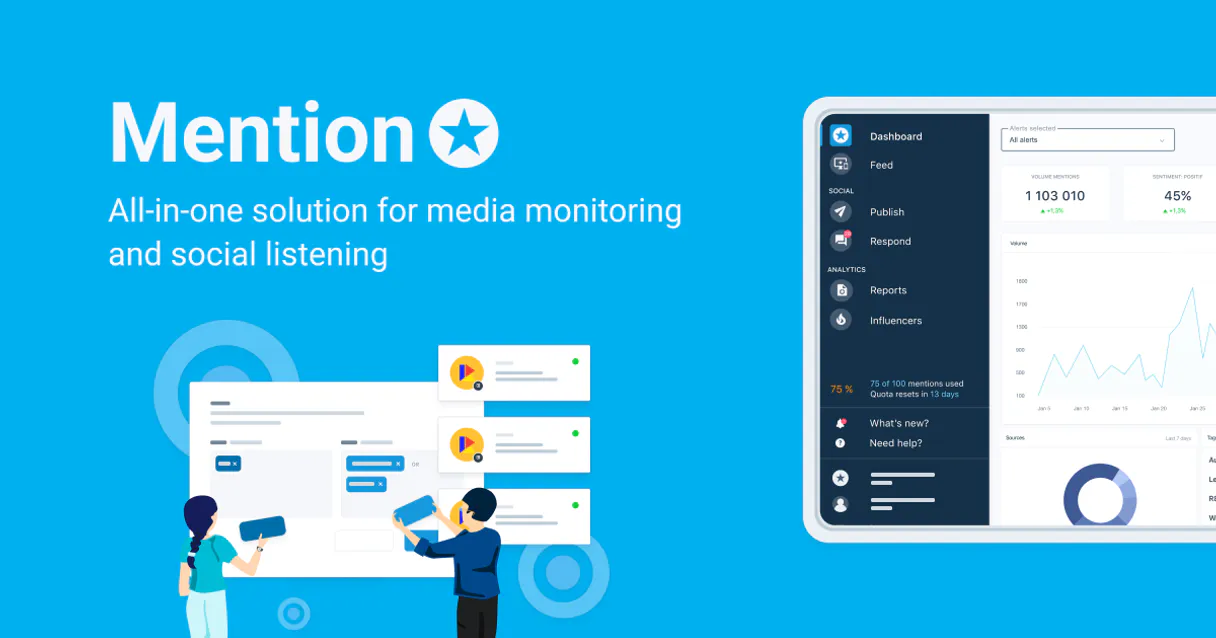
Mention MCP Server tracks mentions across social media, letting your AI client monitor brand sentiment and manage alerts via natural conversation.
You get full control of social listening data—viewing everything from detailed mention content to volume statistics for specific campaigns or competitors.
What your AI agents can do
Get account info
Retrieves basic details about the connected Mention account.
Get alert
Gets detailed information for one specific monitoring alert by its ID.
Get alert statistics
Calculates and returns quantitative data (volume, sentiment) for a specified monitoring alert.
List all configured monitoring alerts or fetch detailed metadata for a single alert.
Find social media mentions by providing keywords to the AI agent.
Fetch comprehensive data, including sentiment scores and full content, for a single mention ID.
List all users authorized on the account or check which external social media accounts are linked.
Get quantitative data (volume, growth rates) and sentiment metrics for any monitored alert.
Ask AI about this MCP
Supported MCP Clients
Gemini Waiting for input…
Mention MCP Server: 10 Tools for Brand Listening
These tools let your AI client manage alerts, search keywords, and deep-dive into mention details across all your social monitoring streams.
019d75d2get account info
Retrieves basic details about the connected Mention account.
019d75d2get alert
Gets detailed information for one specific monitoring alert by its ID.
019d75d2get alert statistics
Calculates and returns quantitative data (volume, sentiment) for a specified monitoring alert.
019d75d2get mention details
Pulls the complete content, metadata, and sentiment analysis for one specific mention ID.
019d75d2list account users
Displays a list of all users authorized to access the account.
019d75d2list alerts
Returns a comprehensive list of every active monitoring alert configured in the account.
019d75d2list connected external accounts
Shows which external social media accounts are currently linked to the Mention profile.
019d75d2list favorite mentions
Retrieves a list of mentions that have been manually marked as favorites for a given alert.
019d75d2list mentions
Fetches a paginated list of recent social media mentions associated with a specific alert ID.
019d75d2search mentions
Searches for and retrieves mentions based on custom text keywords across the monitoring streams.
Choose How to Get Started
Build a custom MCP for your own tools, or connect a ready-made integration from our catalog.
Build Your Own
Turn any API into an MCP. Import a spec, define Agent Skills, or deploy with MCPFusion.
- Import from OpenAPI, Swagger, or YAML specs
- Create Agent Skills with progressive disclosure
- Deploy to edge with MCPFusion framework
- Built in DLP, auth, and compliance on every call
- Real time usage dashboard and cost metering
- Publish to catalog or keep private
Make Your AI Do More
Start with Mention, then connect any of our 4,700+ other servers whenever your AI needs more. One click, no limits.
- Use this MCP plus 4,700+ others, all in one place
- Add new capabilities to your AI anytime you want
- Every connection is secured and compliant automatically
- Track usage and costs across all your servers
- Works with Claude, ChatGPT, Cursor, and more
- New servers added to the catalog every week
What you can do with this MCP connector
You connect your Mention account to your AI client, giving you full control over social monitoring and brand alerts through natural conversation. It's how you get all the data you need without having to click a million buttons.
Account Visibility & Management
You can start by checking the basics with get_account_info, which pulls up general details about your connected Mention account. If you gotta know who else has access, use list_account_users to see every user authorized on the profile. To confirm where this data is coming from, run list_connected_external_accounts; that shows exactly which external social media platforms are linked up with your Mention profile.
Alert Setup and Oversight
Monitoring alerts are central here. You can grab an overview of every active monitoring alert using list_alerts. If you need to dig into the specifics of just one alert, get_alert fetches all the detailed metadata for that single alert ID. When you're managing your brand watch list, these tools let you set up rules and keep tabs on everything without manually checking sites.
Tracking Mentions and Data Retrieval
When mentions start rolling in, you’ve got several ways to track 'em. You can get a paginated feed of recent social media mentions associated with an alert ID by calling list_mentions. If you're looking for specific content—like competitor names or product codes—you use search_mentions to find them using custom text keywords across all monitoring streams.
When you want to focus on the best stuff, list_favorite_mentions pulls up a list of mentions that someone manually marked as favorites for an alert.
Deep-Dive Analysis and Inspection
Once you pinpoint a mention, you can’t just read the text; you gotta know what it means. Use get_mention_details to pull the complete package: the full content, all the metadata attached to that specific mention ID, and its sentiment analysis score. For quantitative data—the volume and growth rates of your brand mentions, or overall sentiment trends for any monitored alert—you run get_alert_statistics.
This gives you solid metrics so you know if things are trending up or down.
The Workflow in Action
It’s simple: You list all alerts with list_alerts. Then, when a campaign drops, your AI agent can use search_mentions to find every mention containing the launch hashtag. It pulls that data into a stream via list_mentions, and you can filter it down by checking which mentions were marked as favorites using list_favorite_mentions.
You then feed any single ID through get_mention_details to check the sentiment score, while simultaneously calling get_alert_statistics to see if that mention volume is spiking beyond historical norms. You'll also get confirmation of your account setup details using get_account_info, and you can confirm which users have access with list_account_users. It’s a comprehensive system for understanding what people are actually saying about your brand.
How Mention MCP Works
- 1 Subscribe to the server. Then, provide your Mention Access Token and Account ID.
- 2 Your AI client uses the MCP layer to call tools like
list_alertsorsearch_mentions. - 3 The agent returns structured data—like sentiment scores or mention lists—that you can immediately use in conversation.
The bottom line is: your AI client handles all the API calls, so you don't have to think about tokens or endpoints.
Who Is Mention MCP For?
This is for Brand Managers and PR Specialists who hate checking five different dashboards every day. If you spend too long manually copy-pasting data from social listening tools into a spreadsheet, you need this. It turns monitoring data into direct conversation.
Uses get_alert_statistics to check if brand sentiment is trending up or down after a campaign launch.
Runs search_mentions for specific keywords (e.g., 'recall' or 'bug') across all alerts to gauge immediate public reaction.
Uses list_favorite_mentions and get_mention_details to pull context on negative feedback that needs a quick, informed response.
What Changes When You Connect
- Get instant analytics without switching tabs. Use
get_alert_statisticsto see volume changes and overall sentiment scores for any alert, all in one prompt. - Deep dive into single pieces of content. Running
get_mention_detailsgives you the full text, source metadata, and precise sentiment score—not just a headline summary. - Keep track of key issues easily. Use
list_favorite_mentionsto gather all mentions flagged by your team for manual review later. - Search across everything fast. Instead of checking ten dashboards, run
search_mentionswith keywords like 'recall' and pull every instance from all alerts at once. - Audit account setup quickly. Use
list_alertsto see what monitoring is running, or check authorized users vialist_account_usersto maintain security.
Real-World Use Cases
Tracking a Crisis Response
A PR specialist notices negative buzz. They ask their agent: 'Find all mentions for the product recall in the last 24 hours.' The agent runs search_mentions and filters the results, pulling 50 relevant posts so the specialist can draft an immediate response.
Assessing Campaign Success
A Brand Manager wants to know if a recent ad push worked. They prompt: 'Show me the sentiment change and volume for the Q3 campaign alert.' The agent calls get_alert_statistics and reports, 'Volume is up 20%, but negative sentiment rose by 5%,' providing actionable data.
Investigating a Competitor
An engineer wants to see what users are saying about Rival Corp. They ask the agent to list all mentions for the competitor's alert ID, then use get_mention_details on the top three results to understand the exact pain points being reported.
Auditing Account Access
The security team needs to know who can view the data. They ask: 'Who has access and what alerts are active?' The agent runs list_account_users and list_alerts, giving a clean audit trail in one go.
The Tradeoffs
Only checking the top mentions
The user assumes that looking only at 'favorites' (list_favorite_mentions) covers everything, missing crucial unflagged negative buzz.
→
Always start by running list_mentions or search_mentions first. This ensures you capture all relevant data points, not just the ones your team manually marked.
Mixing up alert types
The user tries to pull statistics for a general search query instead of an official monitoring stream.
→
Always start by using list_alerts to confirm the correct Alert ID. Then, use that specific ID when calling get_alert_statistics.
Ignoring metadata
The user gets a mention snippet but doesn't know if it was from Twitter or Reddit.
→
When you call get_mention_details, always review the returned metadata fields. They tell you exactly where and when the content came from.
When It Fits, When It Doesn't
Use this server when your core need is to aggregate, analyze, or query social data across multiple streams (alerts) that are already monitored in Mention. You don't want a single dashboard; you want an AI-driven conversation about the data. If you just need to see what users wrote about a specific topic right now and don't care about sentiment scores or historical volume, a simple keyword search might suffice—but if you need the 'why,' use Mention MCP. Don't use this if your primary goal is content creation or internal document management; those are better handled by dedicated knowledge bases or drafting tools. This tool is for pure monitoring intelligence.
Independent Platform Disclaimer: Vinkius is an independent platform and is not affiliated with, endorsed by, sponsored by, verified by, or otherwise authorized by Mention. All third-party trademarks, logos, and brand names are the property of their respective owners. Their use on this website is strictly for informational purposes to identify service compatibility and interoperability.
VINKIUS INFRASTRUCTURE
Cloud Hosted
Managed infra
V8 Isolated
Sandboxed per request
Zero-Trust Proxy
No stored credentials
DLP Enforced
Policy on every call
GDPR Compliant
EU data residency
Token Compression
~60% cost reduction
Works with Claude, ChatGPT, Cursor, and more
The Model Context Protocol standardizes how applications expose capabilities to LLMs. Instead of operating in isolation, your AI gains direct access to external platforms, live data, and real-world actions through secure, standardized connections.
This server provides 10 capabilities that interface natively with Claude, ChatGPT, Cursor, and any MCP client. No middleware. No custom integration required.
Available Capabilities
The manual process of social listening kills productivity.
Today, checking brand mentions means logging into Mention, then switching to Google Analytics to see volume trends. You pull a list from the 'Competitor' alert, copy the IDs, go to the 'Sentiment' tab, and manually cross-reference the data in a spreadsheet—it takes half an hour just to get a basic status report.
With the Mention MCP Server, you ask your agent: 'What was the sentiment trend for Competitor X last week?' You instantly get volume stats via `get_alert_statistics`, followed by a breakdown of top negative mentions from `list_mentions`. The raw data flows into conversation; no copy-pasting required.
Use Mention MCP Server to get instant insights.
You used to have to write complex queries or export CSVs just to know if a mention was positive or negative. You'd spend time cleaning up raw data and figuring out which alert ID applied. It was all friction, every single time.
Now you simply ask the agent: 'Analyze this specific post for sentiment.' The agent runs `get_mention_details` and spits out the score directly. You get analysis immediately. That's how fast it should be.
Common Questions About Mention MCP
How do I check if a mention is from a specific alert using list_mentions? +
The list_mentions tool requires the Alert ID to function. You must first use list_alerts to find the correct ID, and then pass that ID into the list_mentions call.
Can I search for mentions across all my alerts at once? +
Yes, you can. Use the search_mentions tool with your keywords. This searches across multiple streams and consolidates results so you don't have to run separate queries.
What is the difference between get_alert_statistics and list_alerts? +
list_alerts just gives you a list of your monitoring stream names. get_alert_statistics takes one of those IDs and returns actual metrics, like volume or sentiment percentage.
How do I check which social accounts are connected to my Mention account? +
Run the list_connected_external_accounts tool. This will provide a clean list of every external social media platform that is currently linked and accessible via your account.
How do I check which users have access to my account using list_account_users? +
It provides a roster of every user authorized on the Mention account. This tool confirms who can see and manage your monitoring data, helping you audit permissions quickly.
What specific details does get_mention_details provide for one mention? +
You get deep context for a single post. The output includes the full text content, all associated metadata (like source and date), and a calculated sentiment analysis score.
How do I retrieve the setup or configuration of a specific alert using get_alert? +
This tool pulls the full configuration metadata for an alert ID. You can verify monitoring parameters, like source criteria or exclusion keywords, without having to list all alerts.
If I only want my saved mentions, how do I use list_favorite_mentions? +
It filters the mention stream down to just your favorited posts. Instead of sifting through everything, you get a concise list of the specific mentions you marked for later review.
How do I find my Mention Access Token and Account ID? +
Log in to Mention, navigate to Developer settings to generate a Personal Access Token. Your Account ID is shown in your account settings.
What social platforms are monitored? +
Mention monitors news, blogs, forums, Twitter, Instagram, Facebook, and various other web sources.
Is my monitoring data secure? +
Absolutely. Your token is encrypted at rest and injected securely at runtime.
Use it with your favorite AI tools
Connect this server to Cursor, Claude, VS Code, and more.
More in this category

Postmark
Equip your AI to send emails, monitor delivery stats, track bounces, and manage Postmark templates directly from your chat.

Hotjar
Understand your users with heatmaps, session recordings, and feedback surveys that reveal exactly why visitors leave your site.

Avochato
Text your customers on the channels they prefer with two-way business messaging that integrates into your existing workflows.
You might also like

Adzuna Alternative
Search millions of job advertisements and access real-time labor market analytics, salary trends, and regional vacancy data.

Statistics Engine
A zero-latency statistical engine to process datasets. Instantly compute the exact mean, median, mode, standard deviation, and percentiles completely local.

Hotmart
Sell online courses, digital products, and memberships on the leading platform for digital creators in Latin America and beyond.