
OneSignal MCP. Manage push alerts and player data via chat.
 Gemini
 Works with every AI agent you already use
…and any MCP-compatible client









Just plug in your AI agents and start using Vinkius.
OneSignal MCP Server lets your AI client send, manage, and track push notifications for mobile and web apps. You can target specific user segments, check delivery metrics for any campaign, or list all registered player devices without touching the OneSignal dashboard.
It gives your agent direct control over customer alerts.
What your AI agents can do
Cancel notification
Cancels a push notification that was previously scheduled for later.
Create notification
Sends a new OneSignal push notification to users or segments.
Delete player
Removes a specific registered device (player ID) from your app's records.
Creates and sends new push notifications, either immediately or on a scheduled date.
Sends messages only to defined user segments or specific player IDs.
Retrieves detailed analytics on notification performance, including success and failure rates.
Fetches a list of all registered user devices (players) associated with the app.
Retrieves detailed metadata and status for one specific player ID or device record.
Lists all associated OneSignal apps and gets configuration details for a single app.
Ask AI about this MCP
Supported MCP Clients
Gemini Waiting for input…
OneSignal MCP Server: 10 Tools for Notifications & Players
These ten tools let your agent handle the full lifecycle of push notifications. You can create alerts, list players, check outcomes, and manage app configurations—all from a single prompt.
019d75e5cancel notification
Cancels a push notification that was previously scheduled for later.
019d75e5create notification
Sends a new OneSignal push notification to users or segments.
019d75e5delete player
Removes a specific registered device (player ID) from your app's records.
019d75e5get app
Retrieves full configuration details for one specified OneSignal application. Requires the User Auth Key.
019d75e5get notification
Checks the status and details of a specific notification by its ID.
019d75e5get outcomes
Fetches performance data and outcomes metrics for your OneSignal application.
019d75e5get player
Retrieves detailed metadata and status information for a specific player ID. Requires the User Auth Key.
019d75e5list apps
Lists all OneSignal applications linked to your account. Requires the User Auth Key.
019d75e5list notifications
Retrieves a list of recently sent notifications for a given app.
019d75e5list players
Returns a full list of all registered user devices (player IDs) in the application.
Choose How to Get Started
Build a custom MCP for your own tools, or connect a ready-made integration from our catalog.
Build Your Own
Turn any API into an MCP. Import a spec, define Agent Skills, or deploy with MCPFusion.
- Import from OpenAPI, Swagger, or YAML specs
- Create Agent Skills with progressive disclosure
- Deploy to edge with MCPFusion framework
- Built in DLP, auth, and compliance on every call
- Real time usage dashboard and cost metering
- Publish to catalog or keep private
Make Your AI Do More
Start with OneSignal, then connect any of our 4,700+ other servers whenever your AI needs more. One click, no limits.
- Use this MCP plus 4,700+ others, all in one place
- Add new capabilities to your AI anytime you want
- Every connection is secured and compliant automatically
- Track usage and costs across all your servers
- Works with Claude, ChatGPT, Cursor, and more
- New servers added to the catalog every week
What you can do with this MCP connector
OneSignal MCP Server
Your agent gives you direct control over customer alerts for mobile and web apps. You don't have to open up the OneSignal dashboard; your AI client handles all the comms right from here. It lets your agent send, manage, and track push notifications without breaking a sweat.
Sending and Scheduling Alerts
You can create new pushes using create_notification, sending them immediately or scheduling them for a specific date later on. If you change your mind before it goes out, you've got cancel_notification to pull the plug on any push notification that was scheduled.
Managing Your Audience and Devices
You don't have to guess who gets the message; your agent lets you target specific groups. You can list every single registered user device using list_players, giving you a full roster of player IDs for the app. If you need details on one specific person, use get_player to pull up that player ID's metadata and status information.
Conversely, if a player stops using your app or their record is bad data, you can clean things up by calling delete_player, which removes that specific device from the records.
Monitoring Performance and DeliverabilityIt’s not enough to send it; you gotta know if it landed. Your agent runs get_outcomes to pull performance metrics, letting you see detailed analytics on how well your notifications did. You can also check campaign success and failure rates using the same tool. For a specific push notification that went out, get_notification lets you check its exact status and details just by its unique ID.
If you want a list of every message recently sent for an app, run list_notifications.
Infrastructure ControlTo see what apps are connected to your account, use list_apps, which requires the User Auth Key. Once you know which one it is, get_app lets you pull up all the full configuration details for that single specified OneSignal application. These tools give you total visibility into the backend setup.
This server gives your agent immediate access to core functions: creating and scheduling pushes; defining audience segments or individual players; pulling detailed analytics on performance metrics; listing every registered player device and inspecting their metadata; and managing all associated app configurations.
How OneSignal MCP Works
- 1 Subscribe to the server, then enter your required credentials: your OneSignal REST API Key and App ID. If you need account-level actions, provide the User Auth Key.
- 2 Your AI client calls a specific tool (e.g.,
create_notification). The server validates the request against your stored keys. - 3 The server executes the action on OneSignal's backend and returns the result—whether it's a successful notification ID or an error message.
The bottom line is, you treat OneSignal like another set of tools in your agent's toolbox, running complex operations with simple conversation prompts.
Who Is OneSignal MCP For?
This is for the product marketer who gets paid to run campaigns but hates navigating dashboards. It’s for the support engineer who needs to verify a user never got an alert. If you spend more time clicking buttons than writing copy, this server is for you.
Needs to blast out a campaign announcement immediately or schedule a drip sequence without logging into the OneSignal GUI.
Must check if a specific user received an alert by cross-referencing their player ID against notification status logs.
Needs to test various message payloads or verify device registrations directly from the development environment prompt.
What Changes When You Connect
- Send campaigns instantly: Instead of logging in to send a blast, just prompt your agent. Use
create_notificationto alert users about sales or updates immediately. - Audit user activity: Need to know if User X got the announcement? Run
get_playerand then check delivery status withget_notification. You track it all. - Precision targeting: Don't waste messages. Use audience segmentation when calling
create_notificationto ensure only 'Premium Users' get the specific offer. - Clean up data debt: If a player account is abandoned, use
delete_playerto remove their device ID from your active list and keep records clean. - Total visibility: Quickly check all app configurations using
list_apps, or see aggregated performance reports by callingget_outcomes. No dashboard deep dives needed.
Real-World Use Cases
Flash Sale Announcement
The marketing team needs to announce a flash sale across all platforms right now. They ask their agent: 'Send a high-priority notification saying 50% off until midnight.' The agent uses create_notification and specifies the target segment, ensuring zero delay.
Debugging Failed Alerts
A user reports not receiving an alert. The support agent asks their agent to run a status check: 'Check notification ID 123.' The agent calls get_notification and returns the failure reason, telling the team exactly why it dropped.
User Data Cleanup
The data governance officer spots hundreds of inactive player IDs. They ask their agent to list all players using list_players, filter out accounts dormant for 90 days, and then use delete_player on those records.
Reviewing Past Performance
The product lead wants a quarterly performance snapshot. They ask their agent to fetch the metrics: 'Show me all campaign outcomes for Q3.' The agent runs get_outcomes, providing immediate, quantitative data.
The Tradeoffs
Over-relying on manual checks
Opening the OneSignal dashboard to manually verify if a specific user received an alert after running a campaign. This takes 5–10 minutes of clicking through logs.
→
Just ask your agent: 'What is the status for notification ID X?' The agent calls get_notification and returns the exact metrics instantly.
Sending alerts to everyone
Drafting a message and hitting send without thinking about who needs it. This wastes credits and annoys users who aren't interested.
→
Before sending, ask your agent: 'Send this only to players in the 'Beta Test' segment.' The agent uses create_notification with precise targeting.
Forgetting API keys
Trying to use a tool without providing the correct App ID or User Auth Key, resulting in a generic 401 error that requires manual troubleshooting.
→
Make sure your agent has been configured with all necessary credentials. If you're listing apps, start by calling list_apps first.
When It Fits, When It Doesn't
Use this server if your core pain point is managing high-volume, multi-platform push notifications and needing programmatic control over campaign lifecycles (send/cancel/track). It's perfect for operational workflows—like 'check delivery status,' or 'list all active users.'
Don't use it if you just need to read a single piece of information, like fetching general business reports that don't relate to device IDs or campaign metrics. For pure data querying outside the OneSignal context, look into database connectors or spreadsheet integrations.
If your task involves complex state changes (e.g., 'Create notification AND then check its status'), you should write a multi-step workflow using the agent's reasoning capabilities to chain tools like create_notification followed by get_notification. Never assume a single tool call handles everything.
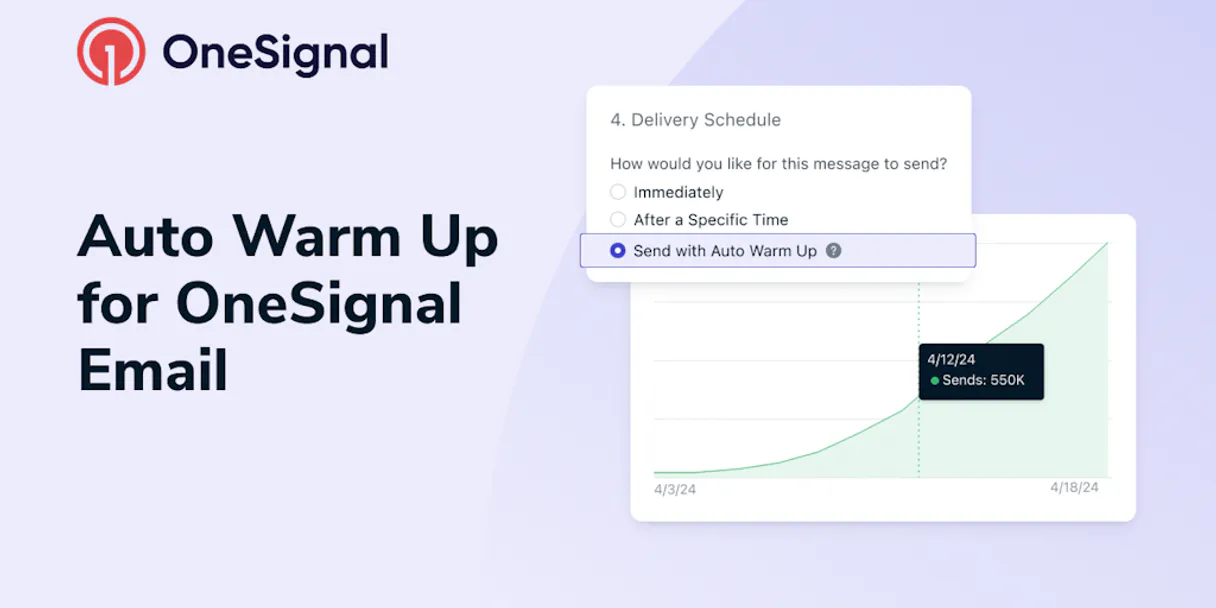
Independent Platform Disclaimer: Vinkius is an independent platform and is not affiliated with, endorsed by, sponsored by, verified by, or otherwise authorized by OneSignal. All third-party trademarks, logos, and brand names are the property of their respective owners. Their use on this website is strictly for informational purposes to identify service compatibility and interoperability.
VINKIUS INFRASTRUCTURE
Cloud Hosted
Managed infra
V8 Isolated
Sandboxed per request
Zero-Trust Proxy
No stored credentials
DLP Enforced
Policy on every call
GDPR Compliant
EU data residency
Token Compression
~60% cost reduction
Works with Claude, ChatGPT, Cursor, and more
The Model Context Protocol standardizes how applications expose capabilities to LLMs. Instead of operating in isolation, your AI gains direct access to external platforms, live data, and real-world actions through secure, standardized connections.
This server provides 10 capabilities that interface natively with Claude, ChatGPT, Cursor, and any MCP client. No middleware. No custom integration required.
Available Capabilities
Checking campaign delivery status shouldn't require three different dashboard tabs.
Right now, if you run a major announcement, checking its success means clicking the 'Campaigns' tab, then finding the specific notification ID in the list. After that, you might have to open a separate 'Analytics' view just to see the final delivery rate and failure breakdown. It’s three different views for one answer.
With this MCP server, you ask your agent: 'What was the outcome of notification ABC?' The agent calls `get_notification` or `get_outcomes`. You get a single, consolidated report with success rates and detailed metrics—no switching tabs needed.
OneSignal MCP Server: Send notifications directly from your chat.
Writing campaigns used to mean drafting copy in one tool, setting the target segment in a second dashboard, and finally clicking 'Send' in a third. If you needed to pause it? You had to go back and find that original campaign ID to cancel it.
Now, your agent handles the whole sequence. Ask it: 'Schedule this message for Friday at 9 AM.' The agent calls `create_notification` with scheduling parameters and confirms it's locked in. It’s done.
Common Questions About OneSignal MCP
How do I send a notification to only certain users using create_notification? +
You specify the audience when calling create_notification. You can target specific segments or pass a list of player IDs to restrict delivery.
What does get_outcomes do for my campaigns? +
get_outcomes retrieves overall performance data. It gives you high-level metrics on engagement and success across multiple notifications, helping you gauge general campaign health.
Can I list all players using list_players to find an ID? +
Yes, list_players fetches a full roster of registered devices (player IDs). This list is useful for auditing or identifying users who need targeted communications.
What if I want to stop a scheduled message? Should I use cancel_notification? +
Yes, cancel_notification handles this. You pass the notification ID and it removes the alert from the queue before it gets sent out.
Is get_player enough to check if a user is active? +
get_player gives you device metadata, including last activity timestamps. This allows your agent to determine if the player record is stale or recently active.
I need to manage my OneSignal accounts; what do I use with `list_apps` and `get_app`? +
You must provide the User Auth Key to list or get app details. This key grants access to your overall notification infrastructure configuration, letting you see all connected apps before managing settings.
What is the correct process for removing a player's device using `delete_player`? +
Use delete_player when a user has permanently unsubscribed or if the device record is invalid. This action removes the specific registered device ID from your system, preventing future send errors.
How can I check the exact delivery status of one notification using `get_notification`? +
The get_notification tool lets you fetch granular data for a single message ID. This provides detailed metrics—like success rates and failure reasons—for that specific campaign run.
Can I target specific users instead of sending to everyone? +
Yes! Use the create_notification tool and provide a list of include_player_ids. This ensures the notification is only delivered to the specific devices you've identified.
How can I check if a scheduled notification was actually sent? +
You can use the get_notification tool with the Notification ID. It will return real-time delivery metrics, including the number of successful deliveries and current status.
Is it possible to manage multiple OneSignal apps? +
Yes. While the core operations use the primary App ID provided in credentials, you can use list_apps (requires User Auth Key) to see all your applications and their respective IDs.
Use it with your favorite AI tools
Connect this server to Cursor, Claude, VS Code, and more.
More in this category

Semrush
Grant your AI agent access to Semrush's massive SEO database to analyze competitor backlink profiles, track domain ranks, and research profitable keywords contextually.

Snapchat Conversions
Send conversion events to Snapchat Ads via the Conversions API with AI agents.

Amplitude
Analyze product data via Amplitude — get user activity, calculate retention, analyze funnels, and track revenue directly from any AI agent.
You might also like
Leadfeeder
Bring Leadfeeder B2B visit intelligence to your AI. Discover which companies visit your website natively.

Dutchie POS
Equip your AI agent to manage cannabis retail products, track inventory, and monitor orders via the Dutchie POS API.

NASA
Explore space and science via NASA APIs — browse APOD, Mars rover photos, Earth imagery, NEO data and patents from any AI agent.