
PingPong MCP. Audit global balances and run cross-border payouts.
 Gemini
 Works with every AI agent you already use
…and any MCP-compatible client









Just plug in your AI agents and start using Vinkius.
PingPong handles cross-border e-commerce payments. Connect it to your AI agent to manage global accounts, track real-time multi-currency balances across Amazon, Shopify, and other platforms, and initiate payouts without logging into a dashboard.
What your AI agents can do
Create payout
Starts a fund withdrawal from your PingPong account to another specified recipient.
Get account details
Retrieves comprehensive information about a specific global receiving account.
Get balance
Checks the current available balance for an account or currency pair.
The agent fetches and lists all your active global receiving accounts, including metadata.
It retrieves the current balance for specific currencies or across all connected accounts.
The agent pulls detailed transaction history, allowing you to filter by status, date range, or currency.
You can check the real-time processing status of any initiated fund withdrawal.
The agent executes a payout, moving funds from your connected account to a specified recipient.
Ask AI about this MCP
Supported MCP Clients
Gemini Waiting for input…
PingPong MCP Server: 10 Tools for Financial Operations
Use these tools to manage global accounts, track multi-currency balances, audit transaction histories, and execute cross-border payouts with your agent.
019d846ccreate payout
Starts a fund withdrawal from your PingPong account to another specified recipient.
019d846cget account details
Retrieves comprehensive information about a specific global receiving account.
019d846cget balance
Checks the current available balance for an account or currency pair.
019d846cget exchange rates
Gets live, real-time foreign exchange rates between two currencies.
019d846cget payout status
Checks the current status of a payout using its ID (e.g., 'Processing' or 'Completed').
019d846cget sales summary
Retrieves high-level summaries of global sales performance and virtual card usage.
019d846cget vcc balance
Checks the available balance specifically tied to your Virtual Credit Card funding.
019d846clist accounts
Lists all of your main global receiving accounts managed through PingPong.
019d846clist store accounts
Retrieves a list of e-commerce store-specific accounts (e.g., Amazon or Shopify).
019d846clist transactions
Lists the detailed history of all account transactions, allowing filtering by type or date.
Choose How to Get Started
Build a custom MCP for your own tools, or connect a ready-made integration from our catalog.
Build Your Own
Turn any API into an MCP. Import a spec, define Agent Skills, or deploy with MCPFusion.
- Import from OpenAPI, Swagger, or YAML specs
- Create Agent Skills with progressive disclosure
- Deploy to edge with MCPFusion framework
- Built in DLP, auth, and compliance on every call
- Real time usage dashboard and cost metering
- Publish to catalog or keep private
Make Your AI Do More
Start with PingPong, then connect any of our 4,700+ other servers whenever your AI needs more. One click, no limits.
- Use this MCP plus 4,700+ others, all in one place
- Add new capabilities to your AI anytime you want
- Every connection is secured and compliant automatically
- Track usage and costs across all your servers
- Works with Claude, ChatGPT, Cursor, and more
- New servers added to the catalog every week
What you can do with this MCP connector
When you connect your AI agent to this server, you're giving it immediate access to all your cross-border payment infrastructure. Forget logging into dashboards just to check how much cash you got or send a payout—your agent handles that whole mess for you. You can manage global accounts and initiate fund movements across Amazon, Shopify, and every other platform without lifting a finger.
Your AI client uses list_accounts to fetch all your main PingPong receiving channels and runs list_store_accounts to pull up specific e-commerce store details, like what’s tied to Amazon or Shopify. If you need to know the specifics of any given channel, it'll run get_account_details immediately so you can audit its metadata.
Checking your money is simple. The agent uses list_transactions to pull detailed history for all accounts; you can filter that whole mess by date range, transaction type, or currency status to pinpoint exactly where the dough went. For real-time cash flow, it'll run get_balance, checking current available funds across specific currencies or even multiple connected accounts.
You also get instant visibility into your Virtual Credit Card funding using get_vcc_balance.
Dealing with different currencies? No sweat. The agent uses get_exchange_rates to pull live foreign exchange rates between any two currencies you name, so you always know the exact conversion rate before making a move. You can cross-reference this by running get_sales_summary, which gives high-level metrics on global sales performance and how much of your Virtual Card funding was used.
When it's time to move money, your agent takes over. To send funds out, you just tell it the destination and amount; it executes a payout using create_payout. You can then track that transfer with precision. If you need to know if that $5k payment cleared customs, it’ll run get_payout_status against the unique ID to confirm its status—whether it's still 'Processing' or if it's 'Completed.'
Your agent doesn't stop there. It handles complex financial queries by combining these tools. For example, you can ask it to check your balance in EUR and get the current USD/EUR exchange rate before confirming a payout for a supplier account. You never have to navigate between different reports or screens.
If you need to audit everything that happened last quarter—the transactions, the balances across all channels, and the associated payouts—it pulls it together instantly. It's basically giving your AI agent the power of a full-time treasury analyst who works twenty-four hours a day.
How PingPong MCP Works
- 1 Subscribe to the PingPong server and provide your unique App ID and App Secret credentials.
- 2 Connect this server to your preferred AI client (Claude, Cursor, etc.).
- 3 Tell your agent what you need. For example: 'Check my total USD balance and list the last five transactions.'
The bottom line is that your AI client handles all the API calls and data formatting for you, keeping the conversation focused on finance.
Who Is PingPong MCP For?
E-commerce sellers who handle sales across multiple global platforms. Treasury managers responsible for multi-currency cash flow auditing. Operations staff needing to coordinate fund withdrawals or reconcile complex international payments without manual dashboard work.
Needs a single point of truth to track payouts from Amazon, Shopify, and other stores while monitoring available cash.
Uses the server to audit multi-currency balances across different regions and check fund movements via natural language queries.
Coordinates payouts, checking status (get_payout_status) or initiating transfers (create_payout), keeping global suppliers paid on time.
What Changes When You Connect
- Automate fund checks. Instead of manually jumping between tabs to check your balance, just ask the agent. It uses
get_balanceandlist_accountsto give you a single, accurate figure for any currency. - Audit complex history fast. Need to know exactly where $10k came from? Use
list_transactions. You can filter by status or date without writing a single query string. - Control your cash flow directly. Don't wait until the end of the month to send money. Tell the agent to execute a payout using
create_payoutand immediately check its progress withget_payout_status. - Stay ahead on sales performance. Get immediate financial overviews from
get_sales_summary. It aggregates data across your global storefronts, so you don't have to compile reports yourself. - Handle currency risks instantly. When checking balances or planning a payout, use
get_exchange_rates. This keeps your cash calculations accurate and avoids unexpected losses.
Real-World Use Cases
Reconciling funds after a major sale
A business owner notices a discrepancy. Instead of manually downloading reports from three different store dashboards, they ask their agent to run list_store_accounts and then use get_balance on each one. The agent compiles the total balance in one go, immediately flagging which platform is missing funds.
Paying a global supplier urgently
An ops manager needs to pay a vendor in Euros today. They instruct their agent: 'Check the current EUR exchange rate with get_exchange_rates, confirm I have enough money using get_balance, and then send $5,000 as a payout.' The agent runs these three tools sequentially and confirms the action.
Investigating a delayed payment
A seller sees a large incoming payment that hasn't hit their account. They ask the agent to check the status using get_payout_status for the relevant ID, and then review the full history with list_transactions to see when it was originally submitted.
Optimizing VCC usage
A finance team needs to know if their virtual card funding is sufficient. They first run get_vcc_balance. If the amount is low, they can then use list_accounts to see which main receiving account they need to pull funds from.
The Tradeoffs
Checking balances piecemeal
The user logs into the dashboard, checks the USD balance. Then, they have to open a new tab and manually check the GBP balance in a separate tool call, forgetting which currency is where.
→
Use get_balance and ask for all relevant currencies at once (e.g., 'What's my total available cash across USD and GBP?'). This single query consolidates the data from multiple sources.
Over-relying on dashboard exports
Downloading a massive CSV file of transactions, then spending 30 minutes in Excel trying to filter by 'Pending' status and reconcile dates.
→
Use list_transactions. Tell your agent specifically: 'Show me all pending payouts for the last seven days.' The tool handles the filtering, giving you clean data instantly.
Ignoring VCC funding limits
Attempting to initiate a large payout (create_payout) that exceeds the current available balance in the main account because they forgot to check their specialized card funds.
→
Always run get_vcc_balance before planning payments. This ensures you know if your funding source is limited, preventing failed transactions.
When It Fits, When It Doesn't
Use this server if managing cross-border cash flow across multiple e-commerce platforms is a core part of your job. If your primary need is simply viewing the balance on one specific website's dashboard, you might be fine with native tools.
However, use PingPong when you need to connect disparate data points: When you need to check a current get_balance and immediately follow up by checking the associated transaction history using list_transactions. Use this if you must cross-reference funds (e.g., comparing a payout amount against an exchange rate via get_exchange_rates).
Don't use it if your problem is purely internal accounting—if you just need to calculate payroll for employees, that’s outside its scope. Stick to payment flows: listing accounts, checking balances, and moving money.
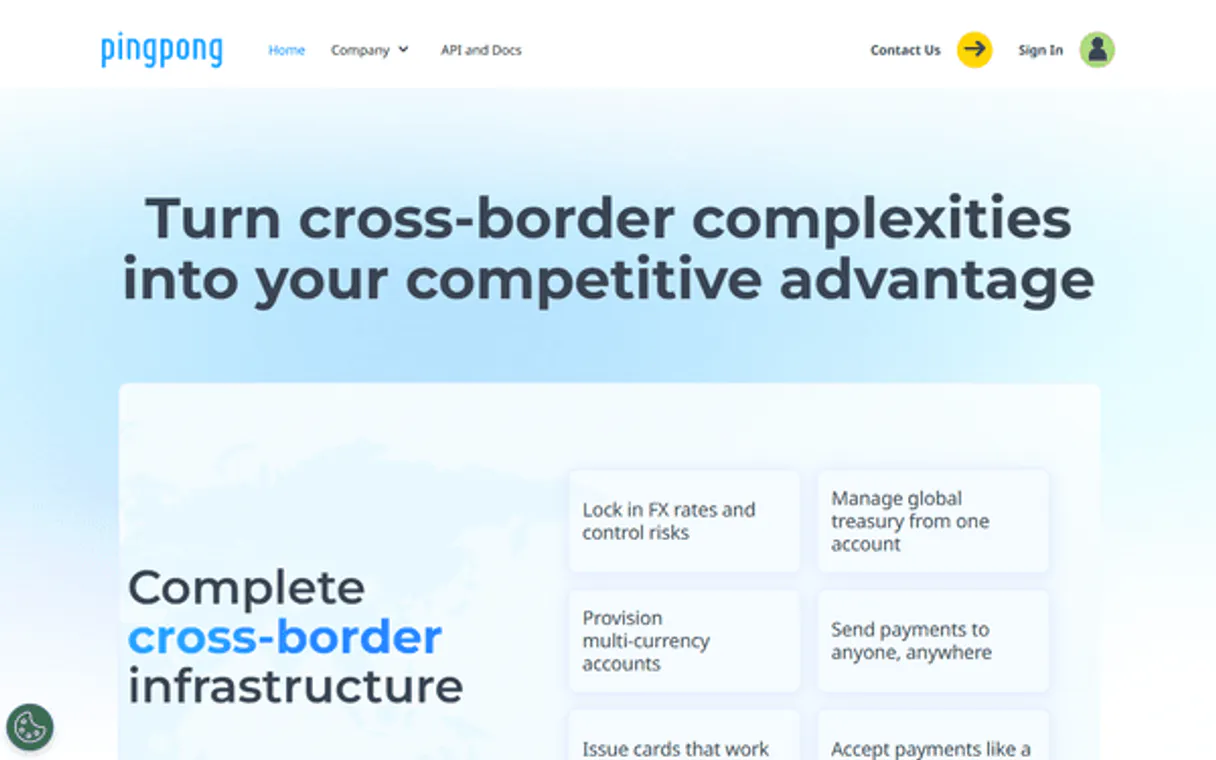
Independent Platform Disclaimer: Vinkius is an independent platform and is not affiliated with, endorsed by, sponsored by, verified by, or otherwise authorized by PingPong. All third-party trademarks, logos, and brand names are the property of their respective owners. Their use on this website is strictly for informational purposes to identify service compatibility and interoperability.
VINKIUS INFRASTRUCTURE
Cloud Hosted
Managed infra
V8 Isolated
Sandboxed per request
Zero-Trust Proxy
No stored credentials
DLP Enforced
Policy on every call
GDPR Compliant
EU data residency
Token Compression
~60% cost reduction
Works with Claude, ChatGPT, Cursor, and more
The Model Context Protocol standardizes how applications expose capabilities to LLMs. Instead of operating in isolation, your AI gains direct access to external platforms, live data, and real-world actions through secure, standardized connections.
This server provides 10 capabilities that interface natively with Claude, ChatGPT, Cursor, and any MCP client. No middleware. No custom integration required.
Available Capabilities
Checking global funds shouldn't require jumping between five different tabs.
Right now, if you manage sales across Amazon, Shopify, and a local marketplace, your cash flow picture is scattered. You check the main dashboard for USD; then you open another tab to see GBP balances, maybe a third just for VCC funding. It’s slow, and it's easy to miss which platform holds the actual available funds.
With this MCP server, you ask your agent one question: 'What is my total cash availability across all global platforms?' The agent runs `list_accounts`, checks multiple balances with `get_balance`, and returns a single, consolidated number. You get the answer in seconds.
PingPong MCP Server: Get real-time financial operations.
Sending money used to be a multi-step nightmare: check the status of the pending payout, confirm the recipient's details, verify the current exchange rate, and then finally hit 'submit'. Any mistake meant delays or lost funds.
Now, you tell your agent exactly what to do. It handles the sequence—it runs `get_exchange_rates`, verifies the balance with `get_balance`, and executes the payment via `create_payout`. The whole process is managed through natural language.
Common Questions About PingPong MCP
How do I check all my receiving accounts using list_accounts? +
The agent runs list_accounts and returns a full roster of every global account you have set up. This includes details about which platforms (Amazon, etc.) feed into those accounts.
Can I check the status of a payout using get_payout_status? +
Yes. You provide the specific payment ID to get_payout_status, and it tells you exactly where that money is: 'Processing by receiving bank' or 'Completed'.
What difference is there between get_balance and list_transactions? +
get_balance gives you a single, current number (the cash available). list_transactions gives you the full story—a ledger of every inflow or outflow that led to that balance.
How do I get a summary of my global sales? +
Use get_sales_summary. This tool compiles high-level metrics, giving you an immediate overview of your overall selling performance and VCC usage without running multiple reports.
If I use get_account_details, what data points does it provide about my global accounts? +
It returns core metadata for each linked account. This includes the currency used and whether the account is active or restricted. You can't get transaction history—you need to run list_transactions for that.
How do I use get_exchange_rates to plan a cross-currency payment? +
You call get_exchange_rates first, specifying the two currencies. This gives you the real-time rate needed for accurate planning. You then use that rate to calculate the exact payout amount before calling create_payout.
When should I run list_store_accounts instead of just list_accounts? +
Use list_store_accounts when you need data specific to a single e-commerce seller or platform. It isolates store revenue and metadata, which is different from seeing your entire corporate global balance.
Before I call create_payout, how do I confirm if I have enough funds? +
You should run get_balance first to check the current available cash in the target currency. This prevents the payout attempt from failing due to insufficient capital.
How do I find my PingPong App ID and Secret? +
Log in to the PingPong developer portal or contact your PingPong account manager to receive your unique App ID and App Secret for API integration.
Can I check the balance of my virtual cards (VCC)? +
Yes. Use the get_vcc_balance tool to retrieve the combined balance of all your virtual card accounts, helping you manage advertising spend or supplier payments.
Is it possible to monitor payout statuses through the agent? +
Yes! Use the get_payout_status tool with your payout ID to retrieve the current processing status and estimated arrival time for your funds.
Use it with your favorite AI tools
Connect this server to Cursor, Claude, VS Code, and more.
More in this category

Stripe Alternative
Manage payments, customers, products and subscriptions via Stripe — create payment intents, track invoices and audit refunds from any AI agent.

Swan
Empowers algorithmic control over European Bank Accounts. Execute SEPA transfers and manage Virtual Corporate Cards programmatically.

IBKR (Interactive Brokers)
Manage your Interactive Brokers account — execute trades, monitor portfolio ledgers, and fetch real-time market data via the Client Portal API.
You might also like
Open Brewery DB
Discover breweries across the United States — search by name, city, state, or type with addresses, phone numbers, and websites for every location.

Medium
Publish and manage content on Medium — create posts and manage publications directly from any AI agent.

CoderPad
Manage technical interviews and assessments via CoderPad — create pads, track interview events, and audit the question bank directly from any AI agent.