
PlanetScale MCP. Manage global MySQL branching and provisioning via AI.
 Gemini
 Works with every AI agent you already use
…and any MCP-compatible client









Just plug in your AI agents and start using Vinkius.
PlanetScale MCP Server manages serverless MySQL infrastructure dynamically via your AI agent. It lets you provision, branch, and destroy global database clusters without touching a web console.
Your agent can list regions, create ephemeral test branches from production schemas, or delete stale staging environments instantly. This is for developers who need to manage high-availability data structures at scale.
What your AI agents can do
Create branch
Clones the schema mapping from the main database into an empty, isolated test branch for safe development.
Create database
Provisions a new, radically scalable serverless MySQL instance ready for DDL definitions.
Delete branch
Irreversibly deletes an obsolete development branch or schema test environment.
Instantly list, create, inspect, or destroy entire serverless MySQL clusters globally using tools like list_databases and create_database.
Use the Git-like workflow to clone a production schema into an empty, isolated branch (create_branch) for consequence-free testing before deployment.
Query foundational data points, such as listing all organizational IDs (list_organizations) or finding available physical cloud edges (list_regions).
Programmatically destroy obsolete database branches (delete_branch) or entire clusters (delete_database), ensuring no stale resources linger.
Retrieve the core configuration details for a specific MySQL cluster using get_database to validate settings before making changes.
Ask AI about this MCP
Supported MCP Clients
Gemini Waiting for input…
PlanetScale: 10 Tools for Database Ops
These tools give your AI agent direct control over every aspect of your PlanetScale MySQL environment—from provisioning new regions to purging obsolete test branches.
019d75f6create branch
Clones the schema mapping from the main database into an empty, isolated test branch for safe development.
019d75f6create database
Provisions a new, radically scalable serverless MySQL instance ready for DDL definitions.
019d75f6delete branch
Irreversibly deletes an obsolete development branch or schema test environment.
019d75f6delete database
Destroys a specific PlanetScale MySQL cluster entirely, wiping all associated records globally.
019d75f6get branch
Retrieves the necessary access hostnames for a specified database branch.
019d75f6get database
Analyzes and returns the core configuration details of a specific MySQL cluster.
019d75f6list branches
Lists all existing development database branches, useful for migration planning.
019d75f6list databases
Retrieves a list of high-availability MySQL distribution IDs across your accounts.
019d75f6list organizations
Lists the root organizational identifiers required to manage any endpoint connections.
019d75f6list regions
Locates all physical cloud provider edge availability zones supported by Vitess.
Choose How to Get Started
Build a custom MCP for your own tools, or connect a ready-made integration from our catalog.
Build Your Own
Turn any API into an MCP. Import a spec, define Agent Skills, or deploy with MCPFusion.
- Import from OpenAPI, Swagger, or YAML specs
- Create Agent Skills with progressive disclosure
- Deploy to edge with MCPFusion framework
- Built in DLP, auth, and compliance on every call
- Real time usage dashboard and cost metering
- Publish to catalog or keep private
Make Your AI Do More
Start with PlanetScale, then connect any of our 4,700+ other servers whenever your AI needs more. One click, no limits.
- Use this MCP plus 4,700+ others, all in one place
- Add new capabilities to your AI anytime you want
- Every connection is secured and compliant automatically
- Track usage and costs across all your servers
- Works with Claude, ChatGPT, Cursor, and more
- New servers added to the catalog every week
What you can do with this MCP connector
PlanetScale MCP Server - Manage MySQL Branches & Databases
Listen up: this isn't just another database connector. This gives your agent direct, programmatic control over a global, serverless MySQL cluster via PlanetScale. You can treat your entire data infrastructure like Git—meaning you can spin up isolated test environments and audit global connectivity without ever touching a web console or getting stuck in some confusing GUI dropdown.
Your AI client handles the dirty work; you just tell it what to do.
DevOps Workflow: Branching for Safety
You need to test a schema change before you push it live, right? You don't want that risk on production. The create_branch tool lets your agent clone the whole schema mapping from your main database into an empty, isolated test branch. It’s consequence-free development. When you're ready to check what lives in those branches, use list_branches to see everything you've spun up.
You can also peep at the access details for any specific environment using get_branch. Need to clean house? If a dev branch is stale and nobody uses it, run delete_branch; that wipes it out for good.
Global Cluster Management: Provisioning & Auditing
Managing databases across regions is hell if you gotta click around. This server lets your agent handle the core infrastructure stuff. You can get a full list of all high-availability MySQL distribution IDs across your accounts using list_databases, and if that's not enough, you can check out every root organizational identifier needed to connect anywhere with list_organizations.
Want to know where the data lives physically? Use list_regions to locate every available cloud provider edge availability zone supported by Vitess.
To actually set up or inspect a cluster, your agent uses these tools. First, you can provision an entirely new, scalable serverless MySQL instance ready for defining DDL with create_database. Before making any changes, check the core setup of that cluster using get_database to validate every setting. If you ever gotta know what’s going on globally, you can list all existing development database branches through list_branches, or simply see which clusters are active by calling list_databases.
Cleanup and Destruction: Making It Go Away
Nothing bugs me more than stale resources hanging around. This connector makes cleanup simple. If an entire MySQL cluster is obsolete, you can destroy it completely with delete_database; that wipes all associated records globally. Similarly, if a development branch is dead weight, the delete_branch tool takes care of it. You’ll never have to manually delete anything again.
How It Works in Practice
It's simple: you prompt your agent with natural language instructions—like, "Give me access details for my test branch from last week" (which uses get_branch), or "List all the available regions." Your agent then maps that request to the correct tool. It executes the API call directly against the live PlanetScale cluster, giving you immediate, structured feedback on whether it worked or where it failed.
This means you can write complex operations—like listing regional availability (list_regions), creating a temporary development branch from production data (create_branch), and then running get_database to verify the settings before telling your agent to delete the cluster entirely (delete_database)—all in one go. It’s pure, high-speed database ops, no web console required.
How PlanetScale MCP Works
- 1 Ensure your AI client has this connector subscribed and you've provided an active PlanetScale Service Token.
- 2 Tell your agent exactly what you need: 'List all regions.' The agent uses
list_regionsto gather available physical edge zones. - 3 Your agent returns a list of options (e.g., us-east, eu-west). You then ask it to perform the next action, like creating a database instance using
create_databasein that zone.
The bottom line is: Your AI client treats your data infrastructure as another resource you can manage with simple chat commands.
Who Is PlanetScale MCP For?
This is for the Site Reliability Engineer who has to manually provision 10 test environments across three continents. It's for the Full-stack Developer stuck in a local loop, constantly spinning up temporary database copies just to run one query safely. If you manage distributed MySQL or need Git-style schema versioning for production code, this is your tool.
Automates the destruction of stale staging branches (delete_branch) and performs global audits across multiple organizational environments.
Spins up ephemeral, isolated database branches for feature testing without ever having to touch the web console or risk corrupting main.
Audits distribution footprints and connection strings across various physical cloud regions using list_regions before a major deployment.
What Changes When You Connect
- Eliminate manual database setup. Instead of logging into a web console to provision test environments, you ask your agent to
create_databaseorcreate_branch, and it handles the entire process automatically. - Audit infrastructure risk-free. Before deploying anything, run
list_regionsto see every edge zone available. This lets you plan low-latency deployments across global cloud providers. - Stop wasting time on stale data. Use
delete_branchto purge obsolete staging environments instantly. The agent executes the command and confirms the resource is gone—no clicking required. - Control your schema lifecycle like Git. You can tell your agent to clone the production structure (
create_branch) for testing, knowing you're working in a clean, empty environment isolated frommain. - Get full visibility into your estate. Run
list_databasesandlist_organizationsto get an immediate map of every cluster ID and organizational boundary you manage.
Real-World Use Cases
Need a clean test environment for one feature.
A developer needs to test a new migration path. Instead of requesting admin time or manually setting up a clone, they prompt their agent: 'Spin up an empty branch from main called feature-x.'. The agent uses create_branch, providing a clean, isolated Vitess environment ready for DDL injection.
Auditing global cluster locations.
A platform architect needs to know which physical cloud edge zones are available in Europe before budgeting. They ask the agent to run list_regions. The agent returns a comprehensive list of all supported geographic locations, allowing them to plan for optimal latency.
Tidying up old staging data.
The team finished testing an old feature branch named staging-01 but never deleted it. An engineer prompts: 'Destroy the staging-01 branch in the web-portal DB.' The agent executes delete_branch, permanently removing the resource and freeing up resources.
Starting a new project with a known schema.
A full-stack developer needs to set up a new service. They first run list_organizations to identify the correct root ID, then use that ID in conjunction with create_database to provision an empty, scalable MySQL cluster for their new project.
The Tradeoffs
Running ad-hoc shell commands.
Manually SSHing into a server or running complex CLI sequences that require knowing multiple IDs and flags. This is slow, error-prone, and doesn't account for global resource dependencies.
→
Use the agent to handle state management. First, run list_organizations to get the ID, then use that output in a single command to call create_database. The agent handles the entire flow.
Assuming data safety.
Thinking you can just 'delete' something without confirming if it was used by another service. Deleting an unacknowledged resource could take down production services.
→
Always use list_branches and get_database first to audit the current state. Verify that no active deployments reference the cluster before running delete_database.
Over-provisioning testing environments.
Creating dozens of temporary test databases because it's easier than managing them manually, leading to massive cloud bills and resource clutter.
→
Use the structured workflow: create_branch for a single feature clone. Once done, run delete_branch. This ensures temporary resources are limited and immediately cleaned up.
When It Fits, When It Doesn't
You should use this connector if your primary pain point is managing development lifecycle (schema versioning) on distributed MySQL clusters. If you need to spin up isolated test environments, audit physical regions, or destroy stale resources quickly, this is the right tool. Don't use it if you just need to run a simple SELECT query against an already connected database; for that, your AI client can connect directly. You also shouldn't use it if your infrastructure isn't Vitess-backed MySQL, as these tools are specific to PlanetScale's architecture. When in doubt about the current state of your cluster, always start with list_databases or get_database before attempting any modifications.
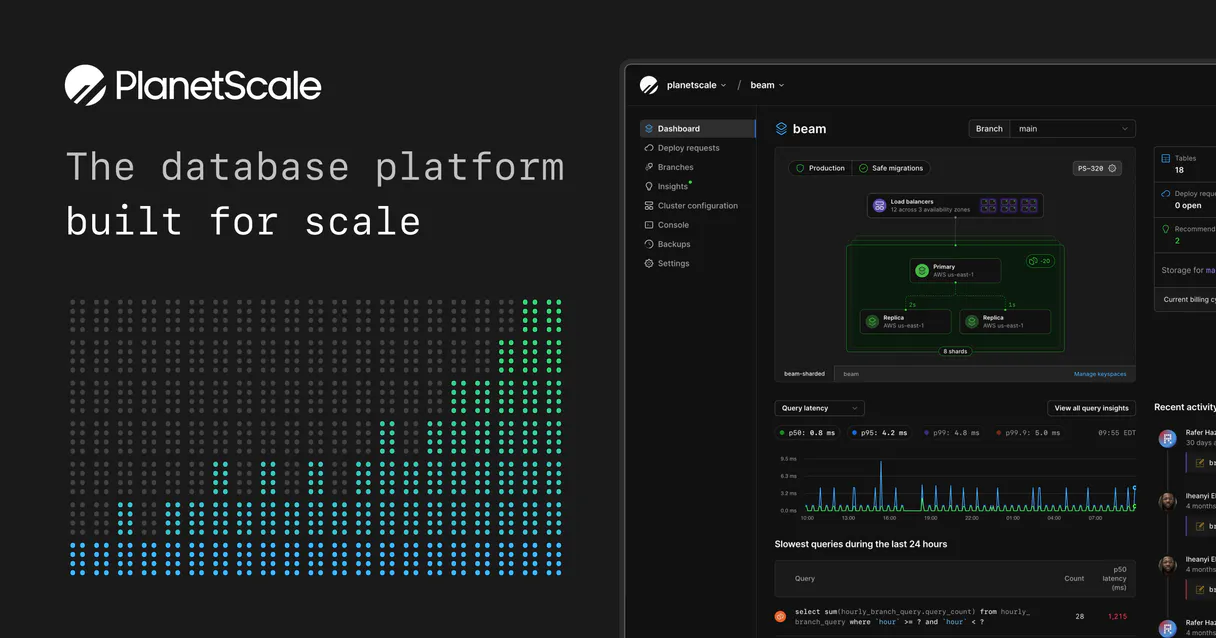
Independent Platform Disclaimer: Vinkius is an independent platform and is not affiliated with, endorsed by, sponsored by, verified by, or otherwise authorized by PlanetScale. All third-party trademarks, logos, and brand names are the property of their respective owners. Their use on this website is strictly for informational purposes to identify service compatibility and interoperability.
VINKIUS INFRASTRUCTURE
Cloud Hosted
Managed infra
V8 Isolated
Sandboxed per request
Zero-Trust Proxy
No stored credentials
DLP Enforced
Policy on every call
GDPR Compliant
EU data residency
Token Compression
~60% cost reduction
Works with Claude, ChatGPT, Cursor, and more
The Model Context Protocol standardizes how applications expose capabilities to LLMs. Instead of operating in isolation, your AI gains direct access to external platforms, live data, and real-world actions through secure, standardized connections.
This server provides 10 capabilities that interface natively with Claude, ChatGPT, Cursor, and any MCP client. No middleware. No custom integration required.
Available Capabilities
Managing database schemas used to require a whole team and hours of manual work.
Today, setting up an isolated test environment means logging into the web console, figuring out which production cluster to copy from, running multi-step provisioning scripts, and hoping you don't accidentally hit the main production data. It’s slow, it’s complex, and every step introduces a potential point of failure.
With this MCP server, that whole process is reduced to conversation. You tell your agent, 'Give me an empty test branch from `main` for feature X.' The agent uses `create_branch`, handles the schema cloning, and hands you back a clean, compliant environment—period.
PlanetScale MCP Server: Instant database provisioning with `create_database`
Manually setting up new data clusters involves writing boilerplate code to define the connection string, selecting a region ID from a list of available zones, and then initiating the deployment. It’s tedious setup that distracts from actual development.
Now? You just tell your agent you need a cluster in `us-east` for testing. The agent runs `create_database`, handles the networking details, and gives you an active endpoint. It's immediate control over your entire data layer.
Common Questions About PlanetScale MCP
How do I know what regions are available before creating a database with create_database? +
You must first run list_regions. This tool gives you the physical edge availability zones supported by Vitess, ensuring your new cluster will be provisioned in a working location.
Is it safe to delete an old test branch using delete_branch? +
Yes, delete_branch is designed for purging obsolete Git-like schema testing grounds. It permanently severs the environment hook and destroys the associated data structures.
What should I run before creating a new MySQL cluster with create_database? +
Before provisioning, you should always use list_organizations to resolve the foundational organizational ID. This ID is required for the agent to correctly scope your new database instance.
I need to list all existing branches before running any migrations; which tool do I use? +
Use list_branches. It provides a clear overview of all development database branches, letting you audit which schemas are active and where your migration efforts should focus.
If I run `delete_database`, what happens to all my global records? +
The command destroys the database irreversibly. It wipes terabytes of data scattered across every connected region globally, so always confirm your target first.
Must I run `list_organizations` before performing any other actions in PlanetScale? +
Yes, you must list the organizations first because it resolves the foundational string key required for all subsequent MySQL endpoint management. This ID is your root access point.
What information does `get_branch` return to me? +
get_branch returns the specific access hostnames you need for code integration. It deconstructs the layout of that single, isolated database branch so your agent knows where to connect.
What kind of data does `list_databases` provide? +
list_databases retrieves mapping IDs for all distributed Vitess backend shards. It gives you a list of high-availability PlanetScale MySQL clusters across different regions.
Can I run destructive commands like deleting databases through this AI implementation? +
Yes. The integration provides delete_branch and delete_database. They map directly to infrastructure teardowns. You should scope the Service Token carefully inside the PlanetScale dashboard to avoid catastrophic misinterpretations if your explicit intent is just testing. Deletions via delete_database are absolute and irretrievable.
Does `create_branch` replicate and copy my production dataset into the new branch? +
No. PlanetScale branches solely duplicate the static underlying DDL structure (schema), exactly like taking a snapshot of empty tables. The new branch boots up free of rows. This design lets your agent freely run ALTER TABLE operations independently without crashing the master tables.
How does the agent know which organizational node I am provisioning my branches on? +
All queries essentially require the foundational string parameters known as the org_name. If unknown, a simple list_organizations query reveals the UUID scope dictating your authorized account parameter bounds securely.
Use it with your favorite AI tools
Connect this server to Cursor, Claude, VS Code, and more.
More in this category

Directus
Manage any SQL database via Directus — handle collection items, audit schemas and fields, manage users, and track media storage directly from any AI agent.
Insomnia (Collaborative API Design)
Manage API designs and collections via Insomnia — list organizations, projects, and files, and audit API specs.

Medusa (Headless E-commerce Engine)
Manage headless commerce via MedusaJS — search products, track orders, and audit customer data.
You might also like

PeerTube (YouTube Alternative)
Interact with decentralized PeerTube instances — manage video feeds, download content, and handle user registration via AI.

Google Classroom
Manage classes, assignments, students, and submissions — automate your Google Classroom workflows via AI.
ImageKit (Media Optimization & DAM)
Manage and optimize media via ImageKit — list files, purge CDN cache, and audit image metadata.