
Bring Digital Wallet
to Claude Code
Learn how to connect PassKit to Claude Code and start using 11 AI agent tools in minutes. Fully managed, enterprise secure, and ready to use without writing a single line of code.
What is the PassKit MCP Server?
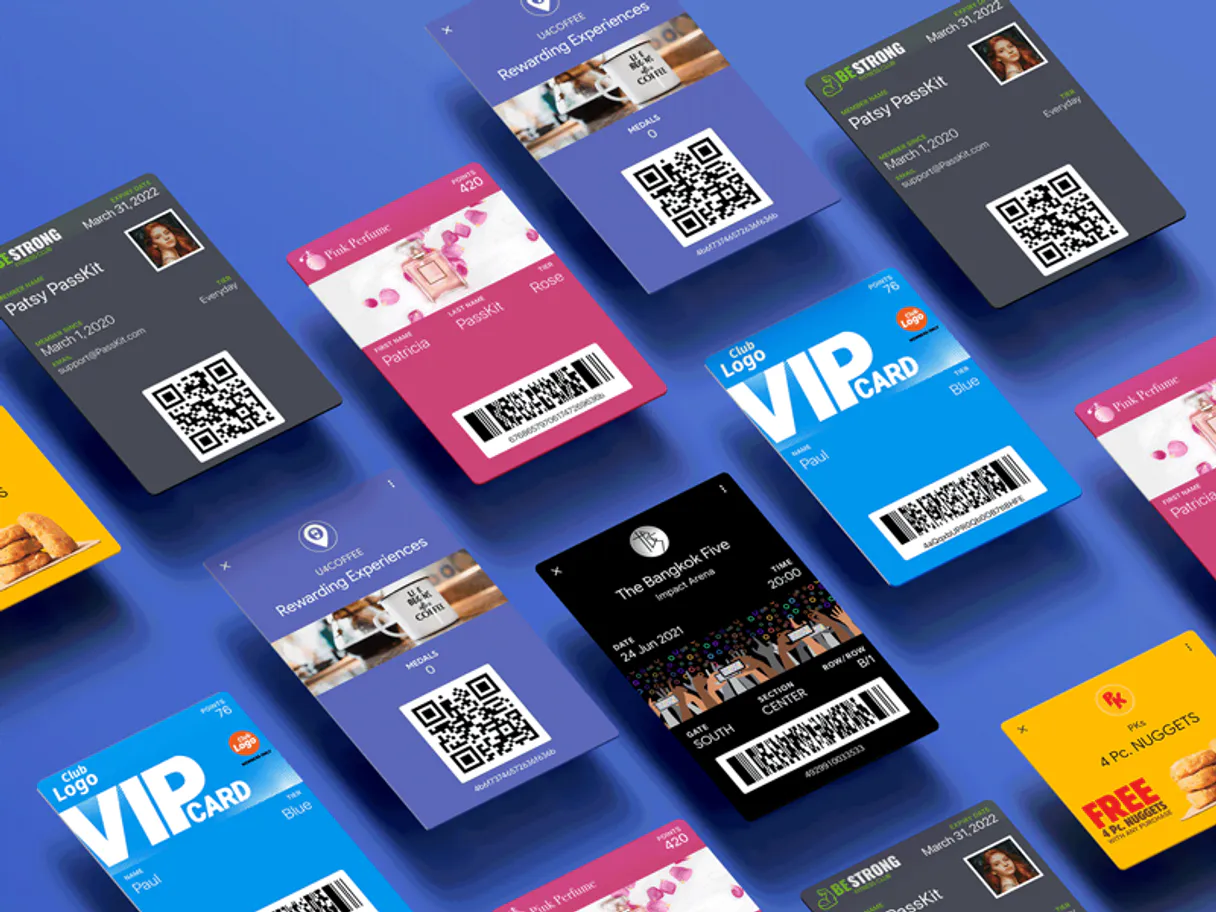
Connect your PassKit account to any AI agent and take full control of your digital wallet orchestration through natural conversation. PassKit is the premier platform for creating and managing cards for Apple Wallet and Google Wallet, and this integration allows you to issue loyalty cards, event tickets, and boarding passes directly from your chat interface.
What you can do
- Membership & Loyalty Orchestration — Enroll and manage loyalty program members programmatically and retrieve detailed tier metadata to ensure your customer data is always synchronized.
- Event Ticket Lifecycle Management — Issue digital event tickets and monitor usage statuses directly from the AI interface to drive better attendee engagement.
- Boarding Pass & Flight Intelligence — Create and manage flight boarding passes via natural language to maintain a clear overview of passenger travel itineraries.
- Coupon & Campaign Control — Create and manage digital coupons to ensure your promotional campaigns are always optimized using simple AI commands.
- Operational Monitoring — Track system responses and manage branding assets (images) to ensure your pass designs are always high-fidelity.
How it works
1. Subscribe to this server
2. Enter your PassKit Long-Lived API Token from your dashboard settings
3. Specify your regional Base URL (e.g., https://api.pub1.passkit.io for EU/Asia)
4. Start managing your digital passes from Claude, Cursor, or any MCP-compatible client
No more manual pass generation or switching between wallet dashboards. Your AI acts as a dedicated digital wallet coordinator or customer engagement lead.
Who is this for?
- Retailers & Marketers — quickly retrieve loyalty summaries and monitor program growth without switching apps.
- Event Organizers — automate the issuance of digital tickets and track entry metrics via natural conversation.
- Travel Providers — streamline the retrieval of flight metadata and monitor passenger check-ins directly within the chat.
Built-in capabilities (11)
Create a new digital coupon
Create a new flight
Enroll a new member
Get details for a specific coupon pass
Get details for an issued ticket
Get member details
Get details for a pass template
Issue a boarding pass
Issue a new event ticket
List uploaded branding images
Update member data
Why Claude Code?
Claude Code registers PassKit as an MCP server in a single terminal command. Once connected, Claude Code discovers all 11 tools at runtime and can call them headlessly. ideal for CI/CD pipelines, cron jobs, and automated workflows where PassKit data drives decisions without human intervention.
- —
Single-command setup:
claude mcp addregisters the server instantly. no config files to edit or applications to restart - —
Terminal-native workflow means MCP tools integrate seamlessly into shell scripts, CI/CD pipelines, and automated DevOps tasks
- —
Claude Code runs headlessly, enabling unattended batch processing using PassKit tools in cron jobs or deployment scripts
- —
Built by the same team that created the MCP protocol, ensuring first-class compatibility and the fastest adoption of new protocol features
PassKit in Claude Code
PassKit and 3,400+ other MCP servers. One platform. One governance layer.
Teams that connect PassKit to Claude Code through Vinkius don't need to source, host, or maintain individual MCP servers. Every tool call runs inside a hardened runtime with credential isolation, DLP, and a signed audit chain.
Raw MCP | Vinkius | |
|---|---|---|
| Server catalog | Find and host yourself | 3,400+ managed |
| Infrastructure | Self-hosted | Sandboxed V8 isolates |
| Credential handling | Plaintext in config | Vault + runtime injection |
| Data loss prevention | None | Configurable DLP policies |
| Kill switch | None | Global instant shutdown |
| Financial circuit breakers | None | Per-server limits + alerts |
| Audit trail | None | Ed25519 signed logs |
| SIEM log streaming | None | Splunk, Datadog, Webhook |
| Honeytokens | None | Canary alerts on leak |
| Custom domains | Not applicable | DNS challenge verified |
| GDPR compliance | Manual effort | Automated purge + export |
Why teams choose Vinkius for PassKit in Claude Code
The PassKit MCP Server runs on Vinkius-managed infrastructure inside AWS — a purpose-built runtime with per-request V8 isolates, Ed25519 signed audit chains, and sub-40ms cold starts. All 11 tools execute in hardened sandboxes optimized for native MCP execution.
Your AI agents in Claude Code only access the data you authorize, with DLP that blocks sensitive information from ever reaching the model, kill switch for instant shutdown, and up to 60% token savings. Enterprise-grade infrastructure, zero maintenance.
* Every MCP server runs on Vinkius-managed infrastructure inside AWS - a purpose-built runtime with per-request V8 isolates, Ed25519 signed audit chains, and sub-40ms cold starts optimized for native MCP execution. See our infrastructure
How Vinkius secures
PassKit for Claude Code
Every tool call from Claude Code to the PassKit MCP Server is protected by DLP redaction, cryptographic audit chains, V8 sandbox isolation, kill switch, and financial circuit breakers.
Frequently asked questions
Can my AI automatically find the details for a specific loyalty member by their ID?
Yes! Use the get_member tool with the Member ID. Your agent will respond with complete metadata, including current points, tier status, and enrollment date in seconds.
How do I find my PassKit Long-Lived API Token?
Log in to the PassKit Portal, navigate to Settings > Integrations, and you will find your unique secret token under the API Credentials section.
Does this work with both Apple and Google Wallets?
Absolutely. PassKit acts as a unified hub, allowing the AI to orchestrate digital passes that are cross-compatible with both major mobile wallet ecosystems.
How do I add an MCP server to Claude Code?
Run claude mcp add --transport http "" in your terminal. Claude Code registers the server and discovers all tools immediately.
Can Claude Code run MCP tools in headless mode?
Yes. Claude Code supports non-interactive execution, making it ideal for scripts, cron jobs, and CI/CD pipelines that need MCP tool access.
How do I list all connected MCP servers?
Run claude mcp in your terminal to see all registered servers and their status, or type /mcp inside an active Claude Code session.
Command not found: claude
Ensure Claude Code is installed globally: npm install -g @anthropic-ai/claude-code
Connection timeout
Check your internet connection and verify the Edge URL is reachable