
AddSearch MCP. Query site data and manage your entire search index from chat.
 Gemini
 Works with every AI agent you already use
…and any MCP-compatible client









Just plug in your AI agents and start using Vinkius.
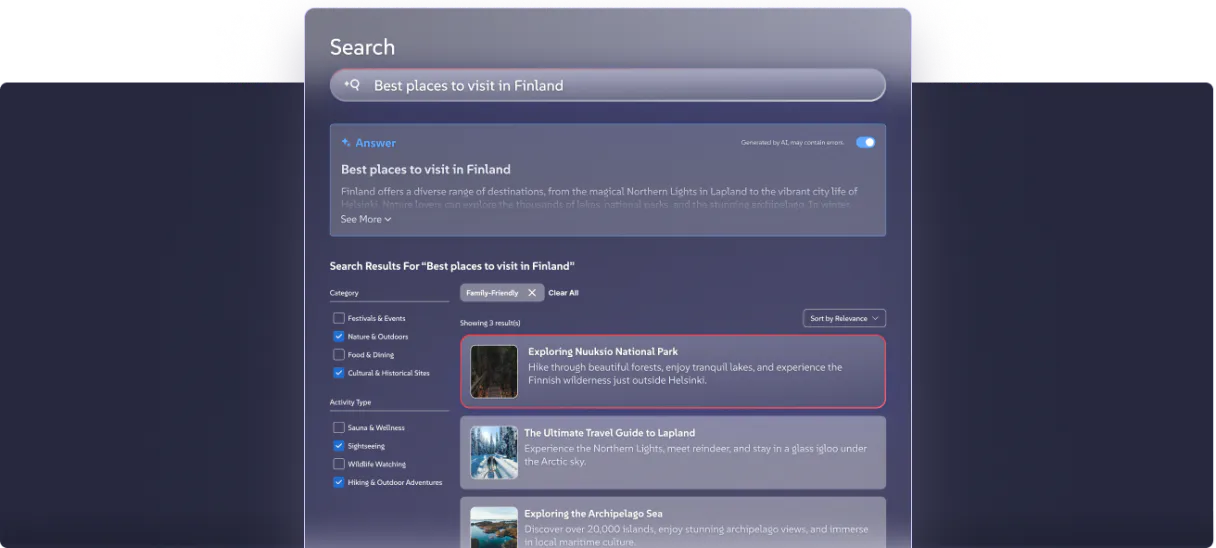
AddSearch connects your AI agent to your site's search index. It lets you query your site's content using natural language, filter results by custom fields, and manage documents directly from your chat.
You can also pull live search analytics to find content gaps and test your search bar functionality without opening a dashboard.
What your AI agents can do
Autosuggest
Gets autocomplete suggestions based on a user's partial input.
Delete document
Requires a Secret Key. Permanently deletes a document from the index.
Index document
Requires a Secret Key. Adds or updates a document within the index.
Search indexed content using natural language and apply custom field filters (e.g., 'category=shoes').
Add or change indexed content using JSON data, or list all documents currently in the index.
Permanently remove outdated documents from the search index.
Get live data on user queries, including top searches and zero-result searches.
Simulate user interactions to check auto-suggestions and page pagination.
Ask AI about this MCP
Supported MCP Clients
Gemini Waiting for input…
AddSearch MCP Server: 10 Tools for Search & Indexing
These 10 tools let your agent interact with your search index. You can search content, manage documents, and pull live search analytics.
019d7547autosuggest
Gets autocomplete suggestions based on a user's partial input.
019d7547delete document
Requires a Secret Key. Permanently deletes a document from the index.
019d7547index document
Requires a Secret Key. Adds or updates a document within the index.
019d7547list documents
Requires a Secret Key. Lists every document currently stored in the index.
019d7547search filtered
Searches indexed content using custom field filters (e.g., 'category=shoes').
019d7547search keyword
Searches indexed content using a basic keyword search.
019d7547search pagination
Retrieves a specific page of search results based on a page number.
019d7547search sorted
Searches indexed content and sorts the results using a custom variable.
019d7547stats clicks
Requires a Secret Key. Retrieves click-through analytics data.
019d7547stats queries
Requires a Secret Key. Retrieves analytics on what people are searching for.
Choose How to Get Started
Build a custom MCP for your own tools, or connect a ready-made integration from our catalog.
Build Your Own
Turn any API into an MCP. Import a spec, define Agent Skills, or deploy with MCPFusion.
- Import from OpenAPI, Swagger, or YAML specs
- Create Agent Skills with progressive disclosure
- Deploy to edge with MCPFusion framework
- Built in DLP, auth, and compliance on every call
- Real time usage dashboard and cost metering
- Publish to catalog or keep private
Make Your AI Do More
Start with AddSearch, then connect any of our 4,700+ other servers whenever your AI needs more. One click, no limits.
- Use this MCP plus 4,700+ others, all in one place
- Add new capabilities to your AI anytime you want
- Every connection is secured and compliant automatically
- Track usage and costs across all your servers
- Works with Claude, ChatGPT, Cursor, and more
- New servers added to the catalog every week
What you can do with this MCP connector
AddSearch hooks your AI agent right into your site's search index. You'll use it to query your site's content using natural language, filter results by custom fields, and manage documents right from your chat. You can also pull live search analytics to spot content gaps and test your search bar without ever opening a dashboard.
To check content, you can use search_keyword for a simple keyword search, or you can use search_filtered to query indexed content using natural language and apply custom field filters, like category=shoes. You can also use search_sorted to search indexed content and sort the results using a custom variable. For pagination, search_pagination retrieves a specific page of search results based on a page number.
When you're done with the search, autosuggest gets autocomplete suggestions based on a user's partial input.
Managing the index is straightforward. You can use list_documents to list every document currently stored in the index. You can add or update content with index_document, or you can permanently wipe out outdated content using delete_document.
For analytics, you'll get live data on what people are searching for using stats_queries, and you can pull click-through analytics data with stats_clicks.
Your AI client handles all of this. You just need to connect your AI agent, and it's ready to work.
How AddSearch MCP Works
- 1 Subscribe to the AddSearch server and provide your Site Key and optional Secret Key.
- 2 Your AI agent calls the desired tool (e.g.,
search_filtered) and passes parameters like search terms or custom filters. - 3 The server executes the request against your live index and returns the structured results to your agent.
The bottom line is you manage and analyze your site's search index without leaving your chat environment.
Who Is AddSearch MCP For?
This is for content managers and developers who spend too much time clicking through dashboards just to check search health. If you need to audit what people are searching for, or if you're debugging a specific product page's metadata, this server lets you run those checks instantly from your agent.
Uses the agent to ask for top zero-result queries this week. This identifies content gaps and tells them what articles to write next.
Uses the agent to debug a specific URL's metadata or manually push a JSON fix to the index. This lets them fix search issues in seconds.
Uses the agent to query specific product categories and verify if the search relevance ranking shows the correct inventory.
What Changes When You Connect
- Stop clicking through dashboards. You can query content using natural language and filter results with
search_filtereddirectly in your chat window. - Find content gaps instantly. Run
stats_queriesto pull a list of top zero-result searches. This tells your content team exactly what pages need to be written. - Fix metadata in seconds. If a product page is miscategorized, use
index_documentordelete_documentto correct the data directly, bypassing the CMS backend. - Test your search bar before launch. Use
autosuggestandsearch_paginationto check how your front end handles prefixes and multiple pages, all from your agent. - Improve search accuracy. Use
search_sortedto ensure your results are ranked by the right variable, guaranteeing users see the most relevant information first.
Real-World Use Cases
Discovering missing content topics
A content manager needs to know what topics people search for but find nothing about. They ask their agent to run stats_queries. The agent returns a list of the top zero-result queries, allowing the manager to prioritize writing new articles for 'sso integration' or 'internship 2026'.
Debugging a product page listing
An e-commerce developer finds that a specific Nike shoe isn't showing up in search. They tell their agent to use search_filtered for the specific URL's metadata. The agent confirms the field value is wrong, and the developer uses index_document to push the correct data fix immediately.
Auditing search relevance for a new feature
A product team wants to know if the search relevance ranking works correctly for a new product line. They ask their agent to run search_filtered for the new category and verify if the results are grouped by the correct custom variables.
Validating the search UI flow
A frontend developer needs to test the user experience for a specific product line. They ask their agent to run autosuggest for 'shoe' and then run search_pagination to check the result count on page 3, ensuring the entire search flow works.
The Tradeoffs
Doing bulk updates via API scripts
Writing a complex Python script that loops through thousands of URLs and calls the API for each one, risking rate limits and requiring manual error handling for every failure.
→
Use the agent to manage the index. First, use list_documents to get the full list. Then, use the agent's JSON capability to batch-process updates, calling index_document for all necessary fixes in a single, managed sequence.
Relying on front-end search only
Assuming the search results shown on the live website are accurate because the UI looks fine. This misses underlying data issues like incorrect category tagging or missing metadata.
→
Always check the source data. Use search_filtered to query by custom fields, or use list_documents to verify metadata integrity, ensuring the index matches the actual content.
Forgetting to check analytics
Launching a new site section and only checking if the search returns results. This ignores why people aren't clicking or searching for different terms.
→
Run stats_queries and stats_clicks. Identify top searches that yield zero results. Use that data to prioritize content creation, rather than guessing.
When It Fits, When It Doesn't
Use this server if your core problem is content discoverability or search index management. You need to audit performance, find content gaps, or fix metadata without opening a separate dashboard. It's perfect for content teams and developers who need to run diagnostics. Don't use this if your problem is simply basic keyword searching; use search_keyword for that. If you need to build a multi-step, cross-platform knowledge graph, you'll need a dedicated vector database tool instead. This server is specialized for the search index itself.
Independent Platform Disclaimer: Vinkius is an independent platform and is not affiliated with, endorsed by, sponsored by, verified by, or otherwise authorized by AddSearch. All third-party trademarks, logos, and brand names are the property of their respective owners. Their use on this website is strictly for informational purposes to identify service compatibility and interoperability.
VINKIUS INFRASTRUCTURE
Cloud Hosted
Managed infra
V8 Isolated
Sandboxed per request
Zero-Trust Proxy
No stored credentials
DLP Enforced
Policy on every call
GDPR Compliant
EU data residency
Token Compression
~60% cost reduction
Works with Claude, ChatGPT, Cursor, and more
The Model Context Protocol standardizes how applications expose capabilities to LLMs. Instead of operating in isolation, your AI gains direct access to external platforms, live data, and real-world actions through secure, standardized connections.
This server provides 10 capabilities that interface natively with Claude, ChatGPT, Cursor, and any MCP client. No middleware. No custom integration required.
Available Capabilities
Sifting through search analytics usually means opening three different dashboards.
Right now, checking your site's search performance means juggling the CMS dashboard, the Google Search Console, and your internal analytics tool. You copy the top query list, paste it into a spreadsheet, then manually check if those terms have zero results. It's tedious, slow, and prone to losing data in copy/paste cycles.
With the AddSearch MCP Server, you ask your agent to check the stats. It runs `stats_queries` and immediately presents the top zero-result searches, listing them and even suggesting what content might fill the gap. It’s a single chat interaction; you get the actionable data instantly.
AddSearch MCP Server: Query site content and manage documents
Previously, updating a product's category or fixing a URL's metadata meant logging into the CMS, finding the right document, and manually pushing the change. This was a slow, multi-step process that often required developer intervention.
Now, you just tell your agent to fix it. The agent uses `index_document` or `delete_document` to push the required metadata change directly to the index. It’s fast, traceable, and requires zero manual UI interaction.
Common Questions About AddSearch MCP
How do I use the AddSearch MCP Server to check zero-result queries? +
Run stats_queries and ask the agent to identify the top searches with zero results. This gives you a list of topics you need to write content about to improve search visibility.
Can I use `search_filtered` to search for a specific product category? +
Yes. You pass the filter criteria directly to search_filtered, like 'category=shoes'. This narrows the search results to only include documents tagged with that specific field.
Do I need a Secret Key to use the AddSearch MCP Server tools? +
Yes, you need a Secret Key for management tools. Tools like delete_document, index_document, and list_documents require the Secret Key for security.
How does `search_pagination` work in the AddSearch MCP Server? +
search_pagination retrieves specific pages of results. If you know the result set is 10 items per page, you tell the agent to run it for page 2 to see the second set of results.
How do I use `list_documents` to check what content has been indexed? +
The list_documents tool returns a full roster of all pages and content currently in your search index. This is useful for content teams who need to verify if a specific URL was properly added or if outdated documents need to be removed.
What should I do if a search query fails when I use `search_keyword`? +
First, confirm the spelling and structure of the keyword you are using. If the query still fails, check if the content exists on your site and if the index is up-to-date. If the issue persists, you might need to run index_document manually.
Does `search_filtered` support multiple custom field filters, like 'category=shoes' AND 'brand=nike'? +
Yes, search_filtered accepts multiple custom field filters. You simply combine them using the proper syntax, allowing you to narrow results to highly specific combinations of attributes.
When should I use `stats_queries` instead of just searching with `search_keyword`? +
stats_queries gives you aggregate data on all historical search attempts, not just the results of a single query. Use it to identify trends, top search terms, and performance gaps across your entire site.
Can my AI agent manually index new pages? +
Yes. If you provide the AddSearch Secret Key, your agent can use the index_document tool. You can supply a URL and a JSON payload containing the title and body, and the agent will push it directly into your live search index without waiting for the web scraper.
What kind of search analytics can I retrieve? +
Using the Secret Key, your agent can call two analytics endpoints: stats_queries (to see what users searched for, including top searches and zero-result queries) and stats_clicks (to see the click-through rates and popular URLs users navigated to from the search bar).
Do I need the Secret Key if I just want to test search queries? +
No, if your goal is solely to run searches, paginate results, or check auto-suggestions, the public 'Site Key' is completely sufficient. The Secret Key is only required to list all documents, modify the index, and fetch analytics.
Use it with your favorite AI tools
Connect this server to Cursor, Claude, VS Code, and more.
More in this category

Clerk
Add production-ready authentication to your app with user management, SSO, multi-factor auth, and session handling out of the box.

Amazon DynamoDB Table
This MCP does exactly one thing: it manages items in a single Amazon DynamoDB Table. That's its only function, and nothing else. Incredible for giving your AI a secure NoSQL database.

Vercel
Deploy frontend applications instantly with a platform optimized for Next.js, serverless functions, and edge computing globally.
You might also like

Billplz
Manage your payment collections via Billplz — list collections, bills, and transactions directly from any AI agent.
Nominatim
Geocode addresses, reverse geocode coordinates and explore OpenStreetMap data — no API key required.

Lalamove Malaysia
Orchestrate Lalamove Malaysia deliveries — get quotations, manage orders, and track drivers directly from any AI agent.