
Afosto MCP. Manage orders, inventory, and customers in one conversation.
 Gemini
 Works with every AI agent you already use
…and any MCP-compatible client









Just plug in your AI agents and start using Vinkius.
Afosto. This server connects your AI agent to a full e-commerce backend, letting you manage your entire retail stack through natural conversation.
You can audit multi-channel orders, check real-time inventory across multiple warehouses, and keep your product catalog up to date. It also pulls centralized customer profiles and interaction history, making it a single point for retail data management.
What your AI agents can do
List customers
Gets centralized customer profiles and their entire shopping history.
List inventory
Retrieves current stock counts and inventory levels across all your warehouses.
List orders
Gets a list of recent e-commerce orders from all your sales channels.
Retrieves centralized customer profiles and their history with the store.
Aggregates and retrieves current inventory and stock levels from every warehouse location.
Retrieves recent e-commerce orders across all sales channels managed by Afosto.
Retrieves the complete product catalog, including active variants and pricing data.
Identifies sales trends or inventory bottlenecks using the combined data from the other tools.
Ask AI about this MCP
Supported MCP Clients
Gemini Waiting for input…
Afosto MCP Server: 4 Tools for E-commerce Operations
Use these four tools to pull specific, actionable data points: customer profiles, current stock levels, order history, and product catalog details.
019d7548list customers
Gets centralized customer profiles and their entire shopping history.
019d7548list inventory
Retrieves current stock counts and inventory levels across all your warehouses.
019d7548list orders
Gets a list of recent e-commerce orders from all your sales channels.
019d7548list products
Retrieves the full product catalog, including variants and current pricing.
Choose How to Get Started
Build a custom MCP for your own tools, or connect a ready-made integration from our catalog.
Build Your Own
Turn any API into an MCP. Import a spec, define Agent Skills, or deploy with MCPFusion.
- Import from OpenAPI, Swagger, or YAML specs
- Create Agent Skills with progressive disclosure
- Deploy to edge with MCPFusion framework
- Built in DLP, auth, and compliance on every call
- Real time usage dashboard and cost metering
- Publish to catalog or keep private
Make Your AI Do More
Start with Afosto, then connect any of our 4,700+ other servers whenever your AI needs more. One click, no limits.
- Use this MCP plus 4,700+ others, all in one place
- Add new capabilities to your AI anytime you want
- Every connection is secured and compliant automatically
- Track usage and costs across all your servers
- Works with Claude, ChatGPT, Cursor, and more
- New servers added to the catalog every week
What you can do with this MCP connector
Afosto MCP Server - Orders, Inventory & Customer Data
Your AI client can manage your whole e-commerce operation through natural conversation. You'll audit multi-channel orders, check real-time inventory across every warehouse, and keep your product catalog current. It also pulls centralized customer profiles and their interaction history, making it your single source for retail data.
List Customer Records
list_customers gets centralized customer profiles and their entire shopping history.
Check Real-Time Stock Levels
list_inventory aggregates and gets current inventory and stock levels from every warehouse location.
Get Multi-Channel Orders
list_orders gets a list of recent e-commerce orders from all your sales channels.
Query Product Details
list_products gets the complete product catalog, including active variants and pricing data.
Your agent can combine these tools to analyze retail data, letting you spot sales trends or inventory bottlenecks directly in the chat.
How Afosto MCP Works
- 1 Subscribe to the Afosto server and enter your Afosto Client ID and Client Secret.
- 2 Your AI agent uses natural language to issue a request (e.g., 'Check stock for X').
- 3 The agent calls the appropriate tool (e.g.,
list_inventory), receives the structured data, and presents the answer in conversation.
The bottom line is, you talk to your agent, and it uses Afosto's tools to pull specific, live retail data from your backend.
Who Is Afosto MCP For?
E-commerce Operations Leads, Warehouse Managers, and Customer Support Managers. If your job involves cross-checking inventory, auditing orders, or looking up customer purchase history, this is for you. It takes the manual, multi-dashboard process and puts it into a conversation.
Audits multi-channel orders and checks real-time inventory levels across different warehouse locations.
Pulls a customer's profile and order history instantly to resolve complex support tickets without leaving the chat.
Retrieves granular product catalog data and sales trends for performance reports and data validation.
What Changes When You Connect
- Audit orders instantly. Instead of logging into the order portal, ask your agent to
list_orders. It checks fulfillment status and pulls technical metadata directly into the chat. - See live stock counts. Need to know if you can fulfill an order? Run
list_inventoryto check stock levels across every warehouse, not just one dashboard. - Keep data accurate. Use
list_productsto confirm that the variants and pricing shown online match what's in the backend, preventing fulfillment errors. - Deep customer context. Use
list_customersto pull a customer's full profile and interaction history. This gives support agents the background they need right away. - Spot trends fast. Combining the data from
list_ordersandlist_inventorylets your agent quickly identify if a sudden drop in sales correlates with a specific inventory bottleneck. - Streamline reporting. Quickly pull granular data points—like specific product variants or customer tier status—without running five separate reports.
Real-World Use Cases
Investigating a Missing Item
A customer support agent gets a call about an order that seems incomplete. The agent uses list_orders to pull the order details, then uses list_inventory to check the stock for the specific missing item. The agent confirms the item was allocated but not yet shipped, solving the customer's problem immediately.
Planning a Product Launch
The product manager needs to know if the new line of electronics can be sold. They run list_products to check the catalog structure, then list_inventory to see if enough units are stocked across all distribution centers. They confirm the capacity before marketing starts.
Auditing a High-Value Account
The sales team needs a quick overview of a top client. They use list_customers to pull the profile and lifetime order count. They then use list_orders to see the last three purchases, giving the team talking points for the next sales call.
Checking Fulfillment Capacity
The operations team suspects a bottleneck. They use list_orders to find all pending orders in a region, and then list_inventory to verify the actual available stock against the required stock. This prevents over-promising fulfillment dates.
The Tradeoffs
Manual Dashboard Cross-Referencing
The ops team opens the Order Management System, switches to the WMS, and then opens the Product Information Management (PIM) tool. They spend 20 minutes clicking between three separate dashboards just to verify if an order can ship.
→
Use your agent to run a single query. First, call list_orders for the pending items. Next, call list_inventory to check stock. Finally, call list_products to confirm the SKU is active. This verifies everything in one conversational flow.
Ignoring Data Context
A support agent looks up an order number but doesn't know the customer's history, so they give a generic answer. The customer gets frustrated because the agent couldn't see the customer's past purchases or status.
→
Always start by calling list_customers to get the full profile. Then, use list_orders to see the purchase history. This gives the agent the full context needed to resolve the issue.
Assuming Stock Availability
The sales team promises a client an item is available because they see it listed on the storefront. They forget to check the live stock count, only finding out later the item is out of stock.
→
Before confirming availability, the agent must run list_inventory to get the real-time count across all warehouses. Never rely on static product listings.
When It Fits, When It Doesn't
Use this server if your workflow requires synthesizing data from multiple, siloed e-commerce systems—specifically, if you need to cross-reference who bought what, when it was ordered, and where the stock currently is. You must be able to answer questions that combine customer history, order status, and inventory levels. Don't use this if you only need to view a single report (e.g., just the product catalog) or if your core process is non-e-commerce related. For simple data lookup, use a dedicated database query tool; for complex, multi-system orchestration, this is the right choice.
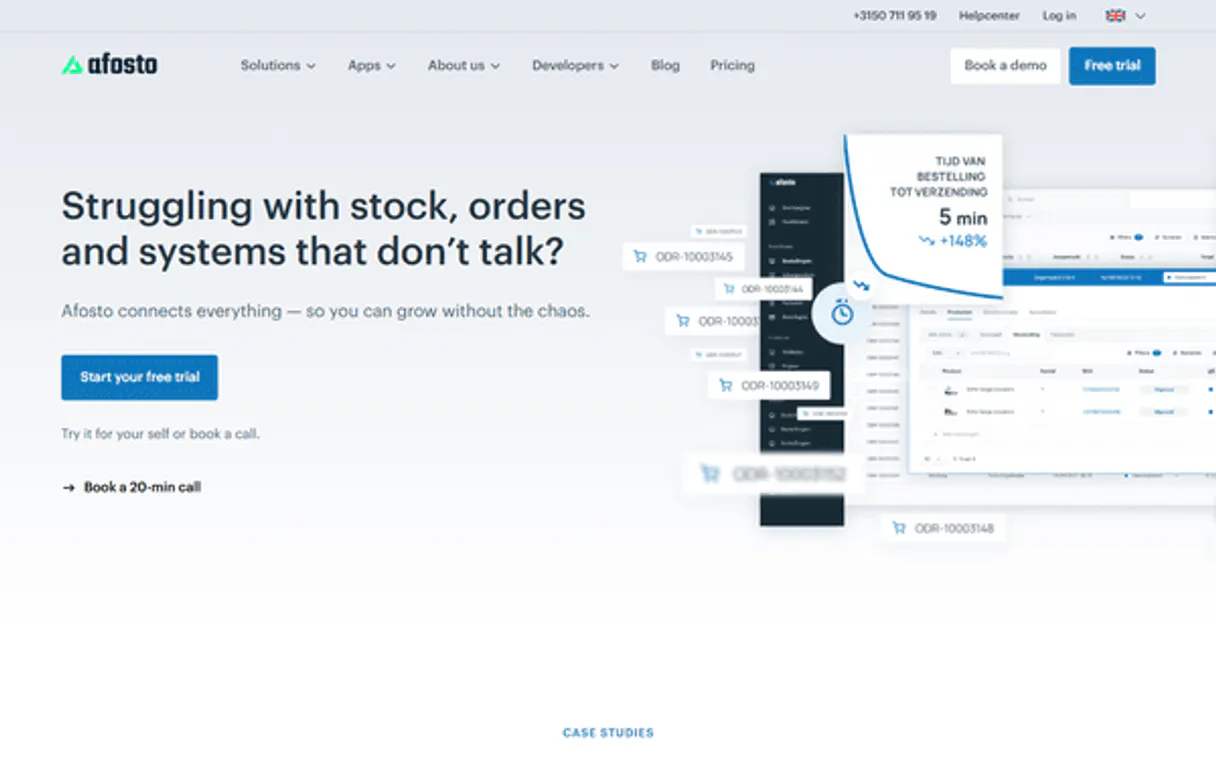
Independent Platform Disclaimer: Vinkius is an independent platform and is not affiliated with, endorsed by, sponsored by, verified by, or otherwise authorized by Afosto. All third-party trademarks, logos, and brand names are the property of their respective owners. Their use on this website is strictly for informational purposes to identify service compatibility and interoperability.
VINKIUS INFRASTRUCTURE
Cloud Hosted
Managed infra
V8 Isolated
Sandboxed per request
Zero-Trust Proxy
No stored credentials
DLP Enforced
Policy on every call
GDPR Compliant
EU data residency
Token Compression
~60% cost reduction
Works with Claude, ChatGPT, Cursor, and more
The Model Context Protocol standardizes how applications expose capabilities to LLMs. Instead of operating in isolation, your AI gains direct access to external platforms, live data, and real-world actions through secure, standardized connections.
This server provides 4 capabilities that interface natively with Claude, ChatGPT, Cursor, and any MCP client. No middleware. No custom integration required.
Available Capabilities
Checking inventory and orders shouldn't require jumping between three different tabs.
Today, checking if a multi-channel order can ship requires a painful sequence: you log into the Order Management System (OMS) to see the order details. Then, you have to switch to the Warehouse Management System (WMS) and manually input the SKU to check stock. Finally, you might jump to the PIM tool to verify the product's current price.
With Afosto, you simply ask your agent, 'Can order #123 ship?' The agent runs the necessary tools—`list_orders`, `list_inventory`, and `list_products`—and gives you a single, definitive answer right in the chat.
Afosto MCP Server: Get a 360-degree view of your e-commerce data.
The ability to pull customer data (`list_customers`), order data (`list_orders`), and inventory data (`list_inventory`) together means your team never has to copy and paste SKUs between systems or wait for three different department heads to give you a status update.
Your AI client doesn't just retrieve data; it orchestrates the whole retail stack. It connects the customer to the product, the order to the warehouse, and the inventory to the sale. That's the difference.
Common Questions About Afosto MCP
How does the Afosto server handle multi-channel orders? +
The list_orders tool aggregates orders from all channels (like Web Store and Amazon). It gives you a single view of every order, regardless of where it was placed.
Can I check inventory for a specific product variant using list_inventory? +
Yes. You specify the product and variant, and the list_inventory tool returns the real-time stock count from every warehouse location, including reserved units.
What data does list_customers provide? +
The list_customers tool pulls a centralized profile, including contact details, customer tier status, and a full history of their purchases.
Does Afosto help with pricing data? +
Yes. The list_products tool retrieves the complete catalog, including current pricing and all active product variants, so you can verify storefront accuracy.
What is the difference between list_orders and list_inventory? +
The list_orders tool tells you what was purchased and when. The list_inventory tool tells you what is physically available to be sold right now.
When I use `list_products`, how do I ensure I get the correct pricing for regional variants? +
The list_products tool retrieves the complete product catalog, including active variants and their specific pricing. You'll see the price listed alongside the variant details, which covers regional pricing if the product is configured for it.
If I run `list_orders`, what kind of technical metadata can I retrieve about an order? +
The list_orders tool pulls technical metadata that helps with auditing. This data goes beyond basic order details, giving you the necessary information to check fulfillment statuses and reconcile data across systems.
What is the scope of the data I get when I call `list_customers`? +
The list_customers tool gives you centralized customer profiles and their entire history of e-commerce behavior. This means you get more than just a name and email; you get a full view of their interactions.
How do I find my Afosto API credentials? +
Log in to the Afosto Admin App, navigate to Company > API Settings. You can create a new integration there to generate your Client ID and Client Secret.
Can I check stock levels across multiple warehouses? +
Yes! Use the list_inventory tool. It provides real-time stock data aggregated by location, helping you manage omnichannel fulfillment.
Does this support multi-channel orders? +
Absolutely. The list_orders tool retrieves orders from all connected sales channels, including B2B, B2C, and integrated marketplaces.
Use it with your favorite AI tools
Connect this server to Cursor, Claude, VS Code, and more.
More in this category

Clip API
Automate Mexico's leading payment gateway via Clip — generate payment links, manage refunds, and track settlements seamlessly via AI.

Rappi API
Automate LatAm's largest super-app via Rappi — track active deliveries, request support, and manage logistics from your agent.
Omie ERP
Manage your Omie ERP data via API — list clients, products, sales orders, financial accounts, and inventory directly from any AI agent.
You might also like

OneSignal
Send push notifications, emails, and in-app messages to millions of users with segmentation and A/B testing built in.

Railway
Equip your AI with direct access to your Railway infrastructure — manage projects, deployments, services, and environment variables.

Capsule CRM
Manage your CRM via Capsule — track contacts, opportunities, and tasks directly from any AI agent.