
Airship MCP. Orchestrate push alerts and segment data via conversation.
 Gemini
 Works with every AI agent you already use
…and any MCP-compatible client









Just plug in your AI agents and start using Vinkius.
Airship MCP Server manages your mobile and web communication strategy. Use your AI agent to send targeted push notifications, audit subscriber segments, and manage user associations across iOS, Android, and Web channels.
It connects your Airship account to give your agent multi-channel communication control through natural conversation.
What your AI agents can do
Associate named user
Links a specific device to an existing user profile in Airship.
Get channel details
Retrieves technical metadata and details for a specific communication channel or device.
Get push status
Checks the real-time delivery status of a previously sent push notification.
Send push notifications to entire user bases, specific segments, or single channels.
List and retrieve the specific criteria (tags, attributes) that define your audience segments.
Link multiple devices and communication channels to a single, identifiable customer profile.
List and retrieve technical details for all connected communication channels (iOS, Android, Web, etc.).
Check the current delivery status of a push notification campaign.
List and manage predefined audience lists, including those uploaded via CSV.
Ask AI about this MCP
Supported MCP Clients
Gemini Waiting for input…
Airship MCP Server: 10 Tools for Messaging Ops
These tools let your AI agent manage everything from user association and segment definition to sending push notifications and checking delivery status.
019d754bassociate named user
Links a specific device to an existing user profile in Airship.
019d754bget channel details
Retrieves technical metadata and details for a specific communication channel or device.
019d754bget push status
Checks the real-time delivery status of a previously sent push notification.
019d754bget segment details
Retrieves the specific rules and criteria used to define an audience segment.
019d754blist channels
Lists all available communication channels connected to your Airship account.
019d754blist named users
Retrieves a list of all named users defined in your Airship account.
019d754blist segments
Lists all current audience segments available for targeting.
019d754blist static lists
Lists predefined, static audience groups, including those uploaded via CSV files.
019d754blist tags
Retrieves a list of all available audience tags for segmentation.
019d754bsend push notification
Sends a push alert message to a specified audience or group.
Choose How to Get Started
Build a custom MCP for your own tools, or connect a ready-made integration from our catalog.
Build Your Own
Turn any API into an MCP. Import a spec, define Agent Skills, or deploy with MCPFusion.
- Import from OpenAPI, Swagger, or YAML specs
- Create Agent Skills with progressive disclosure
- Deploy to edge with MCPFusion framework
- Built in DLP, auth, and compliance on every call
- Real time usage dashboard and cost metering
- Publish to catalog or keep private
Make Your AI Do More
Start with Airship, then connect any of our 4,700+ other servers whenever your AI needs more. One click, no limits.
- Use this MCP plus 4,700+ others, all in one place
- Add new capabilities to your AI anytime you want
- Every connection is secured and compliant automatically
- Track usage and costs across all your servers
- Works with Claude, ChatGPT, Cursor, and more
- New servers added to the catalog every week
What you can do with this MCP connector
You'll use this server to manage your mobile and web communication strategy. Your AI client lets you send targeted push notifications, check audience segments, and map users across iOS, Android, and Web.
Sending Targeted Alerts
You can send push alerts to entire user bases, specific segments, or single channels using send_push_notification. You can also track how those alerts land with get_push_status.
Auditing Audience Groups
You can list all audience segments with list_segments and see the exact rules defining them using get_segment_details. You can also list all available audience tags with list_tags and review static groups you uploaded via CSV files using list_static_lists.
Mapping User Devices
When you need to link multiple devices and channels to one customer, you'll use associate_named_user to connect a specific device to an existing user profile. You can also check all defined user groups by running list_named_users.
Checking Channel Metadata
To see what channels you've got set up, you can list them all with list_channels. If you need the nitty-gritty technical specs for a specific communication channel or device, get_channel_details pulls that info for you.
Managing Static Lists
You can list all predefined, static audience groups, including those you uploaded via CSV files, using list_static_lists.
How Airship MCP Works
- 1 Subscribe to the Airship MCP Server and provide your Airship App Key, Master Secret, and Region (US or EU).
- 2 Connect your preferred AI client (Claude, Cursor, etc.) to the server. This authenticates your agent to Airship.
- 3 Use natural conversation to direct your agent: e.g., 'Send a push notification to all users with 'Sale!' alert.' The agent executes the required tools.
The bottom line is you manage your entire mobile engagement strategy through conversation, without leaving your AI client.
Who Is Airship MCP For?
Marketing managers who need to push out time-sensitive campaigns, but don't want to juggle multiple dashboards. Growth specialists who build complex lifecycle marketing flows need this. Operations leads who must verify channel configurations or monitor delivery status in real-time also use it. If your job involves knowing who needs to hear what and where, this is for you.
Runs high-priority push sends to specific segments and monitors audience segmentation criteria without leaving their workflow.
Audits channel configurations and verifies user associations on the fly, ensuring technical setup matches business needs.
Researches segment criteria and manages multi-channel tags to build out sophisticated lifecycle marketing funnels.
What Changes When You Connect
- You instantly know who you're targeting. Instead of guessing, use
list_segmentsto pull criteria andlist_tagsto check which attributes define an audience group. - Fix device mapping issues fast. Use
associate_named_userto link a new phone or tablet to an existing user profile, ensuring the next push notification hits the right device. - Verify your campaign delivery in real time. After running
send_push_notification, useget_push_statusto confirm the delivery status across all channels. - Avoid manual channel setup checks. Run
list_channelsto get technical metadata for iOS, Android, and Web, making sure your deployment targets are correct. - Manage your user base structure. Use
list_named_usersandlist_static_liststogether to maintain a clean, up-to-date record of your entire subscriber base. - Diagnose segment issues. If a campaign fails, run
get_segment_detailsto see exactly what criteria the segment is based on, letting you correct the source data.
Real-World Use Cases
A major promotion needs to go out immediately.
The marketing manager needs to hit 1 million users. They ask their agent to 'Send a push notification to all users with 'Flash Sale!' alert.' The agent uses send_push_notification, and the manager can immediately follow up with get_push_status to confirm delivery across all channels.
Onboarding new users correctly.
A new sign-up needs to be tracked. The agent first runs associate_named_user to link their new device. Then, it runs list_tags to see what tags are available, allowing the manager to apply the correct lifecycle tag immediately.
Auditing a problematic segment.
A campaign is underperforming. The product owner asks the agent to 'Show me the criteria for the 'Premium' segment.' The agent uses get_segment_details and list_segments, allowing the owner to spot the outdated rules and fix the segment definition.
Checking channel readiness for launch.
Before launching a global campaign, the ops lead must verify all deployment targets. They run list_channels to audit all metadata and then use get_channel_details to confirm the readiness of a specific Android or Web channel.
The Tradeoffs
Clicking through multiple tabs
Going to the segmentation dashboard, filtering by tags, then checking the device settings, and finally sending the message—all requiring manual navigation and copy-pasting IDs.
→
Keep your AI client open. Tell your agent: 'Send a push notification to all users tagged 'iOS' who are in the 'Premium' segment.' The agent handles the list_tags, list_segments, and send_push_notification calls in sequence.
Using the wrong user identifier
Attempting to send a push notification to a device ID that isn't properly mapped to a customer profile, leading to the alert failing silently.
→
Before sending, run list_named_users to find the user ID, and then use associate_named_user to ensure the device is properly linked to that user ID. This guarantees the message reaches the intended recipient.
Overlooking channel metadata
Assuming a channel (like Web) is active just because it exists, but failing to check if the technical metadata is current, causing the push notification to fail at deployment.
→
Always run list_channels first. If you need specifics, use get_channel_details to confirm the technical status before you rely on it for a campaign.
When It Fits, When It Doesn't
Use this if your core process involves cross-referencing user identity, audience definition, and deployment channels. Specifically, if you need to know who (via list_named_users and list_segments) and where (via list_channels and get_channel_details) to send a message, this server is essential. Don't use it if your primary task is just managing raw CSV data; use a dedicated data import tool for that. If you only need to send a single, unsegmented alert, send_push_notification is enough, but this server gives you the full context needed for robust, measurable campaigns.
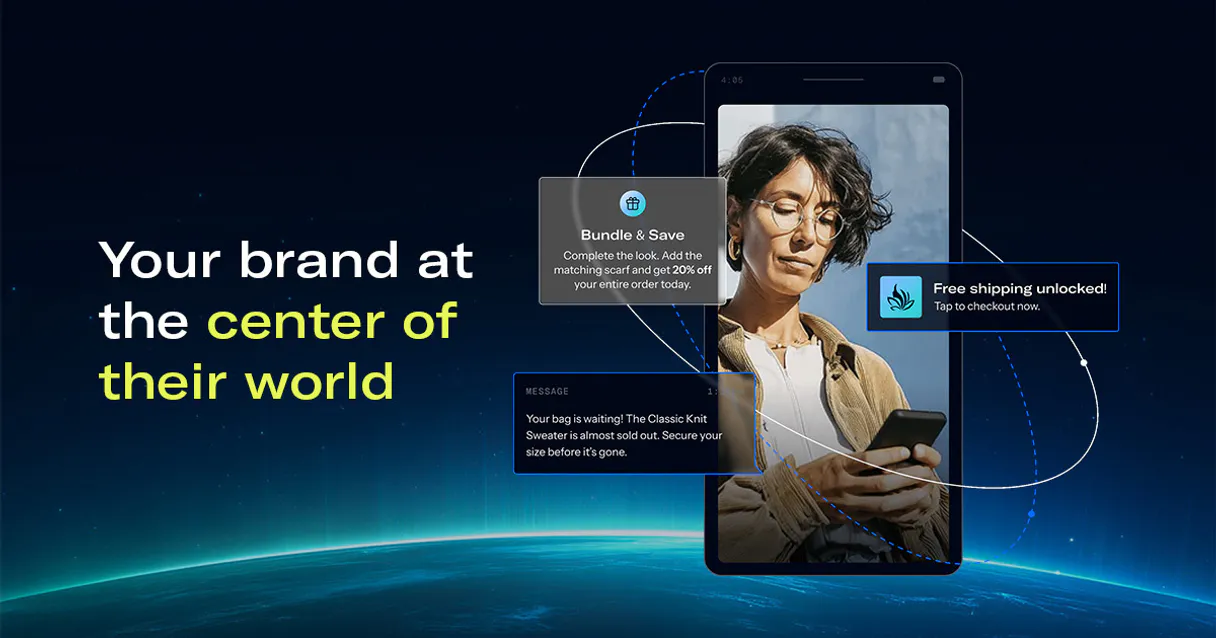
Independent Platform Disclaimer: Vinkius is an independent platform and is not affiliated with, endorsed by, sponsored by, verified by, or otherwise authorized by Airship. All third-party trademarks, logos, and brand names are the property of their respective owners. Their use on this website is strictly for informational purposes to identify service compatibility and interoperability.
VINKIUS INFRASTRUCTURE
Cloud Hosted
Managed infra
V8 Isolated
Sandboxed per request
Zero-Trust Proxy
No stored credentials
DLP Enforced
Policy on every call
GDPR Compliant
EU data residency
Token Compression
~60% cost reduction
Works with Claude, ChatGPT, Cursor, and more
The Model Context Protocol standardizes how applications expose capabilities to LLMs. Instead of operating in isolation, your AI gains direct access to external platforms, live data, and real-world actions through secure, standardized connections.
This server provides 10 capabilities that interface natively with Claude, ChatGPT, Cursor, and any MCP client. No middleware. No custom integration required.
Available Capabilities
Auditing a multi-channel campaign manually is a nightmare.
Today, sending a campaign means jumping between the segmentation tool to check if the audience is correct, then opening the channel dashboard to see if the target device is active, and finally running a separate report to confirm delivery success. You spend minutes just gathering status reports.
With the Airship MCP Server, you simply ask your agent to check the campaign status. It runs the necessary tools—like `get_push_status`—and gives you a single, definitive answer in your chat window. The process moves from hours of dashboard clicking to a single command.
Airship MCP Server: Send and monitor push notifications.
Manual deployment requires checking the audience list (`list_segments`), ensuring the target channels are ready (`list_channels`), and then manually triggering the send, followed by another manual check of the results. This is prone to human error.
Now, you direct your agent to send the notification. It handles the entire flow, from validating the segment to triggering the `send_push_notification` and confirming the result. It's a full, single-interaction workflow.
Common Questions About Airship MCP
How do I check the status of a push notification using get_push_status? +
You provide the operation ID to the agent. The agent uses get_push_status to pull the real-time delivery status. This confirms if the message was delivered across iOS, Android, or Web.
Which tool should I use to list all audience segments? list_segments? +
You use list_segments to see a master list of all segments. If you need to know the specific rules—like 'must have tag X AND be in group Y'—you then call get_segment_details.
Can I link a new device to a user using associate_named_user? +
Yes. associate_named_user links a device ID to an existing customer profile, ensuring that when you send a push notification, the user sees it on all their connected devices.
What is the difference between list_tags and list_static_lists? +
list_tags gives you a list of available, reusable tags. list_static_lists handles predefined groups, often those uploaded wholesale via CSV files.
Does Airship MCP Server support multi-channel targeting? +
Yes. It supports orchestration across iOS, Android, and Web channels. Your agent handles the complexity of targeting multiple channels through one single command.
How do I get metadata for a specific device using get_channel_details? +
It retrieves device metadata by requiring a channel ID. This tool provides details like the device type (iOS, Android) and when it was registered, which is useful for troubleshooting or confirming user profiles.
Can I manage user associations for multiple devices using list_named_users? +
Yes, list_named_users shows all existing named users. You then use other tools to associate new devices to these existing profiles, helping you map multiple physical channels to one customer identity.
What tools do I use to find out what criteria are in an audience segment? list_segments or get_segment_details? +
You must first use list_segments to get the names of the segments. Then, use get_segment_details, specifying the segment name, to retrieve the actual criteria, tags, and attributes used to define that audience.
How do I find my Airship App Key and Master Secret? +
Log in to the Airship dashboard, go to Settings > APIs & Integrations, and select Tokens. You will find your App Key and can generate/view your Master Secret there.
Which region should I choose? +
Choose US if your project is hosted on go.urbanairship.com or EU if it is hosted on go.airship.eu. Using the wrong region will result in authentication failures.
Can I target specific users by their email? +
Yes! Use the send_push_notification tool and specify the named_user in the audience. If your user's email is mapped as their Named User ID, Airship will deliver the push to all their associated devices.
Use it with your favorite AI tools
Connect this server to Cursor, Claude, VS Code, and more.
More in this category
Easemob / 环信
Pioneer massive scale IM Chat SDK and API — manage users, groups, and real-time messaging via AI.

ZEGO / 即构科技
Leading global RTC and IM platform — manage rooms, users, and media streams via AI.

SignalWire
Manage your cloud communications — send messages and audit calls via AI.
You might also like

Dev.to (Forem)
Manage Dev.to and Forem articles — list posts, create content, and inspect user profiles directly from any AI agent.

Every.org Charity
Universal charity intelligence — search non-profits, causes, and mission data via AI.

PandaDoc
Create, send, and track documents, proposals, and e-signatures via PandaDoc — manage the entire document lifecycle from any AI agent.