
Canix ERP MCP. Track everything from plants to sales orders, right here.
 Gemini
 Works with every AI agent you already use
…and any MCP-compatible client









Just plug in your AI agents and start using Vinkius.
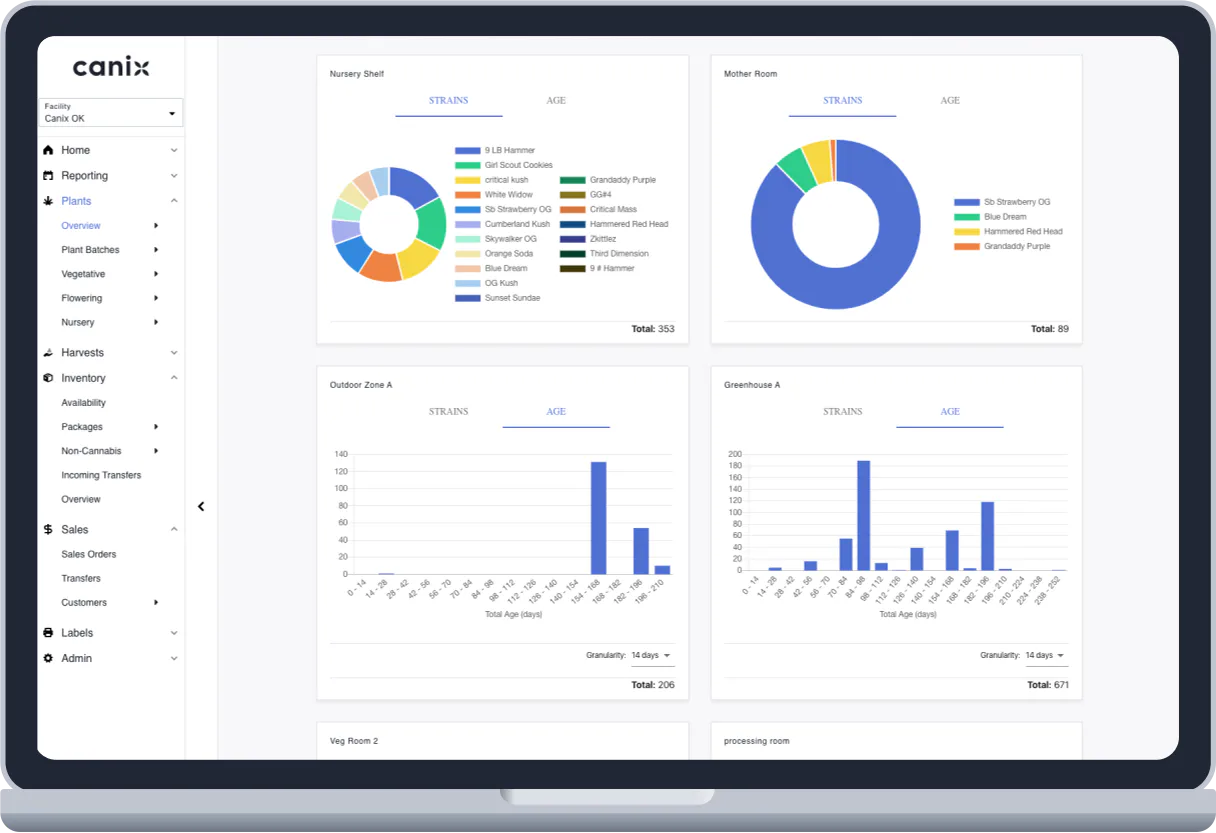
Canix ERP connects your AI agent directly to your cannabis operations. Track inventory, monitor plants, and manage sales orders—all from a single conversation.
Get detailed data on packages, specific plants, or entire batches without leaving your chat client. It handles everything from nutrient supplies to finished product sales.
What your AI agents can do
Get account info
Retrieves core account information for the facility.
Get non cannabis product
Gets detailed information about a specific non-cannabis product.
Get package details
Retrieves all metadata for a specific finished cannabis package.
Retrieves core account and facility information from Canix.
Pulls full metadata for a single, finished cannabis product package.
Retrieves specific status and details for one plant in the cultivation phase.
Generates a full list of all finished cannabis inventory packages in the system.
Lists or gets details on items like nutrients, packaging, or supplies that aren't cannabis products.
Gets detailed information about a specific sales order, including items and payments.
Retrieves a list of every sales order in the system for quick review.
Ask AI about this MCP
Supported MCP Clients
Gemini Waiting for input…
019d7568get account info
Retrieves core account information for the facility.
019d7568get non cannabis product
Gets detailed information about a specific non-cannabis product.
019d7568get package details
Retrieves all metadata for a specific finished cannabis package.
019d7568get plant details
Gets detailed status and data for one individual plant.
019d7568get sales order
Retrieves all details for a specific sales order ID.
019d7568list inventory packages
Lists all available finished cannabis inventory packages in Canix.
019d7568list non cannabis inventory
Lists all supplies like packaging or nutrients used in the facility.
019d7568list plant batches
Lists groups of immature plants ready for the next stage.
019d7568list plants
Lists every individual plant currently in the cultivation phase.
019d7568list sales orders
Lists every sales order to check order status and contents.
Choose How to Get Started
Build a custom MCP for your own tools, or connect a ready-made integration from our catalog.
Build Your Own
Turn any API into an MCP. Import a spec, define Agent Skills, or deploy with MCPFusion.
- Import from OpenAPI, Swagger, or YAML specs
- Create Agent Skills with progressive disclosure
- Deploy to edge with MCPFusion framework
- Built in DLP, auth, and compliance on every call
- Real time usage dashboard and cost metering
- Publish to catalog or keep private
Make Your AI Do More
Start with Canix ERP, then connect any of our 4,700+ other servers whenever your AI needs more. One click, no limits.
- Use this MCP plus 4,700+ others, all in one place
- Add new capabilities to your AI anytime you want
- Every connection is secured and compliant automatically
- Track usage and costs across all your servers
- Works with Claude, ChatGPT, Cursor, and more
- New servers added to the catalog every week
What you can do with this MCP connector
Canix ERP hooks your AI agent straight into your cannabis operation. You'll manage everything—from cultivation to finished product sales—all through conversation. You don't have to jump between dashboards to get a full picture of your business; your agent handles it all.
To get started, your agent can pull core account info for the facility using get_account_info. You can list all finished cannabis inventory packages with list_inventory_packages, and check the full metadata for a specific package using get_package_details. You'll also get detailed status and data for one plant in the cultivation phase using get_plant_details, and you can list every individual plant with list_plants or list groups of immature plants with list_plant_batches.
When it comes to supplies, your agent can list all non-cannabis inventory with list_non_cannabis_inventory or check details on a specific item using get_non_cannabis_product. For sales, you can list every sales order to see what's going on with list_sales_orders, and check the full details of a specific order using get_sales_order.
When you need to check out inventory, your agent can list every available finished cannabis inventory package in Canix, and you can get full details on any specific package. You can track supplies—like nutrients or packaging—by listing all non-cannabis inventory or pulling specific product info. To monitor your crop, you can get specific status and data on individual plants using get_plant_details, or list every plant currently growing using list_plants and see groups of immature plants with list_plant_batches.
You can also manage sales history; your agent can list all sales orders to check status and contents, and you can pull all details for one specific sales order using get_sales_order.
How Canix ERP MCP Works
- 1 Subscribe to the server and enter your Canix API Key.
- 2 Ask your AI client to perform a task, like 'List all active inventory packages.'
- 3 The agent calls the appropriate tool (
list_inventory_packages) and returns the structured data.
The bottom line is, your AI agent handles the API calls; you just talk to it.
Who Is Canix ERP MCP For?
This server is for cannabis operations professionals. If you're an Inventory Lead needing to verify package weights, or a Cultivation Manager who needs to check plant batches without opening a dashboard, this is for you. It puts your entire ERP system right into your chat workflow.
Verifies package tags and weights, or lists all inventory items using list_inventory_packages directly from the chat.
Checks the status of specific plants or immature plant batches by calling list_plants or list_plant_batches without manual dashboard navigation.
Monitors order progress and checks payment history by calling get_sales_order or list_sales_orders.
What Changes When You Connect
- Check plant status instantly. Instead of logging into the cultivation dashboard, ask your agent to run
list_plantsand get a real-time count of plants in the 'Flowering' phase. - Verify stock counts on the fly. Need to know if you have enough packaging? Run
list_non_cannabis_inventoryto see supplies like boxes or nutrient mixes without leaving the chat. - Manage sales from one place. Use
list_sales_ordersto see a list of recent orders, and then useget_sales_orderto check the payment status and contents of a specific one. - Deep dive into product data. If you need to check the weight or lot number of 'Blue Dream Flower,' just call
get_package_detailsand get the full metadata immediately. - See your whole operation overview.
get_account_inforetrieves core facility and account data, giving you the high-level metrics you need at a glance. - Track immature growth. Use
list_plant_batchesto see all groups of plants that are ready to move to the next stage, which is a major step in the workflow.
Real-World Use Cases
Discrepancy Check: Does the sales order match the inventory?
A sales manager needs to confirm an order. They ask their agent to run list_sales_orders to find the ID, then use get_sales_order to check the items. Finally, they call get_package_details using the item ID to ensure the listed package still has enough stock. Everything happens in the chat.
Cultivation Audit: How many plants are in the right phase?
The cultivation manager needs a quick count. They ask their agent to run list_plants to see every individual plant's status, and then use list_plant_batches to see how many immature batches are ready for harvest. This replaces manual counting on a physical board.
New Product Launch: What supplies do we need?
The operations lead starts a new product. They first run list_non_cannabis_inventory to see what packaging is available. Then, they use get_non_cannabis_product to check the specific nutrient requirements for that product, ensuring nothing is missed before scaling up.
Quick Account Check: What's the status of the facility?
A field worker needs basic data. They ask the agent to run get_account_info. This immediately provides core account details, letting them know if the facility is operational and what the main account parameters are, without needing to log into a portal.
The Tradeoffs
Manual Dashboard Jumping
The user logs into the inventory portal, copies a package ID. Then they switch to the sales portal, paste the ID to check the order, and finally open the cultivation dashboard to check the plant status. This process takes 15 minutes and requires three different logins.
→
Use your agent to run get_sales_order and get_package_details sequentially. The agent handles the ID passing and data stitching, keeping the whole process in one chat window.
Guessing Tool Inputs
The user tries to run get_plant_details but forgets the specific plant ID, so they just type 'my plant.' The tool fails because it needs a precise ID, forcing them to run list_plants first, wasting time.
→
First, run list_plants to get the list of IDs. Then, use the specific ID from that list in the get_plant_details tool call. The agent guides you through the correct sequence.
Separating Inventory and Sales Checks
The user checks list_inventory_packages to see what's available, and then checks list_sales_orders to see what was sold. They have to manually compare the two lists in a spreadsheet to find discrepancies.
→
Ask the agent to compare them in a single prompt. The agent can use both list_inventory_packages and list_sales_orders and then structure the comparison data for you in the response.
When It Fits, When It Doesn't
Use this server if your workflow requires checking multiple, disparate data points—like linking a sales order ID to a specific plant's batch ID, or checking if non-cannabis supplies are available before listing a new package. It's best when you need a comprehensive view of the entire supply chain.
Don't use this if you just need to read a single, static report (e.g., a monthly tax report). For simple data retrieval, a dedicated reporting tool might be cleaner. If your primary need is only to check plant status, you might just use list_plants and stop there; don't try to include sales data if it's not relevant.
Independent Platform Disclaimer: Vinkius is an independent platform and is not affiliated with, endorsed by, sponsored by, verified by, or otherwise authorized by Canix. All third-party trademarks, logos, and brand names are the property of their respective owners. Their use on this website is strictly for informational purposes to identify service compatibility and interoperability.
VINKIUS INFRASTRUCTURE
Cloud Hosted
Managed infra
V8 Isolated
Sandboxed per request
Zero-Trust Proxy
No stored credentials
DLP Enforced
Policy on every call
GDPR Compliant
EU data residency
Token Compression
~60% cost reduction
Works with Claude, ChatGPT, Cursor, and more
The Model Context Protocol standardizes how applications expose capabilities to LLMs. Instead of operating in isolation, your AI gains direct access to external platforms, live data, and real-world actions through secure, standardized connections.
This server provides 10 capabilities that interface natively with Claude, ChatGPT, Cursor, and any MCP client. No middleware. No custom integration required.
Available Capabilities
Managing cannabis inventory shouldn't require jumping between five different portals.
Right now, checking inventory is a nightmare. You jump into the ERP, check the package tags in one tab. Then you open the nutrient management system in another tab to see if you have enough supplies. If you need to check the order history, you have to copy the product name and paste it into a third, separate sales tool. It's copy-paste hell.
With Canix ERP, you tell your agent what you need. You ask, 'What's the inventory status for the 'Blue Dream Flower' package and do we have enough packaging?' Your agent calls `get_package_details` and `list_non_cannabis_inventory` and gives you one answer, right in the chat.
Canix ERP MCP Server: Track every stage, from seed to sale.
Before, tracking a plant's journey was manual. You'd check the nursery database, then check the batch tracker for immature plants, and then check the sales ledger when it was sold. These three steps were never connected in one view.
Now, your agent connects the dots. You can ask for a full lifecycle report, and it pulls data from `list_plants`, `list_plant_batches`, and `get_sales_order` to give you a single, connected view. It's the full picture, instantly.
Common Questions About Canix ERP MCP
How do I check the status of a specific cannabis package using get_package_details? +
You provide the specific package ID to the agent. The tool pulls all metadata—like lot numbers, weight, and harvest date—for that single package. You don't need to run any other listing tools first.
Can I list all sales orders using list_sales_orders? +
Yes, list_sales_orders gives you a complete list of every order. You can then follow up by giving the agent a specific ID and asking it to run get_sales_order for the full details.
What is the difference between list_plants and list_plant_batches? +
list_plants shows every individual, living plant. list_plant_batches shows groups of immature plants that are ready for the next operational stage.
Does Canix ERP help with non-cannabis supplies using list_non_cannabis_inventory? +
Yes. This tool lists supplies like nutrients or packaging. You can then use get_non_cannabis_product to get deep details on a specific supply item.
If I need to find details for a specific plant, should I use list_plants or get_plant_details? +
Use get_plant_details for specific information. This tool lets you query a single plant by its ID, giving you its current status and cultivation metadata.
How do I get core account information to start using the Canix ERP tools? +
You start by calling get_account_info. This tool fetches core account data, confirming your API connection and providing general facility details needed for subsequent operations.
What if I want to see all active inventory packages and their contents? +
Call list_inventory_packages. This tool retrieves a comprehensive list of all cannabis packages, allowing you to see package IDs, names, and associated weights in bulk.
Can I check the payment history for a sales order using get_sales_order? +
Yes, get_sales_order provides full details for a specific order. You can access the contents, the customer, and the complete payment history for that single sales order ID.
Can I check the weight of a specific package using the agent? +
Yes! Use the get_package_details tool with the Package ID. Your agent will fetch the detailed metadata, which includes the weight and unit of measure directly from Canix.
How do I list all the plants in a specific growth phase? +
Simply ask the agent to list_plants. You can then filter the results by growth phase or status metadata using the agent's natural language capabilities.
Does the integration allow creating a new sales order? +
The current toolset is focused on querying and monitoring (Read-Only) for operational oversight. Creating or updating sales orders should be managed through the Canix web interface or dedicated sales terminal.
Use it with your favorite AI tools
Connect this server to Cursor, Claude, VS Code, and more.
More in this category

MRPeasy
Manage manufacturing and inventory via MRPeasy — track customer orders, MOs, and stock items directly from your AI agent.

UK ONS Trade — International Trade & Business Activity
UK trade and business statistics: trade in goods by country and commodity (imports, exports, balance), business counts by industry and geography from the IDBR register, and experimental traffic camera activity indicators from the ONS.

Xiaoshouyi / Neocrm
China's leading enterprise CRM platform — manage leads, accounts, and opportunities via AI.
You might also like

Prisma Cloud
Connect Prisma Cloud to any AI agent via MCP.

SMOTE Oversampling Engine
Balance skewed datasets instantly by generating mathematically sound synthetic minority data points via KNN.

Focus Logística
Emit CT-e, MDF-e, manage cargo manifests and transport documents via Focus NFe API.