Asset Panda MCP. Manage asset lifecycle with natural conversation
Works with every AI agent you already use
…and any MCP-compatible client

Just plug in your AI agents and start using Vinkius.
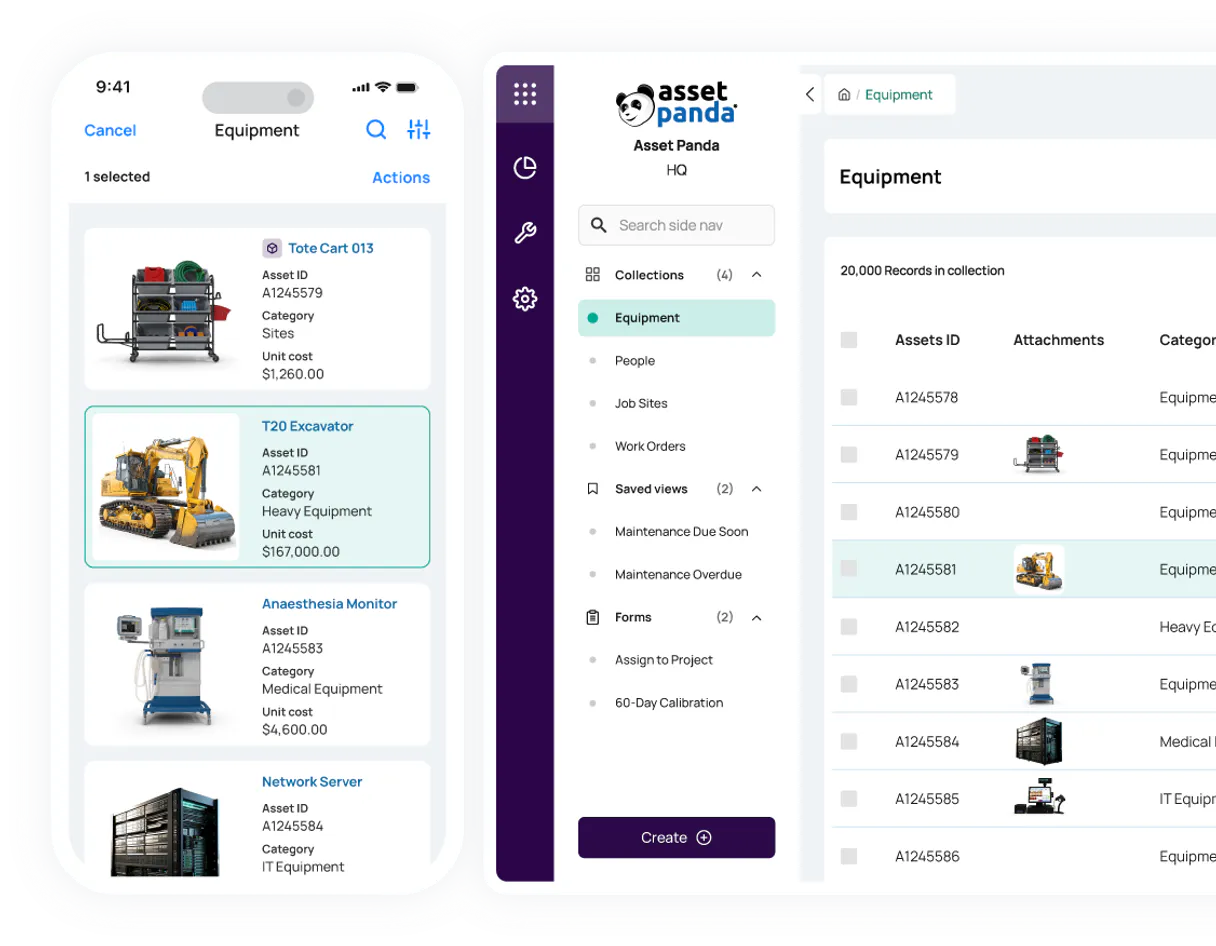
Asset Panda. Manage your entire fixed asset inventory from your chat interface. This MCP Server lets your AI agent track groups, retrieve details for individual assets, list all locations, and update asset records—all without leaving your client.
Need to audit hardware or track equipment location? Your agent handles the whole lifecycle.
What your AI agents can do
Create object
Adds a brand new asset record into a specified group.
Get account check
Verifies the connection status and permissions for your Asset Panda account.
Get group
Retrieves metadata and details for a specific asset group.
The agent retrieves a list of all entity groups (e.g., 'Laptops', 'Servers', 'Employees') defined in your system.
The agent pulls all metadata and custom field values for a single, named asset object.
The agent filters and retrieves a list of assets belonging to a specified group ID or name.
The agent generates and writes a brand new asset object record into a specified asset group.
The agent modifies existing asset objects, changing fields like status, assignment, or notes.
The agent pulls a list of all defined geographical locations or sites where assets are tracked.
Ask AI about this MCP
Supported MCP Clients
Waiting for input…
Asset Panda MCP Server: 8 Tools for Inventory Control
Use these eight tools to create, retrieve, update, and list every type of asset and group in your inventory system.
019d7553create object
Adds a brand new asset record into a specified group.
019d7553get account check
Verifies the connection status and permissions for your Asset Panda account.
019d7553get group
Retrieves metadata and details for a specific asset group.
019d7553get object
Gets all the data and custom fields for a single asset object.
019d7553list groups
Lists every organizational entity group (like 'Laptops' or 'Servers') in your account.
019d7553list locations
Lists all defined physical locations or sites across your organization.
019d7553list objects
Lists all assets belonging to a specific group or location.
019d7553update object
Modifies the status, location, or any field of an existing asset object.
Choose How to Get Started
Build a custom MCP for your own tools, or connect a ready-made integration from our catalog.
Build Your Own
Turn any API into an MCP. Import a spec, define Agent Skills, or deploy with MCPFusion.
- Import from OpenAPI, Swagger, or YAML specs
- Create Agent Skills with progressive disclosure
- Deploy to edge with MCPFusion framework
- Built in DLP, auth, and compliance on every call
- Real time usage dashboard and cost metering
- Publish to catalog or keep private
Make Your AI Do More
Start with Asset Panda, then connect any of our 4,700+ other servers whenever your AI needs more. One click, no limits.
- Use this MCP plus 4,700+ others, all in one place
- Add new capabilities to your AI anytime you want
- Every connection is secured and compliant automatically
- Track usage and costs across all your servers
- Works with Claude, ChatGPT, Cursor, and more
- New servers added to the catalog every week
What you can do with this MCP connector
You've got the Asset Panda MCP Server running, so your AI agent can manage your whole fixed asset inventory straight from your chat. You won't need to jump into a dashboard or export a spreadsheet to get the data you need. Your agent handles everything.
list_groups pulls a list of every organizational group you've set up, letting your agent know what types of assets you track (like 'Laptops' or 'Servers'). list_locations pulls a list of every physical site or location where you track assets.
When you need to know what's in a specific category, list_objects pulls all the assets belonging to a group or a location. If you only care about one piece of gear, get_object pulls all the data and custom fields for that single asset object.
Need to keep the records straight? create_object writes a brand new asset record into a specific group. You can change an asset's status, location, or notes by running update_object on an existing asset object.
Before your agent acts, you can run get_account_check to verify the connection status and check permissions for your account. You can also pull specific metadata and details for a group using get_group.
How Asset Panda MCP Works
- 1 Tell your AI agent what you need: 'Find all laptops in the Boston office.'
- 2 The agent executes multiple tools (
list_locationsthenlist_objects) and compiles the resulting list of assets. - 3 You get a structured, filtered list of assets, including their status and current location, without needing multiple API calls.
The bottom line is you can audit and manage your entire asset lifecycle by talking to your AI agent, not by building complex API calls.
Who Is Asset Panda MCP For?
This is for the IT Asset Manager who has to audit hundreds of assets and needs to update records instantly. It's for the Operations Lead who tracks equipment status across multiple sites. If your job involves knowing where a piece of hardware is or what its current status is, this is for you.
Runs natural language queries to audit hardware inventory, checking asset assignments and updating records across groups.
Uses the agent to track equipment location and status across different facilities, confirming where things actually are.
Retrieves detailed asset data for depreciation reports or compliance audits, avoiding manual data exports.
What Changes When You Connect
- Update assets instantly. Use
update_objectto change an asset's status or location directly from your chat. No manual form filling required. - Audit entire inventories with simple queries. Running
list_objectslets you pull all assets in a group, andlist_groupsshows you what groups exist to start with. - Know your assets' whereabouts. Use
list_locationsto see every site and thenlist_objectsto find what's at that specific site. - Build records without manual steps. Use
create_objectto log a new piece of equipment, assigning it to a group in one go. - Deep dives into single items. Need to know the full history of one server?
get_objectpulls every custom field and detail for that one asset. - Maintain data integrity. The server uses secure OAuth 2.0 to keep your asset data safe when your agent runs the tools.
Real-World Use Cases
Auditing a group for compliance
The auditor needs to verify all servers in the 'Data Center' group have current owners. They ask the agent to run list_objects on the 'Data Center' group. The agent returns the list, and the user verifies the 'Owner' field for every record, solving the compliance check without exporting a CSV.
Logging a new piece of equipment
A field tech finds a new piece of monitoring gear. Instead of filling out a form, they tell their agent: 'Log this new asset in the 'Field Gear' group.' The agent runs create_object, logs the asset, and assigns it to the correct group immediately.
Finding an asset's current location
The ops team needs to know where the expensive laser printer is. They ask the agent to list locations, identify the site, and then run list_objects filtered by that location, getting the exact, up-to-date location status.
Correcting an asset's status
The asset was found to be in 'Repair' instead of 'Active'. The manager tells the agent: 'Update asset obj_9988 status to In Repair.' The agent runs update_object and confirms the change is reflected in the system.
The Tradeoffs
Manual Data Cross-Referencing
Opening the asset dashboard, then switching to the location dashboard, then exporting two separate CSVs, and trying to merge them in Excel to find a single item's full status.
→
Tell your agent to find the asset. Use list_objects combined with list_locations to get a single, merged view of the asset's status and where it is, all through natural language.
Ignoring Group Structure
Trying to search for an asset by ID, but not knowing which main group or entity type it belongs to, so the search fails or returns incomplete data.
→
First, run list_groups to map out all organizational entities. Then, use get_group to understand the structure before attempting to find any specific assets using list_objects.
Forgetting to Verify Changes
Manually updating an asset status and assuming the change stuck, only to find out later the system didn't process the update correctly.
→
After running update_object, immediately ask the agent to run get_object on that ID. This verifies the change is logged and visible in the system record.
When It Fits, When It Doesn't
Use this if you need to manage the full asset lifecycle—meaning you need to know where an asset is, what group it belongs to, and what its current status is—all in one chat session. It’s perfect for auditing and operational tasks.
Don't use this if your only need is simple reporting or data visualization. If you just need a chart showing asset value over time, you should use a dedicated BI tool. Also, if you only need to check a simple boolean flag (e.g., 'Is this asset active?'), you might only need get_object and could get away with a simpler, dedicated API call. But for anything involving creation, listing, or status changes, this is the right tool.
Independent Platform Disclaimer: Vinkius is an independent platform and is not affiliated with, endorsed by, sponsored by, verified by, or otherwise authorized by Asset Panda. All third-party trademarks, logos, and brand names are the property of their respective owners. Their use on this website is strictly for informational purposes to identify service compatibility and interoperability.
VINKIUS INFRASTRUCTURE
Cloud Hosted
Managed infra
V8 Isolated
Sandboxed per request
Zero-Trust Proxy
No stored credentials
DLP Enforced
Policy on every call
GDPR Compliant
EU data residency
Token Compression
~60% cost reduction
Works with Claude, ChatGPT, Cursor, and more
The Model Context Protocol standardizes how applications expose capabilities to LLMs. Instead of operating in isolation, your AI gains direct access to external platforms, live data, and real-world actions through secure, standardized connections.
This server provides 8 capabilities that interface natively with Claude, ChatGPT, Cursor, and any MCP client. No middleware. No custom integration required.
Available Capabilities
Tracking assets and locations shouldn't require three different dashboards.
Right now, tracking an asset means clicking into the Asset Panda dashboard. You check the main inventory tab for the asset's name. Then, you have to switch to the 'Locations' tab to see where it is physically. Finally, if you need its detailed specs, you jump to a third section and manually enter the ID. It's a messy workflow of tabs and clicks.
With the Asset Panda MCP Server, you just talk to your agent. You tell it: 'Show me all laptops in the Chicago office.' The agent runs the necessary tools, pulls the location data, and cross-references it with the asset list. You get the final, accurate list right in the chat.
Asset Panda MCP Server: Track assets & locations
You eliminate the need to manually run reports for groups, then run separate reports for locations, and then manually correlate the IDs in a spreadsheet. The agent does all the running and matching for you.
Now, you can manage the entire inventory lifecycle by speaking to your agent. It handles the tool calls, the data joins, and the formatting. It's a single conversation, period.
Common Questions About Asset Panda MCP
How do I check if the Asset Panda MCP Server can list all asset groups? +
Yes, you can. Use the list_groups tool. This tool pulls every organizational entity defined in your account, giving you a full map of your asset categories.
Can I use the Asset Panda MCP Server to update an asset's location? +
Yes, use the update_object tool. You provide the asset's ID and the new location, and the agent writes the change directly to the system.
What is the best way to find all assets in a specific location? +
Start by using list_locations to confirm the location name. Then, let the agent run list_objects with the location criteria to get the full list of assets at that site.
Does the Asset Panda MCP Server support creating new assets? +
Yep. Run the create_object tool. You give the details, and the agent logs the new asset record into the correct group.
How does the Asset Panda MCP Server handle secure access when I use the `get_account_check` tool? +
It uses OAuth 2.0 Client Credentials flow. This means your AI client accesses your data using predefined client credentials, never requiring live user login details.
What happens if I try to update an asset with invalid data using the `update_object` tool? +
The server validates the input against your Asset Panda schema. If data fails validation, it returns a specific error code detailing exactly which field needs correction.
Can the Asset Panda MCP Server list all available asset groups using the `list_groups` tool? +
Yes, list_groups retrieves all organizational entities defined in your Asset Panda account. You'll get a full list of groups, like 'Laptops' or 'Servers'.
Does the Asset Panda MCP Server limit the number of objects I can retrieve with `list_objects`? +
The server handles large inventories by supporting pagination. When you list objects, you receive results in batches, allowing your AI agent to process massive datasets efficiently.
How do I find my Asset Panda Client ID and Secret? +
Log in to Asset Panda, go to Settings (cog icon) > API Configuration. Your Client ID and Client Secret will be displayed at the bottom of the page.
What is a 'Group ID' in Asset Panda? +
Groups (or Entities) are the categories for your records (e.g., Assets, Employees). You can find a group's ID in its URL when editing it in Settings > Group Settings.
How do I provide data for creating or updating assets? +
Use the jsonData parameter with a valid JSON string where keys are field IDs (e.g., {"field_123": "New Value"}). You can find field IDs by using the get_group tool.
Use it with your favorite AI tools
Connect this server to Cursor, Claude, VS Code, and more.
More in this category
Booking Manager
Manage yacht charters via Booking Manager — track yachts, check availability, and manage bookings directly from any AI agent.
Envi Healthcare Supply Chain
Equip your AI agent to manage healthcare purchase orders, track medical inventory, and monitor vendors via the Envi API.
MRPeasy
Manage manufacturing and inventory via MRPeasy — track customer orders, MOs, and stock items directly from your AI agent.
You might also like
Volvo Cars Connected
Monitor and manage your connected Volvo vehicle — check fuel levels, battery status, door locks, and trip statistics directly via AI.
Mux
Manage video assets and live streams via Mux — create assets and track performance directly from your AI agent.
commercetools
commercetools is a flexible, cloud-native e-commerce platform that provides a headless API for composable commerce. This MCP server allows you to manage products, orders, and customer data programmatically.