
Atlas MCP. Manage support tickets, customers, and articles via AI.
 Gemini
 Works with every AI agent you already use
…and any MCP-compatible client









Just plug in your AI agents and start using Vinkius.
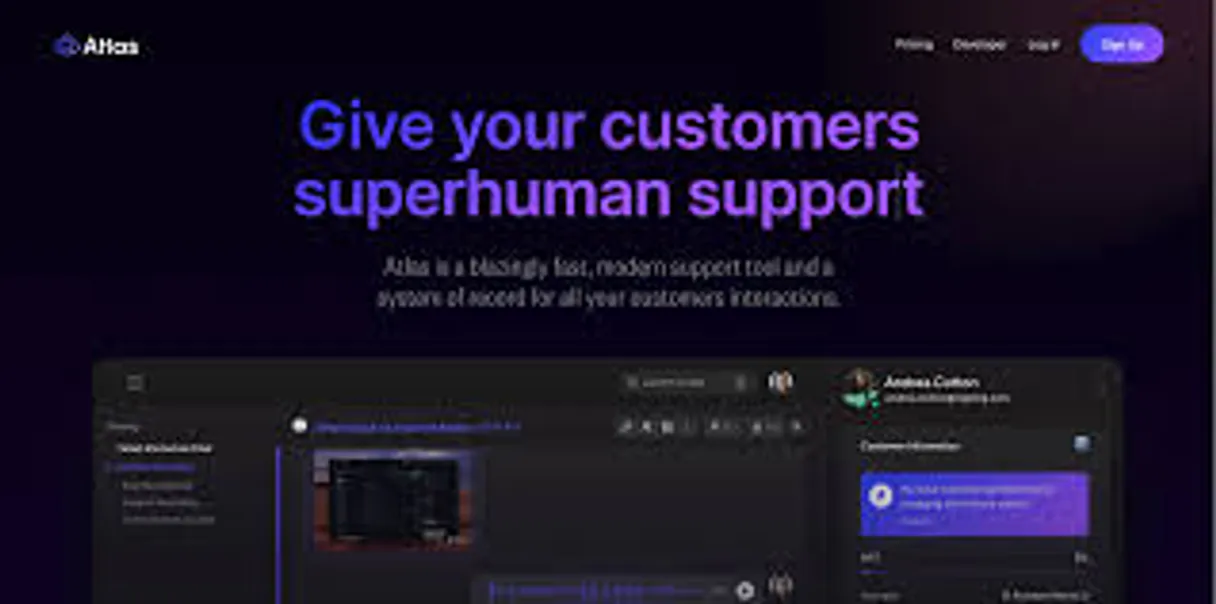
Atlas MCP Server connects your AI client directly to Atlas.so. It lets your agent manage the entire support operation—from listing active tickets to retrieving customer details and accessing the knowledge base.
You can list all support tickets, check customer profiles, and create new tickets, all using natural language commands.
What your AI agents can do
Create ticket
Opens a brand new support ticket in Atlas.
Get account check
Verifies your connection credentials for the Atlas account.
Get customer
Fetches detailed records for a single customer.
Retrieve and manage detailed information for specific customers or list all accounts in your Atlas instance.
List all open support tickets, get full conversation history for one ticket, or initiate a new ticket directly.
List available help center articles to provide accurate, documented information to customers.
View a roster of team users (agents) to quickly assess current support staff availability.
Audit active conversations and customer needs using simple, natural language commands.
Ask AI about this MCP
Supported MCP Clients
Gemini Waiting for input…
Atlas MCP Server: 8 Tools for Support Automation
Use these tools to manage tickets, get customer data, and list articles within Atlas.so. The server translates your requests into structured API calls.
019d7554create ticket
Opens a brand new support ticket in Atlas.
019d7554get account check
Verifies your connection credentials for the Atlas account.
019d7554get customer
Fetches detailed records for a single customer.
019d7554get ticket
Retrieves all details for a specific support ticket.
019d7554list articles
Lists the available articles in the help center knowledge base.
019d7554list customers
Lists every customer record stored in Atlas.
019d7554list tickets
Lists all support tickets currently active in Atlas.
019d7554list users
Shows a list of team members (agents) using the platform.
Choose How to Get Started
Build a custom MCP for your own tools, or connect a ready-made integration from our catalog.
Build Your Own
Turn any API into an MCP. Import a spec, define Agent Skills, or deploy with MCPFusion.
- Import from OpenAPI, Swagger, or YAML specs
- Create Agent Skills with progressive disclosure
- Deploy to edge with MCPFusion framework
- Built in DLP, auth, and compliance on every call
- Real time usage dashboard and cost metering
- Publish to catalog or keep private
Make Your AI Do More
Start with Atlas, then connect any of our 4,700+ other servers whenever your AI needs more. One click, no limits.
- Use this MCP plus 4,700+ others, all in one place
- Add new capabilities to your AI anytime you want
- Every connection is secured and compliant automatically
- Track usage and costs across all your servers
- Works with Claude, ChatGPT, Cursor, and more
- New servers added to the catalog every week
What you can do with this MCP connector
Atlas MCP Server connects your AI client straight to Atlas.so. Your agent handles the whole support operation—from seeing open tickets to pulling up customer info and checking the knowledge base. You just tell your agent what you need, and it does it.
How Atlas MCP Works
- 1 Your AI agent sends a natural language prompt (e.g., 'Show me open tickets for John Doe').
- 2 The Atlas MCP Server identifies the required tools (
list_tickets,get_customer) and executes them against the Atlas.so API. - 3 The server returns the structured data, which your agent uses to formulate a natural language answer for you.
The bottom line is your AI client talks to Atlas.so using structured commands, and the server translates those commands into actions.
Who Is Atlas MCP For?
Support Leads who hate clicking through complex dashboards. Product Managers who need to review customer feedback on specific features. Customer Success Managers who need deep customer history to resolve issues quickly. If you spend more time navigating systems than helping people, this is for you.
Checks the status of all open tickets and monitors team activity without leaving the chat window.
Reviews recent customer tickets and feedback related to new features or product updates.
Retrieves full customer history and relevant help articles to guide client interactions.
What Changes When You Connect
- Instead of opening the Atlas dashboard, you can simply ask your agent to
list_ticketsto see all open issues. You get the full list and status immediately, without clicking through dashboards. - When a customer asks a question, your agent runs
list_articlesto find the exact help center documentation. You get the correct, sourced information instantly. - Need to check a client's history? Use
get_customerto pull up names, emails, and internal IDs. This bypasses having to search through multiple tabs. - You don't need to manually write a ticket. Just ask your agent to
create_ticket, and it opens the record, sending the conversation data right away. - Keep track of who's on the team. Running
list_userslets you see your support capacity and who is available to handle the next wave of tickets.
Real-World Use Cases
Onboarding a New Client
A CS Manager needs to give a new client full context. They ask their agent to first run list_customers to confirm the account exists, then run get_customer to pull up the last five interactions, and finally run list_articles to pull up the relevant setup guide. The client gets a single, cohesive summary.
Handling a Billing Dispute
A Support Lead gets a complex billing query. They ask their agent to run list_tickets to find all recent billing-related issues, then run get_ticket on the specific ID. The agent sees the full conversation metadata and can immediately draft a response.
Auditing Team Performance
A Support Lead wants to know who is free and how many tickets are open. They run list_users to see team capacity, then run list_tickets to audit the current workload. They get a quick, cross-referenced view that saves minutes of dashboard clicking.
Escalating a Critical Issue
A Product Manager finds a critical bug report in a chat. They ask their agent to create_ticket immediately, ensuring the issue is logged. They also run get_customer to attach the customer's full profile details to the new ticket.
The Tradeoffs
Manual Dashboard Hunting
You open Atlas, click 'Tickets', filter by status 'Open', then switch tabs to 'Customers' to find the name, and finally copy that name into the ticket description.
→
Just ask your agent to run list_tickets to get the list, and if you need details, ask it to get_ticket using the ID. If you need customer info, ask it to get_customer by name. The agent handles the data linking.
Forgetting Context
You have a conversation about billing, but you forget to check if the customer profile has the latest email. You send the info to the wrong place.
→
Always start by asking the agent to run get_customer first. This ensures you have the most up-to-date account details before you write or update any records.
Overloading the Agent
Asking the agent to do five unrelated things in one prompt: 'List users, then get the customer, and also list tickets for them.'
→
Break it down. First, ask it to get_customer by name. Then, in a second prompt, ask it to list_tickets for that specific customer. Keep the steps focused.
When It Fits, When It Doesn't
Use this server if your workflow involves reading, writing, or cross-referencing support data (tickets, users, accounts, articles). You need to consolidate multiple views into one chat conversation. Don't use it if you only need to view a static report or if your process is entirely outside of Atlas.so. If your goal is merely data aggregation without action, a BI tool might be better, but if you need to act on the data (like creating a ticket or getting a customer ID), this is the right tool.
Independent Platform Disclaimer: Vinkius is an independent platform and is not affiliated with, endorsed by, sponsored by, verified by, or otherwise authorized by Atlas. All third-party trademarks, logos, and brand names are the property of their respective owners. Their use on this website is strictly for informational purposes to identify service compatibility and interoperability.
VINKIUS INFRASTRUCTURE
Cloud Hosted
Managed infra
V8 Isolated
Sandboxed per request
Zero-Trust Proxy
No stored credentials
DLP Enforced
Policy on every call
GDPR Compliant
EU data residency
Token Compression
~60% cost reduction
Works with Claude, ChatGPT, Cursor, and more
The Model Context Protocol standardizes how applications expose capabilities to LLMs. Instead of operating in isolation, your AI gains direct access to external platforms, live data, and real-world actions through secure, standardized connections.
This server provides 8 capabilities that interface natively with Claude, ChatGPT, Cursor, and any MCP client. No middleware. No custom integration required.
Available Capabilities
The old way: juggling tabs and copy-pasting data.
Today, you open your CRM. You find the customer. You open the ticketing system, then you search the knowledge base. You copy the customer's email from one tab and paste it into another to make sure the ticket goes to the right place. It's a mess of clicks and context switches.
With the Atlas MCP Server, you just tell your agent what you need. It pulls the customer data, finds the right article, and lists the tickets—all in one response. You get the full picture without leaving the chat.
Atlas MCP Server: Manage tickets, customers & articles
You no longer need to manually check ticket statuses across different views. Your agent runs `list_tickets` and `get_ticket` to give you the status, the owner, and the full history in one go. You just get the answer.
This changes everything. You move from manually tracking data to instructing the system to find it. It's immediate, structured data output.
Common Questions About Atlas MCP
How do I use the `create_ticket` tool with Atlas MCP Server? +
You tell your agent to create a ticket and provide the necessary details, like the subject and description. The server runs the tool, logs the ticket, and returns the new ticket ID.
Can I list all customers using the `list_customers` tool? +
Yes. The agent runs list_customers and gives you a full list of every customer record in Atlas, including names and emails.
What is the difference between `get_customer` and `list_customers`? +
list_customers gives you a list of everyone. get_customer runs on a specific ID or name and returns the complete, deep profile for just one account.
Does the Atlas MCP Server help me find articles using `list_articles`? +
Yes. The agent uses list_articles to show you a list of available help center articles, helping you find the right documentation.
How do I use `get_ticket` to find information about a specific support issue? +
You pass the unique ticket ID to get_ticket. This pulls all metadata, including the title, current status, and full conversation history for that single ticket. You can then analyze the conversation to see what was said and when.
Can I list all team members using the `list_users` tool? +
Yes, list_users provides a directory of all active agents on your team. This list includes names and roles, letting you check who's available to handle incoming tickets or review team capacity.
Is there a way to list all open support tickets using `list_tickets`? +
Yes, list_tickets retrieves a summary of all your support tickets. You can filter this list by status (open, closed, etc.) to get a quick overview of exactly what needs attention right now.
What kind of data can I get using `get_customer`? +
get_customer fetches comprehensive data for one person. It provides core details like their name, email, and unique internal Atlas ID, which is crucial for cross-referencing records.
How do I find my Atlas.so API Token? +
Log in to your Atlas dashboard, go to App Configuration > Data > API, and you will find your API Token there.
Can I see help center articles via this server? +
Yes, use the list_articles tool to retrieve a list of articles from your Atlas help center.
How are customer IDs handled? +
Atlas uses unique internal IDs for customers. You can discover these IDs by using the list_customers tool or searching for a specific customer by email.
Use it with your favorite AI tools
Connect this server to Cursor, Claude, VS Code, and more.
More in this category

YesNo
Get instant yes, no, or maybe decisions accompanied by fun GIFs to help your AI agent make choices or break ties.
AirMatch Pro
Match candidates to job openings with AI-powered recruitment scoring and talent pipeline management for faster hiring.

Funil de Vendas
Manage CRM opportunities, sales funnels, and activities via Funil de Vendas directly from your AI agent.
You might also like

Salesforce Commerce Cloud
Manage products, orders, price books, and catalog operations through natural conversation with your Salesforce Commerce data.
SimplyBook.me
Manage services, providers, and bookings on SimplyBook.me with AI agents.

DoiT
Equip your AI agent to manage cloud costs, track assets across AWS/GCP/Azure, and monitor cost anomalies via the DoiT API.