
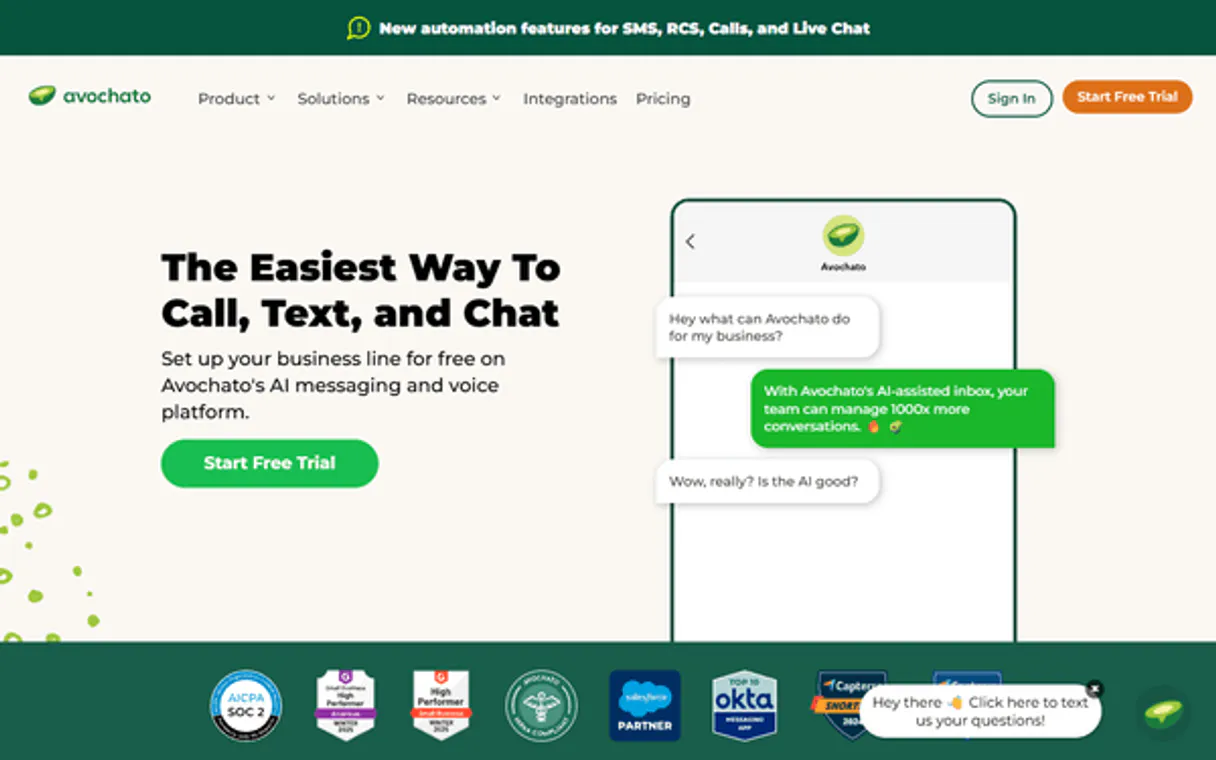
Avochato MCP for AI. Manage Customer Messages on Preferred Channels
 Gemini
 Works with every AI agent you already use
…and any MCP-compatible client









How this MCP server connects to your AI agent
Avochato MCP handles high-fidelity, two-way business messaging across SMS and MMS. Connect your AI agent to manage customer outreach, update tickets, and track interactions on the channels your customers actually use.
What AI agents can do with Avochato Automation
Create contact
Adds a brand new person or business contact to your directory.
Create webhook
Sets up a custom web hook endpoint for receiving notifications from Avochato.
Delete webhook
Removes an existing, active webhook from your account settings.
Your AI client sends high-fidelity SMS or MMS notifications to specific customers and leads.
The MCP lets you retrieve detailed contact profiles and manage your entire business directory programmatically.
You can create, update, and assign tickets to keep team workflows organized in real time.
Access complete conversation logs and message threads to maintain oversight of all digital communications.
Configure webhooks for incoming messages or retrieve account metadata directly for instant reporting.
Ask an AI about this
Waiting for input…
What AI agents can do with Avochato: 12 Available Tools
These tools let you perform specific actions like sending a message or updating a record. Your agent calls these functions when you ask it to do something.
Make your AI actually useful.
Add this MCP to Claude, Cursor, or Windsurf and your AI stops guessing. It gets real tools to look things up, take action, and handle the stuff you keep doing by hand.
Start using Avochato on VinkiusCreate Contact
Adds a brand new person or business contact to your directory.
Create Webhook
Sets up a custom web hook endpoint for receiving notifications from Avochato.
Delete Webhook
Removes an existing, active webhook from your account settings.
Get Contact
Retrieves specific details for one contact using their identifier.
Get Account Info
Fetches overall identity and metadata about your Avochato account.
List Contacts
Retrieves a comprehensive list of all stored SMS contacts.
List Messages
Lists conversation transcripts, including both sent and received SMS/MMS messages.
List Tickets
Displays a summary of all active support tickets in your system.
List Webhooks
Shows which web hooks are currently configured and running on the account.
Send Message
Dispatches a new, specific SMS or MMS message to any number you provide.
Update Contact
Modifies existing information for a contact record, like their phone number or name.
Update Ticket
Changes the status of a support ticket to move it through your internal workflow stages.
Security and governance baked right in.
Pick your AI client below to get set up. Just create a Vinkius account, subscribe, and you're instantly up and running. We handle the entire backend infrastructure, delivering out-of-the-box support for HTTPS Streamable, SSE, and OAuth2—zero messy routing required.
Claude AI
Open Claude Settings
Go to claude.ai, click your profile icon, then navigate to Customize → Connectors.
Add Custom Connector
Click the "+" button and select Add custom connector. Paste your Vinkius endpoint URL:
https://edge.vinkius.com/[YOUR_TOKEN_HERE]/mcp
Replace [YOUR_TOKEN_HERE] with your token
from cloud.vinkius.com. For OAuth-protected servers, expand
Advanced settings to add credentials.
Start a conversation
Open a new chat. The Avochato integration is available immediately — no restart needed.
Choose How to Get Started
Build a custom MCP for your own tools, or connect a ready-made integration from our catalog.
Build Your Own
Turn any API into an MCP. Import a spec, define Agent Skills, or deploy with MCPFusion.
- Import from OpenAPI, Swagger, or YAML specs
- Create Agent Skills with progressive disclosure
- Deploy to edge with MCPFusion framework
- Built in DLP, auth, and compliance on every call
- Real time usage dashboard and cost metering
- Publish to catalog or keep private
Make Your AI Do More
Start with Avochato, then connect any of our 5,100+ other servers whenever your AI needs more. One click, no limits.
- Use this MCP plus 5,100+ others, all in one place
- Add new capabilities to your AI anytime you want
- Every connection is secured and compliant automatically
- Track usage and costs across all your servers
- Works with Claude, ChatGPT, Cursor, and more
- New servers added to the catalog every week
Independent Platform Disclaimer: Vinkius is an independent platform and is not affiliated with, endorsed by, sponsored by, verified by, or otherwise authorized by Avochato. All third-party trademarks, logos, and brand names are the property of their respective owners. Their use on this website is strictly for informational purposes to identify service compatibility and interoperability.
VINKIUS INFRASTRUCTURE
Cloud Hosted
Managed infra
V8 Isolated
Sandboxed per request
Zero-Trust Proxy
No stored credentials
DLP Enforced
Policy on every call
GDPR Compliant
EU data residency
Token Compression
~60% cost reduction
Built on the Model Context Protocol (MCP) for Claude, ChatGPT, Cursor, and more
The Model Context Protocol standardizes how applications expose capabilities to LLMs. Instead of operating in isolation, your AI gains direct access to external platforms, live data, and real-world actions through secure, standardized connections.
This connection provides 12 powerful capabilities that interface natively with Claude, ChatGPT, Cursor, and other compatible AI platforms. No middleware. No custom integration required.
Keeping track of conversations feels like managing a thousand sticky notes., Solved with Vinkius AI Gateway
Right now, your team probably has to jump between the messaging app, the CRM dashboard, and a spreadsheet just to understand one client's journey. You check the chat log for context, then you click into the ticket system to see if it's assigned, and finally, you copy-paste the contact details to make sure the next message is personalized.
With this MCP connected through Vinkius, your agent handles all that complexity internally. It pulls the necessary customer data from the directory, checks the current ticket status, and sends the perfectly worded notification—all based on a single prompt.
Avochato MCP: Centralized Messaging and Contact Ops
The tedious manual steps that disappear are the logging of every conversation, the status changes in your internal ticketing system, and manually verifying contact details before sending an update. No more clicking through three different tabs to get one answer.
Your agent acts as a single source of truth. It ensures consistency by using tools like `update_contact` and managing ticket flow via `update_ticket`, making communication reliable and scalable.
What your AI can actually do with this
This MCP connects your Avochato account to any AI client, letting you take full control of complex customer engagement workflows through natural conversation. You can instantly send personalized messages to leads or existing clients, handling links and media automatically. Beyond messaging, your agent manages the entire contact lifecycle; it reads detailed profiles and tracks every interaction history for your team's directory.
Need to keep internal operations clean? Your AI can organize team work by creating and updating tickets, monitoring status changes in real-time. You get a complete view of all message threads and conversation logs without having to jump between systems. By connecting through Vinkius, you give your agent the ability to act as a dedicated communication coordinator for your business.
019dd0bf-ab7a-737f-b3c1-616ec3952f8b 
Here's how it actually works
The bottom line is you use your AI agent as a unified communication layer that manages messaging, contacts, and internal workflows without manual logging.
Subscribe to this MCP and grab your Auth ID and Auth Secret from Avochato's API Access settings.
Connect these credentials to your AI client, giving it the necessary permissions to communicate with your account.
Ask your agent to perform a task—like sending an update or listing all active tickets—and watch the action happen.
Who is this actually for?
This MCP serves marketing managers who hate manually tracking SMS campaign results, support agents tired of switching between CRM tabs to update ticket statuses, or sales teams needing immediate follow-ups after a client call. If your job requires communicating with people on their mobile device, you need this.
They manage high-volume ticket queues and update customer statuses instantly using natural language commands.
They send personalized order updates and follow-up messages to leads based on the client's recent conversation history.
They orchestrate SMS broadcasts for campaigns and retrieve audience engagement data by querying active communication logs.
What Changes When You Connect
Send targeted updates instantly. Use the send_message tool to dispatch personalized SMS/MMS notices for order status changes or follow-ups.
Maintain a complete customer history. By querying conversation logs using list_messages, you never lose context, keeping your team informed on every interaction.
Streamline support operations. Use the MCP to manage ticket lifecycles by running update_ticket and getting full visibility via list_tickets without leaving your agent's chat window.
Keep your data fresh. Never manually update client info again; use update_contact or create_contact to ensure all records are current before sending a message.
Automate system monitoring. You can set up real-time alerts by creating webhooks, and check the status of these endpoints using list_webhooks.
See it in action
Needing to notify clients about delays
A sales rep needs to tell a client their shipment is delayed. Instead of logging into Avochato, they ask their agent: 'Send an SMS saying the package will arrive Tuesday' using send_message. The message goes out immediately and the sender gets confirmation.
Handling incoming support queries
A customer texts in a complex issue. An agent asks their AI client to 'list all active tickets' using list_tickets to see if this user has an existing, related complaint, ensuring they don't duplicate work.
Updating contact details after a call
A representative gets a new phone number from a client. They prompt their agent: 'Update the contact record for John Smith with this new number.' The MCP uses update_contact to keep the directory accurate.
Getting an overview of recent activity
A manager asks the system, 'What were the last five messages exchanged with our top 10 clients?' The agent runs list_messages, providing instant, actionable conversation history.
The honest tradeoffs
Manually tracking communication threads
The support team keeps a spreadsheet of client communications. When the AI sends an update, someone has to manually copy-paste the details into the sheet for audit purposes.
Let your agent handle it automatically. Use list_messages and get_account_info together. This gives you a centralized view of all messages and account metadata without ever touching a spreadsheet.
Forgetting to update contact fields
A client moves phone numbers, but the team uses old data because they never had an automated way to refresh records. This results in failed messaging attempts.
Always run get_contact or use the agent's ability to update_contact. This ensures that before you send a message via send_message, your contact details are current.
Over-relying on visual dashboards
The team waits until the end of the day to check if any critical tickets were missed, leading to slow response times and customer frustration.
Configure real-time monitoring. Use create_webhook so your agent gets instant alerts when a message comes in or an account event occurs.
When It Fits, When It Doesn't
Use this MCP if your business model relies heavily on two-way, automated customer communication and requires structured data management (tickets, contacts). If you need to send messages across SMS/MMS channels and manage the records around those messages, this is it. Don't use this just because you want a messaging tool; use it for the operational control over messaging. For instance, if your primary need is only generating complex marketing copy based on historical data, look into general document AI tools instead. However, if that copy needs to be sent out immediately and tracked against a specific contact record, then yes, this MCP gives you both the communication power (send_message) and the necessary guardrails (using list_contacts and get_contact).
Questions you might have
How does the Avochato MCP handle message delivery status? +
The agent provides real-time feedback on message actions. It confirms whether a notification was successfully dispatched, allowing you to track its current 'Sent' status immediately.
Can I use the list_contacts tool with external data? +
No, list_contacts only reads from your existing Avochato directory. If you need to merge external lists, you must first send that data to a separate system for consolidation.
What is the difference between list_messages and list_tickets using Avochato MCP? +
list_messages shows raw SMS/MMS conversation threads. list_tickets provides an overview of structured support incidents, showing status and ownership.
Does the Avochato MCP handle MMS messages as well as SMS? +
Yes, it handles both standard text (SMS) and multimedia messages (MMS), allowing you to send richer content through your agent.
Do I need to call update_contact every time a client calls me? +
Not necessarily. Your AI agent can be programmed to read the new details from a conversation log and use update_contact only when significant changes, like phone numbers, are detected.
We've already built the connector for Avochato. Just plug in your AI agents and start using Vinkius.
No hosting. No infrastructure. No complex setup.
All 12 tools are live and waiting.
You're up and running in seconds.
Gemini Vinkius gives your AI agents access to the full catalog of app connectors, all fully managed, secure, and enterprise-ready. One subscription, every tool you need.
Built, hosted, and secured by Vinkius. You just connect and go.