
Basis Technologies MCP. Manage ad spend and campaigns without leaving your chat.
 Gemini
 Works with every AI agent you already use
…and any MCP-compatible client









Just plug in your AI agents and start using Vinkius.
Basis Technologies MCP Server manages your programmatic advertising campaigns, tactics, and ads. Connect your Basis DSP account to your AI agent and run ad spend optimization from natural conversation.
List campaigns, audit ad creatives, and retrieve performance metrics for any campaign or tactic directly from your workflow.
What your AI agents can do
Get ad
Retrieves specific details for a single ad creative.
Get campaign
Gets all the details for a specific Basis campaign.
Get campaign performance
Pulls performance metrics, like impressions and spend, for a defined campaign.
List all active and past Basis DSP campaigns using list_campaigns.
Fetch real-time performance metrics (impressions, CTR, spend) for specific campaigns or tactics using get_campaign_performance or get_tactic_performance.
Get a list of every ad creative and check its current status with list_ads.
List all clients or list all brands to map the high-level organizational structure of your ad spend.
Pull detailed information on specific ad tactics (line items) using get_tactic or list_tactics.
Ask AI about this MCP
Supported MCP Clients
Gemini Waiting for input…
Basis Technologies MCP Server: 10 Tools for Ad & Campaign Management
Use these tools to list clients, campaigns, ads, and tactics, and fetch performance data from your Basis DSP account using natural conversation.
019d7558get ad
Retrieves specific details for a single ad creative.
019d7558get campaign
Gets all the details for a specific Basis campaign.
019d7558get campaign performance
Pulls performance metrics, like impressions and spend, for a defined campaign.
019d7558get tactic
Gets specific details for a single ad tactic (line item).
019d7558get tactic performance
Pulls performance metrics, like spend and CTR, for a defined ad tactic.
019d7558list ads
Lists every ad creative configured in the account.
019d7558list brands
Lists all brands managed within the Basis DSP account.
019d7558list campaigns
Lists every top-level Basis DSP campaign.
019d7558list clients
Lists all clients or advertisers managed by the account.
019d7558list tactics
Lists every specific ad tactic (line item) configured.
Choose How to Get Started
Build a custom MCP for your own tools, or connect a ready-made integration from our catalog.
Build Your Own
Turn any API into an MCP. Import a spec, define Agent Skills, or deploy with MCPFusion.
- Import from OpenAPI, Swagger, or YAML specs
- Create Agent Skills with progressive disclosure
- Deploy to edge with MCPFusion framework
- Built in DLP, auth, and compliance on every call
- Real time usage dashboard and cost metering
- Publish to catalog or keep private
Make Your AI Do More
Start with Basis Technologies, then connect any of our 4,700+ other servers whenever your AI needs more. One click, no limits.
- Use this MCP plus 4,700+ others, all in one place
- Add new capabilities to your AI anytime you want
- Every connection is secured and compliant automatically
- Track usage and costs across all your servers
- Works with Claude, ChatGPT, Cursor, and more
- New servers added to the catalog every week
What you can do with this MCP connector
Basis Technologies MCP Server lets your AI client manage your programmatic ad spend. You connect your Basis DSP account, and your agent handles the whole process just from talking to it. You don't gotta touch that complex DSP dashboard. This server gives you ten tools to manage everything from the top-level campaigns down to individual ad creatives.
You can list all active and past campaigns using list_campaigns. You can audit all your configured ad creatives by calling list_ads. You can check out the whole account's structure by listing all clients with list_clients or all brands with list_brands. To look into specific ad tactics, you can call list_tactics to see every line item configured, or use get_tactic to get details on a single tactic.
You'll pull detailed info on a specific ad creative using get_ad or get all the details for one Basis campaign using get_campaign or a specific ad tactic using get_tactic. You can pull real-time performance metrics—like impressions, CTR, and spend—for a specific campaign with get_campaign_performance, or check the metrics for a specific ad tactic using get_tactic_performance.
You'll see the metrics for any campaign or tactic directly in your workflow.
How Basis Technologies MCP Works
- 1 Subscribe to the server and provide your Basis DSP Access Token.
- 2 Tell your AI agent what you need—for example, 'Show the performance for the Summer Sale 2024 campaign.'
- 3 The agent calls the relevant tool (e.g.,
get_campaign_performance) and returns the structured data to your conversation.
The bottom line is, you talk to your agent, and it runs the necessary API calls to pull the ad data for you.
Who Is Basis Technologies MCP For?
Media Buyers and AdOps teams need this. You're the person who wakes up at 2 AM, staring at a complex DSP dashboard, just trying to figure out if the Q3 retargeting campaign is on budget. You need to audit 50 ad creatives and pull performance stats for 10 different tactics without leaving your chat window.
Checks campaign statuses and pacing instantly. Instead of navigating complex DSP dashboards, they ask their agent to verify if the campaign is hitting its target spend.
Audits ad creatives and tactic configurations straight from their workflow tools. They use the server to list ads and verify statuses across the digital portfolio.
Pulls performance reports for clients on the fly during meetings. They use the agent to retrieve key metrics so they can summarize performance without logging into the platform.
What Changes When You Connect
- See campaign statuses instantly. Use
list_campaignsto get a full list of running campaigns and check their basic metadata, so you don't have to navigate the DSP dashboard. - Audit ads on demand. Call
list_adsto list all ad creatives and verify their statuses across your entire digital advertising portfolio. - Get performance stats right where you work. Use
get_campaign_performanceto pull real-time metrics for any campaign, letting you make data-informed decisions quickly. - Pinpoint spending issues. Use
get_tactic_performanceto drill down into a specific line item, figuring out exactly which targeting strategy needs adjusting. - Understand your account scope. Running
list_clientsandlist_brandsgives you a quick, high-level map of every advertiser and brand managed by the platform. - Save time on reporting. Instead of exporting data and pasting it into a spreadsheet, your agent runs the tools and gives you the metrics directly in the chat.
Real-World Use Cases
Checking Campaign Pacing Mid-Meeting
An Account Manager needs to report on the 'Retargeting Q3' campaign during a client call. Instead of interrupting the meeting to log into Basis, they ask their agent. The agent uses get_campaign_performance and provides the CTR, total spend, and pacing status instantly, keeping the flow of the conversation going.
Debugging a Poorly Performing Tactic
A Media Buyer notices that one specific line item is underperforming. They use list_tactics to get the ID, then call get_tactic_performance to pull the metrics. This immediately shows the low conversion rate, allowing them to adjust the bid strategy without guessing.
Auditing Ad Creative Compliance
An AdOps Specialist needs to ensure every active ad meets brand guidelines. They run list_ads to get every creative ID, then check the status of each one. This audit process is done entirely within their workflow tool, not in the ad platform UI.
Mapping Client Relationships
A planner needs to understand which campaigns belong to which brand. They run list_clients to see all accounts, then list_brands to see the brands under each. This quickly builds a map of the entire organization's ad spend structure.
The Tradeoffs
Treating the API like a single endpoint
Trying to run a single, massive query to 'get all performance data for all clients' and hoping it returns a clean JSON object with everything. This fails because the data is too complex and requires multiple sequential lookups.
→
Break the request into steps. First, use list_clients to get the list of IDs. Then, iterate through those IDs and use get_campaign_performance for each client's major campaigns. The agent handles the iteration and data assembly.
Focusing only on the top-level campaigns
Just running list_campaigns and deciding everything is fine. This ignores the fact that poor performance often comes down to a single, poorly targeted tactic.
→
After listing campaigns, you must drill down. Use list_tactics to see all line items, then use get_tactic_performance to find the specific tactic that needs optimization. This is where the real spend control happens.
Manually cross-referencing assets
Copying campaign IDs from one dashboard, pasting them into a spreadsheet, and then manually checking the ad status in a second tool. This process is slow and prone to copy-paste errors.
→
Use the tools to automate the flow. Start by using list_campaigns to gather IDs, then pass that list to the agent to run get_campaign_performance for all of them simultaneously.
When It Fits, When It Doesn't
Use this server if your process requires checking, auditing, or retrieving performance data across multiple, interconnected ad components (Clients -> Brands -> Campaigns -> Tactics -> Ads). You need to know why the spend is happening, not just that it happened. Don't use this if you only need to view static, non-configurable data (like a simple contact list). If you need predictive modeling based on external market trends (like competitor ad spending), this tool won't help; it only reports on what Basis actually shows.

Independent Platform Disclaimer: Vinkius is an independent platform and is not affiliated with, endorsed by, sponsored by, verified by, or otherwise authorized by Basis Technologies. All third-party trademarks, logos, and brand names are the property of their respective owners. Their use on this website is strictly for informational purposes to identify service compatibility and interoperability.
VINKIUS INFRASTRUCTURE
Cloud Hosted
Managed infra
V8 Isolated
Sandboxed per request
Zero-Trust Proxy
No stored credentials
DLP Enforced
Policy on every call
GDPR Compliant
EU data residency
Token Compression
~60% cost reduction
Works with Claude, ChatGPT, Cursor, and more
The Model Context Protocol standardizes how applications expose capabilities to LLMs. Instead of operating in isolation, your AI gains direct access to external platforms, live data, and real-world actions through secure, standardized connections.
This server provides 10 capabilities that interface natively with Claude, ChatGPT, Cursor, and any MCP client. No middleware. No custom integration required.
Available Capabilities
Trying to get a full picture of ad performance usually involves jumping between five different tabs.
Right now, to check if a campaign is pacing correctly, you have to jump into the DSP platform, find the campaign ID, check the performance tab, then maybe drill down into the tactics tab to see the line item details, and finally, pull the ad creative status from a separate asset manager. It's a minimum of five tabs, three different logins, and at least 15 clicks.
With this MCP server, you tell your agent the problem—'Check the pacing for the Q3 retargeting campaign.' You get the full performance data, the campaign list, and the underlying tactics details back in a single, conversational response. The whole process happens without leaving your chat.
Using the Basis Technologies MCP Server for ad data.
The biggest time sink is the manual audit process. To check if all your ad creatives are compliant, you'd have to run reports on the ad asset manager, download the CSV, and then manually check the status column for errors or expirations. That's tedious, and you'll miss things.
Now, you just ask your agent to run `list_ads`. It gives you the complete, verified list of assets and their current status—all in one go. You skip the reporting, the downloading, and the manual checking. It's fast, and it's accurate.
Common Questions About Basis Technologies MCP
How do I use the `list_campaigns` tool to see all my active campaigns? +
Just ask your agent to 'List all campaigns.' The agent runs list_campaigns and returns a list of all campaigns, along with their IDs, letting you know exactly what's running right now.
Can I get performance metrics for a specific tactic using `get_tactic_performance`? +
Yes. You specify the tactic ID and ask for the performance. The agent calls get_tactic_performance and gives you the metrics like CTR and total spend for that line item.
What is the difference between `list_campaigns` and `list_tactics`? +
The difference is scope. list_campaigns shows the high-level campaigns (the umbrella bucket). list_tactics shows the specific, individual line items—the actual targeting and bidding settings that drive the spend.
Does the server help me audit my ad creatives with `list_ads`? +
Yes. list_ads lists every ad creative in your account. It's the single source of truth for checking ad status and metadata without logging into the ad platform.
What information can I pull using the `get_campaign` tool? +
It provides detailed metadata for a specific campaign. You can check things like the campaign's start/end dates, target audiences, and associated budget parameters.
How do I check the status of a client using the `list_clients` tool? +
The list_clients tool retrieves a roster of all advertisers. This lets you quickly verify which brands or accounts are currently managed within your Basis DSP setup.
Can I use `get_ad` to see performance metrics? +
No, get_ad only retrieves specific ad creative details. For performance metrics, you need to use the dedicated tools like get_campaign_performance or get_tactic_performance.
What's the difference between `list_campaigns` and `list_clients`? +
The list_campaigns tool lists active advertising efforts. The list_clients tool lists the parent accounts or advertisers that own those campaigns.
Can I check the real-time performance of a specific campaign? +
Yes! Use the get_campaign_performance tool with the Campaign ID. Your agent will fetch the latest KPIs including impressions, clicks, and spend directly from the Basis analytics engine.
How do I list all active tactics for my account? +
Simply ask the agent to list_tactics. It will retrieve the execution-level line items, showing their status and basic configuration for your review.
Does this integration allow making changes to my budgets? +
Currently, the toolset is focused on querying and analysis (Read-Only). You can list and inspect campaigns, tactics, and performance, but budget adjustments must be performed within the Basis DSP platform for security.
Use it with your favorite AI tools
Connect this server to Cursor, Claude, VS Code, and more.
More in this category

Kelkoo
Search product offers, compare prices, and explore retail catalogs via Kelkoo.

Reportei
Generate marketing performance reports from Google, Facebook, and Instagram data in minutes for client presentations.

DISQO
Equip your AI agent to manage consumer insight projects, track audiences, and monitor behavioral metrics via the DISQO API.
You might also like

FDIC BankFind Suite
Access comprehensive FDIC data on financial institutions, branches, history, and financial performance directly from your AI agent.

Surveypal
Design employee experience surveys and customer feedback programs with analytics that turn responses into actionable improvements.
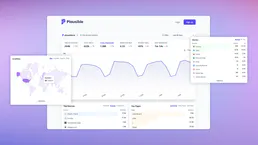
Plausible
Monitor website analytics via Plausible — track visitors, pageviews, and bounce rates directly from any AI agent.