
Berg System CRM MCP for AI Agents. Manage Policies and Client Lives Conversationally
Berg System CRM provides an AI connection that puts your insurance agency operations directly into natural conversation. Use this MCP to track client relationships, monitor policies, and manage complex sales cycles without ever leaving your chat interface. It handles everything from listing corporate clients to checking policy coverage details instantly.
 Claude
  ChatGPT
  Cursor
  Gemini
  Windsurf
  VS Code
  JetBrains
  Vercel
 Give Claude and any AI agent real-world access
List, search, and gather detailed profile information for both individual and corporate clients.
Get status updates on active policies and access high-fidelity metadata for current insurance coverage.
Review the entire sales pipeline, monitor deal progress, and create new leads or companies instantly.
Access internal system data to list employees or manage active tasks and reminders for the agency team.
Pull up a complete log of all historical interactions associated with any client record.
Ask an AI about this


Waiting for input…
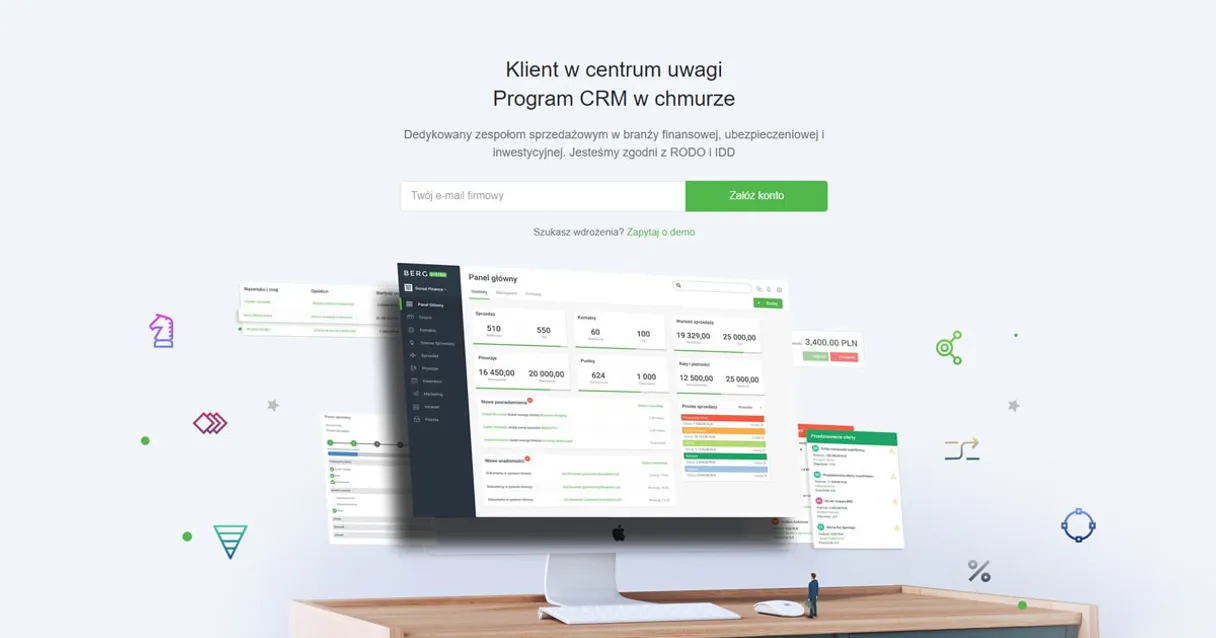
What AI agents can do with Berg System CRM: 12 Tools for Agency Operations
These tools allow your AI agent to execute specific actions in Berg System. Use them to list client records, check policy statuses, and manage sales opportunities directly from any chat interface.
Make your AI actually useful.
Add this MCP to Claude, Cursor, or Windsurf and your AI stops guessing. It gets real tools to look things up, take action, and handle the stuff you keep doing by hand.
Start using Berg System CRM MCPCheck Api Health
Verifies that the Berg System API is currently active and running correctly.
Create New Company
Adds a brand-new business client record to your CRM system.
Create New Customer
Registers and adds an entirely new customer into the system, bypassing duplicate...
Get Customer Details
Pulls up specific information and a profile summary for any existing customer.
Get Sales Custom Fields
Retrieves specialized, non-standard data fields used for custom tracking within...
List Crm Companies
Lists all corporate client accounts currently stored in the CRM directory.
List Crm Customers
Retrieves a list of all individual and household customers tracked by the system.
List Stored Documents
Lists documents that have been uploaded to or stored within the CRM platform.
List System Employees
Displays a roster of all employees registered in the organization's system directory.
List Insurance Policies
Shows a list of all active insurance policies linked to client accounts.
List Sales Opportunities
Generates a current view of all sales records and potential deals in the pipeline.
List Crm Tasks
Shows all pending tasks, reminders, and outstanding action items across the agency.
Security and governance baked right in.
Pick your AI client below to get set up. Just create a Vinkius account, subscribe, and you're instantly up and running. We handle the entire backend infrastructure, delivering out-of-the-box support for HTTPS Streamable, SSE, and OAuth2—zero messy routing required.
Claude AI
Open Claude Settings
Go to claude.ai, click your profile icon, then navigate to Customize → Connectors.
Add Custom Connector
Click the "+" button and select Add custom connector. Paste your Vinkius endpoint URL:
https://edge.vinkius.com/[YOUR_TOKEN_HERE]/mcp
Replace [YOUR_TOKEN_HERE] with your token
from cloud.vinkius.com. For OAuth-protected servers, expand
Advanced settings to add credentials.
Start a conversation
Open a new chat. The Berg System CRM integration is available immediately — no restart needed.




Choose How to Get Started
Build a custom MCP for your own tools, or connect a ready-made integration from our catalog.
Build Your Own
Turn any API into an MCP. Import a spec, define Agent Skills, or deploy with MCPFusion.
- Import from OpenAPI, Swagger, or YAML specs
- Create Agent Skills with progressive disclosure
- Deploy to edge with MCPFusion framework
- Built in DLP, auth, and compliance on each call
- Real time usage dashboard and cost metering
- Publish to catalog or keep private
Make Your AI Do More
Start with Berg System CRM, then connect any of our 5,200+ other servers whenever your AI needs more. One click, no limits.
- Use this MCP plus 5,200+ others, all in one place
- Add new capabilities to your AI anytime you want
- Connections are secured and governed automatically
- Track usage and costs across all your servers
- Works with Claude, ChatGPT, Cursor, and more
- New servers added to the catalog weekly
Independent Platform Disclaimer: Vinkius is an independent platform and is not affiliated with, endorsed by, sponsored by, verified by, or otherwise authorized by Berg System. All third-party trademarks, logos, and brand names are the property of their respective owners. Their use on this website is strictly for informational purposes to identify service compatibility and interoperability.
VINKIUS INFRASTRUCTURE
Cloud Hosted
Managed infra
V8 Isolated
Sandboxed per request
Zero-Trust Proxy
No stored credentials
DLP Enforced
Policy on each call
GDPR Compliant
EU data residency
Token Compression
~60% cost reduction
Managing Client Data Without Switching Tabs Solved with Vinkius AI Gateway
Today, handling a single client interaction means juggling at least three systems. You open the CRM to check details, switch to a document management portal to find policies, and then jump into a separate task list just to see what follow-up steps are due. It’s constant clicking, copy-pasting, and context switching.
With this MCP connected, you tell your agent exactly what you need—for example, 'What is John Doe's coverage status?' The agent pulls the client details, cross-references all associated policies, and gives you a clean answer in one response. You get answers, not tabs.
Client & Policy Management
The biggest time drain is verifying coverage. Manually checking policy records means logging into the system and using a specific function to list insurance policies for that client, which takes several clicks every single time.
Now you just ask your agent: 'What are John Doe's active policies?' The MCP handles the entire lookup process in the background, delivering the necessary metadata right away. It’s instant insight.
What your AI can actually do with this
This connector lets you take full control of your entire insurance business workflow through any compatible AI agent. Instead of jumping between tabs or digging through physical files, you talk directly to your CRM data. Your AI acts like a dedicated agency administrator and sales coordinator, managing everything from client intake to policy oversight.
Need to know if a client has active coverage? Just ask. Need to update a lead status across the board? Tell the agent. It consolidates every aspect of your customer relationship into one conversational flow. When you connect this MCP through Vinkius, you get instant access to all these capabilities from any AI client—whether that’s in your IDE or a dedicated chat window.
You manage your entire pipeline and client history without ever needing to learn complicated API calls.
019dd0c1-527b-71b1-8699-a10742acb0ff 
Here's how it actually works
The bottom line is you manage complex insurance tasks by simply talking to the system, letting your AI agent handle the data retrieval and execution in the background.
Subscribe to this MCP and get your Tenant ID and OAuth Access Token from your Berg System instance.
Connect the credentials to your preferred AI agent or compatible client application.
Start giving conversational commands, like asking for a list of active policies or creating a new lead.
Who is this actually for?
This MCP is for financial advisors and agency managers who spend too much time switching between disconnected systems. If you're tired of manually verifying policy statuses, tracking leads across spreadsheets, or coordinating follow-ups via email, this tool streamlines that entire process.
Uses the MCP to pull up a client’s full history, check their current policies, and update lead statuses using natural language commands.
Monitors team productivity by reviewing active tasks and tracking agency-wide sales opportunities without leaving the chat window.
Automates the oversight of corporate client directories, retrieves system employee lists, and manages background CRM tasks through simple AI queries.
What Changes When You Connect
Instantly check coverage details. Instead of searching through policy files, you simply ask the agent to list active policies for a client, getting immediate status confirmation.
Never lose track of a deal again. You can prompt the MCP to list sales opportunities and get a clear picture of where every prospect stands in your current sales cycle.
Quickly onboard new clients. Use the tools to add a brand-new customer or company record without leaving your chat, making lead capture fast and simple.
Keep track of admin tasks effortlessly. Prompting the agent to list active tasks lets you know who needs to follow up on what, right when you need that information.
Build deep client profiles. By using the tool to get customer details and listing stored documents, you maintain a complete view of every person's relationship history in one spot.
See it in action
A client calls asking about their auto policy.
The agent prompts the MCP to list insurance policies for that client. The system returns all active policies and high-fidelity coverage metadata, allowing the agent to answer questions immediately without needing to pull up a separate portal.
A team member needs to update an old lead status.
Instead of searching for the client's record, the manager prompts the MCP using natural language commands to get customer details and then updates their sales opportunity status. The system ensures all records are consistent.
The agency needs a roster of team members.
An operations lead asks the agent to list system employees, getting an instant directory. They can also use this MCP to check out pending tasks and assign reminders efficiently.
The honest tradeoffs
What to watch out for, and the recommended way to handle each one.
Trying to find a client's policy history.
Searching the physical files, logging into the portal, clicking 'Client,' then navigating through policies to see active coverage.
Just ask your agent: 'Show me all active insurance policies for John Doe.' This uses the list_insurance_policies tool and gives you the full metadata instantly.
Creating a new lead manually.
Opening a spreadsheet, typing in name/email, then logging into the CRM to create a record, risking duplicate data entry.
Ask your agent: 'Create a new customer for Jane Smith at this email.' This uses the create_new_customer tool and handles all necessary fields while preventing duplicates.
Needing an organizational chart.
Guessing who reports to whom, or having to contact HR to get a list of current staff members.
Ask the agent: 'List system employees.' This uses the list_system_employees tool and provides an up-to-date roster immediately.
When It Fits, When It Doesn't
Use this MCP if your core business function is managing complex client lifecycles, tracking multiple insurance policies, or coordinating sales through structured processes. It's built for the financial advisor who needs a single source of truth across client data, policy status, and sales pipelines.
Don't use it if you only need simple calendar reminders or basic contact lookups that don't involve complex cross-referencing of documents or policies. For those simpler tasks, a dedicated task management tool might be better. This MCP shines when the answer to 'What is happening with this client?' requires accessing data from five different system areas simultaneously.
Questions you might have
How does Berg System CRM MCP help with sales opportunities? +
The MCP allows you to list sales opportunities directly within your chat interface. You can review the entire pipeline and get a high-level view of all current deals without navigating complex dashboards.
Can I add new contacts using Berg System CRM MCP? +
Yes, you can use the create_new_customer tool to register entirely new individuals. The system handles the creation process and ensures the record is added correctly for follow-up.
What if I need to know what documents a client has uploaded? +
Use the list_stored_documents tool. This function retrieves a list of all files associated with your CRM records, letting you manage document oversight programmatically.
Does Berg System CRM MCP only work for existing clients? +
No. You can use the create_new_company and create_new_customer tools to onboard new leads or businesses right from your agent conversation.