
Bidsketch MCP. Manage proposals, clients, and fees in chat.
 Gemini
 Works with every AI agent you already use
…and any MCP-compatible client









Just plug in your AI agents and start using Vinkius.
Bidsketch MCP Server automates your proposal creation and client management process. It lets your AI agent list, retrieve, and update clients, proposals, and templates using natural conversation.
Manage your full sales pipeline—from client contact details to final fee auditing—without leaving your chat window.
What your AI agents can do
Create client
Creates a new client record in Bidsketch.
Create proposal
Drafts and saves a completely new proposal document.
Get client
Fetches all specific details for a single, known client.
List, fetch, and create client profiles, ensuring your agent always works with the latest contact information.
Generate new proposals and modify existing ones directly via the AI agent, streamlining the entire sales document process.
List and verify the exact fees and line items for any proposal using list_fees, guaranteeing accurate pricing before sending.
Access and list all stored proposal templates, ensuring your agent uses the correct document structure every time.
Get necessary account and user details using get_user_details to provide the AI agent with context it needs to perform actions.
Ask AI about this MCP
Supported MCP Clients
Gemini Waiting for input…
Bidsketch MCP Server: 10 Tools for Proposal Workflow
Use these tools to manage the full lifecycle of client records, proposals, and associated financial data within the Bidsketch platform.
019d755bcreate client
Creates a new client record in Bidsketch.
019d755bcreate proposal
Drafts and saves a completely new proposal document.
019d755bget client
Fetches all specific details for a single, known client.
019d755bget proposal
Retrieves the full details of an existing proposal document.
019d755bget user details
Gets core account and user information for the current workspace.
019d755blist clients
Returns a list of every client in your Bidsketch account.
019d755blist fees
Lists the specific fees and line items attached to a proposal.
019d755blist proposals
Retrieves a list of all proposals you have created.
019d755blist templates
Shows all the standard proposal templates you have saved.
019d755bupdate proposal
Modifies and saves changes to an existing proposal document.
Choose How to Get Started
Build a custom MCP for your own tools, or connect a ready-made integration from our catalog.
Build Your Own
Turn any API into an MCP. Import a spec, define Agent Skills, or deploy with MCPFusion.
- Import from OpenAPI, Swagger, or YAML specs
- Create Agent Skills with progressive disclosure
- Deploy to edge with MCPFusion framework
- Built in DLP, auth, and compliance on every call
- Real time usage dashboard and cost metering
- Publish to catalog or keep private
Make Your AI Do More
Start with Bidsketch, then connect any of our 4,700+ other servers whenever your AI needs more. One click, no limits.
- Use this MCP plus 4,700+ others, all in one place
- Add new capabilities to your AI anytime you want
- Every connection is secured and compliant automatically
- Track usage and costs across all your servers
- Works with Claude, ChatGPT, Cursor, and more
- New servers added to the catalog every week
What you can do with this MCP connector
You can run your whole proposal process through your AI client. This server gives your agent all the tools it needs to handle clients, draft proposals, and check the math without you ever leaving your chat window. You'll manage your entire sales pipeline—from the initial client contact details to the final fee audit—just by talking to it.
Manage Client Records
Want to see who you're working with? Use list_clients to get a list of every client you've got in Bidsketch. You can pull up all the specific info for one client using get_client, and if you've got a new lead, you can whip up a fresh record with create_client. These tools keep your agent working with the latest contact info, period.
Draft and Modify Proposals
Your agent can handle the whole proposal lifecycle. Need to write a new document? Use create_proposal to draft and save a brand-new proposal. You can also grab all the details for an existing one with get_proposal, or tweak an old proposal using update_proposal. If you want to see what proposals you've put out, list_proposals gives you that list.
It keeps the whole sales document process flowing.
Audit Proposal Finances
Before you send anything, you gotta check the money. You can use list_fees to list the exact fees and line items tied to any proposal, making sure the pricing is spot on. You can also pull your core account and user data using get_user_details, giving your agent the context it needs to work properly.
Template Library and Context
If you need a specific format, use list_templates to see all the standard proposal templates you've saved. These tools ensure your agent always uses the right document structure. Getting user context with get_user_details lets your agent know who's running the show and what the workspace is all about.
How Bidsketch MCP Works
- 1 Subscribe to the Bidsketch server and enter your Bidsketch Subdomain and API Token.
- 2 Tell your AI agent what you need. For example, 'List all proposals for Acme Corp.'
- 3 The agent calls the relevant tool (e.g.,
list_proposals,get_client), and you get the structured data back in your chat.
The bottom line is, your AI agent talks to Bidsketch directly, handling data fetching and record creation so you don't have to click through the dashboard.
Who Is Bidsketch MCP For?
Sales professionals, account managers, and agency owners who deal with proposal drafting daily. If you spend time manually switching between your CRM, your proposal software, and your spreadsheet to check details or draft documents, this is for you. It cuts out the clicking.
Uses the server to instantly pull a client's history (get_client) and draft a new proposal (create_proposal) straight from their workflow tool.
Manages the firm's document standards by listing available templates (list_templates) and auditing complex pricing using list_fees.
Verifies client data and proposal statuses in bulk, using list_clients and list_proposals to keep the sales team accurate and moving fast.
What Changes When You Connect
- Draft proposals instantly. Instead of opening the dashboard, asking your agent to
create_proposalwrites the document and saves it, using the current context. - Stop manual data lookups. Use
list_clientsto see every contact in your directory, orget_clientto pull specific details without navigating tabs. - Audit pricing instantly. Before sending a document, run
list_feesto verify every line item and fee structure. You don't have to manually open the financial tab. - Maintain consistency across your firm. Your agent can
list_templatesto confirm the correct document structure before you start drafting, ensuring brand compliance. - Update proposals without hassle. If a client needs a change, use
update_proposalto modify the document and save the revision, bypassing the manual editing screen. - Know your user context.
get_user_detailsensures your agent has access to the right account and user data needed to complete the action.
Real-World Use Cases
Need to follow up with an old client.
The AE needs to send a revised proposal to Acme Corp. Instead of finding the client in the CRM, then searching for the old proposal, they ask their agent: 'Get the details for Acme Corp and list their last proposal.' The agent runs get_client and get_proposal, providing the necessary context for a smooth follow-up.
Creating a proposal from scratch.
A consultant is starting a new project. They tell their agent: 'Create a new proposal using the 'Basic Design Services' template for the new client, Acme Corp.' The agent uses create_client and create_proposal in sequence, generating the draft with the correct client information.
Checking if pricing is correct.
Before hitting send, the sales manager needs to verify the costs on a complex deal. They ask their agent: 'Check the fees for the Web Design project.' The agent runs list_fees and returns a clear breakdown of all line items and taxes, preventing billing errors.
Scaling proposal generation.
An agency needs to draft ten proposals for five different clients. Instead of manually logging into Bidsketch ten times, they ask their agent to 'List all active proposals and use the latest data to update them.' The agent runs list_proposals and update_proposal in a batch process.
The Tradeoffs
Manual dashboard navigation
The user has to click from the Client List to the Client Details page, then copy the ID, navigate to the Proposal section, and manually paste the ID to view the document.
→
Just ask your agent to run get_client and get_proposal with the client or proposal name. The agent gets the data and hands it to you directly in the chat, skipping the clicks entirely.
Drafting proposals without verifying pricing
A rep drafts a proposal quickly and sends it, only realizing later that the fees listed are outdated or missing a mandatory line item.
→
Always run list_fees after drafting. This verifies the exact financial structure against your current records before you commit to sending it.
Forgetting to use the right template
The rep uses a generic template because they can't remember the specific name, leading to a document that doesn't match the firm's official structure.
→
Use list_templates first. Your agent shows you every saved template name, so you pick the one that matches your service offering.
When It Fits, When It Doesn't
Use this server if your primary bottleneck is the manual movement of data between different software tools (CRM, spreadsheet, proposal platform). It's built for people whose jobs require synthesizing data from multiple sources into one document.
Don't use this if you only need to store basic contact information. For that, a simple CRM tool is enough. You need this server because it handles the complexity of proposals—the connection between the client, the service, the template, and the final price. If you only need to create a record, but never manage the associated fees or templates, you might be over-indexing on features you don't need. But if you manage proposals, you need this.
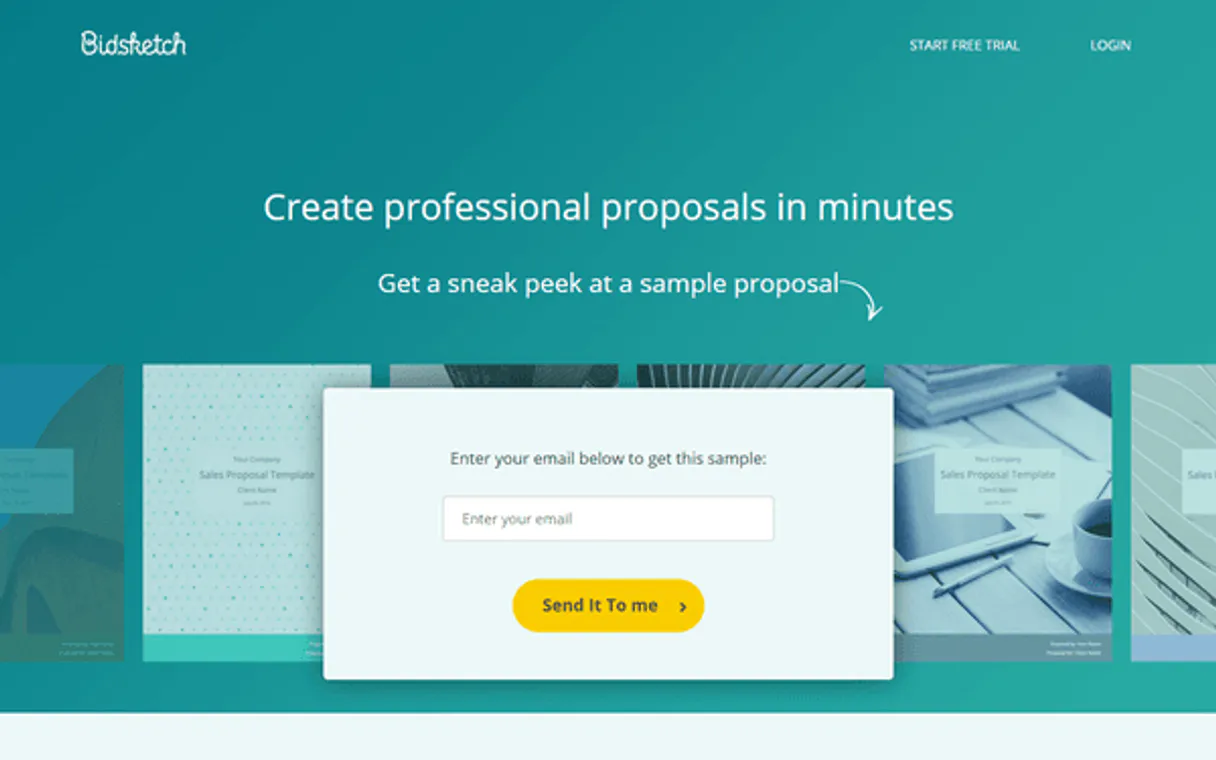
Independent Platform Disclaimer: Vinkius is an independent platform and is not affiliated with, endorsed by, sponsored by, verified by, or otherwise authorized by Bidsketch. All third-party trademarks, logos, and brand names are the property of their respective owners. Their use on this website is strictly for informational purposes to identify service compatibility and interoperability.
VINKIUS INFRASTRUCTURE
Cloud Hosted
Managed infra
V8 Isolated
Sandboxed per request
Zero-Trust Proxy
No stored credentials
DLP Enforced
Policy on every call
GDPR Compliant
EU data residency
Token Compression
~60% cost reduction
Works with Claude, ChatGPT, Cursor, and more
The Model Context Protocol standardizes how applications expose capabilities to LLMs. Instead of operating in isolation, your AI gains direct access to external platforms, live data, and real-world actions through secure, standardized connections.
This server provides 10 capabilities that interface natively with Claude, ChatGPT, Cursor, and any MCP client. No middleware. No custom integration required.
Available Capabilities
Finding client details and proposal statuses shouldn't require 10 clicks.
Right now, you check a client's status in the CRM. You copy the client ID. Then you switch to your proposal software and paste that ID into a search field. If you need historical data, you might have to open a separate 'Audit' tab, copy a fee ID, and paste that somewhere else. It's a dozen steps, and you're burning time.
With the Bidsketch MCP Server, you just tell your agent, 'Show me the latest proposal status for Acme Corp.' The agent handles the `get_client` and `list_proposals` calls, and you get the complete picture right here. No dashboard switching required.
Bidsketch MCP Server: Manage proposals, clients, and fees in chat.
The major time sinks disappear: no more switching between the client dashboard, the proposal editor, and the financial audit screen. Your agent orchestrates the data flow, fetching client info (`get_client`), drafting the document (`create_proposal`), and running a final check (`list_fees`)—all in one conversation.
You get a single source of truth for your entire sales cycle. It's not just about getting data; it's about executing complex, multi-step workflows that used to take half a day.
Common Questions About Bidsketch MCP
How do I use the `list_clients` tool with Bidsketch MCP Server? +
The list_clients tool returns a list of every client in your Bidsketch account. You can use the resulting client name or ID in subsequent tools, like get_client, to pull specific data.
Can I update a proposal using the `update_proposal` tool? +
Yes, update_proposal lets you modify an existing proposal. You must provide the proposal ID and the specific changes you want to make for the update to work.
What is the best way to check proposal fees using `list_fees`? +
You must provide the specific proposal ID first. The list_fees tool then returns a detailed breakdown of all associated fees and line items for that single proposal.
How do I create a new client with the `create_client` tool? +
The create_client tool requires necessary client information (like name and contact details). The agent submits this data to Bidsketch, creating the new record in your client directory.
Can I list all templates with `list_templates`? +
Yes, list_templates fetches every proposal template saved in your Bidsketch account. This helps you select the correct structure for a new document.
How do I get specific details for a proposal using the `get_proposal` tool? +
You call get_proposal with the proposal ID. This returns the full document details, including line items and status. It's perfect for checking a proposal's current state before making changes.
What information does the `get_user_details` tool provide? +
The get_user_details tool returns your current account information. You get access to user IDs, names, and associated workspace data directly through the agent.
How can I find all the clients I've worked with using `list_clients`? +
Simply run list_clients without any filters. This retrieves a comprehensive list of every client record you have in your Bidsketch account, giving you a full directory view.
Can I check the status of a specific proposal using the agent? +
Yes! Use the get_proposal tool with the Proposal ID. Your agent will fetch the latest status, such as whether it has been viewed or accepted.
How do I list all my clients in Bidsketch? +
Simply ask the agent to list_clients. It will retrieve the directory of all companies and persons registered in your Bidsketch account.
Does the integration allow me to create a new client? +
Yes! Use the create_client action with the name and optionally the email. Your agent will register the new client in your Bidsketch account instantly.
Use it with your favorite AI tools
Connect this server to Cursor, Claude, VS Code, and more.
More in this category

Unit & FX Calculator
Stop LLMs from mixing metric and imperial units or hallucinating exchange rates. Deterministic physical unit conversion and live currency rates.
Clio
Practice law more efficiently with legal case management, time tracking, billing, and document organization in one system.
Nuclino
Equip your AI agent with full read/write access to your Nuclino workspaces, teams, and items — the unified tool for knowledge, docs, and projects.
You might also like

myDevices
IoT device management — monitor telemetry and control assets via myDevices Cayenne.
Better Stack
Automate incident management via Better Stack — monitor uptime, manage incidents, and control on-call schedules securely from your AI agent.

RentCast
Automate real estate data and valuation tracking via RentCast — manage properties, rental yields, and market trends directly from any AI agent.