
Google Home MCP. Manage your entire smart home—climate, cameras, and more.
 Gemini
 Works with every AI agent you already use
…and any MCP-compatible client









Just plug in your AI agents and start using Vinkius.
Google Home MCP Server connects your AI client to your Nest smart devices. You can list all devices, adjust thermostats (set_thermostat_mode, set_thermostat_heat, etc.), view camera streams, and manage room structures.
It gives your AI agent full control over your home's climate, security, and monitoring systems via the Smart Device Management API.
What your AI agents can do
Generate camera stream
Creates a temporary, live stream URL for a Nest camera or doorbell.
Get device
Retrieves detailed state information for a specific Google Nest device ID.
List devices
Lists all connected Google Nest devices, including their types and room assignments.
The agent lists all connected Nest devices, rooms, and the overall structure of the home.
The agent changes the operating mode (Heat/Cool/Off) and target temperature for any Nest thermostat.
The agent sets the heating/cooling temperature range or activates temporary fan timers.
The agent generates temporary, live streaming URLs (RTSP/WebRTC) for any Nest camera or doorbell.
The agent retrieves the current status, traits, and settings for any specific Nest device.
The agent can combine multiple actions—for example, setting the thermostat, checking the front door camera, and listing all devices—in a single conversation flow.
Ask AI about this MCP
Supported MCP Clients
Gemini Waiting for input…
Google Home MCP Server: 12 Tools for Device Control
These tools let your AI agent read device states, adjust thermostat settings, and generate live camera streams across your entire Nest smart home setup.
019d75a8generate camera stream
Creates a temporary, live stream URL for a Nest camera or doorbell.
019d75a8get device
Retrieves detailed state information for a specific Google Nest device ID.
019d75a8list devices
Lists all connected Google Nest devices, including their types and room assignments.
019d75a8list rooms
Lists all specific rooms within a defined home structure.
019d75a8list structures
Lists all distinct structures (homes) associated with your Google Nest account.
019d75a8set fan timer
Activates the fan on a Nest thermostat for a specified duration.
019d75a8set thermostat cool
Sets the cooling temperature for a Nest thermostat when it's in cooling or heat-cool mode.
019d75a8set thermostat eco
Manually sets the Nest thermostat into an energy-saving eco mode.
019d75a8set thermostat heat
Sets the target heating temperature for a Nest thermostat when it's in heating or heat-cool mode.
019d75a8set thermostat mode
Changes the operational mode (HEAT, COOL, OFF) of a specific Nest thermostat.
019d75a8set thermostat range
Defines the minimum and maximum comfort temperatures for a Nest thermostat in HEATCOOL mode.
019d75a8stop camera stream
Ends an active camera stream session using a token provided by `generate_camera_stream`.
Choose How to Get Started
Build a custom MCP for your own tools, or connect a ready-made integration from our catalog.
Build Your Own
Turn any API into an MCP. Import a spec, define Agent Skills, or deploy with MCPFusion.
- Import from OpenAPI, Swagger, or YAML specs
- Create Agent Skills with progressive disclosure
- Deploy to edge with MCPFusion framework
- Built in DLP, auth, and compliance on every call
- Real time usage dashboard and cost metering
- Publish to catalog or keep private
Make Your AI Do More
Start with Google Home, then connect any of our 4,700+ other servers whenever your AI needs more. One click, no limits.
- Use this MCP plus 4,700+ others, all in one place
- Add new capabilities to your AI anytime you want
- Every connection is secured and compliant automatically
- Track usage and costs across all your servers
- Works with Claude, ChatGPT, Cursor, and more
- New servers added to the catalog every week
What you can do with this MCP connector
Listen up. This MCP Server hooks your AI client up to all your Nest smart gear. It gives your agent full control over your climate, security, and everything else running in your house. You're not just talking to a server; you're managing your whole setup through your chat interface.
Discovering Your Setup
Your agent can start by getting a full map of your place. It uses list_structures to list every distinct home on your Nest account, and then list_rooms to map out every specific room in that structure. To see what's actually plugged in, it calls list_devices, which gives a rundown of every Nest device, including its type and which room it belongs to.
If you need specific details on one unit, it runs get_device to pull the current status, traits, and settings for a specific Nest device ID.
Handling the Climate
It's got you covered on the temperature front. Your agent can use set_thermostat_mode to switch a thermostat's operational mode—you can set it to HEAT, COOL, or just turn it OFF. Need to change the temperature? You can set the target heat with set_thermostat_heat or the target cool with set_thermostat_cool. If you're running it in HEATCOOL mode, set_thermostat_range lets you define the minimum and maximum comfort temperatures.
For a temporary blast of air, set_fan_timer activates the fan on the thermostat for a set amount of time. The agent can even set an energy-saving eco mode manually using set_thermostat_eco.
Security and Feeds
Need eyes on something? Your agent can generate a temporary, live stream URL for any Nest camera or doorbell using generate_camera_stream. When you're done watching, it stops the feed cleanly with stop_camera_stream using the token that generate_camera_stream gives you. You'll also have the ability to combine multiple actions in one go.
For instance, your agent can check the front door camera, set the temperature, and list every connected device—all in a single conversation flow.
How Google Home MCP Works
- 1 First, you must subscribe to the server and obtain an OAuth 2.0 access token and Project ID from the Google Device Access console.
- 2 Next, your AI client calls a tool like
list_devices. The server uses the token to query your Nest devices. - 3 Finally, the server returns the device state or executes the command (like setting a temperature), and your AI client uses that data to inform the next step.
The bottom line is that your AI client translates natural language into specific API calls, and the server executes those calls against your physical smart home hardware.
Who Is Google Home MCP For?
The property manager who needs to monitor climate and security across multiple rental units without visiting. The home automation enthusiast who wants to build complex, multi-device routines. The security professional who needs to check live camera feeds on demand.
Uses the server to remotely check camera feeds (generate_camera_stream) and adjust climate settings (set_thermostat_mode) across different properties.
Integrates Nest devices into custom workflows, using list_devices to map out device IDs and orchestrating complex sequences like 'Away Mode'.
Checks live video streams (generate_camera_stream) from doorbells and cameras and verifies device status using get_device.
What Changes When You Connect
- See your entire device inventory instantly using
list_devices. You don't have to remember if the camera or the thermostat is registered—the agent finds it for you. - Run full climate routines in one go. You can set the mode and temperature simultaneously using
set_thermostat_mode,set_thermostat_heat, andset_thermostat_coolbased on the room's needs. - Monitor security 24/7. Use
generate_camera_streamto get a live RTSP URL from any Nest camera or doorbell, andstop_camera_streamwhen you're done to free up bandwidth. - Avoid manual configuration errors. Instead of guessing which temperature tool to use,
set_thermostat_rangelets you define a full comfort band for HEATCOOL mode. - Understand your property layout. The server uses
list_structuresandlist_roomsto map out the physical location of every device, making the system context-aware. - Handle complex, multi-stage tasks. The agent can first run
list_devicesto find the correct ID, and then use that ID to callset_thermostat_mode.
Real-World Use Cases
Preparing the House for the Day
The agent checks the schedule and calls list_devices to confirm the thermostat ID. It then executes set_thermostat_mode (e.g., to HEAT) and set_thermostat_range to set the comfort band, ensuring the house is warm before occupants arrive.
Checking Security After a Trip
The agent is prompted to check the house. It calls list_devices to confirm all cameras are online, then uses generate_camera_stream on the front door doorbell to stream the live feed. It concludes by asking the user if they want to keep the stream active.
Adjusting Climate for Guests
A guest arrives and the temperature is off. The agent uses list_devices to find the living room thermostat ID, then calls set_thermostat_mode to set it to COOL and set_thermostat_cool to set the target temperature.
Debugging a Device Issue
The agent detects a thermostat is behaving strangely. It calls get_device to pull the full device state and current traits, giving the user all the raw data needed to diagnose if the issue is hardware or software.
The Tradeoffs
Over-relying on generic 'Smart Home' tools
Telling the agent, 'Make the house cozy.' The agent doesn't know if 'cozy' means setting the temperature, turning on the fan, or checking the cameras.
→
Be specific. Tell it to 'Set the living room thermostat to COOL mode' using set_thermostat_mode and specify the temperature with set_thermostat_cool.
Forgetting to stop streams
Generating a live stream with generate_camera_stream and walking away. This leaves the stream open, draining bandwidth and resources.
→
Always pair generate_camera_stream with stop_camera_stream when you are done viewing the feed. This releases the stream token and frees up resources.
Assuming a single thermostat controls everything
Only calling set_thermostat_cool when the system might be in HEAT mode. The action fails because the tool doesn't account for the current system state.
→
Always check the device state first using list_devices or get_device. Then, use set_thermostat_mode to ensure the thermostat is in the correct mode (COOL or HEAT) before setting the temperature.
When It Fits, When It Doesn't
Use this if you need to control physical, real-world devices—anything from turning on a fan to viewing a live camera feed. If your goal is only to process text, manage databases, or run code, don't use this server. If you only need to know what devices are connected, start with list_devices. If you need to change a specific setting, use the targeted tool like set_thermostat_mode. Don't try to combine setting a temperature and viewing a camera in one tool call; run them sequentially.
Do not use this server if: You only need a list of available rooms. Use list_rooms after running list_structures to get the context. Don't rely on one single tool for everything; the system is designed for sequential, multi-step actions.

Independent Platform Disclaimer: Vinkius is an independent platform and is not affiliated with, endorsed by, sponsored by, verified by, or otherwise authorized by Google Home / Nest. All third-party trademarks, logos, and brand names are the property of their respective owners. Their use on this website is strictly for informational purposes to identify service compatibility and interoperability.
VINKIUS INFRASTRUCTURE
Cloud Hosted
Managed infra
V8 Isolated
Sandboxed per request
Zero-Trust Proxy
No stored credentials
DLP Enforced
Policy on every call
GDPR Compliant
EU data residency
Token Compression
~60% cost reduction
Works with Claude, ChatGPT, Cursor, and more
The Model Context Protocol standardizes how applications expose capabilities to LLMs. Instead of operating in isolation, your AI gains direct access to external platforms, live data, and real-world actions through secure, standardized connections.
This server provides 12 capabilities that interface natively with Claude, ChatGPT, Cursor, and any MCP client. No middleware. No custom integration required.
Available Capabilities
Managing a smart home shouldn't require knowing 10 different device IDs.
Today, setting up a simple 'Good Morning' routine means jumping between the thermostat panel, the security app, and the climate zone settings. You have to manually check which devices are online, find the exact device ID for the living room, and then navigate through three separate screens to set the mode, the temperature, and the fan.
With the Google Home MCP Server, your agent handles the context. You tell it to 'Start the day,' and the agent runs `list_devices` to map the IDs. Then it executes `set_thermostat_mode` and `set_thermostat_heat` in sequence. You just get the confirmed state change, not a stack of manual clicks.
The Google Home MCP Server: Real-time Camera Streams
Before this, viewing a live feed meant opening a specific app, logging in, and navigating to the camera's stream page. If the stream failed, you were stuck until you figured out the technical troubleshooting steps.
Now, you simply ask your agent to 'Show the front door feed.' The agent calls `generate_camera_stream`, gets the temporary URL, and pipes that stream directly to your client. You get the live data, and critically, you can use `stop_camera_stream` to release the resource immediately after you're done.
Common Questions About Google Home MCP
How do I find out what Nest devices I have using `list_devices`? +
Running list_devices shows you every device connected to your account, including the device type, traits, and room assignment. This is the first step if you don't know what's available.
What is the difference between `set_thermostat_mode` and `set_thermostat_heat`? +
set_thermostat_mode changes the overall operating state (e.g., COOL to OFF). set_thermostat_heat specifically sets the target temperature when the mode is already set to HEAT or HEATCOOL.
Can I get a live stream feed from a camera using `generate_camera_stream`? +
Yes. generate_camera_stream generates a temporary, live stream URL (RTSP or WebRTC) for a Nest camera or doorbell. Remember that the stream is temporary and must be stopped using stop_camera_stream.
What tools do I use to manage multiple rooms or properties? +
Start with list_structures to see all homes. Then use list_rooms on a specific structure to understand the detailed room organization and where devices are located.
Why should I use `get_device` instead of `list_devices`? +
list_devices gives you a summary list. get_device pulls the full, detailed state, including all traits and current settings, for one specific device ID.
What is the function of `list_structures` and how does it help with multi-property setups? +
list_structures shows all homes connected to your account. This is useful when you need to manage devices across different properties or residences. It provides a high-level view of your entire smart home portfolio.
When should I use `stop_camera_stream` after calling `generate_camera_stream`? +
You must use stop_camera_stream to properly terminate the active stream. This action frees up system resources and prevents continuous billing or unexpected usage. Always call it when you're done viewing the feed.
If I only want to adjust the cooling temperature, which tool should I use: `set_thermostat_cool` or `set_thermostat_mode`? +
Use set_thermostat_cool directly. This tool targets only the cooling temperature on a Nest thermostat. set_thermostat_mode controls the overall operating mode (like setting it to COOL), but set_thermostat_cool handles the specific temperature adjustment.
What Google Nest devices are supported by this API? +
The SDM API supports: Nest Thermostats (Nest Learning Thermostat, Nest Thermostat E, Nest Thermostat 2020), Nest Cameras (legacy, battery, wired, with spotlight), Nest Doorbells (legacy battery, wired, battery), and Nest Hub displays. Each device exposes specific traits (e.g., ThermostatMode, CameraLiveStream) that can be queried and controlled.
How do I get OAuth 2.0 credentials for the Google SDM API? +
Visit the Google Device Access console and create a project. You'll receive a Project ID. Then, set up OAuth 2.0 credentials in Google Cloud Console, link them to your Device Access project, and complete the OAuth flow to obtain an access token. The token expires after 1 hour and must be refreshed.
Can I control multiple thermostats in different locations? +
Yes! The API returns all devices across all structures and rooms in your project. Use list_devices to see all thermostats with their room assignments, then use each device's unique ID to control them individually. You can set different modes and temperatures for each thermostat.
How long do camera stream URLs last? +
Camera stream URLs (both RTSP and WebRTC) are temporary and typically expire after 5 minutes. The stream token returned in the response should be used immediately and the stream should be stopped with stop_camera_stream when no longer needed to free up device resources.
Use it with your favorite AI tools
Connect this server to Cursor, Claude, VS Code, and more.
More in this category
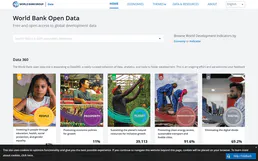
World Bank Full Access
The ultimate Mega-Server integration: A massive 30-tool suite granting your AI zero-auth access to the entire World Bank catalog (29,506 indicators) across all 21 specific categories.
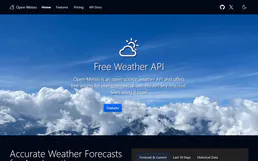
Open-Meteo Climate & Ensemble
Project the future of our planet: IPCC climate simulations to 2100, multi-model ensemble forecasts, and long-term temperature trends — the data backbone for ESG and climate policy AI.
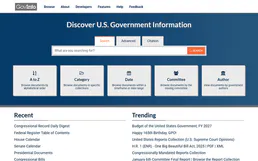
GovInfo
Search and retrieve official US Government documents and publications via AI.
You might also like
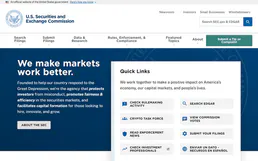
SEC EDGAR Filings — 10-K, 10-Q, 8-K, Insider Trades & Full-Text Search
Access all SEC filings: 10-K annual reports, 10-Q quarterly reports, 8-K material event disclosures, Form 4 insider trading data, and full-text search across every document ever filed on EDGAR. Filter by company, form type, and date range.
Sproof
Manage digital signatures, documents, and contacts on Sproof with AI agents.

USAJOBS (OPM)
Search and analyze federal job opportunities directly from USAJOBS. Access active listings, historic data, and detailed job requirements.