
BILL (Bill.com) MCP. Manage AP/AR and audit financial data from chat.
 Gemini
 Works with every AI agent you already use
…and any MCP-compatible client









Just plug in your AI agents and start using Vinkius.
BILL (Bill.com) MCP Server manages your accounts payable and receivable directly from your AI agent. Use it to list bills, find vendors, query customer invoices, and check your chart of accounts without opening the full portal.
It lets you manage financial operations and retrieve detailed financial records using natural conversation.
What your AI agents can do
Get bill
Retrieves the detailed records for a single, specific bill.
Get customer
Fetches all details associated with a single customer.
Get invoice
Gets the specific details for an invoice, including amounts and due dates.
The server retrieves a list of all bills associated with your account, giving you an immediate view of your payables.
You can get specific vendor information, including contact details and payment setup, using the vendor's name or ID.
The agent fetches all details for a specific customer profile, allowing you to check their status or contact information.
You retrieve specific invoice records, checking amounts, due dates, and payment statuses.
The server lists all invoices you've issued, giving you a status report on your receivables.
You list your full chart of accounts to verify your internal financial structure.
Ask AI about this MCP
Supported MCP Clients
Gemini Waiting for input…
BILL (Bill.com) MCP Server: 10 Tools for Financial Data Management
Use these tools to list, retrieve, and compare all financial data points—including vendors, customers, invoices, and bills—directly through your AI agent.
019d755cget bill
Retrieves the detailed records for a single, specific bill.
019d755cget customer
Fetches all details associated with a single customer.
019d755cget invoice
Gets the specific details for an invoice, including amounts and due dates.
019d755cget user profile
Retrieves the authenticated user's profile information for verification purposes.
019d755cget vendor
Fetches all details for a specific vendor.
019d755clist accounts
Returns a list of your entire chart of accounts.
019d755clist bills
Returns a list of all incoming bills (accounts payable).
019d755clist customers
Returns a list of all customer accounts.
019d755clist invoices
Returns a list of all outgoing invoices (accounts receivable).
019d755clist vendors
Returns a list of all vendors you work with.
Choose How to Get Started
Build a custom MCP for your own tools, or connect a ready-made integration from our catalog.
Build Your Own
Turn any API into an MCP. Import a spec, define Agent Skills, or deploy with MCPFusion.
- Import from OpenAPI, Swagger, or YAML specs
- Create Agent Skills with progressive disclosure
- Deploy to edge with MCPFusion framework
- Built in DLP, auth, and compliance on every call
- Real time usage dashboard and cost metering
- Publish to catalog or keep private
Make Your AI Do More
Start with BILL (Bill.com), then connect any of our 4,700+ other servers whenever your AI needs more. One click, no limits.
- Use this MCP plus 4,700+ others, all in one place
- Add new capabilities to your AI anytime you want
- Every connection is secured and compliant automatically
- Track usage and costs across all your servers
- Works with Claude, ChatGPT, Cursor, and more
- New servers added to the catalog every week
What you can do with this MCP connector
This MCP Server manages your accounts payable and receivable directly through your AI agent. You'll use it to list bills, find vendors, query customer invoices, and check your chart of accounts without ever opening the full portal. It lets you manage financial operations and get detailed financial records just by talking to your agent.
Bills and Payables: You can use list_bills to pull up a list of every incoming bill associated with your account, giving you an immediate view of your payables. To get the specifics on one bill, you'll run get_bill, which retrieves the detailed records for a single, specific bill. When you need to know about a vendor, you can fetch all their details using get_vendor with just their name or ID.
You can also run list_vendors to see a list of every vendor you work with.
Customers and Receivables: You'll use list_customers to pull a list of all your customer accounts. For a specific client, get_customer fetches all their associated details, letting you check their status or contact info. To check on money owed, you can run list_invoices to see a list of all invoices you've issued, giving you a status report on your receivables.
If you need the exact details on a specific invoice, get_invoice gets those details, including amounts, due dates, and payment statuses. You can also manage your outgoing customer invoices by using list_invoices.
Financial Structure and Accounts: To audit your books, you can run list_accounts which returns a list of your entire chart of accounts. You can also run get_user_profile to retrieve your own authenticated profile information for verification purposes.
How BILL (Bill.com) MCP Works
- 1 Subscribe to the BILL server and provide your required credentials (Dev Key, User Name, Password, Org ID).
- 2 Your AI client sends a natural language request (e.g., 'Show me unpaid vendor bills').
- 3 The server identifies the necessary tool (e.g.,
list_bills) and executes it, sending the structured data back to your AI client.
The bottom line is, your AI client handles the conversation, and the server handles the financial data retrieval, giving you a clean answer without leaving your workspace.
Who Is BILL (Bill.com) MCP For?
Finance Managers, Accountants, and Operations Teams. This is for anyone who spends time in billing portals just to answer a simple question. If you're tired of opening five different tabs—one for vendors, one for accounts, one for invoices—to build a single report, this is for you.
Retrieves vendor details or invoice statuses directly from their workflow tools, eliminating the need to jump between separate systems to cross-reference data.
Quickly checks pending bills or customer aging without having to open the full BILL portal, making status checks instantaneous.
Verifies business contact information and account structures using natural language, ensuring operational data matches financial records.
What Changes When You Connect
- List all bills and vendors with
list_billsandlist_vendors. You get an immediate, filtered list of payables and contacts without navigating the main dashboard. - Query specific records with
get_invoiceorget_customer. Instead of searching through massive tables, you ask for the data point you need and get it back. - Audit your finances with
list_accounts. This tool gives you a full chart of accounts, letting you verify internal structures without logging into a separate ledger system. - Check outgoing revenue with
list_invoices. You get a clear, up-to-date list of your receivables, seeing exactly which invoices are paid and which are still outstanding. - Verify contacts with
get_vendorandget_customer. You pull up a vendor's full profile instantly to confirm contact info before sending a payment. - Get user status with
get_user_profile. This lets you confirm who you're talking to or who has access before running any critical financial reports.
Real-World Use Cases
Running a quick payables check
A finance manager needs to know if the rent bill is due this week. Instead of logging into the full portal and clicking 'Bills,' they ask their agent. The agent uses list_bills and filters the results, giving the manager the due date and status immediately.
Cross-referencing a vendor payment
An accountant receives a payment notice for 'Acme Supplies.' They use get_vendor to confirm Acme's official address and contact person, and then use get_bill to ensure the payment matches an existing, open bill record. The full audit happens in one chat thread.
Identifying overdue customer invoices
The sales team needs to see all invoices over 60 days old. They ask the agent to list overdue receivables. The agent runs list_invoices and filters the output, providing a clean list of customer IDs and amounts needing follow-up.
Structuring a new financial report
A new finance team member needs to understand the company's account structure. They use list_accounts to pull the entire chart of accounts into their workflow, allowing them to build the report without manual data entry.
The Tradeoffs
Jumping between tabs
Opening the BILL portal, clicking 'Vendors,' searching for the company, copying the ID, switching to 'Bills,' and then manually checking if the vendor ID matches a pending bill.
→
Tell your agent: 'Check the pending bills for vendor X.' The agent executes list_bills and get_vendor internally, giving you a single, confirmed answer.
Guessing the correct endpoint
Attempting to use list_customers when you actually need the details of one specific customer, leading to a massive list that requires manual filtering.
→
If you know the ID, ask for the specific details using get_customer. If you just need to see the list, use list_customers.
Ignoring financial structure
Assuming a transaction is valid without checking the account code. This can lead to miscategorized expenses and audit failures.
→
Always run list_accounts first. This gives you the definitive chart of accounts list you need before you process any financial data.
When It Fits, When It Doesn't
Use this server if your core task involves cross-referencing financial data: linking who owes money (customers/invoices) to who is owed money (vendors/bills) or checking internal account structures. Don't use it if you are simply generating a report based on data already in a spreadsheet. If your goal is to manage cash flow or audit ledgers, this is the tool. If you only need to search a general contact directory, a basic CRM tool may suffice, but if the contact relates to payments, use get_vendor or get_customer here.
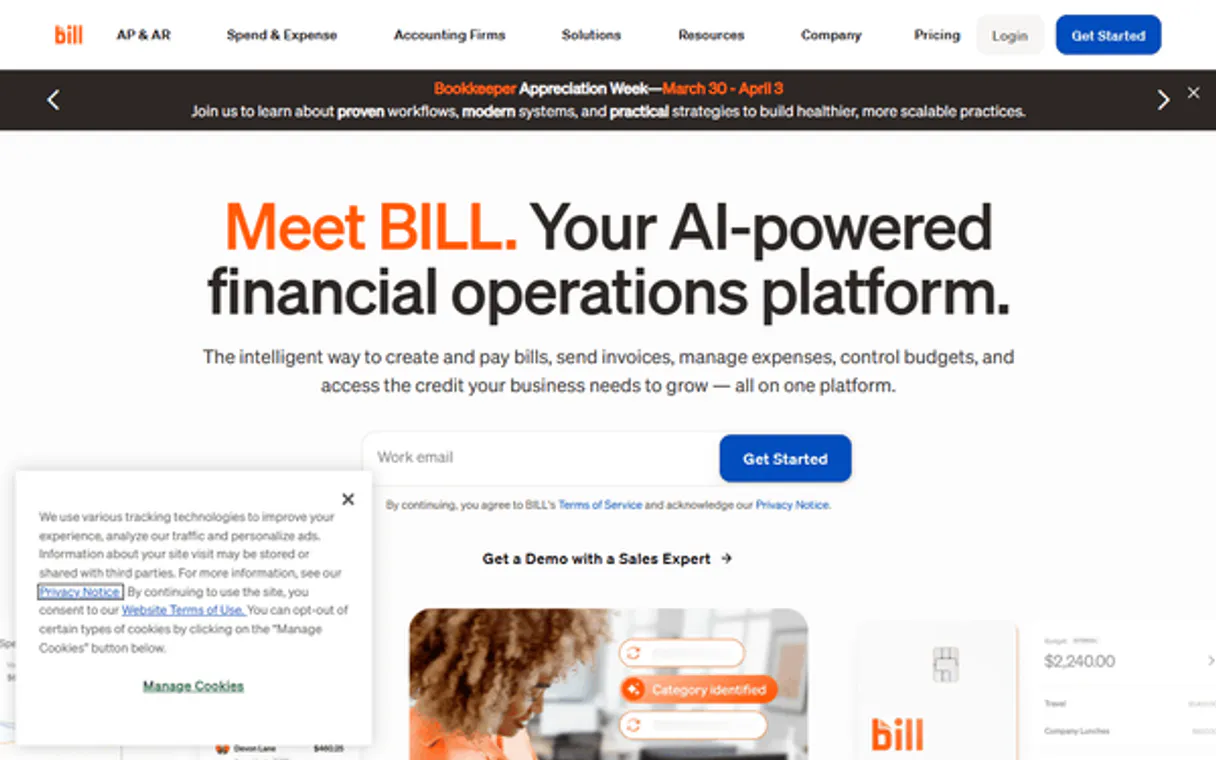
Independent Platform Disclaimer: Vinkius is an independent platform and is not affiliated with, endorsed by, sponsored by, verified by, or otherwise authorized by BILL (Bill.com). All third-party trademarks, logos, and brand names are the property of their respective owners. Their use on this website is strictly for informational purposes to identify service compatibility and interoperability.
VINKIUS INFRASTRUCTURE
Cloud Hosted
Managed infra
V8 Isolated
Sandboxed per request
Zero-Trust Proxy
No stored credentials
DLP Enforced
Policy on every call
GDPR Compliant
EU data residency
Token Compression
~60% cost reduction
Works with Claude, ChatGPT, Cursor, and more
The Model Context Protocol standardizes how applications expose capabilities to LLMs. Instead of operating in isolation, your AI gains direct access to external platforms, live data, and real-world actions through secure, standardized connections.
This server provides 10 capabilities that interface natively with Claude, ChatGPT, Cursor, and any MCP client. No middleware. No custom integration required.
Available Capabilities
Sifting through the financial portal for basic data is a huge time sink.
Today, finding a simple piece of data—like the status of a single vendor bill—means logging into the BILL portal. You navigate to the 'Accounts Payable' section, click through filters, and manually search for the right bill ID. It’s a multi-step process that forces you to leave your workflow and deal with slow, clunky web UIs.
With the BILL MCP Server, you just talk to your agent. You ask, 'What's the status of the Acme Corp bill?' and the agent runs `get_bill` and gives you the due date, status, and amount instantly in the chat. You stay right where you are.
Use the BILL (Bill.com) MCP Server to check financial details.
You don't have to manually check the customer list, then cross-reference that ID against the invoice status, and finally look up the vendor details. The agent handles the sequence of calls. It runs `list_customers` and `get_invoice` in the background, compiling a single, accurate report.
The difference is that you stop thinking about API calls and start thinking about the financial outcome. The agent gives you the answer, period.
Common Questions About BILL (Bill.com) MCP
How do I use `list_bills` to see my outstanding payments? +
Calling list_bills provides a list of all bills. To filter for unpaid items, specify 'unpaid' in your prompt, and the agent will narrow down the list for you.
What is the difference between `list_customers` and `get_customer`? +
Use list_customers when you need to see a directory of all clients. Use get_customer when you know the specific customer ID and need all their associated details.
Can I use `list_vendors` to find a vendor's contact info? +
Yes. list_vendors gives you the directory listing. If you need the full, detailed contact info for one vendor, use get_vendor.
How do I audit my financial records with `list_accounts`? +
Simply ask the agent to list the chart of accounts. list_accounts pulls the full structure, letting you verify every valid account code without logging into a separate ledger.
How do I get details for a specific invoice using `get_invoice`? +
You provide the invoice ID to get_invoice. This retrieves the invoice's status, due date, and associated customer details. You'll get a complete record, not just a summary.
What should I do if `get_vendor` returns an error? +
If get_vendor fails, check the vendor ID and ensure the vendor is active in the system. The error usually points to an invalid ID or permission issue.
How does `list_invoices` help me track payments? +
list_invoices provides a comprehensive list of all invoices, showing their status (Paid, Unpaid, etc.) and associated amounts. You can sort this list by date or status.
Can I use `get_user_profile` to verify who is using the account? +
Yes, get_user_profile pulls the authenticated user's name, email, and organizational details. This is useful for confirming identity when performing financial actions.
Can I check the status of a specific bill using the agent? +
Yes! Use the get_bill tool with the Bill ID. Your agent will fetch the latest status, including whether it is unpaid, partially paid, or fully paid.
How do I list all my active vendors in BILL? +
Simply ask the agent to list_vendors. It will retrieve the directory of all business vendors registered in your BILL account.
Does the integration support paying bills directly through the agent? +
No. For security and to comply with MFA requirements for financial transactions, the current toolset is focused on querying and auditing (listing bills, checking statuses). Initiating payments must be done through the official BILL platform.
Use it with your favorite AI tools
Connect this server to Cursor, Claude, VS Code, and more.
More in this category

Clover
Manage orders, payments, inventory, customers, employees, and discounts for your Clover POS through natural conversation.

Modulr
Empowers algorithmic control over European Payment volumes. Execute massive HMAC-secured payment schedules, create internal ledgers natively.

TikTok Ads
Equip your AI agent with direct access to TikTok Ads — manage campaigns, track ad performance, and optimize spend without opening TikTok Ads Manager.
You might also like

Porkbun
Manage domains and DNS records via Porkbun — list domains, update DNS, check pricing, and retrieve SSL certificates directly from your AI agent.

CallFire
Run voice broadcasts, send bulk text messages, and manage call tracking campaigns for high-volume outreach at scale.

Rick and Morty
Explore characters, locations, and episodes from the Rick and Morty universe via AI.