
Bold MCP. Manage POS payments and transactions via chat.
 Gemini
 Works with every AI agent you already use
…and any MCP-compatible client









Just plug in your AI agents and start using Vinkius.
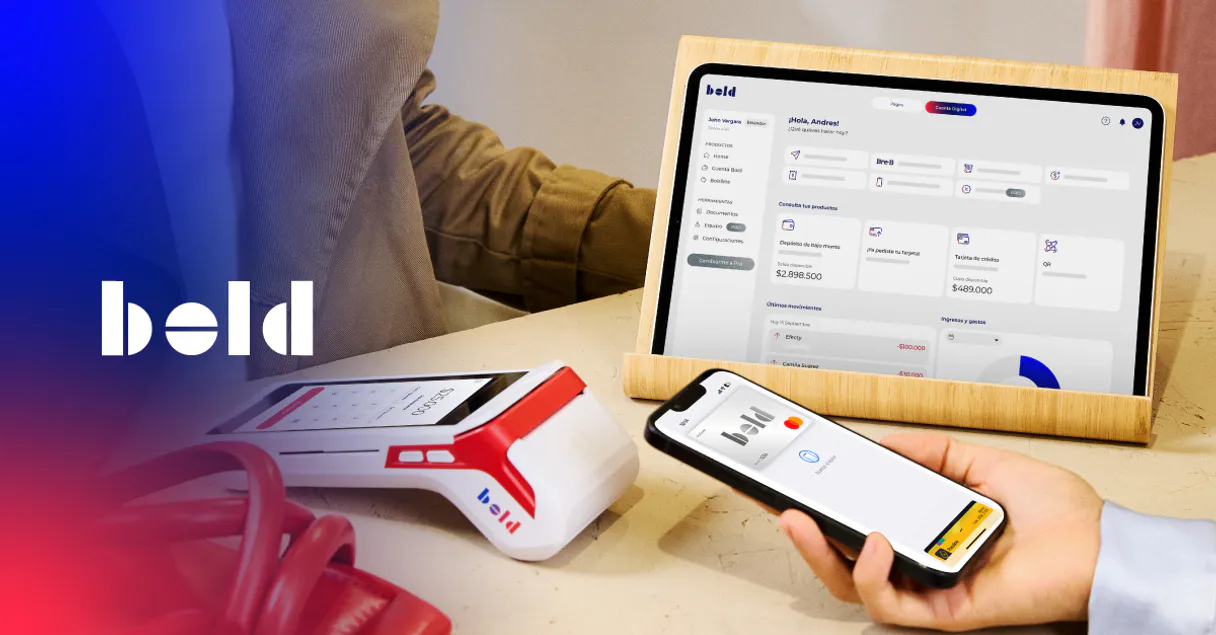
Bold MCP Server connects your Colombian merchant account to any AI agent. You can process online card payments, trigger physical POS terminals, list recent transactions, manage webhooks, and issue refunds—all from a single chat interface.
What your AI agents can do
Create online payment
Processes a card payment online, requiring tokenization details and COP amount for anti-fraud compliance.
Create payment link
Generates a shareable link containing the specified amount in Colombian Pesos (COP) and reference description.
Create webhook
Registers a new real-time HTTPS endpoint for receiving transaction event notifications.
The agent processes a card-not-present payment after receiving tokenization details, an amount (COP), and payer information.
The agent creates a shareable URL for a specified amount in Colombian Pesos (COP) and includes a reference description.
The agent initiates a payment directly on a physical terminal using the serial number and the required COP amount.
You can programmatically register, delete, or list real-time HTTPS endpoints for transaction event notifications.
The agent retrieves the current merchant account balance, showing both available funds and pending payouts.
Ask AI about this MCP
Supported MCP Clients
Gemini Waiting for input…
Bold MCP Server: 14 Tools for Payment & Terminal Ops
Use these tools to manage every step of the financial lifecycle—from listing active terminals to issuing refunds.
019d841fcreate online payment
Processes a card payment online, requiring tokenization details and COP amount for anti-fraud compliance.
019d841fcreate payment link
Generates a shareable link containing the specified amount in Colombian Pesos (COP) and reference description.
019d841fcreate webhook
Registers a new real-time HTTPS endpoint for receiving transaction event notifications.
019d841fdelete webhook
Removes an existing webhook endpoint from the Bold merchant account.
019d841fget account balance
Retrieves the current balance of the merchant account, including available and pending funds.
019d841fget online payment
Fetches all details for a specific online payment using its unique identifier.
019d841fget payment link
Retrieves the status and details associated with a specified payment link URL.
019d841fget transaction
Gets detailed information about one specific transaction, including card brand and settlement data.
019d841finitiate terminal payment
Triggers a payment directly on a physical POS terminal using its serial number and the amount in COP.
019d841flist payment methods
Lists all accepted payment types supported by the merchant account.
019d841flist terminals
Retrieves a list of all physical POS terminals linked to your Bold merchant account, showing status and serial number.
019d841flist transactions
Queries and lists recent payment transactions within the connected merchant account.
019d841flist webhooks
Displays all webhook endpoints currently configured on your Bold merchant account.
019d841frefund payment
Issues a full refund for an approved payment back to the original card method.
Choose How to Get Started
Build a custom MCP for your own tools, or connect a ready-made integration from our catalog.
Build Your Own
Turn any API into an MCP. Import a spec, define Agent Skills, or deploy with MCPFusion.
- Import from OpenAPI, Swagger, or YAML specs
- Create Agent Skills with progressive disclosure
- Deploy to edge with MCPFusion framework
- Built in DLP, auth, and compliance on every call
- Real time usage dashboard and cost metering
- Publish to catalog or keep private
Make Your AI Do More
Start with Bold, then connect any of our 4,700+ other servers whenever your AI needs more. One click, no limits.
- Use this MCP plus 4,700+ others, all in one place
- Add new capabilities to your AI anytime you want
- Every connection is secured and compliant automatically
- Track usage and costs across all your servers
- Works with Claude, ChatGPT, Cursor, and more
- New servers added to the catalog every week
What you can do with this MCP connector
You connect your Bold merchant account directly to your AI agent. This setup lets you handle every single part of Colombian payments—online sales, physical terminals, refunds, and more—right from a chat interface.
Making Payments
Need to process a card payment? You can use create_online_payment to handle a card-not-present transaction. Just give your agent the tokenization details, the amount in COP, and any payer info needed for anti-fraud checks, and it processes the charge online.
Want to sell something physical? You initiate that payment right on the spot using initiate_terminal_payment. All you gotta do is provide the terminal's serial number and the total amount in COP. For pre-selling or invoicing, you can generate a shareable link with create_payment_link, specifying both the exact COP amount and what the reference description should read.
Checking the Books & Getting Cash
The agent keeps tabs on your money for ya. Use get_account_balance to check your current merchant account balance; you'll see how much cash is available right now, plus any pending payouts coming in.
If something went sideways or you need to fix an overcharge, the system lets you issue a full reversal with refund_payment, sending the money back to the original card method. You can also check the specifics of any payment using get_online_payment if you have its unique ID, or get detailed info on one specific transaction—including what card brand was used and settlement data—with get_transaction.
To see all your recent sales activity, just run list_transactions, which queries and lists everything that's gone through the merchant account.
Setting Up & Monitoring Systems
Your agent makes managing endpoints a breeze. You can register new real-time data feeds by using create_webhook to set up an HTTPS endpoint for transaction event notifications. If you don't need it anymore, running delete_webhook wipes that specific webhook clean from the Bold account.
You always know what webhooks are active with list_webhooks, which displays every configured endpoint on your merchant account. Similarly, if you want to see all accepted payment types supported by the account, just run list_payment_methods. To get a list of all physical POS terminals connected to Bold—including their status and serial numbers—you use list_terminals.
Quick Reference Cheat Sheet
- To process a charge online:
create_online_payment. - To generate a sale link:
create_payment_link. - To hit the physical terminal:
initiate_terminal_payment. - To check your cash flow:
get_account_balance. - To refund money:
refund_payment. - To see all recent activity:
list_transactions. - To manage data feeds (webhooks):
create_webhook,delete_webhook, orlist_webhooks.
How Bold MCP Works
- 1 Subscribe to the Bold server and provide your API Key and Secret Key.
- 2 Your AI client uses natural language to identify the required tool (e.g., 'refund transaction ABC').
- 3 The agent calls the specific function, providing mandatory parameters (like transaction ID or terminal serial number), and returns the updated status.
The bottom line is that your AI agent handles all API calling and parameter formatting for you; you just talk to it.
Who Is Bold MCP For?
This is for finance ops teams, e-commerce developers, and retail managers who spend too much time clicking through separate dashboards. If your job involves reconciling transactions or ensuring payment links are active 24/7, this server cuts out the manual steps.
Uses create_payment_link to generate invoice URLs instantly and monitors transaction status via list_transactions without leaving their CRM.
Remotely triggers payments using initiate_terminal_payment on a cash register terminal or checks the daily total with get_account_balance.
Queries historical data by date range using list_transactions, and programmatically issues reversals via refund_payment for reconciliation.
What Changes When You Connect
- Track settlements instantly: Instead of manually downloading reports, use
list_transactionsto pull recent activity summaries directly into your workspace. You get the data without leaving your workflow. - Control terminals remotely: Need to process a payment at a store that's empty? Use
initiate_terminal_paymentwith the terminal serial number to trigger sales from anywhere, making physical operations digital. - Handle refunds in minutes: When an issue pops up, use
refund_payment. You don't need to navigate three different screens; you tell your agent, and it executes the reversal. - Build real-time data feeds: Don't wait for batch reports. Use
create_webhookto register endpoints that receive immediate notifications when transactions happen, letting other systems react instantly. - Audit payments easily: If a client asks about last week's sale, use
get_transaction. You specify the ID or date range, and your agent pulls the exact payment details (card brand, amount) immediately.
Real-World Use Cases
End-of-Day Reconciliation
A Retail Manager finishes the day. Instead of printing paper slips and manually totaling them, they ask their agent to run list_transactions for the last 24 hours. The agent compiles a total processed amount, separating approved from declined payments, solving reconciliation instantly.
Urgent Online Refund
A client reports an overcharge. The Finance Analyst uses get_transaction to confirm the payment details and then runs refund_payment. They don't need a login to the Bold dashboard; they just need the transaction ID, and the agent handles the reversal.
E-commerce Campaign Launch
The E-commerce Operator needs quick payments for partners. Instead of emailing invoices with payment instructions, they ask their agent to run create_payment_link for 150,000 COP and instantly get the shareable URL for a campaign launch.
System Monitoring
A DevOps engineer needs to ensure payment status updates are captured. They use list_webhooks to check which endpoints are active and then run create_webhook to set up an error notification hook for their monitoring system.
The Tradeoffs
Polling transactions manually
Asking the agent every hour, 'What's the status of transaction XYZ?' even though you know a webhook should handle it. This is slow and inefficient.
→
Set up asynchronous monitoring instead. Use create_webhook to tell your system to listen for specific event types (like 'payment_failed' or 'payment_success'). This eliminates repeated calls to get_transaction.
Forgetting terminal status
Assuming a POS machine is online just because it worked yesterday. Payments fail in the field, but you don't know which machines are active.
→
Always check current hardware connectivity first. Run list_terminals to get an up-to-date list of all bound devices and their connection status before attempting a payment via initiate_terminal_payment.
Ignoring COP compliance
Trying to process payments without providing the full tokenization details or required payer information, leading to immediate API failure.
→
When processing online payments, always gather all mandated data points. Use create_online_payment only after confirming you have card token details, the COP amount, and complete payer info.
When It Fits, When It Doesn't
Use this server if your primary operational need is managing payment flow—from initiation (card payments or POS terminals) to final reconciliation (refunds, balance checks). The tools are designed for high-frequency financial operations where transaction state matters.
Don't use this if: You only need general ledger bookkeeping, payroll processing, or tax filing details that aren't tied directly to a Bold transaction ID. For those tasks, you'll need an accounting API (e.g., QuickBooks). This server is purely focused on the money moving through your physical and digital POS points.
Use this if: You need to set up a robust, asynchronous workflow. Specifically, use create_webhook for status updates; don't rely solely on repeatedly calling list_transactions. If you just need to read data without changing it, stick to the 'get' tools like get_transaction; if you have to change state (refund, create link), you need write access.
Independent Platform Disclaimer: Vinkius is an independent platform and is not affiliated with, endorsed by, sponsored by, verified by, or otherwise authorized by Bold. All third-party trademarks, logos, and brand names are the property of their respective owners. Their use on this website is strictly for informational purposes to identify service compatibility and interoperability.
VINKIUS INFRASTRUCTURE
Cloud Hosted
Managed infra
V8 Isolated
Sandboxed per request
Zero-Trust Proxy
No stored credentials
DLP Enforced
Policy on every call
GDPR Compliant
EU data residency
Token Compression
~60% cost reduction
Works with Claude, ChatGPT, Cursor, and more
The Model Context Protocol standardizes how applications expose capabilities to LLMs. Instead of operating in isolation, your AI gains direct access to external platforms, live data, and real-world actions through secure, standardized connections.
This server provides 14 capabilities that interface natively with Claude, ChatGPT, Cursor, and any MCP client. No middleware. No custom integration required.
Available Capabilities
Manually tracking every payment status is a nightmare.
Today, reconciling payments means logging into the Bold dashboard. You click 'Transactions,' then filter by date range. If you want to check the specific details on one card decline from last week, you have to find that transaction ID manually and copy it out. Then, you might need another tool or sheet just to verify if a refund was processed.
With this MCP server, your agent handles the entire flow. You tell it: 'Give me all failed payments between March 1st and March 5th.' The agent runs `list_transactions`, filters the failures, and presents you with the IDs and reasons instantly. It's done in one chat turn.
Bold MCP Server: Manage POS payments and transactions via chat.
Before this server, managing terminals meant separate dashboards and manual status checks. If a terminal was offline or you needed to know its serial number for an API call, the process involved navigating multiple sections of the merchant portal just to gather basic metadata.
Now, with `list_terminals`, your agent gives you the full inventory list—status, connectivity, serial number—in plain text. It's immediate visibility on your entire physical network without leaving your chat window.
Common Questions About Bold MCP
How do I process an online payment using create_online_payment? +
You must provide the card tokenization details, the exact amount in COP, and payer information. The agent validates these inputs against Colombian anti-fraud rules before executing the transaction.
What is the difference between list_transactions and get_transaction? +
list_transactions gives you a summary of many recent payments over a period. get_transaction requires a specific ID and pulls every single detail—like card brand or settlement notes—for just that one payment.
Do I have to manually set up webhooks? +
You can manage them using the tools. Use create_webhook when you need your external system to react instantly to an event, and use list_webhooks to verify what's already running.
How do I refund a payment? Should I use refund_payment? +
Yes, run refund_payment. Just give the agent the transaction ID for the approved payment. Remember that while the request is instant, the actual money may take 5-10 business days to reach the cardholder.
What if I need a link for an invoice? +
Use create_payment_link. Specify the amount in COP and provide a reference description. The agent handles generating the shareable URL, which usually expires within 24 hours.
What information does `get_account_balance` provide? +
It returns your current merchant account balance, detailing both available funds and pending disbursements. This function lets you check your total financial standing in one query, making reconciliation simple.
How do I manage my physical POS terminals using `list_terminals`? +
The list_terminals tool provides all datáfono devices bound to your account. It returns the serial number and connection status (online/offline), which you must use when triggering payments with initiate_terminal_payment.
If I need to remove an old webhook, what steps should I take using `delete_webhook`? +
First, run list_webhooks to get the precise endpoint ID you want gone. Then, call delete_webhook with that specific ID. This prevents accidentally deleting a live listener and keeps your system clean.
Can my AI remotely trigger a payment on one of my physical Bold terminals? +
Yes! Use the initiate_terminal_payment tool with the terminal serial number and amount in COP. The datáfono will immediately display the checkout screen for the customer to tap or insert their card.
How do I generate a payment link that I can share with my customers via WhatsApp or email? +
Simply ask the agent to run create_payment_link with the amount in COP and a description. You'll receive a unique URL that your customers can open to complete the payment securely through Bold's hosted checkout.
Can I check my settlement balance and pending disbursements through my AI agent? +
Absolutely. The get_account_balance tool returns your real-time available balance and pending settlement amounts in COP, giving you instant financial visibility without logging into the Bold dashboard.
Use it with your favorite AI tools
Connect this server to Cursor, Claude, VS Code, and more.
More in this category

Modulr
Empowers algorithmic control over European Payment volumes. Execute massive HMAC-secured payment schedules, create internal ledgers natively.

Nubank MX
Manage your Nubank Mexico banking from any AI agent — check balances, review transactions, send SPEI transfers, pay bills, and track spending analytics.

Marqeta
Issue cards, manage users, and process payments via Marqeta's modern card issuing platform.
You might also like

Câmara dos Deputados (v2)
Access real-time data from the Brazilian Chamber of Deputies — track expenses, speeches, and legislative activities of all deputies.

Mailingwork
Execute professional email marketing campaigns with advanced segmentation, A/B testing, and GDPR-compliant list management.

HubSpot
Grow better with an integrated CRM that unifies marketing, sales, service, and operations in one powerful platform.