
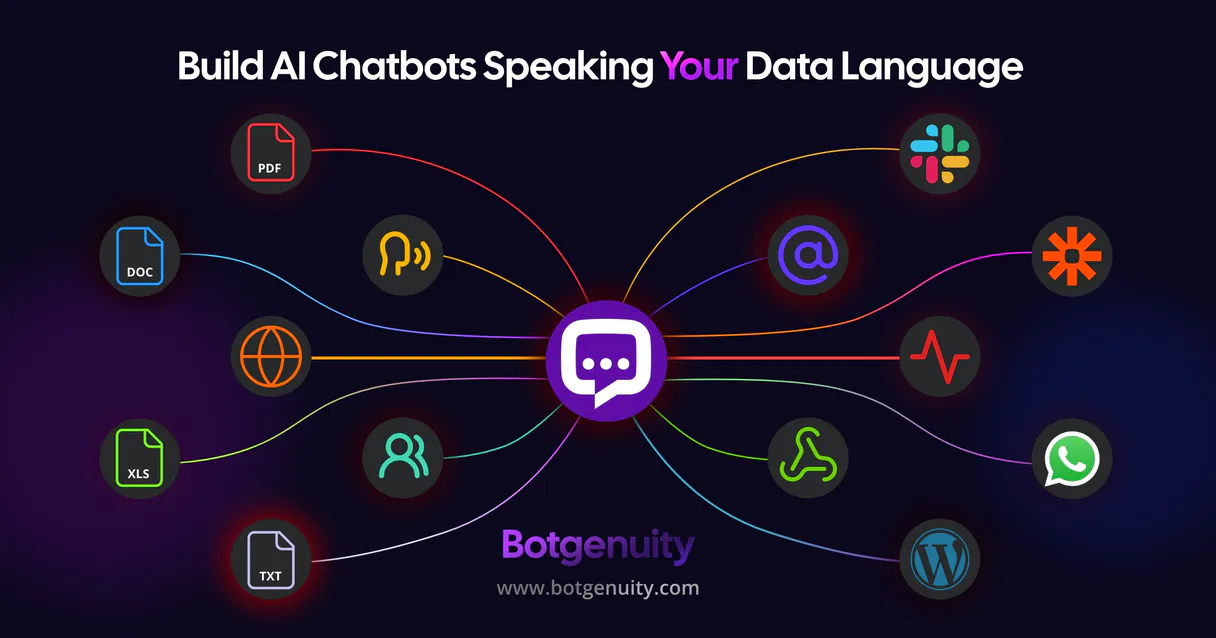
BotGenuity MCP for AI. Manage conversations and capture leads.
 Gemini
 Works with every AI agent you already use
…and any MCP-compatible client









Connect to your AI in seconds.
BotGenuity MCP lets you connect your AI agent directly to a powerful chatbot platform. You can list all your bots, retrieve full conversation histories, and capture lead metadata—all from one place.
Stop jumping between portals; manage every interaction through natural conversation with your preferred client.
What your AI can do
Get chatbot details
Retrieve specific configuration data for one particular chatbot instance.
Get conversation history
Fetch the complete, detailed log of messages from a past customer chat session.
List chatbots
Get an inventory listing of every chatbot available in your BotGenuity account.
You can list every chatbot instance in your account and get its current operational status.
This lets you pull the entire history of any chat, giving a perfect overview of what a customer discussed with the bot.
You access all leads captured during chatbot interactions, including contact details and specific points of interest.
The agent can send a message to any connected chatbot, useful for testing or triggering workflows.
You pull configuration details and account connectivity reports directly through the MCP.
Ask an AI about this
Waiting for input…
BotGenuity MCP: 6 Tools for Conversational AI
Use these six tools to manage the entire lifecycle of your chatbots, from listing available bots to analyzing captured leads and reviewing chat histories.
Make your AI actually useful.
Add this MCP to Claude, Cursor, or Windsurf and your AI stops guessing. It gets real tools to look things up, take action, and handle the stuff you keep doing by hand.
Start using BotGenuity on VinkiusGet Chatbot Details
Retrieve specific configuration data for one particular chatbot instance.
Get Conversation History
Fetch the complete, detailed log of messages from a past customer chat session.
List Chatbots
Get an inventory listing of every chatbot available in your BotGenuity account.
List Chatbot Conversations
See a list of recent conversation sessions for a specific bot.
List Captured Leads
List all contact leads that were captured by any chatbot over time.
Chat With Bot
Send a message to an active bot and get its immediate text response.
Security and governance baked right in.
Pick your AI client below to get set up. Just create a Vinkius account, subscribe, and you're instantly up and running. We handle the entire backend infrastructure, delivering out-of-the-box support for HTTPS Streamable, SSE, and OAuth2—zero messy routing required.
Claude AI
Open Claude Settings
Go to claude.ai, click your profile icon, then navigate to Customize → Connectors.
Add Custom Connector
Click the "+" button and select Add custom connector. Paste your Vinkius endpoint URL:
https://edge.vinkius.com/[YOUR_TOKEN_HERE]/mcp
Replace [YOUR_TOKEN_HERE] with your token
from cloud.vinkius.com. For OAuth-protected servers, expand
Advanced settings to add credentials.
Start a conversation
Open a new chat. The BotGenuity integration is available immediately — no restart needed.
Choose How to Get Started
Build a custom MCP for your own tools, or connect a ready-made integration from our catalog.
Build Your Own
Turn any API into an MCP. Import a spec, define Agent Skills, or deploy with MCPFusion.
- Import from OpenAPI, Swagger, or YAML specs
- Create Agent Skills with progressive disclosure
- Deploy to edge with MCPFusion framework
- Built in DLP, auth, and compliance on every call
- Real time usage dashboard and cost metering
- Publish to catalog or keep private
Make Your AI Do More
Start with BotGenuity, then connect any of our 5,100+ other servers whenever your AI needs more. One click, no limits.
- Use this MCP plus 5,100+ others, all in one place
- Add new capabilities to your AI anytime you want
- Every connection is secured and compliant automatically
- Track usage and costs across all your servers
- Works with Claude, ChatGPT, Cursor, and more
- New servers added to the catalog every week
Independent Platform Disclaimer: Vinkius is an independent platform and is not affiliated with, endorsed by, sponsored by, verified by, or otherwise authorized by BotGenuity. All third-party trademarks, logos, and brand names are the property of their respective owners. Their use on this website is strictly for informational purposes to identify service compatibility and interoperability.
VINKIUS INFRASTRUCTURE
Cloud Hosted
Managed infra
V8 Isolated
Sandboxed per request
Zero-Trust Proxy
No stored credentials
DLP Enforced
Policy on every call
GDPR Compliant
EU data residency
Token Compression
~60% cost reduction
Works with Claude, ChatGPT, Cursor, and more
The Model Context Protocol standardizes how applications expose capabilities to LLMs. Instead of operating in isolation, your AI gains direct access to external platforms, live data, and real-world actions through secure, standardized connections.
This connection provides 6 powerful capabilities that interface natively with Claude, ChatGPT, Cursor, and other compatible AI platforms. No middleware. No custom integration required.
Tracking customer conversations requires too many clicks today.
Right now, if you need to see what happened in a customer's chat session last week, you have to log into the bot portal. Then you click 'Conversations,' filter by date, find the thread, and finally view the full history page. That's three or four different clicks just to read one conversation.
With this MCP, your agent handles it all. You simply ask for the conversation details using `get_conversation_history`. The platform gives you the complete log immediately, without forcing you to navigate any dashboards.
The BotGenuity MCP provides full control over bot activity.
You stop wasting time toggling between lead tables and conversation views. You can now list all your bots using `list_chatbots` to see what you have, then use `list_captured_leads` to pull the data that came from them.
The result is a single source of truth for bot performance and customer activity. Your AI agent acts as the central coordinator for all these functions.
What your AI can actually do with this
You run customer-facing bots, but managing them shouldn't feel like juggling five different dashboards. This MCP gives your AI agent a direct pipeline into BotGenuity, giving you full control over your automated chat operations and the data they collect. You can programmatically list all your active chatbots to check configurations or instantly send messages to test performance in custom workflows.
Need to see what happened yesterday? Use the tools to retrieve detailed chat histories for any customer thread. It also pulls in complete directories of captured leads, giving you contact metadata and context from every interaction. Whether you’re monitoring a bot's health or pulling lead data into your CRM, this MCP makes it all available through your agent, which is hosted on Vinkius, so you don't have to leave your workspace.
019dd0c4-cd24-7136-9e6e-41bd4ae722e2 
Here's how it actually works
The bottom line is that you use your agent as a dedicated bot engineer; it handles all the API calls for you.
Subscribe to this MCP on Vinkius.
Retrieve your API Key (Bearer Token) from your BotGenuity dashboard settings.
Use your AI client to call the tools, accessing all bot management and lead data in a single conversation.
Who is this actually for?
This MCP is built for teams drowning in data silos. It helps Support Managers who are tired of manually checking chat portals, Marketing Leads who need immediate access to lead quality, and Product Owners who must integrate bot responses into internal tools.
Needs to quickly audit performance by listing chatbot conversations or retrieving full conversation histories across multiple agents.
Must track lead generation trends and pull contact metadata from bots without leaving their marketing platform.
Integrates custom-trained chatbot responses into internal tools using simple, structured queries against the MCP.
What Changes When You Connect
Audit performance instantly. You can use get_conversation_history to review any chat thread, giving your team full context without manually digging through logs.
Improve lead quality tracking. Use list_captured_leads to pull a consolidated list of contacts and their associated interest tags from the chatbot platform.
Get an inventory snapshot. Instead of guessing which bots exist, use list_chatbots to get a full directory of every bot you manage in your account.
Test workflows on demand. You can call chat_with_bot to programmatically send test messages and see how the chatbot responds before deploying changes.
Centralize monitoring. Use get_chatbot_details to check specific bot configurations or connectivity statuses, eliminating the need to jump into separate management portals.
See it in action
Auditing a difficult customer interaction
A support agent needs to understand why a customer got frustrated last week. They ask their agent to use list_chatbot_conversations first, then specify the ID they care about. Finally, they call get_conversation_history to get the full text log and diagnose the issue.
Running a lead generation report
A marketing manager needs to know how many new leads came in this month. They ask their agent to use list_captured_leads, which returns all contacts along with high-fidelity interest tags, ready for immediate CRM import.
Checking bot uptime after a deployment
A product team member needs to verify that the new 'Billing Bot' is working correctly. They ask their agent to run get_chatbot_details for the specific bot, confirming its current configuration and operational status.
Simulating a sales chat flow
A trainer wants to test a new script. Instead of logging into the platform, they ask their agent to use chat_with_bot with a specific prompt, getting an immediate bot response for training purposes.
The honest tradeoffs
Trying to find leads manually
A user thinks they have to navigate deep into the chatbot platform's analytics section and filter by date range, often missing some records.
Don't. Just ask your agent to use list_captured_leads. It pulls all structured lead data directly to you.
Assuming bot names are known
A user tries to check a bot they don't remember the exact name of, leading to an error because they can't find the right ID.
First, ask your agent to run list_chatbots. This gives you the full inventory list and IDs needed for all other commands.
Checking chat logs without context
A user gets a vague warning about 'conversation activity' but doesn't know if it relates to one specific customer or many.
Use list_chatbot_conversations first. This provides an overview list, helping you narrow down which conversation ID requires the full details from get_conversation_history.
When It Fits, When It Doesn't
Use this MCP if your main problem is data centralization: you need to pull lead lists, chat histories, and bot statuses into a single conversational interface. This setup excels at querying historical records using tools like list_captured_leads or diagnosing issues with get_chatbot_details. Don't use it if you only need simple, one-off messaging; the dedicated messaging MCP is better for that. If your goal is building an entire custom bot from scratch, start by checking out other specialized chatbot builder tools instead.
Questions you might have
How do I list all my bots using the `list_chatbots` tool? +
Just ask your agent to run the list_chatbots tool. It will return a complete inventory of every bot in your account, giving you their IDs and names.
What does `get_conversation_history` need as input? +
get_conversation_history requires an identifier for the specific chat session. You'll usually get this ID after using list_chatbot_conversations first.
Can I use `list_captured_leads` to filter by date? +
The tool fetches all leads captured, but you can refine the results in your prompt. The MCP handles listing the data so you can then apply any necessary filtering logic.
How do I test a bot's response using `chat_with_bot`? +
Simply tell your agent to run chat_with_bot, providing the target chatbot ID and the message you want it to send. It returns the bot's immediate reply.
What information do I need to access the API when using `get_chatbot_details`? +
You must provide a valid bot ID. If the ID you give doesn't exist, the system returns an explicit error code and message specifying that the chatbot could not be found.
Does `list_chatbot_conversations` include customer metadata for each chat? +
Yes, it retrieves detailed conversation records. This includes high-fidelity contact information and associated user IDs for every message thread listed.
What happens if I send too many requests using `chat_with_bot` in a short period? +
The platform enforces standard rate limits to ensure stability. If you exceed the allowable volume, your agent will receive an appropriate HTTP 429 error, and you'll need to wait for the retry window.
Can I use `list_captured_leads` to see which chatbot generated the lead? +
Absolutely. When listing captured leads, the output includes a specific field identifying the source bot ID. This lets you track exactly which conversational AI instance brought in the contact.
How do I find my BotGenuity API Key? +
Log in to your account, select a chatbot, navigate to Settings > Security, and generate your API Bearer Token.
Can I test bot responses via AI? +
Yes! The chat_with_bot tool allows you to interact with your chatbots and retrieve high-fidelity AI responses programmatically.
How do I retrieve captured leads? +
Use the list_captured_leads tool with a specific chatbot ID to retrieve all contact information collected during user sessions.
We've already built the connector for BotGenuity. Just plug in your AI agents and start using Vinkius.
No hosting. No infrastructure. No complex setup.
All 6 tools are live and waiting.
You're up and running in seconds.
Gemini Vinkius gives your AI agents access to the full catalog of app connectors, all fully managed, secure, and enterprise-ready. One subscription, every tool you need.
Built, hosted, and secured by Vinkius. You just connect and go.