
BotPenguin MCP. Manage chats and leads from your AI agent.
 Gemini
 Works with every AI agent you already use
…and any MCP-compatible client









Just plug in your AI agents and start using Vinkius.
BotPenguin MCP Server manages your live chat and chatbot operations. It lets your AI agent list contacts, pull chat histories, send automated messages, and trigger SMS verifications.
You can orchestrate lead generation and support workflows by connecting your AI client directly to your chat platform's data.
What your AI agents can do
Get chat history
Retrieves the full message history for a specified chat session.
Get contact
Gets detailed information for a single contact record.
List agents
Lists all human agents or operators configured on the platform.
Gets the full message exchange for a specific chat session.
Pulls the specific records and details for a single contact or lead.
Provides a list of all ongoing and completed chat sessions.
Retrieves a list of all contacts or leads, optionally filtering by a search text.
Lists all available tags used for lead routing and all human agents on the team.
Sends a message directly into a chat session, assisting the user or system.
Sends a One-Time Password (OTP) message to a specified phone number.
Ask AI about this MCP
Supported MCP Clients
Gemini Waiting for input…
BotPenguin MCP Server: 8 Tools for Customer Support
These tools let your AI client read chat histories, look up contact details, and manage the entire customer support lifecycle.
019d7561get chat history
Retrieves the full message history for a specified chat session.
019d7561get contact
Gets detailed information for a single contact record.
019d7561list agents
Lists all human agents or operators configured on the platform.
019d7561list chats
Provides a list of all active chat sessions.
019d7561list contacts
Lists all BotPenguin contacts and leads, accepting an optional search text.
019d7561list tags
Retrieves a list of all predefined tags used to categorize contacts.
019d7561send message
Sends a message directly into a specific, active chat session.
019d7561send otp
Sends a One-Time Password (OTP) SMS to verify a given phone number.
Choose How to Get Started
Build a custom MCP for your own tools, or connect a ready-made integration from our catalog.
Build Your Own
Turn any API into an MCP. Import a spec, define Agent Skills, or deploy with MCPFusion.
- Import from OpenAPI, Swagger, or YAML specs
- Create Agent Skills with progressive disclosure
- Deploy to edge with MCPFusion framework
- Built in DLP, auth, and compliance on every call
- Real time usage dashboard and cost metering
- Publish to catalog or keep private
Make Your AI Do More
Start with BotPenguin, then connect any of our 4,700+ other servers whenever your AI needs more. One click, no limits.
- Use this MCP plus 4,700+ others, all in one place
- Add new capabilities to your AI anytime you want
- Every connection is secured and compliant automatically
- Track usage and costs across all your servers
- Works with Claude, ChatGPT, Cursor, and more
- New servers added to the catalog every week
What you can do with this MCP connector
This MCP Server lets your AI client handle all your live chat and chatbot stuff. You can use it to list contacts, pull chat histories, send automated messages, and trigger SMS verifications, all without leaving your chat platform. You'll get direct access to your chat data and contact records, letting your agent run whole lead generation and support workflows.
You can use list_contacts to pull a list of all your contacts and leads; you can even pass in a search text to narrow it down. To get details on one specific person, run get_contact to pull their full record. You can pull a list of all ongoing and past chats using list_chats.
If you need to send a message into an active chat, send_message lets your agent drop a message right into the conversation. Need the full back-and-forth? get_chat_history retrieves every message from a specific chat session. You can use list_agents to see every human agent set up on the platform. You can also pull a list of all predefined tags with list_tags to figure out how leads are categorized.
If you need to verify a phone number, send_otp sends a One-Time Password SMS to the number you give it. You can run list_contacts with a search text to find leads, and you can check out the details for a single lead using get_contact.
How BotPenguin MCP Works
- 1 1. Subscribe to this server and provide your BotPenguin API Token.
- 2 2. Your AI client calls a tool like
list_contactsorlist_chatsto gather initial data. - 3 3. The AI client processes the returned data and calls subsequent tools (
get_contact,get_chat_history,send_message) to complete the task.
The bottom line is that your AI agent runs the entire workflow, calling multiple BotPenguin tools in sequence to complete a complex task.
Who Is BotPenguin MCP For?
The operations lead who has to manually check 10 different dashboards to see if a lead was routed correctly. The sales manager who needs to quickly find a contact's full chat history to close a deal. Or the support engineer who needs to trigger a verification code without touching the chat UI.
Uses the server to pull the full chat history (get_chat_history) and confirm the conversation flow before escalating a ticket, ensuring no context is lost.
Runs reports on all leads (list_contacts) and checks team routing rules by listing tags (list_tags) and agents (list_agents) to optimize outreach.
Uses the server to send follow-up messages (send_message) to leads and trigger verification codes (send_otp) as part of a programmatic campaign.
What Changes When You Connect
- See every message exchanged in a chat session using
get_chat_history. Your agent pulls the full transcript, so you never lose context when deciding the next move. - Get immediate lead status by calling
list_contacts. You can search and pull details on specific leads, letting your agent know exactly who it's talking to. - Coordinate outreach by listing available tags (
list_tags) and agents (list_agents). Your AI client ensures the lead is tagged correctly and routed to the right human. - Take action directly in a conversation using
send_message. Instead of just reading the transcript, your agent can reply or follow up programmatically. - Verify user identity instantly.
send_otphandles triggering SMS verification codes, which is essential for lead qualification flows. - Monitor your operations by listing chats (
list_chats). Your agent gets a real-time overview of all active sessions without opening a dashboard.
Real-World Use Cases
Need to hand off a complex lead to a human agent.
A sales agent finds a hot lead but needs to pass the full context to a teammate. Instead of copying and pasting chat logs, the agent runs get_chat_history and then calls list_agents to confirm the right person is available for takeover.
A lead needs phone verification before conversion.
The chat bot gathers a phone number, but the lead isn't verified. The agent uses get_contact to confirm the basic details, and then runs send_otp to send the necessary SMS code, completing the qualification step.
Checking all active support issues at a glance.
The support manager needs a quick status update. The agent calls list_chats to see all open sessions, and then uses list_tags to filter those chats to only show 'High Priority' issues.
Sending a follow-up message to a lead who went silent.
The sales team needs to follow up on a cold lead. The agent first uses list_contacts to find the user, and then uses send_message to send a targeted follow-up without having to manually open the chat window.
The Tradeoffs
Relying on Manual Dashboard Workflows
A user tries to manually check a contact's status by clicking through the UI: Dashboard -> Contacts -> Search -> Select Contact -> View Chat History. This takes five clicks and involves copy-pasting data.
→
Your AI agent handles this automatically. You only need to ask for the contact's details and the history, letting the agent run get_contact and get_chat_history in sequence.
Guessing the Right Team Member
A support agent has to guess which team member is best suited for a complex ticket, wasting time on internal Slack messages.
→
Use list_agents to see who is available and list tags (list_tags) to confirm the lead's topic, ensuring the fastest possible route.
Forgetting the Conversation Context
A developer reads the chat log, but forgets a key detail discussed 20 messages ago, leading to an incorrect response.
→
Always run get_chat_history first. This gives your agent the full, chronological context needed for accurate responses, eliminating guesswork.
When It Fits, When It Doesn't
Use this server if your core process involves managing conversations or leads (e.g., sales, support, marketing). You need to read chat transcripts, update contact records, or send messages programmatically. Don't use it if you only need to store data (use a dedicated database client) or if your process is purely internal (use a simple messaging API). If you need to manage the flow—like 'check the contact, then send an OTP, then send a follow-up message'—this is the right tool. If you just need to list tags, use list_tags; if you need the full chat data, use get_chat_history.
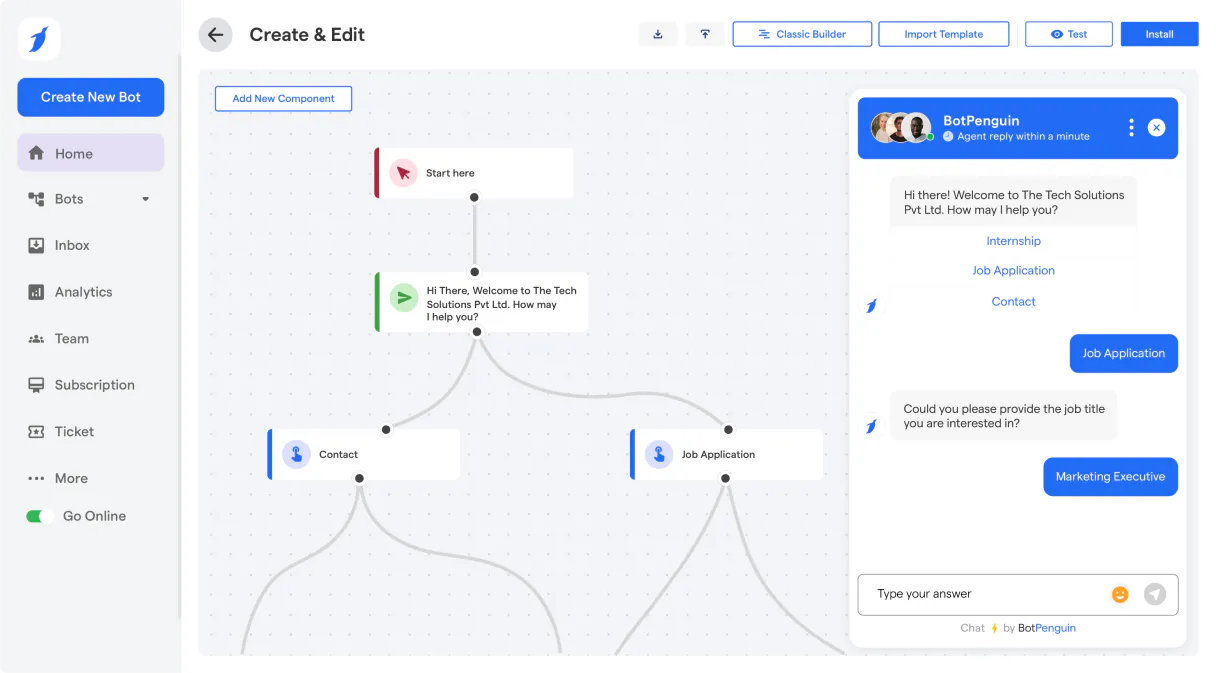
Independent Platform Disclaimer: Vinkius is an independent platform and is not affiliated with, endorsed by, sponsored by, verified by, or otherwise authorized by BotPenguin. All third-party trademarks, logos, and brand names are the property of their respective owners. Their use on this website is strictly for informational purposes to identify service compatibility and interoperability.
VINKIUS INFRASTRUCTURE
Cloud Hosted
Managed infra
V8 Isolated
Sandboxed per request
Zero-Trust Proxy
No stored credentials
DLP Enforced
Policy on every call
GDPR Compliant
EU data residency
Token Compression
~60% cost reduction
Works with Claude, ChatGPT, Cursor, and more
The Model Context Protocol standardizes how applications expose capabilities to LLMs. Instead of operating in isolation, your AI gains direct access to external platforms, live data, and real-world actions through secure, standardized connections.
This server provides 8 capabilities that interface natively with Claude, ChatGPT, Cursor, and any MCP client. No middleware. No custom integration required.
Available Capabilities
Having to jump between contact lists and chat logs is a time sink.
Right now, if a lead asks a question, you open the chat UI. You scroll back through pages of messages. Then you have to switch tabs to the 'Contacts' section to see if that person is already tagged or if you need to trigger a verification code. It's three different systems, three different clicks, and a high chance of missing context.
With the BotPenguin MCP Server, your AI agent handles the whole sequence. You ask it to 'Check John Doe's status.' The agent automatically runs `list_contacts`, pulls his details with `get_contact`, and even checks his recent chat context using `get_chat_history`. It gives you one answer, not three.
BotPenguin MCP Server: Control every action in the conversation.
You no longer have to manually copy the conversation transcript or trigger a separate SMS system. The agent runs `get_chat_history` to read the conversation, and then `send_message` to reply, all within the same interaction. It's a single, cohesive flow.
Your conversational automation is now driven by clear, callable actions. You're not just viewing data; you're executing the next step in the customer journey—reliably and instantly.
Common Questions About BotPenguin MCP
How do I use the `list_chats` tool to see all active chats? +
Calling list_chats gives you a list of all currently open chat sessions. This list includes the chat IDs you need to pass to other tools, like get_chat_history, to pull the specific messages.
What is the difference between `list_contacts` and `get_contact`? +
list_contacts provides a searchable list of all leads, letting you see who's in the system. get_contact pulls the full, detailed record for one specific contact ID.
Can I send an SMS using the `send_otp` tool? +
Yes, send_otp triggers an SMS message containing a One-Time Password (OTP) to verify a user's phone number. It's designed specifically for verification flows.
How do I send a follow-up message using the `send_message` tool? +
You must first identify the correct chat session ID. Then, the agent uses send_message to deliver the text. The agent handles the sequencing so you don't have to.
Do I need to use `list_tags` before I can run `list_contacts`? +
No. list_tags and list_contacts are separate actions. You can list all contacts first, and then, if needed, use the tag information to filter or refine your search.
How does the `send_otp` tool handle failed verification attempts? +
The send_otp tool sends a fresh, single-use code each time. If a user fails verification, you simply trigger the tool again; it overwrites the old code and sends a new one to the number.
What information does `list_agents` provide about human team members? +
The list_agents tool lists the names and IDs of all configured human agents. This helps you route leads to the correct person or team based on their availability or expertise.
If I run `get_chat_history`, how do I ensure I get the full conversation log? +
The get_chat_history tool pulls the complete message thread for the specified chat ID. You just need to provide the correct chat session identifier to get all messages from the start to the present.
Can I search for a specific lead or contact by name? +
Yes! Use the list_contacts tool and provide the search_text parameter with the name, email, or details you are looking for. The agent will return the matching profiles.
How do I review the chat history of a conversation? +
First, use list_chats to find the active or historical session. Then, use get_chat_history with the Chat ID to retrieve the full log of messages.
Can I send an OTP SMS to a user? +
Yes. Use the send_otp action and provide the user's phone number (with the country code). BotPenguin will handle the integration to send the verification code.
Use it with your favorite AI tools
Connect this server to Cursor, Claude, VS Code, and more.
More in this category

Okendo Reviews
Manage customer reviews and social proof via Okendo — track ratings, questions, and product feedback directly from your AI agent.
Avochato
Manage business messaging, contacts, and broadcasts via Avochato — orchestrate SMS and MMS directly via AI.
Atera
Manage IT operations with Atera — track agents, tickets, and customers via AI.
You might also like

Tenderly (Ethereum Dev Platform)
Simulate Ethereum transactions, create Virtual TestNets, and monitor on-chain events directly from your AI agent.
PitchBook
AI private market intelligence: research companies, deals, investors, and funds via agents.

Open5e
Access the comprehensive Open5e database for D&D 5th Edition — search monsters, spells, classes, and magic items directly from your AI agent.