
CQC MCP. Query UK health and social care data directly.
 Gemini
 Works with every AI agent you already use
…and any MCP-compatible client









Just plug in your AI agents and start using Vinkius.
Care Quality Commission (CQC) MCP Server. Get real-time data on UK health and social care providers. Search for facilities by name or postcode, check current ratings (Outstanding, Good, etc.), and retrieve detailed inspection reports for compliance monitoring.
Connect your AI client to pull official CQC data directly into your workflow.
What your AI agents can do
Get changes
Finds organizations that had rating or registration updates within a specific time period.
Get location
Retrieves detailed information and the current CQC rating for a single, specified care location.
Get provider
Fetches detailed information for a single, specified health and social care provider.
The agent searches the CQC database and returns a list of registered health and social care providers that match the query name.
The agent takes a postcode and searches for all registered care locations, including hospitals and clinics, in that geographical area.
The agent fetches detailed information for a single location, including its current CQC rating (e.g., Outstanding or Good).
The agent pulls a comprehensive list of all registered locations—hospitals, care homes, and clinics—in the CQC database.
The agent identifies and summarizes all CQC rating or registration changes that occurred within a specified date range.
The agent returns all associated physical locations linked to a specific provider ID, helping map organizational structure.
Ask AI about this MCP
Supported MCP Clients
Gemini Waiting for input…
Care Quality Commission (CQC) MCP Server: 8 Tools
These tools let you search, locate, and audit UK health and social care providers using official CQC data through natural conversation.
019d7569get changes
Finds organizations that had rating or registration updates within a specific time period.
019d7569get location
Retrieves detailed information and the current CQC rating for a single, specified care location.
019d7569get provider
Fetches detailed information for a single, specified health and social care provider.
019d7569get provider locations
Lists all physical sites and locations connected to a single provider name.
019d7569list locations
Pulls a list of all registered care locations, including hospitals, care homes, and clinics.
019d7569list providers
Retrieves a full list of all registered health and social care providers.
019d7569search locations by postcode
Searches and lists all care locations near a specific UK postcode.
019d7569search providers
Searches and finds providers based on a partial or full name match.
Choose How to Get Started
Build a custom MCP for your own tools, or connect a ready-made integration from our catalog.
Build Your Own
Turn any API into an MCP. Import a spec, define Agent Skills, or deploy with MCPFusion.
- Import from OpenAPI, Swagger, or YAML specs
- Create Agent Skills with progressive disclosure
- Deploy to edge with MCPFusion framework
- Built in DLP, auth, and compliance on every call
- Real time usage dashboard and cost metering
- Publish to catalog or keep private
Make Your AI Do More
Start with Care Quality Commission (CQC), then connect any of our 4,700+ other servers whenever your AI needs more. One click, no limits.
- Use this MCP plus 4,700+ others, all in one place
- Add new capabilities to your AI anytime you want
- Every connection is secured and compliant automatically
- Track usage and costs across all your servers
- Works with Claude, ChatGPT, Cursor, and more
- New servers added to the catalog every week
What you can do with this MCP connector
Need to track down UK health and social care provider info? You connect your AI client to this server and get real-time data straight from the Care Quality Commission. It lets your agent search for facilities by name or postcode, check current ratings—like Outstanding or Good—and pull detailed inspection reports for compliance monitoring.
You use it to pull official CQC data directly into whatever workflow you're running.
Finding Providers and Locations
- Search for Providers: Your agent uses
search_providersto search the CQC database and returns a list of registered health and social care providers matching whatever name you give it. Find care locations by area code: It takes a postcode and searches for all registered care locations—hospitals, clinics, or care homes—in that spot. List all known care facilities: You can pull a complete list of every registered location, including hospitals, care homes, and clinics, right from the CQC database. Map a provider's physical sites: Your agent usesget_provider_locationsto return every physical location tied to a specific provider ID, helping you map out the whole organizational structure.
Getting Specific Data
- Get a specific service's rating: Your agent uses
get_locationto pull detailed info for one spot, including its current CQC rating (like Outstanding or Good). Find a provider by name: It fetches detailed information for a single, specified health and social care provider usingget_provider. Track rating changes over time: You can identify and summarize all CQC rating or registration changes that happened within a specific date range usingget_changes. List all known care facilities: You can pull a comprehensive list of all registered locations—hospitals, care homes, and clinics—in the CQC database usinglist_locations.
The Process
- Find a provider by name: You start by having your agent search the CQC database and get a list of registered health and social care providers that match the query name using
search_providers. Find care locations by area code: You give it a postcode, and the agent searches for all registered care locations, including hospitals and clinics, in that area usingsearch_locations_by_postcode. Get a specific service's rating: You ask for a location, and the agent usesget_locationto pull detailed info, including the current CQC rating. List all known care facilities: You can get a full rundown of all registered locations—hospitals, care homes, and clinics—by runninglist_locations. Track rating changes over time: To see changes, your agent usesget_changesto summarize all CQC rating or registration updates within a given time period. Map a provider's physical sites: Finally, your agent usesget_provider_locationsto list all physical sites connected to a single provider name, which helps map out the organization's structure.
How CQC MCP Works
- 1 Subscribe to the server and input your CQC API key.
- 2 Your AI client sends a natural language query to the server's defined tools.
- 3 The server executes the necessary CQC API calls and returns the structured data directly to your client.
The bottom line is that you get structured, real-world UK health data without writing API calls or managing keys.
Who Is CQC MCP For?
Healthcare analysts and compliance officers need this. If your job involves auditing care facilities or tracking regulatory changes, this is your tool. It replaces manual searches across multiple government sites and provides immediate, structured data on provider quality and compliance status.
Gathers performance data on care providers and checks registration status for market research reports.
Identifies and evaluates local care services based on official CQC quality ratings for client recommendations.
Monitors changes in ratings or registration status across a portfolio of care locations to ensure regulatory adherence.
What Changes When You Connect
- Find providers instantly. Use
search_providersto look up any registered service by name. This cuts out hours of manual searching through the CQC website. - Know the quality score immediately. The
get_locationtool provides the current CQC rating—Outstanding, Good, etc.—for any specific facility. - Monitor compliance easily. Use
get_changesto track rating or registration changes across a group of facilities within a date range. You don't have to manually check month over month. - Map out organizations.
get_provider_locationslets you see all the physical sites belonging to one provider, giving you a clear view of their organizational footprint. - Pinpoint local services. Need to know what's near a client?
search_locations_by_postcodequickly lists all care facilities within a specific postcode area.
Real-World Use Cases
Evaluating a new service area
A social care planner needs to recommend local facilities. They ask their agent to use search_locations_by_postcode for a client's zip code. The agent returns a list of nearby care homes and their current ratings, letting the planner make an informed choice immediately.
Auditing a corporate portfolio
A compliance officer is checking a list of 50 facilities. Instead of checking them one by one, they ask the agent to run get_changes for the last quarter. The agent returns a summary of all rating changes, flagging exactly which facilities need follow-up.
Researching a market competitor
A healthcare analyst wants to know about a specific hospital. They use search_providers to find the facility, then use get_provider_locations to map all its associated sites. Finally, they use get_location to get the most recent rating for the main campus.
Quickly verifying service existence
A developer needs to confirm if a provider exists in the system. They run search_providers with a partial name. The agent confirms existence and provides basic details, allowing the developer to build logic around known provider IDs.
The Tradeoffs
Relying on manual website navigation
The user manually navigates to the CQC site, uses the search bar, and copies data into a spreadsheet. This process is slow, prone to missing pages, and requires tedious data formatting.
→
Ask your AI client to use search_providers or search_locations_by_postcode. The agent handles the search and delivers the structured data ready for your report, skipping the manual steps.
Running sequential, unconnected queries
The user runs list_providers to get a list, then manually takes 10 names and runs get_provider for each one. This is inefficient and wastes time.
→ Use a single prompt: 'Get the details for these 10 providers: [List of names]'. The agent orchestrates the calls and compiles the necessary data in one go.
Assuming all data is in one place
The user assumes a single endpoint can provide everything (list, search, get details, changes). This leads to failed calls and incomplete results.
→
Use the specialized tools for specific tasks. For example, use search_providers to find a provider, then get_provider_locations to find its sites, and finally get_changes to track its history.
When It Fits, When It Doesn't
Use this server if your work requires structured, verifiable, and current data on UK health and social care facilities. Specifically, if you need to know a provider's rating, track changes, or locate services by postcode, this is the tool. Don't use it if you only need general industry statistics or broad demographic trends; for that, you'll need a different data source. If you only need to search for a provider name, search_providers works, but if you need to know its full site structure, you must follow up with get_provider_locations.
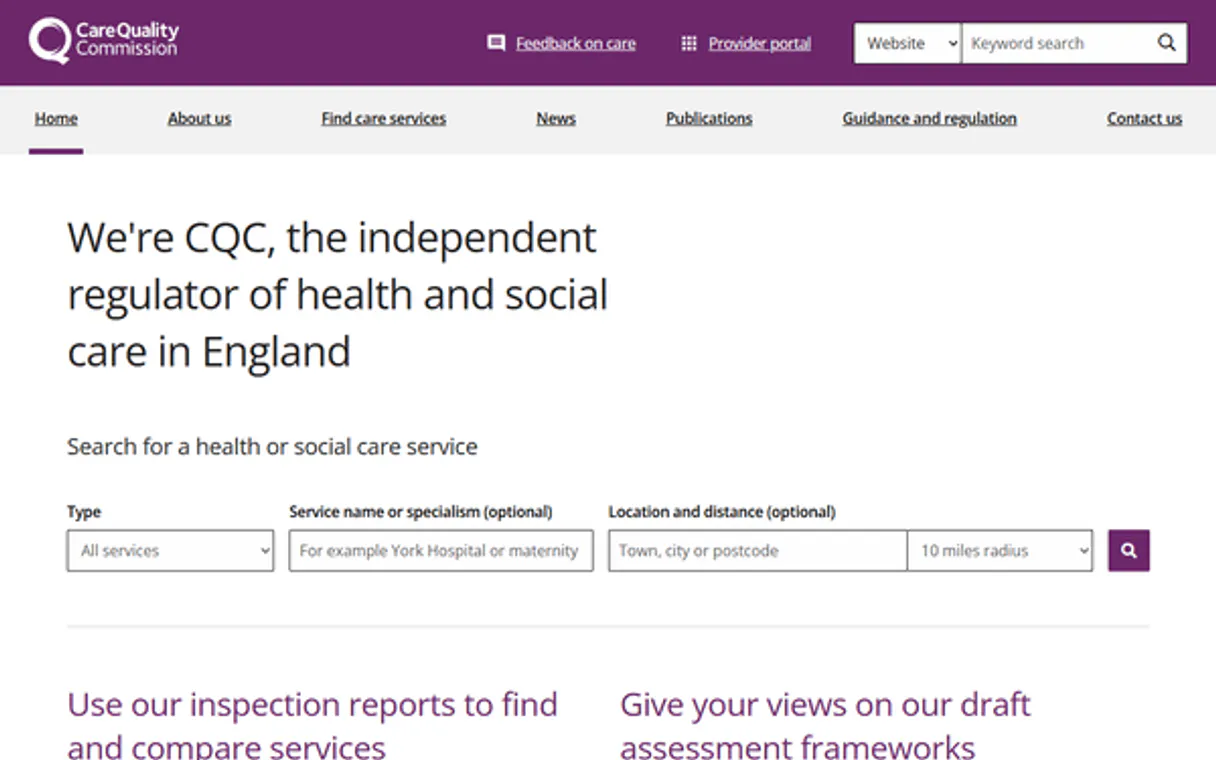
Independent Platform Disclaimer: Vinkius is an independent platform and is not affiliated with, endorsed by, sponsored by, verified by, or otherwise authorized by Care Quality Commission. All third-party trademarks, logos, and brand names are the property of their respective owners. Their use on this website is strictly for informational purposes to identify service compatibility and interoperability.
VINKIUS INFRASTRUCTURE
Cloud Hosted
Managed infra
V8 Isolated
Sandboxed per request
Zero-Trust Proxy
No stored credentials
DLP Enforced
Policy on every call
GDPR Compliant
EU data residency
Token Compression
~60% cost reduction
Works with Claude, ChatGPT, Cursor, and more
The Model Context Protocol standardizes how applications expose capabilities to LLMs. Instead of operating in isolation, your AI gains direct access to external platforms, live data, and real-world actions through secure, standardized connections.
This server provides 8 capabilities that interface natively with Claude, ChatGPT, Cursor, and any MCP client. No middleware. No custom integration required.
Available Capabilities
Finding a facility's rating shouldn't take five different tabs.
Right now, checking a care home's quality score means jumping through multiple government portals. You search by postcode, then you click on the provider's name, then you filter by date, and then you find the specific rating card. It’s a mess of clicks and copy-pasting.
With this MCP server, you just ask your agent to check the location. It uses the `get_location` tool and instantly returns the current CQC rating and detailed findings, giving you the full picture in seconds.
The Care Quality Commission (CQC) MCP Server: Get Provider Details
Manually gathering a provider's details requires running separate searches for basic info, then for all associated locations, and then for historical rating changes. This is a multi-step, unreliable process.
Now, your agent handles the full sequence. You get the provider's primary details, their associated locations, and their compliance history—all in one conversation flow. It's clean and complete.
Common Questions About CQC MCP
How do I search for a provider using the `search_providers` tool? +
You simply ask your agent to search for the provider by name. The tool accepts a partial or full name and returns a list of matching registered providers.
Can I check ratings for a postcode using the `search_locations_by_postcode` tool? +
Yes. You give the tool a postcode, and it returns all registered locations near that area, along with their current CQC ratings.
What information does the `get_changes` tool provide? +
The get_changes tool provides a summary of all rating or registration updates within a defined date range, allowing you to track regulatory history.
Does `get_provider_locations` list all sites for a provider? +
Yes. This tool takes a provider name and returns a complete list of every physical location associated with that single organizational entity.
Is the `get_location` tool limited to one specific type of facility? +
No. The get_location tool retrieves detailed information for any registered care location, whether it's a hospital, care home, or clinic.
How do I find all locations linked to a provider using the `get_provider_locations` tool? +
It lists every registered site for a specific provider. This includes hospitals, care homes, and clinics, letting you map an organization's full footprint.
What does the `list_providers` tool return? +
It provides a comprehensive list of all registered health and social care providers in England. You can then use the provider name or ID to get specific details.
If I run `get_location` repeatedly, are there rate limits or performance considerations? +
The service manages rate limits, but frequent calls for detailed reports can impact performance. For bulk data, it's better to batch requests or check for dedicated bulk endpoints.
Can I search for care homes in a specific area? +
Yes! Use the search_locations_by_postcode tool with a UK postcode. The agent will return registered care services in that vicinity along with their latest ratings.
How do I see the latest rating for a hospital? +
First, find the hospital's location ID using search_providers, then use the get_location tool. The response will include the overall rating and breakdown by service area.
Does this include data for Scotland or Wales? +
No. The CQC only regulates health and adult social care services in England. Other regions have different regulatory bodies.
Use it with your favorite AI tools
Connect this server to Cursor, Claude, VS Code, and more.
More in this category

HigherGov
Find and track government contracts, grants, and procurement opportunities with intelligence built for public sector vendors.

Diputación de Alicante
Access open data from the province of Alicante — query demographics, municipal budgets, public debt, and local festivals directly.

IBGE Serviços de Dados
Access official Brazilian statistics, geographic data, economic classifications (CNAE), and demographic insights directly from IBGE.
You might also like

AEGIS Hedging
Energy risk management — manage trades, valuations, and market data via AI.

Farcaster (Decentralized Social Protocol)
Interact with the Farcaster protocol — manage channels, moderate casts, and explore social graphs directly from your AI agent.

Trolley Global Payouts & Tax Compliance
Automate global payouts and tax compliance — manage recipients, payments, and tax forms via AI.