
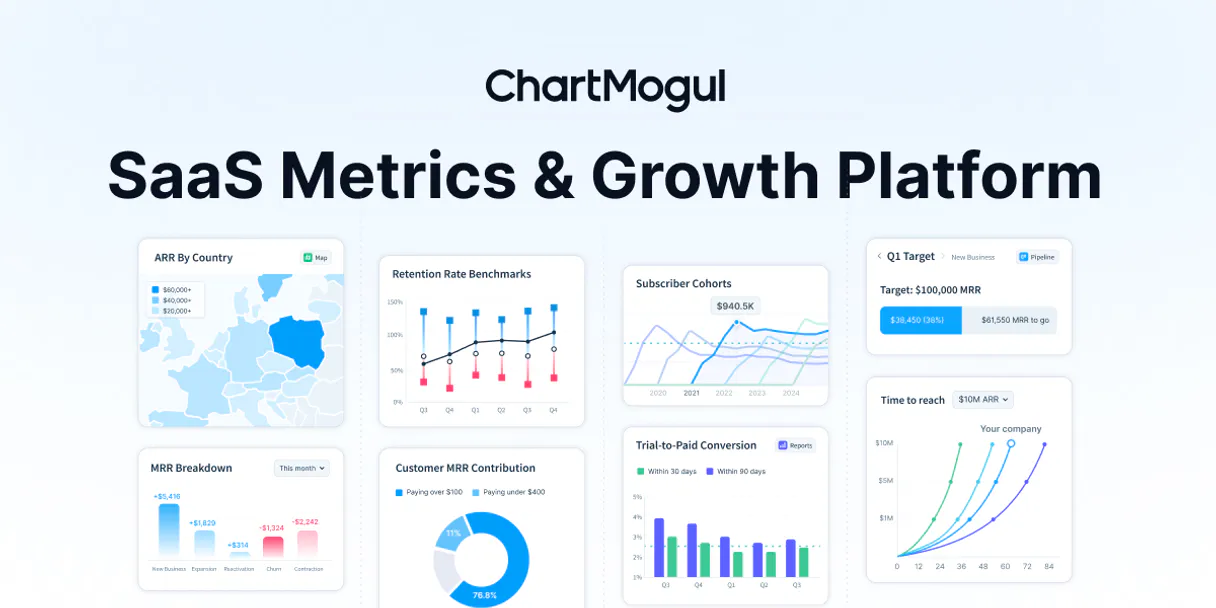
ChartMogul MCP for AI. Turn SaaS Revenue Data into Natural Conversation.
 Gemini
 Works with every AI agent you already use
…and any MCP-compatible client









Connect to your AI in seconds.
ChartMogul MCP connects your SaaS revenue intelligence directly to any AI agent. Get real-time metrics on Monthly Recurring Revenue (MRR), Annual Run Rate (ARR), and churn rates through simple conversation.
It lets you track customer life cycles, monitor subscriber growth, and analyze historical trends without exporting CSVs.
What your AI can do
Create customer record
Adds a brand new customer entry to your system records.
Get summary metrics
Gathers a snapshot of core key SaaS metrics in one go.
Get api status
Checks and confirms the current connection status of the service.
Retrieves historical Monthly Recurring Revenue (MRR) and Annual Run Rate (ARR) figures for specific time periods.
Calculates churn rates and Lifetime Value (LTV) based on custom date ranges to assess business health.
Retrieves detailed profiles for individual subscribers, including their historical revenue contribution.
Lists all connected data systems like Stripe or Braintree and displays current subscription plans used by your base.
Tracks the overall customer count history and key performance indicators for a given period.
Ask an AI about this
Waiting for input…
ChartMogul MCP: 12 Tools for SaaS Analytics
These twelve tools allow you to query every part of your billing infrastructure, from listing all subscribers (list_customers) to analyzing historical revenue trends (get_mrr_history).
Make your AI actually useful.
Add this MCP to Claude, Cursor, or Windsurf and your AI stops guessing. It gets real tools to look things up, take action, and handle the stuff you keep doing by hand.
Start using ChartMogul on VinkiusCreate Customer Record
Adds a brand new customer entry to your system records.
Get Summary Metrics
Gathers a snapshot of core key SaaS metrics in one go.
Get Api Status
Checks and confirms the current connection status of the service.
Get Arr History
Provides a historical analysis of your Annual Run Rate (ARR).
Get Churn Rates
Calculates and analyzes customer retention rates over specified periods.
Get Customer Count History
Tracks the total number of users or customers over time.
Get Customer Details
Pulls a complete profile and history for one specific customer.
Get Customer Ltv
Calculates the estimated Lifetime Value (LTV) for any given customer.
Get Mrr History
Analyzes and retrieves historical data on Monthly Recurring Revenue (MRR).
List Customers
Retrieves a list of all current subscribers and their basic details.
List Data Sources
Shows which external billing sources are currently connected to your account.
List Subscription Plans
Lists every defined pricing and billing plan you offer.
Security and governance baked right in.
Pick your AI client below to get set up. Just create a Vinkius account, subscribe, and you're instantly up and running. We handle the entire backend infrastructure, delivering out-of-the-box support for HTTPS Streamable, SSE, and OAuth2—zero messy routing required.
Claude AI
Open Claude Settings
Go to claude.ai, click your profile icon, then navigate to Customize → Connectors.
Add Custom Connector
Click the "+" button and select Add custom connector. Paste your Vinkius endpoint URL:
https://edge.vinkius.com/[YOUR_TOKEN_HERE]/mcp
Replace [YOUR_TOKEN_HERE] with your token
from cloud.vinkius.com. For OAuth-protected servers, expand
Advanced settings to add credentials.
Start a conversation
Open a new chat. The ChartMogul integration is available immediately — no restart needed.
Choose How to Get Started
Build a custom MCP for your own tools, or connect a ready-made integration from our catalog.
Build Your Own
Turn any API into an MCP. Import a spec, define Agent Skills, or deploy with MCPFusion.
- Import from OpenAPI, Swagger, or YAML specs
- Create Agent Skills with progressive disclosure
- Deploy to edge with MCPFusion framework
- Built in DLP, auth, and compliance on every call
- Real time usage dashboard and cost metering
- Publish to catalog or keep private
Make Your AI Do More
Start with ChartMogul, then connect any of our 5,100+ other servers whenever your AI needs more. One click, no limits.
- Use this MCP plus 5,100+ others, all in one place
- Add new capabilities to your AI anytime you want
- Every connection is secured and compliant automatically
- Track usage and costs across all your servers
- Works with Claude, ChatGPT, Cursor, and more
- New servers added to the catalog every week
Independent Platform Disclaimer: Vinkius is an independent platform and is not affiliated with, endorsed by, sponsored by, verified by, or otherwise authorized by ChartMogul. All third-party trademarks, logos, and brand names are the property of their respective owners. Their use on this website is strictly for informational purposes to identify service compatibility and interoperability.
VINKIUS INFRASTRUCTURE
Cloud Hosted
Managed infra
V8 Isolated
Sandboxed per request
Zero-Trust Proxy
No stored credentials
DLP Enforced
Policy on every call
GDPR Compliant
EU data residency
Token Compression
~60% cost reduction
Works with Claude, ChatGPT, Cursor, and more
The Model Context Protocol standardizes how applications expose capabilities to LLMs. Instead of operating in isolation, your AI gains direct access to external platforms, live data, and real-world actions through secure, standardized connections.
This connection provides 12 powerful capabilities that interface natively with Claude, ChatGPT, Cursor, and other compatible AI platforms. No middleware. No custom integration required.
The Pain of Revenue Reporting Today
Right now, getting a full picture of how your business is doing means jumping between tabs. You check the main dashboard for MRR, then open the churn tab to see retention rates, and finally go into the customer list just to confirm who paid last month. It’s tedious clicking and copying.
With this MCP, you keep everything in one place. Just talk to your agent about your revenue metrics—ask it to get_mrr_history or compare churn rates using get_churn_rates. Your AI reads the data directly and gives you a single, conversational answer.
The Power of ChartMogul MCP
You ditch the manual process of generating reports by date range or segment. Instead of exporting CSVs for deep dives, you ask your agent to list all billing plans using list_subscription_plans and immediately know if a pricing adjustment is needed.
The result isn't just data; it’s insight delivered instantly. You get immediate answers about your financial health that used to take an analyst half a day.
What your AI can actually do with this
Managing a subscription business means constantly tracking key numbers: how much money is coming in this month? Are customers leaving faster than expected? This MCP handles all that. You talk to your AI agent—whether it's running through Claude or Cursor—and ask specific questions about your revenue health. It pulls live data on MRR and ARR, checks customer churn rates across custom time windows, and gives you detailed historical views of user growth.
For example, asking for a profile on one customer immediately tells you their MRR contribution and estimated Lifetime Value (LTV). If you're looking for an MCP catalog, Vinkius hosts this connection so you can access your SaaS finance data from any compatible client. It turns complicated dashboards into simple conversations.
019dd0cc-2796-72d8-8946-96f9882b9f0f 
Here's how it actually works
The bottom line is you use conversation to access structured financial data that used to require manual dashboard clicks.
Subscribe to this MCP on Vinkius and grab your API Key from your ChartMogul dashboard.
Connect your preferred agent (like Cursor or Claude) using the MCP key.
Ask a natural language question, such as 'What was our MRR last quarter?' The agent runs the query and presents the answer.
Who is this actually for?
Founders who need instant revenue summaries, or finance teams tired of manually pulling reports from multiple dashboards. If your job requires knowing the exact MRR impact of a specific customer segment, you need this.
Instantly pull high-level revenue summaries and churn reports using simple conversational commands to guide product pivots.
Monitor ARR trends, calculate customer LTV, and track key SaaS metrics without leaving their primary communication tool.
Automate the retrieval of structured subscription data—like listing all customers or checking API connection status—for internal reporting.
What Changes When You Connect
You don't have to manually export CSV files. Instead, your agent queries the data directly and reports back metrics like MRR and ARR instantly.
Pinpoint growth patterns by querying historical trends for any period (day, week, month). You can analyze this with get_mrr_history or get_arr_history.
Understand which customers are most valuable. The agent calculates the LTV for specific users using get_customer_ltv, helping you prioritize outreach.
Keep billing oversight tight by getting a list of all connected data sources via list_data_sources and seeing every subscription plan available through list_subscription_plans.
Analyze retention without leaving your chat window. You can monitor churn rates with get_churn_rates while tracking overall user growth using get_customer_count_history.
See it in action
Reviewing Q4 performance
A founder needs to know how the revenue performed in the last quarter. Instead of jumping through three different dashboards, they ask their agent: 'Show our MRR and ARR summary for the last 3 months.' The agent returns the full metrics immediately.
Investigating a high-value customer
A finance analyst needs to justify an account manager's focus. They use get_customer_details on 'john.doe@example.com' and instantly see his MRR contribution, LTV estimate, and full history.
Auditing data connections
A data ops specialist must ensure billing records are up to date. They run list_data_sources first, then use get_api_status to confirm the connection is live before running any reports.
Comparing current vs. last month's retention
A product manager asks their agent: 'What was our churn rate compared to last month?' The system runs get_churn_rates, providing a direct comparison that helps them understand if recent changes improved retention.
The honest tradeoffs
Using basic spreadsheet formulas
Manually compiling MRR data from three different filtered reports and then using VLOOKUPs to calculate LTV. It takes an hour, and you're always missing a date range.
Use the agent to run get_mrr_history or get_arr_history with specific parameters. This handles the calculation in one go, eliminating manual aggregation.
Relying on native software dashboards
Having to open the ChartMogul UI, navigate to 'Trends,' set a custom date range for user growth, and then copy the resulting number into an email.
Simply ask your agent: 'What was our customer count history between June 1st and July 30th?' The result is delivered directly in the chat.
Copying data from PDF reports
Receiving a quarterly review that includes charts, forcing you to manually transcribe key metrics like 'Total LTV' into your internal wiki.
Use get_customer_ltv or get_summary_metrics. The agent pulls the exact number and context directly from the source data.
When It Fits, When It Doesn't
Use this MCP if your primary need is to analyze structured subscription metrics, such as MRR, ARR, LTV, or churn rates. You must be focused on historical trends and current financial performance indicators. Don't use it if you are trying to manage unstructured data (like user-generated content) or if you only need a simple contact list; for that, a basic CRM integration is better. If your goal is pure workflow automation—like triggering an action based on revenue—you might need a different type of webhook tool instead.
Questions you might have
How do I use the ChartMogul MCP to check MRR? +
You ask your agent to run get_mrr_history. You can specify time frames in your prompt, and it returns a detailed analysis of your monthly recurring revenue.
Can I use ChartMogul MCP to see how many customers we have? +
Yes, you use get_customer_count_history. You can ask the agent for the historical customer count over any period to monitor overall growth.
What if I want to know a single customer's LTV using ChartMogul MCP? +
Use get_customer_ltv and provide the specific customer identifier. It calculates their estimated Lifetime Value based on their history with your service.
How does list_data_sources help with billing? +
list_data_sources shows you every connected payment gateway or data feed, helping you audit which sources are actively contributing to your revenue metrics and ensuring high-fidelity billing oversight.
What should I use if I need to confirm the connection using the `get_api_status` tool? +
It immediately confirms your credentials. Running get_api_status checks your API key and overall connectivity status before you run complex analyses, preventing failed queries and saving time.
If I want an overview of our pricing tiers, how does the `list_subscription_plans` tool help? +
It lists every current billing plan. This lets your agent pull specific details about plan names, features, and associated rates. You can then feed that data into other tools to calculate MRR or LTV accurately.
When running cohort reports, how is the customer base accessed using the `list_customers` tool? +
The tool retrieves a comprehensive list of all active subscribers. You can then pass this structured data to your agent to group users and calculate retention rates across specific cohorts or time periods.
If we onboard a new client outside our usual process, how do I use the `create_customer_record` tool? +
It allows you to manually input and register a brand-new subscriber. Use this when an external system creates a user that hasn't been automatically linked into your billing records yet.
How do I find my ChartMogul API Key? +
Log in to your account, navigate to Settings > API, and copy your unique secret key.
Are the MRR and ARR metrics real-time? +
Yes! The metrics tools retrieve the most current calculations based on the data synced into your ChartMogul account.
Can I filter metrics by specific date ranges? +
Absolutely. Use the get_summary_metrics tool and provide start-date and end-date parameters to analyze specific growth periods.
We've already built the connector for ChartMogul. Just plug in your AI agents and start using Vinkius.
No hosting. No infrastructure. No complex setup.
All 12 tools are live and waiting.
You're up and running in seconds.
Gemini Vinkius gives your AI agents access to the full catalog of app connectors, all fully managed, secure, and enterprise-ready. One subscription, every tool you need.
Built, hosted, and secured by Vinkius. You just connect and go.