
Chewy Ads MCP. Audit campaigns and budgets from your chat interface.
 Gemini
 Works with every AI agent you already use
…and any MCP-compatible client









Just plug in your AI agents and start using Vinkius.
Chewy Ads MCP Server manages your retail media and sponsored product advertising directly from your AI client. It lets you track campaign performance, audit keywords, monitor ad group structures, and check account budgets without logging into the Chewy Ads dashboard.
Use it to manage your pet product advertising performance instantly.
What your AI agents can do
Get campaign details
Gets specific details for one ad campaign.
Get chewy account balance
Retrieves the current account balance and total budget status.
Get performance report
Pulls a detailed performance report for a specific time period.
Retrieve your current Chewy Ads account balance and overall budget status in one call.
List all ad campaigns, then list all ad groups within those campaigns, and finally list all individual ads within those ad groups.
Pull detailed reports showing clicks, impressions, and spend for a specific date range.
List all keywords for a given ad group and see their associated performance metrics.
Get details on the product catalogs synced to your advertising account.
Ask AI about this MCP
Supported MCP Clients
Gemini Waiting for input…
Chewy Ads MCP Server: 8 Tools for Ad Management
Use these tools to analyze campaign metrics, retrieve keyword performance, list ad groups, and manage account status within your AI client.
019d756eget campaign details
Gets specific details for one ad campaign.
019d756eget chewy account balance
Retrieves the current account balance and total budget status.
019d756eget performance report
Pulls a detailed performance report for a specific time period.
019d756elist adgroup ads
Lists all individual ads within a specific ad group.
019d756elist adgroup keywords
Lists keywords and their performance data for a specific ad group.
019d756elist campaign adgroups
Lists all ad groups that belong to a specific ad campaign.
019d756elist chewy campaigns
Lists every ad campaign currently in your account.
019d756elist chewy catalogs
Lists the product catalogs synced to your ad account.
Choose How to Get Started
Build a custom MCP for your own tools, or connect a ready-made integration from our catalog.
Build Your Own
Turn any API into an MCP. Import a spec, define Agent Skills, or deploy with MCPFusion.
- Import from OpenAPI, Swagger, or YAML specs
- Create Agent Skills with progressive disclosure
- Deploy to edge with MCPFusion framework
- Built in DLP, auth, and compliance on every call
- Real time usage dashboard and cost metering
- Publish to catalog or keep private
Make Your AI Do More
Start with Chewy Ads, then connect any of our 4,700+ other servers whenever your AI needs more. One click, no limits.
- Use this MCP plus 4,700+ others, all in one place
- Add new capabilities to your AI anytime you want
- Every connection is secured and compliant automatically
- Track usage and costs across all your servers
- Works with Claude, ChatGPT, Cursor, and more
- New servers added to the catalog every week
What you can do with this MCP connector
Man, you gotta connect your Chewy Ads account to your AI client and leave the dashboard mess behind. This whole setup lets you run your sponsored product ads and check performance right from your agent. You'll manage everything for your pet product advertising instantly.
Account Health & Structure
Need to know where you stand? You can pull your current Chewy Ads account balance and check the total budget status with get_chewy_account_balance. To map out your whole ad structure, you first call list_chewy_campaigns to see every campaign running in your account. From there, you use list_campaign_adgroups to list all the ad groups inside a specific campaign.
Then, you can drill down further: list_adgroup_ads gives you every individual ad in an ad group, and list_adgroup_keywords shows you all the keywords and their performance data for that ad group.
Performance & Auditing
Want to see how things are actually doing? You pull a detailed performance report for any date range using get_performance_report. To deep-dive into a single campaign, you grab specific details with get_campaign_details. You can also audit keyword effectiveness by listing all keywords for a given ad group using list_adgroup_keywords. For a quick look at product listings, you can list the product catalogs synced to your ad account with list_chewy_catalogs.
How it Works
This server lets your AI client talk to your Chewy Ads account, giving you direct access to the data. You don't have to click through menus or wait for reports. You just tell your agent what you need—whether it's the current budget, a list of all campaigns, or the performance metrics for last week—and you get the data right there.
You're keeping control of your spending and optimizing your pet product ads without ever leaving your workspace.
How Chewy Ads MCP Works
- 1 Subscribe to the Chewy Ads server and enter your API Key and Client ID from your PromoteIQ dashboard.
- 2 Use your AI client (Claude, Cursor, etc.) to prompt the server, specifying the data you need (e.g., 'List all campaigns').
- 3 The server runs the necessary tool calls and returns structured data (e.g., campaign lists, performance tables) directly to your chat interface.
The bottom line is: you talk to your AI client, and it runs the Chewy Ads tools to pull structured data, bypassing the need to click through multiple dashboards.
Who Is Chewy Ads MCP For?
This is for e-commerce managers and marketing specialists who spend too much time clicking through dashboards just to get a simple answer. If you need to audit keyword performance or check budget status before making a change, this server gives you the data instantly.
Uses the server to monitor ad performance and ROI for pet brands using natural language prompts, instead of exporting CSVs.
Audits keyword success and campaign statuses instantly without having to open the Chewy Ads dashboard.
Quickly verifies account balances and budget utilization straight from their chat interface when they need to approve spending.
What Changes When You Connect
- Check budget status instantly. Instead of navigating to the billing section, call
get_chewy_account_balanceto see your remaining budget and daily cap immediately. - Map your entire ad structure. Use
list_chewy_campaignsfollowed bylist_campaign_adgroupsto build a full inventory of every ad group in your account, all through natural conversation. - Benchmark keyword performance. Run
list_adgroup_keywordsto see which keywords are driving impressions and clicks for a specific ad group, without leaving your AI agent. - Analyze spend over time. Generate detailed reports by calling
get_performance_reportfor a specific date range, providing metrics like impressions and total spend. - Drill down to ads. If you find a strong ad group, use
list_adgroup_adsto see the exact creative assets running, helping you optimize copy or images. - Verify product sync. Use
list_chewy_catalogsto confirm product synchronization status, making sure your ad copy points to the right inventory.
Real-World Use Cases
Campaign health check
You need to know if your 'Summer Treats' campaign is spending too much. You ask your agent to run get_campaign_details for that campaign. The agent responds with the specific spending metrics, allowing you to confirm if the budget is being used correctly before approving any changes.
Keyword optimization audit
A specific ad group, 'Cat Litter Promo', might be underperforming. You ask your agent to run list_adgroup_keywords on that group. The agent returns a list showing keywords with low impressions and high spend, pointing you directly to the problem area for optimization.
Account balance verification
You're about to launch a new product line and need to confirm spending limits. You simply ask your agent for the balance, and the server runs get_chewy_account_balance, providing the current spending cap and remaining funds instantly.
Full ad hierarchy mapping
You need a complete map of every ad group and ad in your account. You start by running list_chewy_campaigns, then chain that output through list_campaign_adgroups, and finally use list_adgroup_ads to map out the entire campaign architecture.
The Tradeoffs
Calling tools sequentially
Manually calling list_chewy_campaigns first, then opening the dashboard, and then calling list_campaign_adgroups in a separate tab to match the IDs. This forces context switching and requires you to copy/paste IDs.
→ Tell your AI agent to map the structure. Ask it to list the campaigns and their ad groups in one conversation. The agent handles the sequence of calls, giving you a single, compiled view.
Treating data as static
Assuming the data you pulled yesterday (e.g., list_adgroup_keywords output) is still accurate today without checking the performance report. You might make a major budget change based on old metrics.
→
Always cross-reference specific performance data. Run get_performance_report for the desired date range before making any optimization decisions. This validates the current state of the metrics.
Ignoring catalog syncs
Launching an ad for a new product but forgetting to verify if the product catalog is updated, leading to ads showing incorrect inventory or failing to launch.
→
Always check the catalog status first. Run list_chewy_catalogs to confirm product synchronization before launching any new campaigns or ad groups.
When It Fits, When It Doesn't
Use this server if your goal is to get a rapid, structured answer about ad performance or account status. For example, if you need to know 'What was the total spend last month?' use get_performance_report. If you need to know 'How much money do I have left?' use get_chewy_account_balance. Don't use this if you are trying to write ad copy; you need a separate copywriting tool. If you only need to view the dashboard, you don't need this server at all. This is for data retrieval and analysis, not content creation.
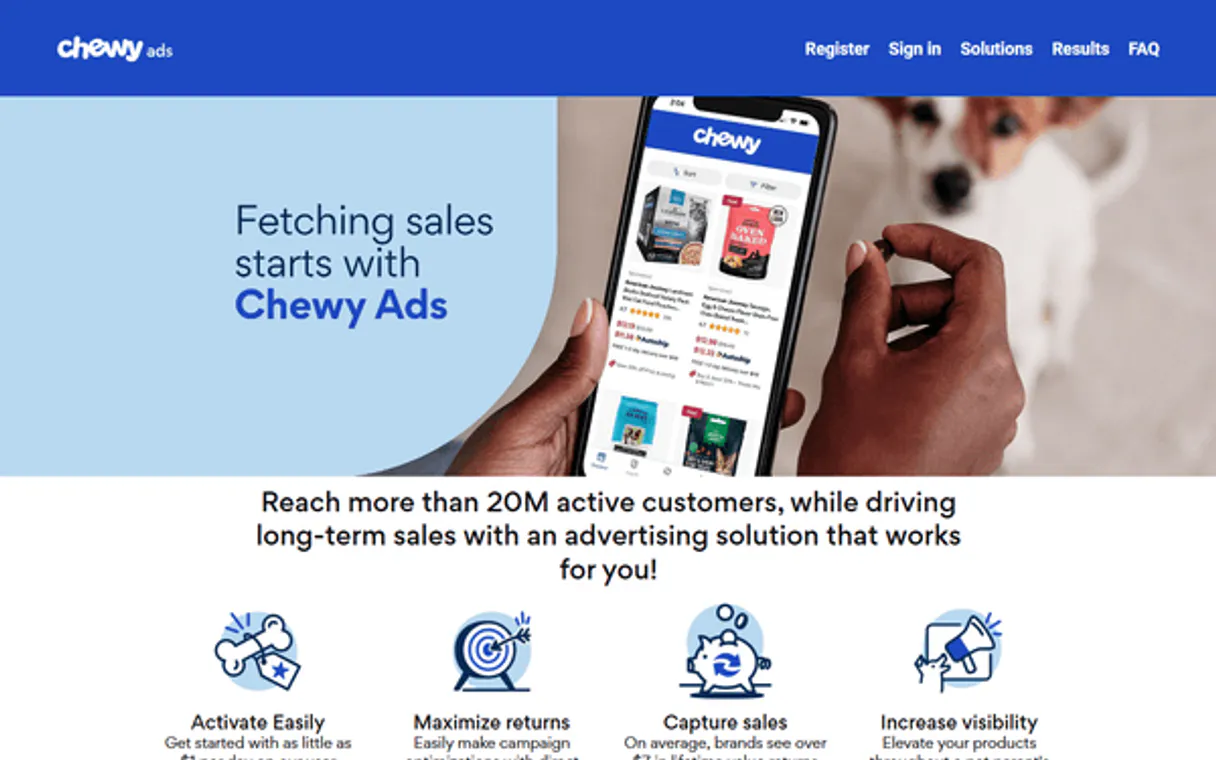
Independent Platform Disclaimer: Vinkius is an independent platform and is not affiliated with, endorsed by, sponsored by, verified by, or otherwise authorized by Chewy Ads. All third-party trademarks, logos, and brand names are the property of their respective owners. Their use on this website is strictly for informational purposes to identify service compatibility and interoperability.
VINKIUS INFRASTRUCTURE
Cloud Hosted
Managed infra
V8 Isolated
Sandboxed per request
Zero-Trust Proxy
No stored credentials
DLP Enforced
Policy on every call
GDPR Compliant
EU data residency
Token Compression
~60% cost reduction
Works with Claude, ChatGPT, Cursor, and more
The Model Context Protocol standardizes how applications expose capabilities to LLMs. Instead of operating in isolation, your AI gains direct access to external platforms, live data, and real-world actions through secure, standardized connections.
This server provides 8 capabilities that interface natively with Claude, ChatGPT, Cursor, and any MCP client. No middleware. No custom integration required.
Available Capabilities
Debugging ad campaigns shouldn't require 15 clicks and 3 tabs.
Right now, checking a campaign's health is a pain. You start by logging into the Chewy Ads dashboard, find the campaign, click on 'Performance,' and then you have to cross-reference the date range, the ad group, and the keyword list. If you need to check three campaigns, you repeat this entire process three times, manually copy-pasting IDs and dates.
With the Chewy Ads MCP Server, you just ask your agent. You prompt it with, 'What was the total spend for the Puppy Food Launch campaign last week?' The agent runs `get_campaign_details` and gives you the exact answer in plain text, no dashboard required.
Chewy Ads MCP Server: Audit campaigns and budgets from your chat interface
The manual steps that disappear are the need to switch between tabs, the repetitive copying of IDs, and the time spent filtering data across multiple reports. You don't have to manually map the relationship between campaigns and their ad groups.
Now, you talk to your agent, and it handles the whole process. It gives you a complete, structured overview of your entire ad hierarchy and performance, instantly.
Common Questions About Chewy Ads MCP
How do I use get_chewy_account_balance to check my spending? +
Use get_chewy_account_balance to retrieve your current account balance and overall budget status. It provides the remaining budget and the daily spending cap in a single response.
What is the difference between list_chewy_campaigns and list_campaign_adgroups? +
list_chewy_campaigns gives you a list of all campaigns. You then use list_campaign_adgroups on a specific campaign ID to get the ad groups inside it.
Can I check keyword performance for a whole account? +
No. You must first list the ad groups using list_campaign_adgroups, and then run list_adgroup_keywords for each specific ad group ID.
How do I get performance data for a custom date range using get_performance_report? +
You provide the required start and end dates to get_performance_report. The output includes impressions, clicks, and total spend for that specific time period.
How do I use list_chewy_catalogs to verify product synchronization? +
It lists all product catalogs synced to your ad account. You get a list of catalog names and their last sync dates, letting you confirm if your product data is current for advertising.
What information does list_adgroup_keywords provide? +
It provides a list of keywords and their associated performance metrics. You see the keyword, the ad group it belongs to, and metrics like impressions and clicks.
What details can I get using get_campaign_details? +
This tool returns full details for one specific ad campaign. You retrieve information like the campaign goal, start/end dates, and overall budget allocation.
When should I use list_campaign_adgroups versus list_adgroup_ads? +
Use list_campaign_adgroups to get a list of the main ad groups within a campaign. Then, use list_adgroup_ads to see the specific ads running inside one of those ad groups.
Can I see my advertising spend for this month? +
Yes! Use the get_performance_report tool with your desired date range. The agent will retrieve your spend metrics along with impressions and clicks.
How do I check the status of a specific ad group? +
Use the list_campaign_adgroups tool with your campaign ID. Your agent will fetch all ad groups and their current states (e.g., Active, Paused).
Where do I find my Chewy Ads API Key and Client ID? +
These credentials are provided through the Chewy Ads / PromoteIQ dashboard. Log in to your advertiser portal and look for the 'API' or 'Developer' settings section.
Use it with your favorite AI tools
Connect this server to Cursor, Claude, VS Code, and more.
More in this category

JVZoo
Manage products, sales, and affiliates via JVZoo API.
ChannelAdvisor (Rithum)
Manage multi-channel commerce via ChannelAdvisor — track products, inventory, and orders across global marketplaces directly from any AI agent.

Printful
Access Printful's product catalog — list products, inspect variants, and retrieve detailed size guides directly from any AI agent.
You might also like

Linkup (AI Search & RAG)
Power your AI agents with real-time web search via Linkup — execute semantic queries and extract RAG-ready content.

Google Search Console
Monitor your website's search performance, fix indexing issues, and manage sitemaps via AI.

Genius
Search songs, get lyrics, annotations and artist info — the world's largest lyrics database.