
Cin7 Omni MCP. Manage stock, orders, and contacts from chat.
 Gemini
 Works with every AI agent you already use
…and any MCP-compatible client









Just plug in your AI agents and start using Vinkius.
Cin7 Omni. Manage your inventory and multi-channel orders directly from your AI client. This server lets you track stock levels, check sales and purchase order statuses, and look up customer/supplier contacts without opening the complex ERP.
It gives you full control over inventory movement across all your sales channels.
What your AI agents can do
Get product details
Gets detailed product information using a specific product ID.
Get sales order details
Gets detailed information for a single, specific sales order.
Get sku stock level
Gets the current stock count for a specific product ID.
Retrieves detailed information for a single, specified product ID.
Retrieves detailed information for a specific sales order number.
Returns the current stock count for a single product ID.
Retrieves lists of both customer and supplier contact records.
Retrieves a list of all products currently in the inventory.
Retrieves a list of purchase orders and associated inbound shipments.
Retrieves a list of sales orders and their current fulfillment status.
Returns a list showing current stock levels for every product in the catalog.
Ask AI about this MCP
Supported MCP Clients
Gemini Waiting for input…
019d756fget product details
Gets detailed product information using a specific product ID.
019d756fget sales order details
Gets detailed information for a single, specific sales order.
019d756fget sku stock level
Gets the current stock count for a specific product ID.
019d756flist cin7 contacts
Lists all customer and supplier contact records in the system.
019d756flist cin7 products
Lists all products available in the inventory catalog.
019d756flist purchase orders
Lists purchase orders and tracks inbound shipments.
019d756flist sales orders
Lists recent sales orders and shows their current fulfillment status.
019d756flist stock levels
Lists the current stock levels for all products in the system.
Choose How to Get Started
Build a custom MCP for your own tools, or connect a ready-made integration from our catalog.
Build Your Own
Turn any API into an MCP. Import a spec, define Agent Skills, or deploy with MCPFusion.
- Import from OpenAPI, Swagger, or YAML specs
- Create Agent Skills with progressive disclosure
- Deploy to edge with MCPFusion framework
- Built in DLP, auth, and compliance on every call
- Real time usage dashboard and cost metering
- Publish to catalog or keep private
Make Your AI Do More
Start with Cin7 Omni, then connect any of our 4,700+ other servers whenever your AI needs more. One click, no limits.
- Use this MCP plus 4,700+ others, all in one place
- Add new capabilities to your AI anytime you want
- Every connection is secured and compliant automatically
- Track usage and costs across all your servers
- Works with Claude, ChatGPT, Cursor, and more
- New servers added to the catalog every week
What you can do with this MCP connector
Cin7 Omni MCP Server - Inventory & Order Management
Your AI client handles your inventory and multi-channel orders straight from the chat window. You don't gotta open that complicated ERP to track stock, check order status, or look up customer contacts. You get full control over inventory movement across all your sales channels.
Check Product Details: You can grab detailed info for any single product by giving it the ID.
Stock Levels: You can check the current stock count for a specific product, or you can list the stock levels for every single product in your system.
List Products: You'll get a rundown of every product sitting in your inventory catalog.
List Sales Orders: This tool gives you a list of recent sales orders and shows you what stage of fulfillment they're at.
Get Sales Order Details: You can pull up all the specific info for one sales order just by giving it the number.
List Purchase Orders: You'll get a list of purchase orders and keep tabs on any inbound shipments you're expecting.
Get Stock Level by SKU: You can find the exact stock count for one product ID.
List Contacts: This tool pulls up a list of both your customer and supplier contacts in the system.
How Cin7 Omni MCP Works
- 1 Subscribe to the server and enter your Cin7 API Username and API Key (found under Settings > API v1).
- 2 Your AI client sends a natural language request (e.g., 'What is the stock for SKU 456?').
- 3 The server uses the appropriate tool (like
get_sku_stock_level) to fetch the data and returns a plain text response to your agent.
The bottom line is that you talk to your agent, and the agent runs the necessary Cin7 API calls in the background to get the data.
Who Is Cin7 Omni MCP For?
Inventory Managers, Warehouse Operations staff, Purchasing Teams, and E-commerce Specialists. If your job involves knowing exactly where a product is, how many you have, or what needs to be ordered next, this is for you. It replaces hours spent clicking through separate ERP dashboards.
Checks stock levels across different locations and monitors inbound shipments using plain language requests.
Verifies product locations and confirms order statuses without having to navigate the complex Cin7 ERP interface.
Quickly looks up supplier details and reviews purchase order history directly within their chat window.
Verifies product details and checks multi-channel sales status for immediate listing updates.
What Changes When You Connect
- See real-time stock counts for any SKU instantly using
get_sku_stock_level. You get the number and where it is, without running manual reports. - List every product in your entire catalog using
list_cin7_products. This lets you quickly check if a new item was entered correctly or find a missing SKU. - Monitor all customer and supplier contacts with
list_cin7_contacts. Need a vendor's phone number or a client's billing address? You get it in a single query. - Check the status of all incoming or outgoing goods using
list_purchase_orders. You instantly know if a shipment is delayed or if the PO was received. - Review recent sales activity by calling
list_sales_orders. You can see how many orders are 'Dispatched' versus 'Fully Invoiced' without clicking through multiple tabs. - Get full product data using
get_product_details. This goes beyond just the name; it pulls metadata needed for e-commerce listings or internal reporting.
Real-World Use Cases
Need to know if we can fulfill a rush order.
A warehouse worker needs to confirm stock for three SKUs across two locations. Instead of checking the main WMS dashboard, they ask their agent: 'What is the stock for 123, 456, and 789?' The agent runs get_sku_stock_level three times and returns the counts, confirming fulfillment capability instantly.
A sales rep needs to check client history before a call.
A sales rep needs to know if a client has outstanding issues or recent large orders. They ask their agent to run list_cin7_contacts for the client and cross-reference it with list_sales_orders to get a complete picture before the meeting.
The purchasing team needs to check if a shipment arrived.
The purchasing agent expects a shipment from Vendor X. Instead of calling the warehouse and checking the PO module, they ask their agent to run list_purchase_orders. The agent confirms the PO status and notes if the inbound shipment is marked 'Received.'
E-commerce listing needs product metadata verification.
The e-commerce team is updating a product page and needs to verify the dimensions and weight. They run get_product_details for the SKU. The agent immediately provides the full metadata needed, stopping the manual search through the product backend.
Running a full inventory audit.
An inventory manager needs to know the stock levels for every item in the system. Instead of running a massive, slow report, they ask the agent to run list_stock_levels. The agent generates a clean list of every product and its current count.
The Tradeoffs
Checking stock manually.
The user opens the WMS, navigates to the product ID, finds the tab, and types the SKU. This takes 3-4 clicks and often fails if the user is on the wrong screen.
→
Just ask your agent: 'What is the stock level for SKU 12345?' The agent runs get_sku_stock_level and gives you the number immediately.
Checking orders via multiple tabs.
The user checks the Sales Order tab, then clicks to the Purchase Order tab, then opens the Contact list to find a client's phone number. This breaks the flow and is slow.
→
Ask your agent to combine the info. For example: 'What were the last 5 orders for Client ABC?' The agent runs list_sales_orders and list_cin7_contacts and delivers one answer.
Trying to find product info in a search box.
The user types 'blue shirt' into the general search bar, which returns a mix of documents, people, and products, making it hard to find the right details.
→
Use the specific tool: 'Run get_product_details for SKU 999.' You get the structured data you need, not a wall of links.
Forgetting to check the PO status.
The sales team promises a client a product that hasn't been ordered yet. They assume it's in stock because they saw it on the product page.
→
Always confirm the supply chain status. Run list_purchase_orders first to ensure the item is ordered and inbound, then check get_sku_stock_level for what's currently on hand.
When It Fits, When It Doesn't
Use this server if you need a single source of truth for physical inventory data. You need to cross-reference what was sold (list_sales_orders) against what was bought (list_purchase_orders) and what is currently available (get_sku_stock_level).
Don't use it if your primary need is accounting ledger reconciliation (use a dedicated accounting tool) or if you only need to send a simple internal message (use a messaging server). If you only need a list of products, list_cin7_products works, but if you need the details of one, use get_product_details to get the full record.
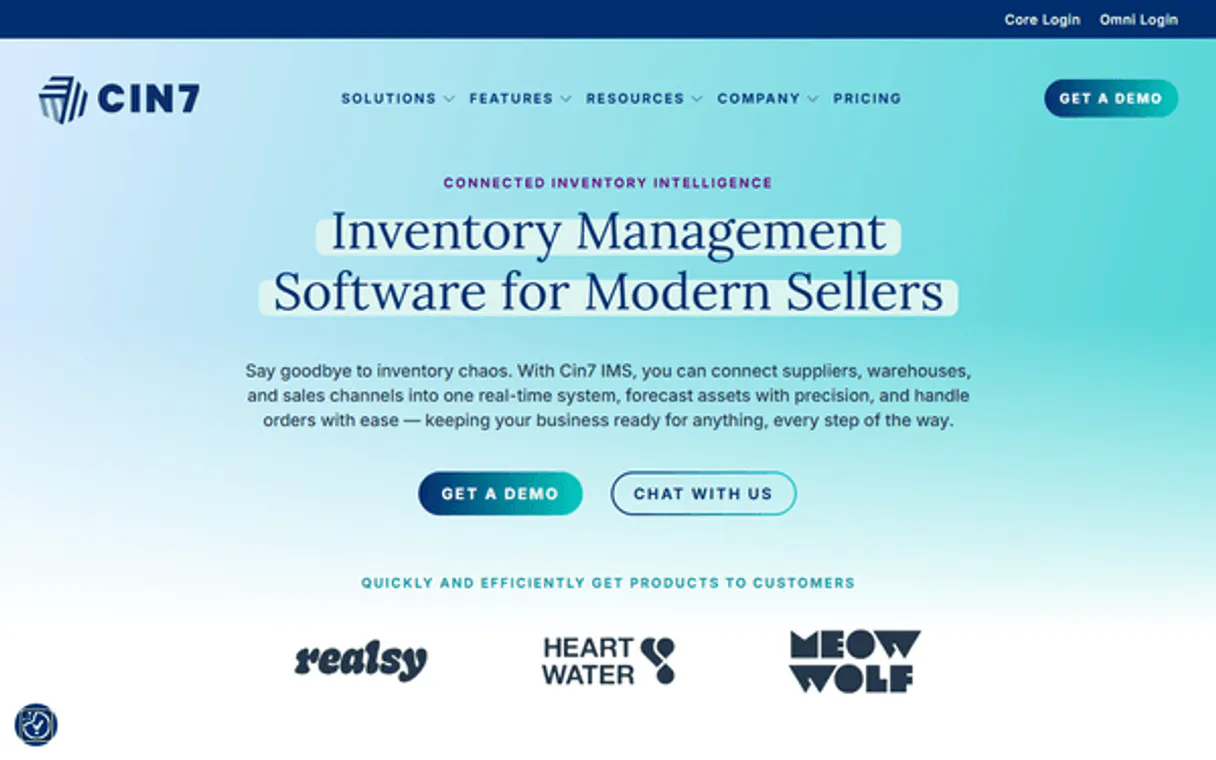
Independent Platform Disclaimer: Vinkius is an independent platform and is not affiliated with, endorsed by, sponsored by, verified by, or otherwise authorized by Cin7 Omni. All third-party trademarks, logos, and brand names are the property of their respective owners. Their use on this website is strictly for informational purposes to identify service compatibility and interoperability.
VINKIUS INFRASTRUCTURE
Cloud Hosted
Managed infra
V8 Isolated
Sandboxed per request
Zero-Trust Proxy
No stored credentials
DLP Enforced
Policy on every call
GDPR Compliant
EU data residency
Token Compression
~60% cost reduction
Works with Claude, ChatGPT, Cursor, and more
The Model Context Protocol standardizes how applications expose capabilities to LLMs. Instead of operating in isolation, your AI gains direct access to external platforms, live data, and real-world actions through secure, standardized connections.
This server provides 8 capabilities that interface natively with Claude, ChatGPT, Cursor, and any MCP client. No middleware. No custom integration required.
Available Capabilities
Checking inventory across multiple channels shouldn't require opening five different browser tabs.
Before this server, tracking stock was a multi-step process. You'd open the e-commerce dashboard to see sales, then switch to the warehouse portal to check physical counts, and finally open the PO module to see if new inventory was coming. This constant clicking and switching creates data latency and makes it easy to promise something you don't actually have.
Now, you ask your agent one question. The agent uses the `list_stock_levels` and `list_sales_orders` tools behind the scenes. You get a single, synthesized answer that tells you exactly what you can sell, right now. It's immediate.
Cin7 Omni MCP Server: Get Product Details
You used to have to search for the product by name, then manually click through several related tabs (metadata, pricing, dimensions) just to find the SKU weight. This was tedious, especially when you had multiple products to check.
Now, you just ask the agent for `get_product_details` using the ID. The agent runs the call and returns the entire, structured record instantly. You skip the manual search and get the data you need, period.
Common Questions About Cin7 Omni MCP
How do I use the `get_sku_stock_level` tool? +
You provide the specific product ID. The server runs the tool and returns the current, real-time count for that single SKU. This is the fastest way to check availability.
Does `list_sales_orders` give me the itemized list? +
Yes, it lists the orders and their status. If you need details on a specific order, use get_sales_order_details and provide the order number.
What's the difference between `list_stock_levels` and `get_sku_stock_level`? +
Use list_stock_levels when you need to see the count for every single product at once. Use get_sku_stock_level when you only care about one specific product's count.
How do I find a customer's info using `list_cin7_contacts`? +
You just ask the agent to run list_cin7_contacts. It compiles all customer and supplier records into one list for you to review.
How do I list all products using the `list_cin7_products` tool? +
This tool returns a list of every product in your catalog. You can then filter this list by product metadata, like category or brand, directly in your chat window.
What does `list_purchase_orders` actually return? +
It provides a comprehensive list of purchase orders, plus details on inbound shipments. This lets you track exactly when new stock arrives at your warehouse.
Can I check product details for a specific item using `get_product_details`? +
Yes, you provide the product ID, and the tool returns detailed information. You'll get everything from dimensions to current cost data in one go.
Are there limits to how many contacts I can list with `list_cin7_contacts`? +
The tool lists all available customer and supplier contacts. If you hit a limit, the system will notify you, and you can then request the remaining data in chunks.
Can I check the stock level for a specific SKU? +
Yes! Use the get_sku_stock_level tool with the unique product ID. The agent will return the current available quantities across all your warehouses.
How do I see my latest purchase orders? +
Use the list_purchase_orders tool. Your agent will fetch the list of inbound orders, their statuses, and associated suppliers.
Where do I find my API Username and Key? +
Log in to Cin7 Omni, navigate to Settings > Integrations & API > API v1. Your API Username is listed there, and you can generate a new API Key by adding a connection.
Use it with your favorite AI tools
Connect this server to Cursor, Claude, VS Code, and more.
More in this category

Steam Economy & Market Intelligence
The definitive server for Steam assets — track skin prices, inventory values, and market trends via AI.

Reverb
Manage your Reverb shop — create listings, track orders, handle payouts, and communicate with buyers directly via AI.

Wine-Searcher
Search global wine pricing, critic scores, grape varieties, regions, and producer data from 100,000+ merchants worldwide through natural conversation.
You might also like

InvoiceXpress (Online Invoicing)
Manage invoicing via InvoiceXpress — create clients, track payments, and manage invoices and estimates in Portugal.
Flowcode
Manage dynamic QR codes, track scan analytics, and oversee Flowpages via AI agents with Flowcode.

Plivo Alternative
Manage your Plivo communications — send SMS and audit calls via AI.